
Why Mojangles Font Update is a top-tier texture pack mod for Minecraft 1.21
Developed by the talented creator Kurosho_, Mojangles Font Update stands out as a highly recommended selection for your Minecraft client. It is fully optimized, compatibility-tested, and brings a major upgrade to the gameplay experience in Minecraft version 1.21.
⚙️ Quick Resource Specs
| Mod Creator | Kurosho_ |
| Latest Version | 1.21 |
| Supported Game Versions | 1.21, 1.20, 1.19, 1.18, 1.17 |
| File Size | 91.92 KB |
| Last Updated | |
| Total Downloads | 4,639 downloads |
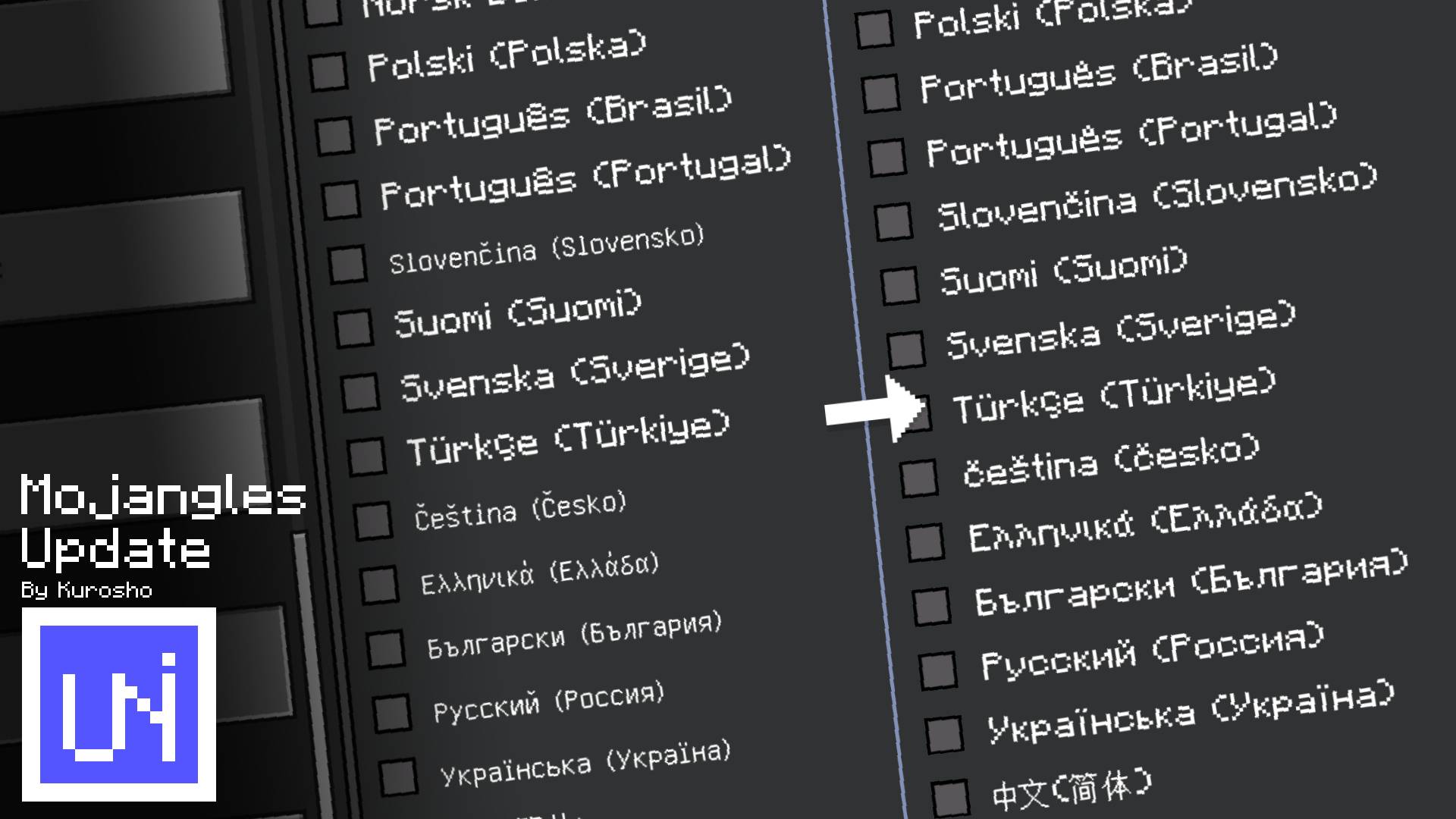
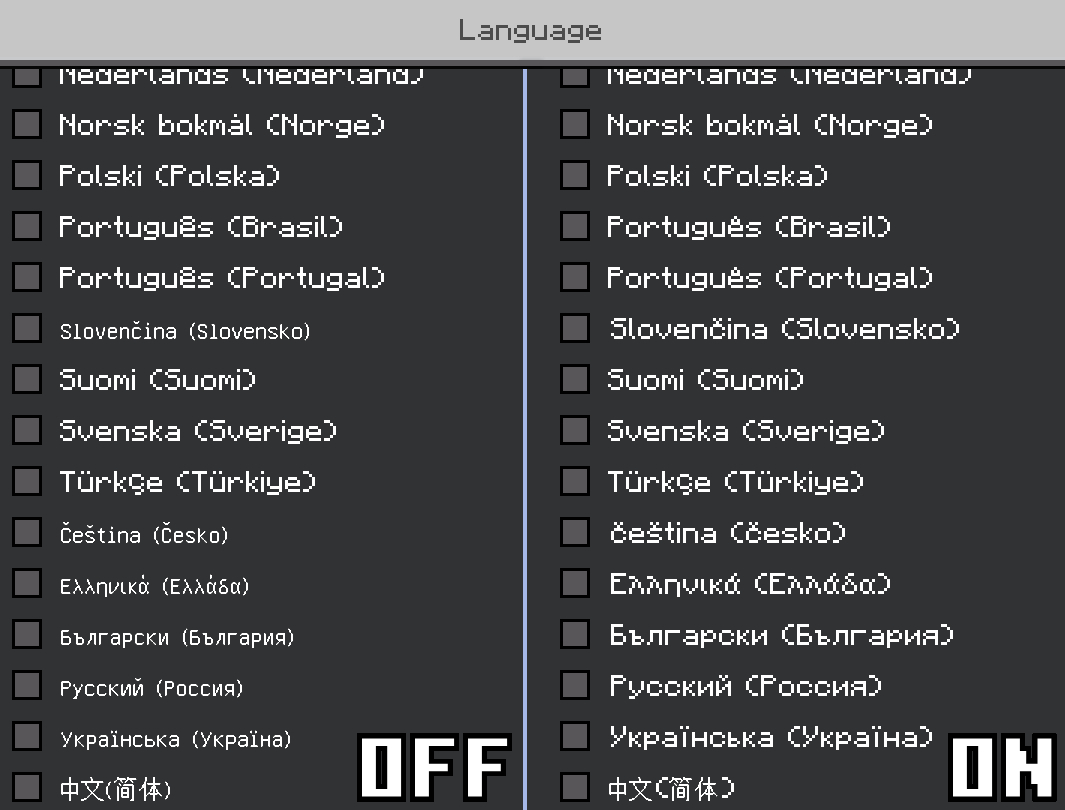
This resource pack adds support for additional characters, allowing them to be displayed using Mojangles. Even if a sentence contains unsupported characters, only those unsupported characters will be displayed using GNU Unifont, while the rest will remain in Mojangles.
!! Minecraft partially fixed this issue in Preview 26.60.21. Players using Preview 26.60.21 or later can download this resource pack according to their own needs. !!
- Supported Languages✔️

☆ Since there are so many languages in the world, there may be many languages supported by this package that I haven't listed above. If you're interested in this package but don't see your language listed, feel free to try it out in-game to check whether your language is supported. If it isn't, please report it and let me know! I'll do my best to add support for your language. ผ(•̀_•́ผ)
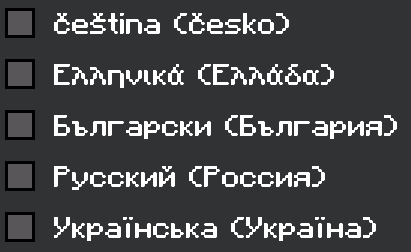
[1] It refers to all languages available for selection as the in-game display language, excluding Chinese, Japanese, and Korean. These include Danish, German, English, Spanish, French, Indonesian, Italian, Hungarian, Dutch, Bokmål, Polish, Portuguese, Slovak, Finnish, Swedish, Turkish, Czech, Greek, Bulgarian, Russian, Ukrainian.
[2] This pack supports the Cyrillic and Cyrillic Supplement Unicode blocks, which should cover all modern languages that use the Cyrillic script. If you encounter any issues, please report them and let me know! ヾ(•ω•`)o
- Preview🎮

- FAQ🛠️
1. Abnormal Character Spacing
- Occurrence: When you first apply this resource pack to the Global Resources, remove this resource pack from the Global Resources, or quit a world which this resource pack is applied.

- Cause: See Postscript [1].
- Solution: Restart the game.
① If you intend to apply it to the Global Resources, you only need to restart the game after applying/removing the resource pack.
② If you intend to apply it only to a world, this issue is unavoidable after quit the world. If you cannot tolerate this issue, please do not use this resource pack.
2. Some Characters Differ from the Java Edition

- Cause: See Postscript [2].
- Solution: None currently available.
3. Some Characters Cannot Be Displayed Correctly

- Cause: See Postscript [3].
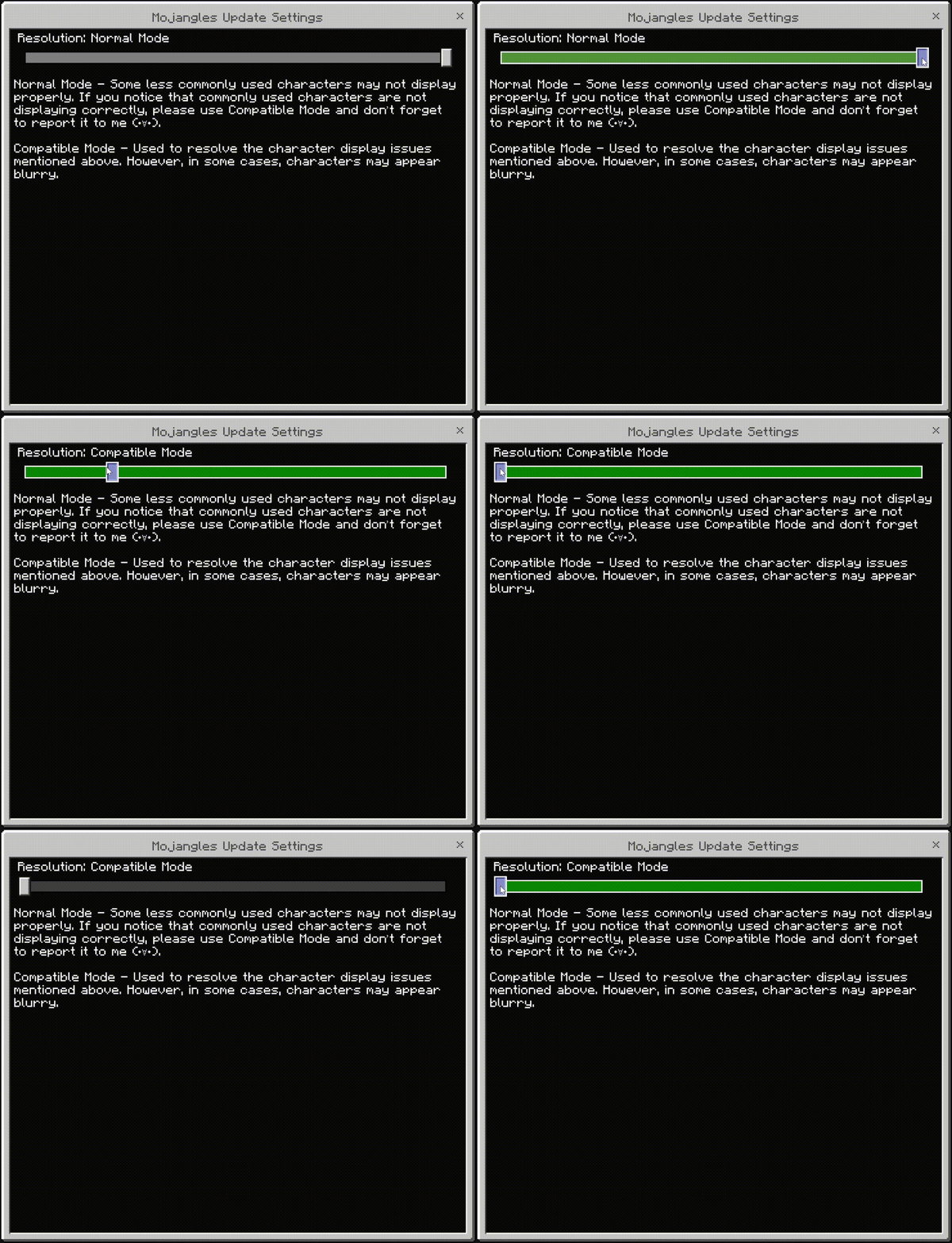
- Solution: Change the resource pack setting to Compatible Mode. However, characters may appear abnormally bold in certain situations. Please report the characters which cannot be displayed correctly to me, I will fix them in the next update. (・∀・)
- Notes📝
- Font of the pack is based on “Mojangles”. The characters come from “Minecraft: Java Edition” and modified by me(kurosho).
- This pack will gradually add all the characters of Mojangles of Java Edition.
- This resource pack is generally intended to support newer versions. If you notice that the supported version hasn’t been updated yet, there’s a good chance I was too lazy or simply forgot to update it... (;´д`)ゞ
- Except for Chinese, all localization for other languages was completed by ChatGPT (thanks to AI for saving me o((>ω< ))o). If you find any translation issues, bugs, or simply want to share your feedback, please let me know! <(_ _)>
- Postscript✍🏻
[1] Minecraft automatically adds a few pixels of spacing between two characters. Since the modified characters and the original characters have different pixel widths, and Minecraft fails to correctly add/subtract the pixel, so the spacing between two characters may disappear/become larger.
[2] In Java Edition, each character is drawn as a 12×9 pixel image (as shown below), while in Bedrock Edition, each character is drawn as a 8×8 pixel image. Therefore, some characters cannot be copied from Java Edition to Bedrock Edition without modification.

[3] Each character in GNU Unifont is drawn as a 16×16 pixel image, while each character in Mojangles is only drawn as an 8×8 pixel image. Therefore, I scaled up Mojangles characters proportionally and drew them into the original GNU Unifont atlas. However, this caused an issue: the game may display the characters with abnormally bold strokes under certain window or UI scaling settings (as shown below).
To solve this issue, I redrew the modified characters as 8×8 pixel images and removed the unmodified characters from the atlas. As a result, characters that cannot be displayed correctly were likely affected unintentionally by this modification.
The Ultimate Guide to Mojangles Font Update
If you are exploring the vast world of Minecraft modifications, Mojangles Font Update by Kurosho_ is a standout texture that deserves your attention. With over 4,639 downloads, it has become a staple for players looking to enhance their experience. As the creator describes it, this project is "This resource pack supplements the original Minecraft font (Mojangles) to support more languages, and no longer forces the use of GNU Unifont.". Whether you are a veteran builder constructing massive cities, or simply a casual player looking to upgrade your survival world, this guide will provide you with all the essential details on how Mojangles Font Update alters the game.
What Makes It Special?
Unlike standard textures that simply alter superficial elements, Mojangles Font Update introduces a wide array of visual and mechanical features designed to seamlessly blend into the vanilla aesthetic. Kurosho_ has clearly spent significant time refining the project to ensure that every aspect feels polished and responsive for version 1.21.
Installation Guide
Getting Mojangles Font Update up and running is straightforward. Follow these step-by-step instructions:
- Verify Your Version: Ensure your Minecraft launcher is set to version 1.21.
- Install Mod Loader (if required): If this is a mod, download the compatible loader (Forge, Fabric, NeoForge).
- Download the File: Click the secure download button above to retrieve the official file from CurseForge.
- Move the File: Place the downloaded file into your `mods`, `shaderpacks`, or `resourcepacks` folder depending on the texture type.
- Launch and Enjoy: Open Minecraft, navigate to the respective settings menu, and activate Mojangles Font Update.
Compatibility & Performance
Compatibility is robust. Mojangles Font Update is designed specifically for version 1.21, taking full advantage of the latest engine optimizations. During typical gameplay, this addition maintains a stable frame rate, though lower-end laptops might experience slight stuttering. We recommend pairing this with performance boosters like Sodium or Iris to guarantee a silky-smooth experience.