
Creevoxx LogoCreevoxxMCMods
HomeShadersTexturesModsLow-End ShadersRTX ShadersSavedGuidesAbout
GET IT ONGoogle Play

Popular Collections

📱 Performance HubBest Low-End ShadersMCPE Performance Mods
✨ Realism & RTXRealistic RTX ShadersRTX Texture Packs for MCPE
🤖 Platform CompatibilityMinecraft PE Shaders 1.21Shaders for Android & iOS
⚔️ Gameplay VibeTop PvP Texture PacksMedieval Texture Packs
🤝 Community & SocialsYouTubeInstagram
Get the Android App — Free on Play Store
HomeGuidesAbout UsSponsor & PartnerContactPrivacy PolicyTerms & ConditionsDisclaimer
Minecraft>Mods>Feather FPS Boost Mod
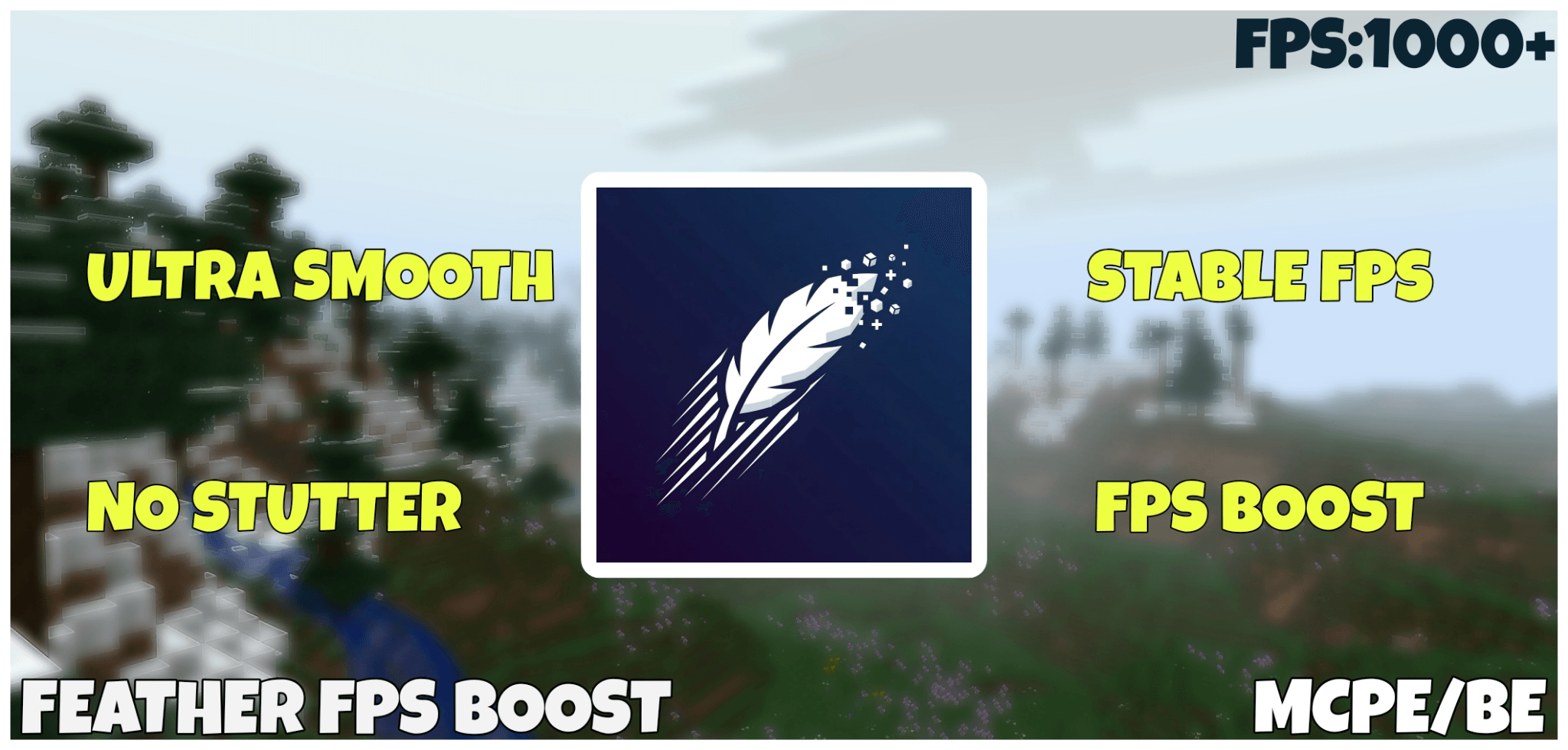
Feather FPS Boost Mod logo

Feather FPS Boost Mod

By👤FoxyFall

Performance optimization pack designed to improve FPS and gameplay smoothness in Minecraft Bedrock Edition. Achievement Friendly.

Why Feather FPS Boost Mod is a top-tier mod mod for Minecraft 1.21

Developed by the talented creator FoxyFall, Feather FPS Boost Mod stands out as a highly recommended selection for your Minecraft client. It is fully optimized, compatibility-tested, and brings a major upgrade to the gameplay experience in Minecraft version 1.21.

⚙️ Quick Resource Specs

Mod CreatorFoxyFall
Latest Version1.21
Supported Game VersionsMinecraft 1.21+
File Size1.30 MB
Last UpdatedUpdated: September 8, 2026
Total Downloads405,941 downloads
Feather FPS Boost Mod screenshot active
If you want to elevate your Minecraft gameplay, Feather FPS Boost Mod is a fantastic choice. Developed by FoxyFall, this mods offers a fresh way to customize your virtual world. It is fully compatible with Minecraft 1.21 and is highly rated by the community.

🪶 Feather FPS Boost Mod

Feather FPS Boost Mod is a lightweight, general-purpose performance optimization addon for Minecraft Bedrock Edition, designed to improve frame rate stability and overall smoothness while keeping the vanilla look intact.

✅ Works on existing worlds | ✅ No experimental features required | ✅ Achievement friendly | ✅ Bedrock 1.26.40+


What's New

New Details
In-game settings menu Five controls, no reinstall — tap the ⚙️ gear on the pack
Third fog mode Optimized / Balanced / Clean — Balanced is brand new
Geyser control Full geyser columns and plumes can now be restored, or left off
Blocky Vibrant Visuals shadows Snapped to a 16px grid instead of soft-filtering every edge
XP orb render toggle Orbs stop drawing but still work and still get collected
Rebuilt fog structure Duplicated fog files removed, each mode is now self-contained

⚙️ In-Game Settings

Tap the gear icon on the resource pack to open the settings screen. Every control works in all three fog modes - nothing is locked to one subpack.

Setting Default What it does
Particle Lifetime (slider, 0–100%) 100 How long the surviving effect particles stay on screen. Lower clears them sooner, 0 removes them
Potion & Spell Particles On Swirls around potion effects, witches, evokers, tipped arrows and cauldrons
Geyser Particles Off Geyser columns, plumes and puffs — the heaviest ambient effect in 1.26
Noxious Gas On Drifting gas clouds around geyser fields
XP Orb Render On Stops experience orbs drawing — biggest gain at grinders

⚡ Performance Improvements

Feather focuses on client-side rendering overhead and spawn density, the largest sources of lag on Bedrock devices.

What Impact
181 particle types handled 169 removed outright, 12 left under your control
54 of 71 block animations frozen Water, lava, magma, bubble columns, campfires and portals stop cycling frames
Fire animation halved (32 → 16 frames) Half the GPU texture cycling cost on fire and soul fire
Three-mode per-dimension fog Overworld, Nether, End and sulfur caves each cull geometry earlier
Blocky Vibrant Visuals shadows Removes per-edge shadow filtering when VV is on
Spawn density reduced across 35 mobs Herd sizes, spawn weights and density limits trimmed
Entity sound volumes trimmed 85 mobs plus 44 individual events pulled down
Colormaps desaturated at 64×64 Less VRAM, more natural tone — no neon green foliage
Sky and weather textures downscaled End sky, end flash and rain splash reduced to 1×1
43 block textures simplified Smaller atlas, faster chunk rebuilds

🌫️ Fog Modes

Pick one from the subpack list when you activate the pack. On most devices Balanced is selected automatically; you can drop to Optimized or move up to Clean at any time.

  • 🟢 Optimized — short-range fog, best FPS. The original Feather look
  • 🟡 Balanced — mid-range fog, softer horizon. More visibility, still culls geometry
  • 🔵 Clean — no fog at all. For strong devices or anyone who dislikes fog

📱 Low-End Friendly Design

Built primarily for low-end and mid-range devices — phones, tablets, and older PCs that struggle with vanilla Bedrock's visual load. Stuttering during mob spawns, lag in built-up areas, and thermal throttling during long sessions are the exact problems this pack targets.

  • Reduced GPU load per frame
  • Smoother frame pacing and less stutter
  • Better performance in dense mob environments
  • Reduced overheating during long play sessions
  • Improved consistency in both singleplayer and multiplayer

🌿 What Is And Isn't Changed

Not touched: crafting, physics, progression, world generation, loot, mob AI, pathfinding, attacking, or any core game logic. Colormaps are desaturated for a more natural tone but do not affect block data or biome logic. Achievements stay enabled.

Changed, and worth knowing: the behaviour pack trims herd sizes, spawn weights and density limits on 35 mobs. Passive animals spawn in smaller groups than vanilla — a cow herd is 2 instead of 4. This is where a large share of the FPS gain comes from, but it does mean mob density is visibly lower. If you want untouched spawning, run the resource pack on its own; it works standalone.

Fully compatible with:

  • ✅ Survival and Creative mode
  • ✅ Multiplayer servers and Realms
  • ✅ Existing worlds (no reset needed)
  • ✅ Long-term survival worlds
  • ✅ Vibrant Visuals
  • ✅ Most resource packs and shaders

🔧 Installation

  1. Download the .mcaddon (both packs in one file), or the BP and RP .mcpack files separately
  2. Tap or double-click the file — Minecraft imports it automatically
  3. Go to Settings → Global Resources, or open a world → Behaviour / Resource Packs
  4. Activate Feather FPS Boost v11 [BP] and [RP]
  5. Pick a fog mode from the subpack list, and tap the ⚙️ gear if you want to change any settings
  6. Launch your world - no further configuration required

🖥️ Compatibility

  • Minecraft Bedrock Edition 1.26.40+
  • Android, iOS/iPadOS, Windows 10/11, Xbox, PlayStation
  • Compatible with most resource packs and shaders
  • No experimental features required.

The Ultimate Guide to Feather FPS Boost Mod

If you are exploring the vast world of Minecraft modifications, Feather FPS Boost Mod by FoxyFall is a standout mod that deserves your attention. With over 405,941 downloads, it has become a staple for players looking to enhance their experience. As the creator describes it, this project is "Performance optimization pack designed to improve FPS and gameplay smoothness in Minecraft Bedrock Edition. Achievement Friendly.". Whether you are a veteran builder constructing massive cities, or simply a casual player looking to upgrade your survival world, this guide will provide you with all the essential details on how Feather FPS Boost Mod alters the game.

What Makes It Special?

Unlike standard mods that simply alter superficial elements, Feather FPS Boost Mod digs deep into the game's engine to provide a cohesive, performance-focused experience. FoxyFall has clearly spent significant time refining the project to ensure that every aspect feels polished and responsive for version 1.21.

Installation Guide

Getting Feather FPS Boost Mod up and running is straightforward. Follow these step-by-step instructions:

  1. Verify Your Version: Ensure your Minecraft launcher is set to version 1.21.
  2. Install Mod Loader (if required): If this is a mod, download the compatible loader (Forge, Fabric, NeoForge).
  3. Download the File: Click the secure download button above to retrieve the official file from CurseForge.
  4. Move the File: Place the downloaded file into your `mods`, `shaderpacks`, or `resourcepacks` folder depending on the mod type.
  5. Launch and Enjoy: Open Minecraft, navigate to the respective settings menu, and activate Feather FPS Boost Mod.

Compatibility & Performance

Compatibility is robust. Feather FPS Boost Mod is designed specifically for version 1.21, taking full advantage of the latest engine optimizations. Since this is heavily focused on optimization, you can expect significant frame rate improvements on both low-end and high-end hardware.
Details

Downloads:405,941
Created:10 months ago
Updated:3 days ago
Project ID:1376883
License:All Rights Reserved
Environment:Server

🤝 Join Community for Support

Need help installing this resource or want to see more showcases? Join our community!

Subscribe on YouTubeFollow on Instagram

Feather FPS Boost Mod

Screenshot 0
Screenshot 1
F
FoxyFall
MODS CREATOR
Downloads406K
Version1.21
TypeMODS
File Size1.30 MB

About This mods

Performance optimization pack designed to improve FPS and gameplay smoothness in Minecraft Bedrock Edition. Achievement Friendly.

🪶 Feather FPS Boost Mod

Feather FPS Boost Mod is a lightweight, general-purpose performance optimization addon for Minecraft Bedrock Edition, designed to improve frame rate stability and overall smoothness while keeping the vanilla look intact.

✅ Works on existing worlds | ✅ No experimental features required | ✅ Achievement friendly | ✅ Bedrock 1.26.40+


What's New

New Details
In-game settings menu Five controls, no reinstall — tap the ⚙️ gear on the pack
Third fog mode Optimized / Balanced / Clean — Balanced is brand new
Geyser control Full geyser columns and plumes can now be restored, or left off
Blocky Vibrant Visuals shadows Snapped to a 16px grid instead of soft-filtering every edge
XP orb render toggle Orbs stop drawing but still work and still get collected
Rebuilt fog structure Duplicated fog files removed, each mode is now self-contained

⚙️ In-Game Settings

Tap the gear icon on the resource pack to open the settings screen. Every control works in all three fog modes - nothing is locked to one subpack.

Setting Default What it does
Particle Lifetime (slider, 0–100%) 100 How long the surviving effect particles stay on screen. Lower clears them sooner, 0 removes them
Potion & Spell Particles On Swirls around potion effects, witches, evokers, tipped arrows and cauldrons
Geyser Particles Off Geyser columns, plumes and puffs — the heaviest ambient effect in 1.26
Noxious Gas On Drifting gas clouds around geyser fields
XP Orb Render On Stops experience orbs drawing — biggest gain at grinders

⚡ Performance Improvements

Feather focuses on client-side rendering overhead and spawn density, the largest sources of lag on Bedrock devices.

What Impact
181 particle types handled 169 removed outright, 12 left under your control
54 of 71 block animations frozen Water, lava, magma, bubble columns, campfires and portals stop cycling frames
Fire animation halved (32 → 16 frames) Half the GPU texture cycling cost on fire and soul fire
Three-mode per-dimension fog Overworld, Nether, End and sulfur caves each cull geometry earlier
Blocky Vibrant Visuals shadows Removes per-edge shadow filtering when VV is on
Spawn density reduced across 35 mobs Herd sizes, spawn weights and density limits trimmed
Entity sound volumes trimmed 85 mobs plus 44 individual events pulled down
Colormaps desaturated at 64×64 Less VRAM, more natural tone — no neon green foliage
Sky and weather textures downscaled End sky, end flash and rain splash reduced to 1×1
43 block textures simplified Smaller atlas, faster chunk rebuilds

🌫️ Fog Modes

Pick one from the subpack list when you activate the pack. On most devices Balanced is selected automatically; you can drop to Optimized or move up to Clean at any time.

  • 🟢 Optimized — short-range fog, best FPS. The original Feather look
  • 🟡 Balanced — mid-range fog, softer horizon. More visibility, still culls geometry
  • 🔵 Clean — no fog at all. For strong devices or anyone who dislikes fog

📱 Low-End Friendly Design

Built primarily for low-end and mid-range devices — phones, tablets, and older PCs that struggle with vanilla Bedrock's visual load. Stuttering during mob spawns, lag in built-up areas, and thermal throttling during long sessions are the exact problems this pack targets.

  • Reduced GPU load per frame
  • Smoother frame pacing and less stutter
  • Better performance in dense mob environments
  • Reduced overheating during long play sessions
  • Improved consistency in both singleplayer and multiplayer

🌿 What Is And Isn't Changed

Not touched: crafting, physics, progression, world generation, loot, mob AI, pathfinding, attacking, or any core game logic. Colormaps are desaturated for a more natural tone but do not affect block data or biome logic. Achievements stay enabled.

Changed, and worth knowing: the behaviour pack trims herd sizes, spawn weights and density limits on 35 mobs. Passive animals spawn in smaller groups than vanilla — a cow herd is 2 instead of 4. This is where a large share of the FPS gain comes from, but it does mean mob density is visibly lower. If you want untouched spawning, run the resource pack on its own; it works standalone.

Fully compatible with:

  • ✅ Survival and Creative mode
  • ✅ Multiplayer servers and Realms
  • ✅ Existing worlds (no reset needed)
  • ✅ Long-term survival worlds
  • ✅ Vibrant Visuals
  • ✅ Most resource packs and shaders

🔧 Installation

  1. Download the .mcaddon (both packs in one file), or the BP and RP .mcpack files separately
  2. Tap or double-click the file — Minecraft imports it automatically
  3. Go to Settings → Global Resources, or open a world → Behaviour / Resource Packs
  4. Activate Feather FPS Boost v11 [BP] and [RP]
  5. Pick a fog mode from the subpack list, and tap the ⚙️ gear if you want to change any settings
  6. Launch your world - no further configuration required

🖥️ Compatibility

  • Minecraft Bedrock Edition 1.26.40+
  • Android, iOS/iPadOS, Windows 10/11, Xbox, PlayStation
  • Compatible with most resource packs and shaders
  • No experimental features required.
📌Supported Minecraft Versions: Minecraft 1.21+

How to Install

1. Make sure Minecraft Fabric or Forge launcher is installed. 2. Place the downloaded .jar or .mcpack file into your Minecraft mods folder. 3. Launch Minecraft and enjoy!