Why Enhanced 16x - PVP texturepack is a top-tier texture pack mod for Minecraft 1.21
Developed by the talented creator Shadow666zx, Enhanced 16x - PVP texturepack stands out as a highly recommended selection for your Minecraft client. It is fully optimized, compatibility-tested, and brings a major upgrade to the gameplay experience in Minecraft version 1.21.
⚙️ Quick Resource Specs
| Mod Creator | Shadow666zx |
| Latest Version | 1.21 |
| Supported Game Versions | Minecraft 1.21+ |
| File Size | 8.06 MB |
| Last Updated | |
| Total Downloads | 135,850 downloads |

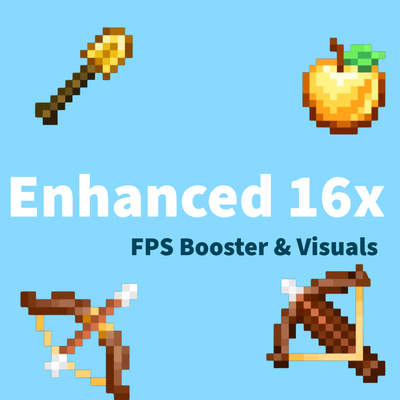
🛡️Enhanced 16x is a Optimised FPS booster texture pack with enhancing textures of essential items.It removes background features to optimize game and visuals and obtaining Max FPS📈📈
It includes tons of features (all mentioned below one by one )
⚙️ Features
PVP
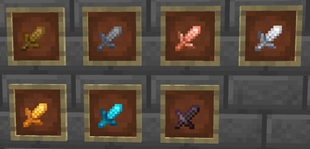
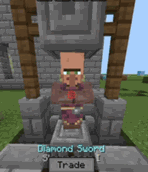
🗡️Short and cleaner swords optimised for pvp with vibrant colours
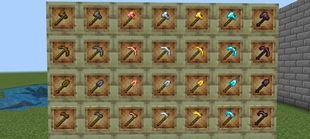
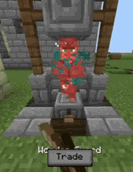
⚒️ Better enhanced tools textures to make cleaner and premium look on screen
🏹 Bow and Crossbow loading and Java Crossbow
🔥Low fire , 🛡️Low shield ,🗿Low totem for unobtrusive view
➕ PVP crosshair for better movement and reach idea with crosshair indicator (Credit : @itzriyo157 )
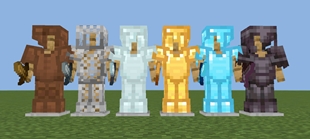
🛡️ Enhanced Armor design which highlights in surrounding
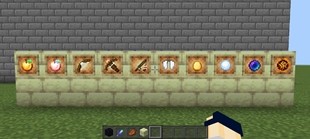
🍎 Enhanced textures for items like enderpearl ,golden apple, etc.
🥩 Small food for clear visibility
💢 Better hit and critical particles
🎵Satisfying Sounds for Hits , Crits ,block placing and block breaking
🍖 Hunger preview -( show number of hunger bars to be filled after eating this food while holding that food)
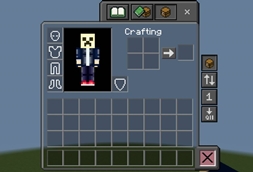
🎒 Transparent dark inventory for clear outside view
Special Inventory Features
- Quick Loot 🔃 : Quickly swap items between your inventory and hotbar . Also,🧰 Quickly take items from chest (useful for skywars and bedwars)
- Quick Craft ➡️: Quickly Craft items by a single click (works just as shift key in keyboard)
- Quick Drop ⬇️: Quickly Drop all your trash in inventory by this button
- Bin 🗑️:Put all your trash in bin (Only for creative )
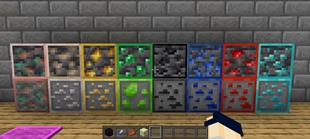
💎 Outlined Ores
⬛ Dark ui for eye comfort
🎯 Blocks features
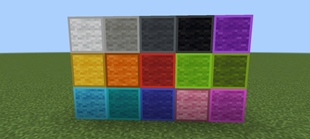
- Outlined wool texture for bedwars
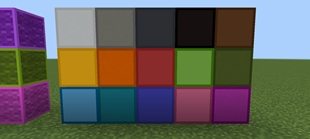
- Clean and outlined concreates
- Outlines red and blue terracotta for gamemodes like bridges.
For Survival
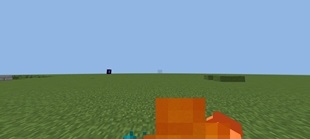
☘️ Full grass , to reduce lag
🛏️ Beautiful beds containing different patterns
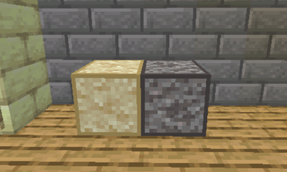
🧰 Suspecious sand and gravel indicator
☢️ Infested blocks indicator
❄️ Powdered snow indicator
🍯 Honey block indicator (For MLG in pillars of Fortune map in Cubecraft games)
MAX FPS 📈
Removed all unnessary particles
Removed water and lava animations
Frequently Asked Questions
Q. How to fix the inventory ,that items are dropping after touching any on mobile ?
Go to settings/video/ui profile and turn it to classic from pocket ,If this doesn't work then switch to disable inventory overlay in pack settings .
Q. How to turn off the PVP sky ?
Go to settings/video/graphics/beautiful skies and turn it off
For any complaints ,bugs and suggessions you can comment
✔️ You are allowed to:
- Use this pack in your worlds and videos
- Showcase/review this pack (credit required)
3. Modify for personal use only
❌ You are not allowed to:
- Re-upload or redistribute this pack anywhere
- Claim this pack as your own
- Share direct download links other than curseforge or mcpedl (use official link only)
- Edit and publish without permission
- Steal my codes for ur pack ,if u did this you will get a strike on your account
The Ultimate Guide to Enhanced 16x - PVP texturepack
If you are exploring the vast world of Minecraft modifications, Enhanced 16x - PVP texturepack by Shadow666zx is a standout texture that deserves your attention. With over 135,850 downloads, it has become a staple for players looking to enhance their experience. As the creator describes it, this project is "Enhanced 16x is a PVP texturepack which optimize gameplay by reducing background activity and particles for Maximum FPS .It enhances the designs of items and blocks which are sufficient for PVP, and populer game modes such as bedwars , skywars , etc.". Whether you are a veteran builder constructing massive cities, or simply a casual player looking to upgrade your survival world, this guide will provide you with all the essential details on how Enhanced 16x - PVP texturepack alters the game.
What Makes It Special?
Unlike standard textures that simply alter superficial elements, Enhanced 16x - PVP texturepack digs deep into the game's engine to provide a cohesive, performance-focused experience. Shadow666zx has clearly spent significant time refining the project to ensure that every aspect feels polished and responsive for version 1.21.
Installation Guide
Getting Enhanced 16x - PVP texturepack up and running is straightforward. Follow these step-by-step instructions:
- Verify Your Version: Ensure your Minecraft launcher is set to version 1.21.
- Install Mod Loader (if required): If this is a mod, download the compatible loader (Forge, Fabric, NeoForge).
- Download the File: Click the secure download button above to retrieve the official file from CurseForge.
- Move the File: Place the downloaded file into your `mods`, `shaderpacks`, or `resourcepacks` folder depending on the texture type.
- Launch and Enjoy: Open Minecraft, navigate to the respective settings menu, and activate Enhanced 16x - PVP texturepack .
Compatibility & Performance
Compatibility is robust. Enhanced 16x - PVP texturepack is designed specifically for version 1.21, taking full advantage of the latest engine optimizations. Since this is heavily focused on optimization, you can expect significant frame rate improvements on both low-end and high-end hardware.