Why MINECRAFT With dark theme v1.6 is a top-tier texture pack mod for Minecraft 1.21
Developed by the talented creator andressan_956, MINECRAFT With dark theme v1.6 stands out as a highly recommended selection for your Minecraft client. It is fully optimized, compatibility-tested, and brings a major upgrade to the gameplay experience in Minecraft version 1.21.
⚙️ Quick Resource Specs
| Mod Creator | andressan_956 |
| Latest Version | 1.21 |
| Supported Game Versions | Minecraft 1.21+ |
| File Size | 134.33 MB |
| Last Updated | |
| Total Downloads | 15,381 downloads |
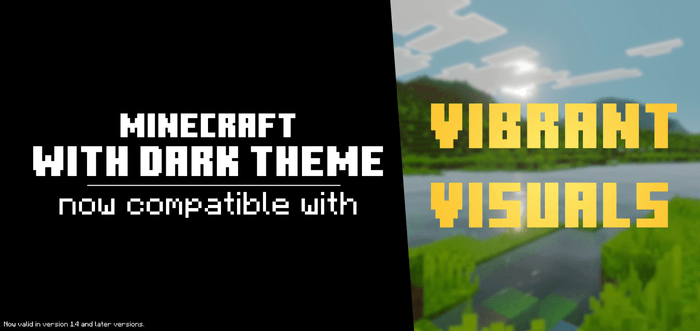
MINECRAFT With dark theme
- ING
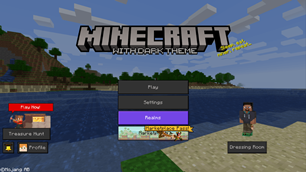
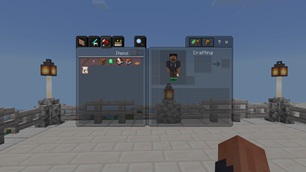
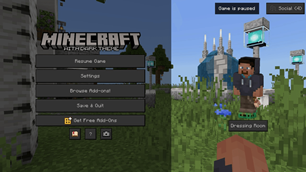
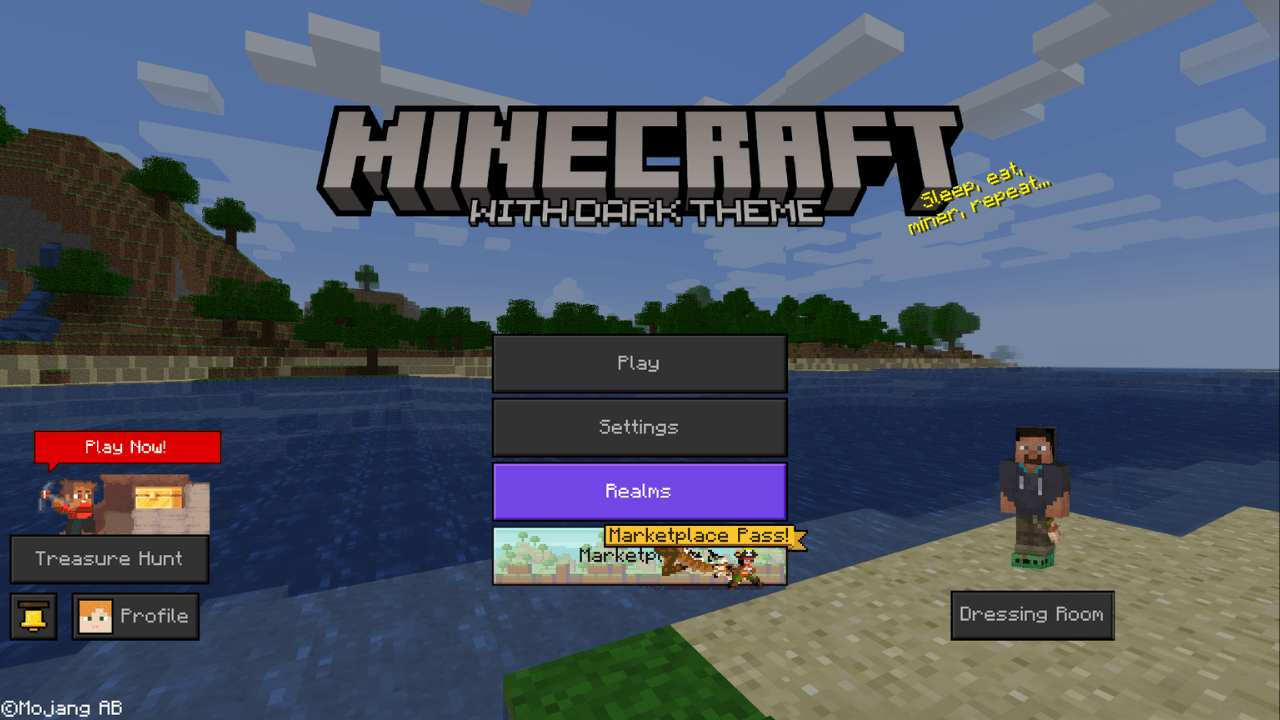
⬛ MINECRAFT With Dark Theme transforms the entire Minecraft interface, replacing the classic white with a dark color that is easier on the eyes—ideal for playing at night or giving your game a more elegant look.
✨ Includes several visual and usability improvements:
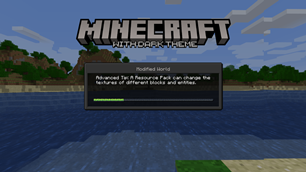
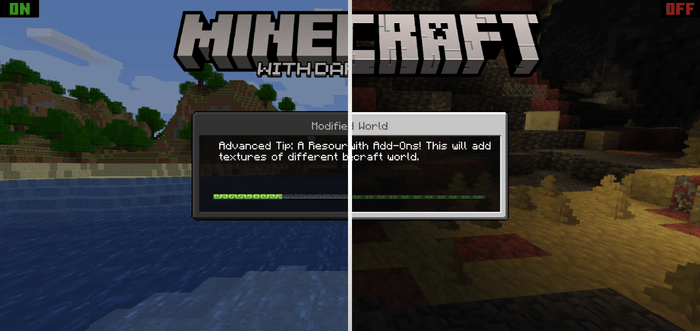
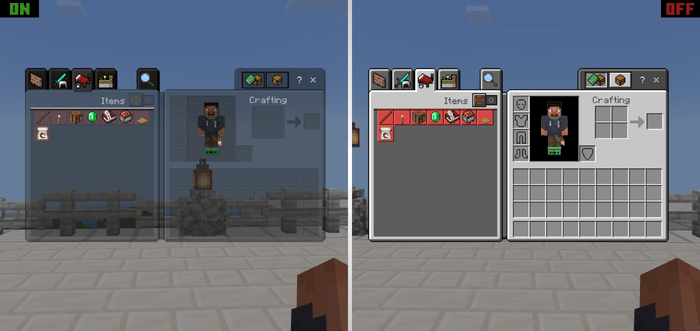
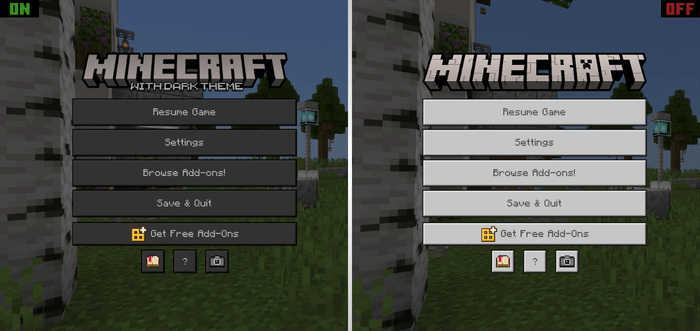
- All menus now feature a dark theme.
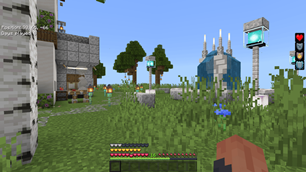
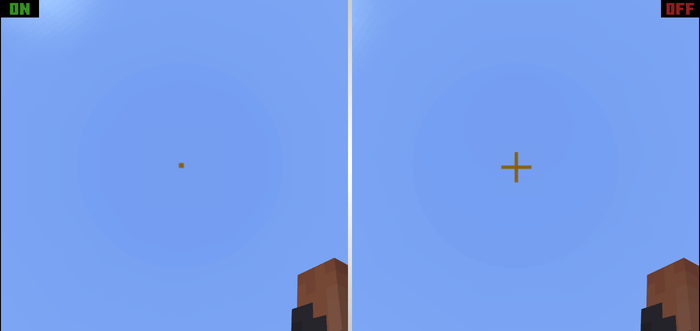
- Smaller crosshair.
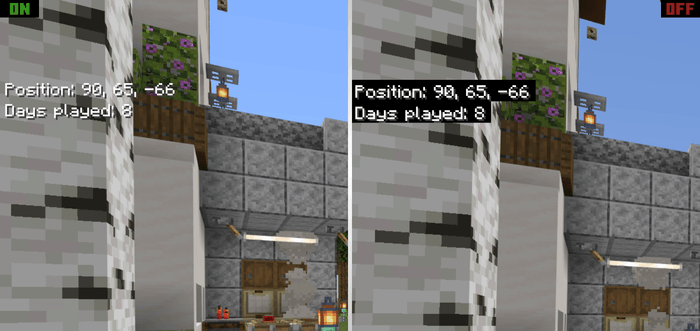
- Coordinates, days played, and chat no longer have a background.
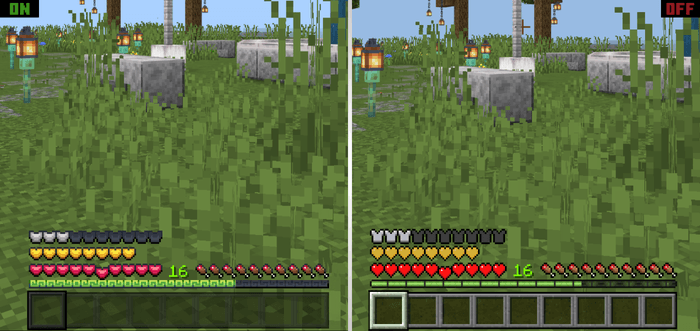
- A revamped hotbar with a new design.
Note: The texture pack is also compatible with custom addon menus.
Perfect for those seeking a simple, aesthetic, and comfortable interface without changing the essence of Minecraft.
- ESP
⬛ MINECRAFT With dark theme transforma toda la interfaz de Minecraft y cambia el color blanco clásico por uno oscuro más cómodo para la vista, ideal para jugar de noche o darle un toque más elegante a tu juego.
✨ Incluye varias mejoras visuales y de comodidad:
- Todos los menús ahora tendrán un tema oscuro.
- Puntero más diminuto.
- Las coordenadas, los días jugados y el chat ya no tendrán fondo.
- Una barra de ítems renovada con un diseño nuevo.
Nota: La textura también es compatible con menús personalizados de addons.
Perfecto para quienes buscan una interfaz sencilla, estética y cómoda sin cambiar la esencia de Minecraft.
📸 Screenshot
Main menu / Menú principal
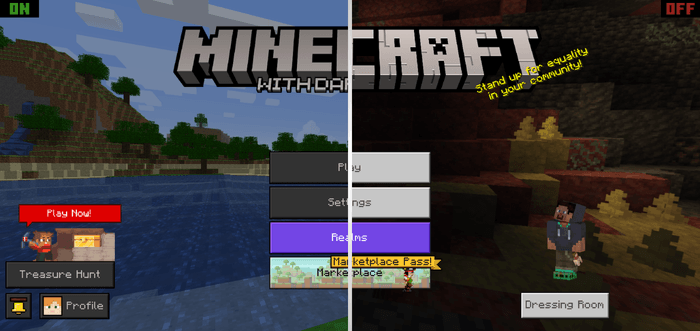
Loading screen / Pantalla de carga
Crosshair / Punto de mira
Inventory / Inventario
Coordinates and days played / Coordenadas y días jugados
Pause menu / Menu de pausa
Hotbar / Barra de items
ING -
You are free to modify this pack however you like.
However, if you reuse or share it on another social network or platform, I ask that you give me proper credit and, if possible, share the original project link.
ESP -
Eres libre de modificar este pack a tu gusto.
Pero te pido que, si lo reutilizas o compartes en otra red social o plataforma, me des los créditos correspondientes y, de ser posible, compartas el enlace original del proyecto.
ANDRESSAN - 2026
The Ultimate Guide to MINECRAFT With dark theme v1.6
If you are exploring the vast world of Minecraft modifications, MINECRAFT With dark theme v1.6 by andressan_956 is a standout texture that deserves your attention. With over 15,381 downloads, it has become a staple for players looking to enhance their experience. As the creator describes it, this project is "A dark theme for all game menus". Whether you are a veteran builder constructing massive cities, or simply a casual player looking to upgrade your survival world, this guide will provide you with all the essential details on how MINECRAFT With dark theme v1.6 alters the game.
What Makes It Special?
Unlike standard textures that simply alter superficial elements, MINECRAFT With dark theme v1.6 introduces a wide array of visual and mechanical features designed to seamlessly blend into the vanilla aesthetic. andressan_956 has clearly spent significant time refining the project to ensure that every aspect feels polished and responsive for version 1.21.
Installation Guide
Getting MINECRAFT With dark theme v1.6 up and running is straightforward. Follow these step-by-step instructions:
- Verify Your Version: Ensure your Minecraft launcher is set to version 1.21.
- Install Mod Loader (if required): If this is a mod, download the compatible loader (Forge, Fabric, NeoForge).
- Download the File: Click the secure download button above to retrieve the official file from CurseForge.
- Move the File: Place the downloaded file into your `mods`, `shaderpacks`, or `resourcepacks` folder depending on the texture type.
- Launch and Enjoy: Open Minecraft, navigate to the respective settings menu, and activate MINECRAFT With dark theme v1.6.
Compatibility & Performance
Compatibility is robust. MINECRAFT With dark theme v1.6 is designed specifically for version 1.21, taking full advantage of the latest engine optimizations. During typical gameplay, this addition maintains a stable frame rate, though lower-end laptops might experience slight stuttering. We recommend pairing this with performance boosters like Sodium or Iris to guarantee a silky-smooth experience.