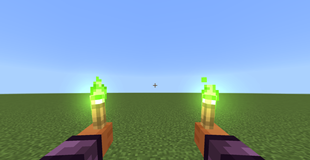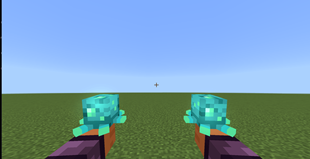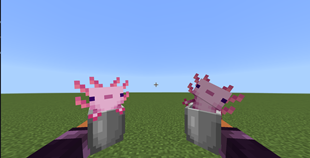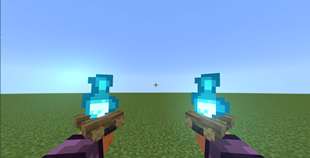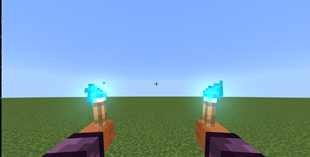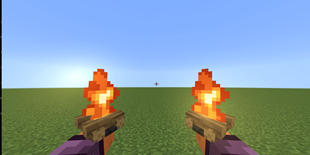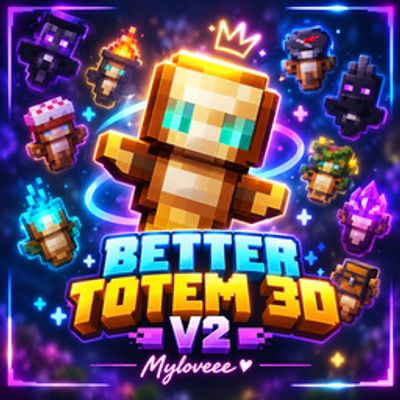
Why Better Totem 3D V2 - Myloveee is a top-tier texture pack mod for Minecraft 1.21
Developed by the talented creator Myloveee, Better Totem 3D V2 - Myloveee stands out as a highly recommended selection for your Minecraft client. It is fully optimized, compatibility-tested, and brings a major upgrade to the gameplay experience in Minecraft version 1.21.
⚙️ Quick Resource Specs
| Mod Creator | Myloveee |
| Latest Version | 1.21 |
| Supported Game Versions | Minecraft 1.21+ |
| File Size | 151.06 KB |
| Last Updated | |
| Total Downloads | 39,597 downloads |
Bring your Totem of Undying to life with custom 3D models, unique animations, and eye-catching visual effects!
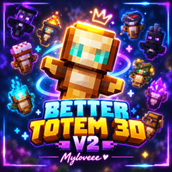
Better Totem 3D V2 - Myloveee upgrades your ordinary Totem of Undying with a collection of custom 3D models designed to complement the stylish visuals and animation systems of Action and Stuff 1.12.
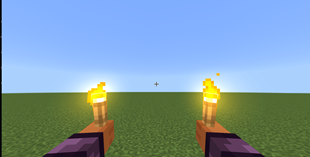
Transform your totem into magical objects, familiar Minecraft items, glowing lights, and unique decorative models. Choose your favorite appearance directly through the in-game Pack Settings and switch between available variants without installing a separate pack for every model!
✨ What's New in Version 2?
-
Updated for Action and Stuff 1.12: Asset mappings have been updated for compatibility with the newer base pack.
-
Improved Model Integration: Updated geometry, texture, material, and animation references help the custom models work with the 1.12 asset structure.
-
Refined Visual Effects: Updated references for glowing models, animated effects, and particles.
-
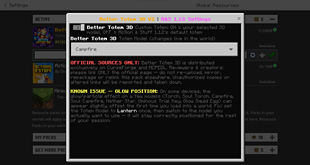
Copper Torch Fix: The Copper Torch variant uses its intended green flame texture instead of the regular orange Torch flame.
-
Convenient In-Game Switching: Enable custom totem models and select your preferred variant through the pack's settings.
-
Default Totem Option: Disable custom models to return to the regular Totem of Undying appearance provided by the base pack.
⭐ Features
-
20 Selectable 3D Variants: Explore a collection of models inspired by Minecraft items, blocks, magical objects, and more.
-
Action-Ready 3D Models: Custom models designed to work with Action and Stuff's geometry and animation systems.
-
Custom Visual Effects: Selected models use matching glow, overlay, or particle effects where supported.
-
Easy In-Game Selection: Use the pack's toggle and dropdown settings to choose your favorite totem appearance.
-
One Add-On, Multiple Looks: Keep the available variants together instead of installing a separate resource pack for every model.
-
Minecraft Bedrock Edition: Designed specifically for use with Action and Stuff 1.12.
📦 All 20 Variants
Magical & Mystical
-
Ominous Bottle
-
End Crystal
-
Nether Star
Fire & Light
-
Torch
-
Soul Torch
-
Campfire
-
Soul Campfire
-
Lantern
-
Copper Torch
Adventure & Trial Items
-
Trial Key
-
Ominous Trial Key
-
Mace
Blocks & Decorations
-
Chest
-
Cake
-
Spore Blossom
-
Firefly Bush
Other Unique Models
-
Dragon Head
-
Axolotl Bucket
-
Snow Golem Spawn Egg
-
Glow Squid Spawn Egg
🛠️ Requirements & Installation
IMPORTANT REQUIREMENT: Action and Stuff 1.12 is required. This add-on is not a standalone resource pack.
How to Install
-
Download the Better Totem 3D V2 Myloveee — Action & Stuff 1.12
.mcpackfile. -
Open the downloaded file to import it into Minecraft Bedrock Edition.
-
Go to Settings → Global Resources.
-
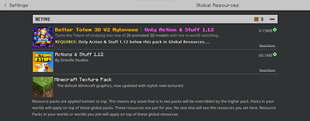
Activate both this add-on and Action and Stuff 1.12.
-
Place Better Totem 3D V2 Myloveee at the top, with Action and Stuff 1.12 directly underneath it.
-
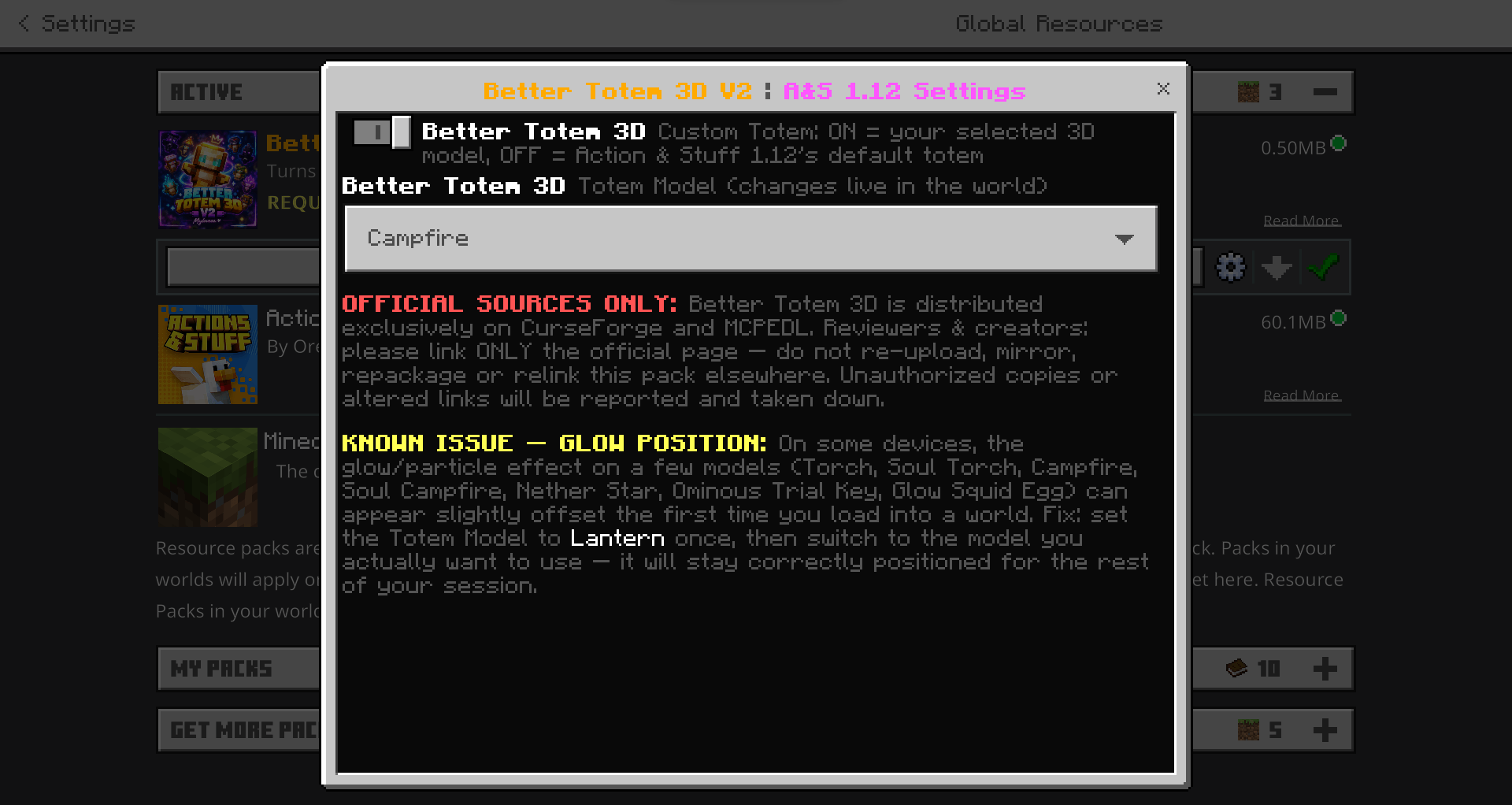
Open this add-on's Pack Settings using the gear icon.
-
Enable custom totem models and select your preferred variant from the dropdown.
Important: Keep this add-on above Action and Stuff in the Global Resources load order so its custom model mappings and overrides can take priority.
📜 Credits & Disclaimer
-
Add-on Creator: Myloveee
-
Required Base Pack: Action and Stuff 1.12
-
Compatibility: This add-on relies on geometry, textures, materials, animations, and other assets supplied by Action and Stuff.
-
Disclaimer: Action and Stuff and its original assets remain the property of their respective creators. Please respect the original creators' terms and guidelines regarding modification, distribution, and sharing.
Enjoy customizing your Totem of Undying with Better Totem 3D V2 Myloveee!
⚠️ STRICT CREATOR NOTICE — NO ASSET THEFT, NO UNAUTHORIZED EDITS
READ THIS BEFORE REVIEWING, SHARING, OR FEATURING THIS ADD-ON.
Myloveee Totem Skins V2 is the result of the creator's own work, development, testing, and maintenance. The creator's rights, attribution, and distribution requirements must be respected.
1. OFFICIAL LINK IS MANDATORY
If you review, showcase, feature, recommend, or share this add-on on YouTube, TikTok, Discord, Reddit, websites, social media, or any other platform, you MUST provide a direct link to the original official CurseForge project page.
-
Do not replace the official project link with your own download link.
-
Do not redirect users to unofficial mirrors, reuploads, file-hosting sites, or unauthorized copies.
-
Do not modify, disguise, remove, or misrepresent the official link.
-
Do not claim that an unofficial download is the original or official release.
Share the official link. Let users download the add-on from its legitimate source. No exceptions without the creator's explicit written permission.
2. ABSOLUTELY NO UNAUTHORIZED ASSET EXTRACTION OR REUSE
DO NOT STEAL, RIP, EXTRACT, COPY, REPACKAGE, OR REUSE MY CUSTOM TEXTURES, MODELS, ANIMATIONS, PARTICLES, ICONS, OR OTHER ORIGINAL ASSETS in your own projects or anyone else's projects without my explicit written permission.
This prohibition includes, but is not limited to:
-
Extracting individual textures or models from the pack.
-
Copying assets into another resource pack, add-on, shader, or project.
-
Reusing, recoloring, editing, or slightly modifying my assets and presenting them as your own.
-
Removing watermarks, creator credits, or identifying information.
-
Reuploading the pack, distributing modified copies, or creating unauthorized derivative releases.
-
Using my assets in public or private projects without authorization.
Changing a texture's color, renaming a file, editing a model, or making minor modifications does NOT automatically make the asset yours.
I reserve the right to determine how my original assets are reused. If you want to use any of my assets, ASK FOR PERMISSION FIRST. Do not assume that credit alone grants permission.
3. REVIEWS AND SHOWCASES DO NOT GRANT OWNERSHIP
You are welcome to review, record gameplay, demonstrate features, and share your honest opinions about this add-on, provided you respect the official source and these requirements.
However, reviewing or showcasing this project does NOT grant permission to extract its assets, redistribute its files, publish modified copies, or claim ownership of its content.
Show the add-on. Do not steal the work behind it.
4. VIOLATIONS WILL BE REPORTED
Unauthorized redistribution, asset theft, false ownership claims, removal of creator attribution, and unauthorized modified releases may be documented and reported to the relevant platform for review and removal where applicable.
I reserve the right to submit copyright or intellectual-property complaints, request removal of infringing content, and pursue other remedies available under applicable platform policies and law.
Evidence may include screenshots, download links, publication dates, archived pages, and comparisons of the original and unauthorized assets.
Do not mistake the creator's willingness to share this project with the community for permission to take ownership of the work.
FINAL WARNING
MY ASSETS. MY WORK. MY RULES.
Use the official project link when sharing. Respect the creator's ownership. Do not extract, steal, modify, or redistribute my original assets without explicit written permission.
If you cannot respect these conditions, do not use my assets.
— Myloveee | Original Creator
The Ultimate Guide to Better Totem 3D V2 - Myloveee
If you are exploring the vast world of Minecraft modifications, Better Totem 3D V2 - Myloveee by Myloveee is a standout texture that deserves your attention. With over 39,597 downloads, it has become a staple for players looking to enhance their experience. As the creator describes it, this project is "Myloveee Totem Skins — 24 Action & Stuff Variants Tired of looking at the same old vanilla Totem of Undying every time you escape death? Give your ultimate lifesaver a massive glow-up that matches your epic combat animations!". Whether you are a veteran builder constructing massive cities, or simply a casual player looking to upgrade your survival world, this guide will provide you with all the essential details on how Better Totem 3D V2 - Myloveee alters the game.
What Makes It Special?
Unlike standard textures that simply alter superficial elements, Better Totem 3D V2 - Myloveee introduces a wide array of visual and mechanical features designed to seamlessly blend into the vanilla aesthetic. Myloveee has clearly spent significant time refining the project to ensure that every aspect feels polished and responsive for version 1.21.
Installation Guide
Getting Better Totem 3D V2 - Myloveee up and running is straightforward. Follow these step-by-step instructions:
- Verify Your Version: Ensure your Minecraft launcher is set to version 1.21.
- Install Mod Loader (if required): If this is a mod, download the compatible loader (Forge, Fabric, NeoForge).
- Download the File: Click the secure download button above to retrieve the official file from CurseForge.
- Move the File: Place the downloaded file into your `mods`, `shaderpacks`, or `resourcepacks` folder depending on the texture type.
- Launch and Enjoy: Open Minecraft, navigate to the respective settings menu, and activate Better Totem 3D V2 - Myloveee.
Compatibility & Performance
Compatibility is robust. Better Totem 3D V2 - Myloveee is designed specifically for version 1.21, taking full advantage of the latest engine optimizations. During typical gameplay, this addition maintains a stable frame rate, though lower-end laptops might experience slight stuttering. We recommend pairing this with performance boosters like Sodium or Iris to guarantee a silky-smooth experience.