Creevoxx LogoCreevoxxMCMods
HomeShadersTexturesModsLow-End ShadersRTX ShadersSavedGuidesAbout
GET IT ONGoogle Play

Popular Collections

📱 Performance HubBest Low-End ShadersMCPE Performance Mods
✨ Realism & RTXRealistic RTX ShadersRTX Texture Packs for MCPE
🤖 Platform CompatibilityMinecraft PE Shaders 1.21Shaders for Android & iOS
⚔️ Gameplay VibeTop PvP Texture PacksMedieval Texture Packs
🤝 Community & SocialsYouTubeInstagram
Get the Android App — Free on Play Store
HomeGuidesAbout UsSponsor & PartnerContactPrivacy PolicyTerms & ConditionsDisclaimer
Minecraft>Shaders>Somber Shaders BE
Somber Shaders BE logo

Somber Shaders BE

By👤Draco12191712

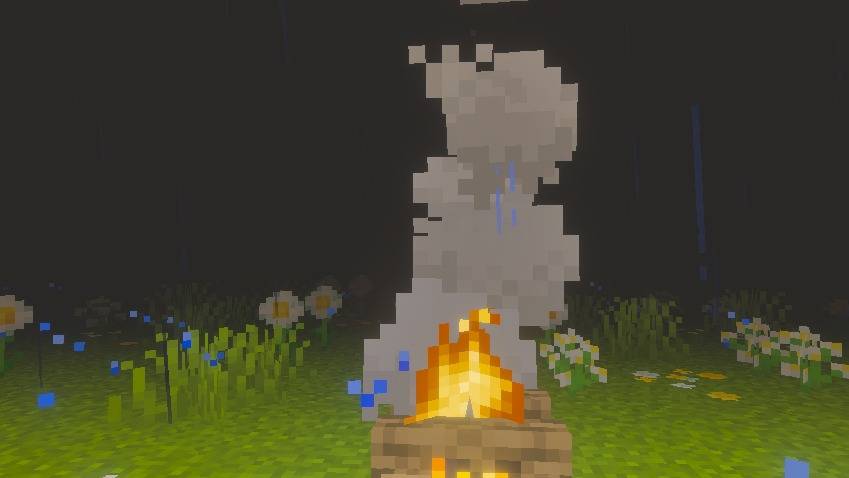
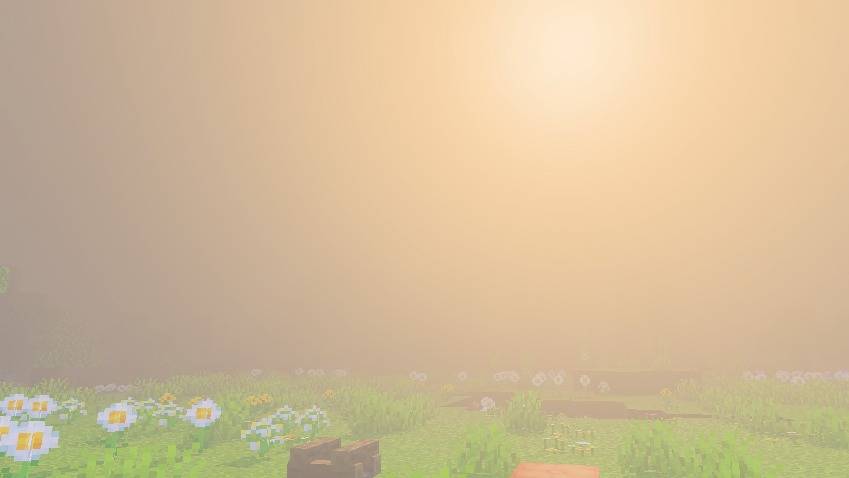
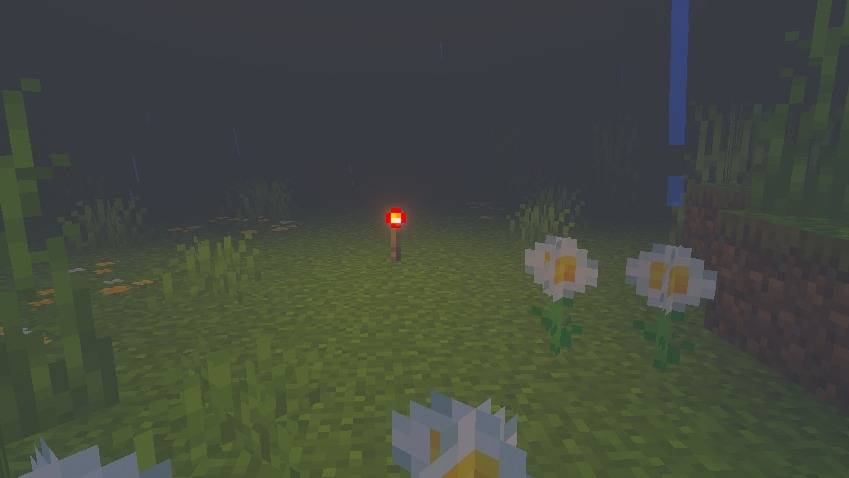
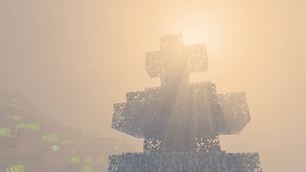
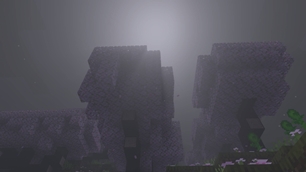
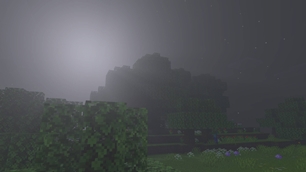
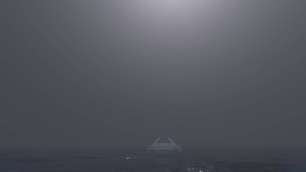
An unofficial Bedrock recreation inspired by Somber Shaders. Horror minecraft bedrock resource pack that aims to recreate the nostalgic atmosphere of early beta/alpha versions with an eerie twist, inspired by ARGs.

Why Somber Shaders BE is a top-tier shader mod for Minecraft 1.21

Developed by the talented creator Draco12191712, Somber Shaders BE stands out as a highly recommended selection for your Minecraft client. It is fully optimized, compatibility-tested, and brings a major upgrade to the gameplay experience in Minecraft version 1.21.

⚙️ Quick Resource Specs

Mod CreatorDraco12191712
Latest Version1.21
Supported Game VersionsMinecraft 1.21+
File Size2.28 MB
Last UpdatedUpdated: August 25, 2026
Total Downloads2,703 downloads
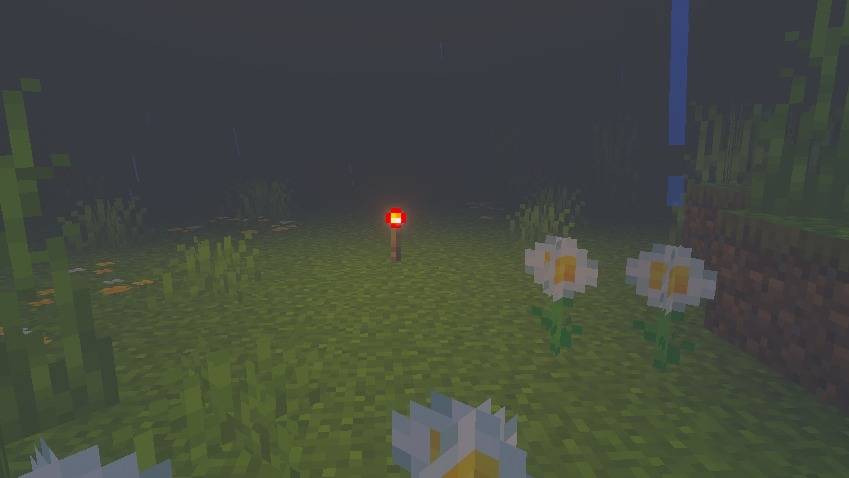
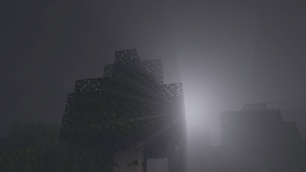
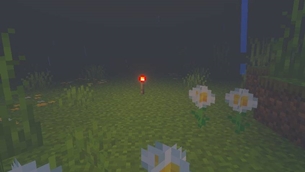
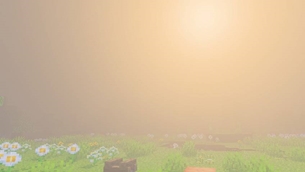
Somber Shaders BE screenshot active
If you want to elevate your Minecraft gameplay, Somber Shaders BE is a fantastic choice. Developed by Draco12191712, this shaders offers a fresh way to customize your virtual world. It is fully compatible with Minecraft 1.21 and is highly rated by the community.

Somber — Bedrock Port

A best effort Minecraft: Bedrock Edition port of Somber by Snorfield.

Somber is a Java Edition/Iris shader licensed under the MIT License. This project is a Bedrock resource pack, not a direct GLSL shader port, becuase Bedrock Edition does not provide the same open fragment-shader pipeline available through Iris/OptiFine.

Resource Packs

For the Vibrant Visuals color-grading features to apply, Vibrant Visuals must be enabled in the world's video settings.

Features

The Bedrock port currently aims to reproduce the following Somber features:

  • Depth based atmospheric fog
  • Dense, desaturated grey-green fog
  • Darker cave atmosphere
  • Opaque water
  • Increased blue coloration in water
  • Increased foliage green
  • Harsh, high contrast lighting
  • Muted color grading
  • Stronger shadow contrast
  • Somber style overall atmosphere

Not Included

Some effects from the original Somber shader cannot currently be reproduced through Bedrock's public resource-pack and Vibrant Visuals systems.

The following original features are therefore not included:

  • Chromatic aberration
  • Vignette
  • Animated film grain/noise
  • Original per-pixel lightmap^4 lighting curve
  • Custom sun brightness
  • Custom moon brightness
  • Custom star brightness
  • Iris shader-option sliders

These effects require rendering capabilities that are available to Java Edition shader loaders such as Iris but are not exposed to Bedrock resource-pack creators.

Compatibility

This project is intended for Minecraft: Bedrock Edition versions supporting the Vibrant Visuals features used by the pack.

Because Minecraft Bedrock's rendering system is constantly changing, compatibility may change between game versions.

Project Status

Work in progress.

This is a best-effort recreation of Somber's visual style within the limitations of Minecraft: Bedrock Edition.

The goal is to reproduce the recognizable atmosphere and major visual characteristics of Somber as closely as the supported Bedrock rendering systems allow.

It is not intended to be a perfect recreation of the original Java/Iris shader.

Attribution

This project is based on and inspired by Somber Shaders by Snorfield.

Original project:

Somber Shaders
Copyright © 2025 Snorfield
Licensed under the MIT License.

The original Somber pack icon is also used by this project.

The original Somber MIT License is included in:

LICENSE-SOMBER

Licensing

This Project

Original work created specifically for this Bedrock port is licensed under the MIT License unless otherwise stated.

See:

LICENSE

Somber Shaders

Original Somber material remains licensed under its original MIT License.

See:

LICENSE-SOMBER

The original copyright notice and permission notice are preserved in accordance with the MIT License.

Credits

Original Somber Shaders:
Snorfield

Bedrock port:
Draco12191712 (Vivaan Bobade)

SHOWCASE:

The Ultimate Guide to Somber Shaders BE

If you are exploring the vast world of Minecraft modifications, Somber Shaders BE by Draco12191712 is a standout shader that deserves your attention. With over 2,703 downloads, it has become a staple for players looking to enhance their experience. As the creator describes it, this project is "An unofficial Bedrock recreation inspired by Somber Shaders. Horror minecraft bedrock resource pack that aims to recreate the nostalgic atmosphere of early beta/alpha versions with an eerie twist, inspired by ARGs.". Whether you are a veteran builder constructing massive cities, or simply a casual player looking to upgrade your survival world, this guide will provide you with all the essential details on how Somber Shaders BE alters the game.

What Makes It Special?

Unlike standard shaders that simply alter superficial elements, Somber Shaders BE introduces a wide array of visual and mechanical features designed to seamlessly blend into the vanilla aesthetic. Draco12191712 has clearly spent significant time refining the project to ensure that every aspect feels polished and responsive for version 1.21.

Installation Guide

Getting Somber Shaders BE up and running is straightforward. Follow these step-by-step instructions:

  1. Verify Your Version: Ensure your Minecraft launcher is set to version 1.21.
  2. Install Mod Loader (if required): If this is a mod, download the compatible loader (Forge, Fabric, NeoForge).
  3. Download the File: Click the secure download button above to retrieve the official file from CurseForge.
  4. Move the File: Place the downloaded file into your `mods`, `shaderpacks`, or `resourcepacks` folder depending on the shader type.
  5. Launch and Enjoy: Open Minecraft, navigate to the respective settings menu, and activate Somber Shaders BE.

Compatibility & Performance

Compatibility is robust. Somber Shaders BE is designed specifically for version 1.21, taking full advantage of the latest engine optimizations. During typical gameplay, this addition maintains a stable frame rate, though lower-end laptops might experience slight stuttering. We recommend pairing this with performance boosters like Sodium or Iris to guarantee a silky-smooth experience.
Details

Downloads:2,703
Created:20 days ago
Updated:19 days ago
Project ID:1666588
License:All Rights Reserved
Environment:Client

🤝 Join Community for Support

Need help installing this resource or want to see more showcases? Join our community!

Subscribe on YouTubeFollow on Instagram

Somber Shaders BE

Screenshot 0
Screenshot 1
Screenshot 2
Screenshot 3
Screenshot 4
Screenshot 5
Screenshot 6
Screenshot 7
Screenshot 8
Screenshot 9
Screenshot 10
D
Draco12191712
SHADERS CREATOR
Downloads3K
Version1.21
TypeSHADERS
File Size2.28 MB

About This shaders

An unofficial Bedrock recreation inspired by Somber Shaders. Horror minecraft bedrock resource pack that aims to recreate the nostalgic atmosphere of early beta/alpha versions with an eerie twist, inspired by ARGs.

Somber — Bedrock Port

A best effort Minecraft: Bedrock Edition port of Somber by Snorfield.

Somber is a Java Edition/Iris shader licensed under the MIT License. This project is a Bedrock resource pack, not a direct GLSL shader port, becuase Bedrock Edition does not provide the same open fragment-shader pipeline available through Iris/OptiFine.

Resource Packs

For the Vibrant Visuals color-grading features to apply, Vibrant Visuals must be enabled in the world's video settings.

Features

The Bedrock port currently aims to reproduce the following Somber features:

  • Depth based atmospheric fog
  • Dense, desaturated grey-green fog
  • Darker cave atmosphere
  • Opaque water
  • Increased blue coloration in water
  • Increased foliage green
  • Harsh, high contrast lighting
  • Muted color grading
  • Stronger shadow contrast
  • Somber style overall atmosphere

Not Included

Some effects from the original Somber shader cannot currently be reproduced through Bedrock's public resource-pack and Vibrant Visuals systems.

The following original features are therefore not included:

  • Chromatic aberration
  • Vignette
  • Animated film grain/noise
  • Original per-pixel lightmap^4 lighting curve
  • Custom sun brightness
  • Custom moon brightness
  • Custom star brightness
  • Iris shader-option sliders

These effects require rendering capabilities that are available to Java Edition shader loaders such as Iris but are not exposed to Bedrock resource-pack creators.

Compatibility

This project is intended for Minecraft: Bedrock Edition versions supporting the Vibrant Visuals features used by the pack.

Because Minecraft Bedrock's rendering system is constantly changing, compatibility may change between game versions.

Project Status

Work in progress.

This is a best-effort recreation of Somber's visual style within the limitations of Minecraft: Bedrock Edition.

The goal is to reproduce the recognizable atmosphere and major visual characteristics of Somber as closely as the supported Bedrock rendering systems allow.

It is not intended to be a perfect recreation of the original Java/Iris shader.

Attribution

This project is based on and inspired by Somber Shaders by Snorfield.

Original project:

Somber Shaders
Copyright © 2025 Snorfield
Licensed under the MIT License.

The original Somber pack icon is also used by this project.

The original Somber MIT License is included in:

LICENSE-SOMBER

Licensing

This Project

Original work created specifically for this Bedrock port is licensed under the MIT License unless otherwise stated.

See:

LICENSE

Somber Shaders

Original Somber material remains licensed under its original MIT License.

See:

LICENSE-SOMBER

The original copyright notice and permission notice are preserved in accordance with the MIT License.

Credits

Original Somber Shaders:
Snorfield

Bedrock port:
Draco12191712 (Vivaan Bobade)

SHOWCASE:

📌Supported Minecraft Versions: Minecraft 1.21+

How to Install

1. Download Iris Shader Mod or OptiFine for Minecraft 1.21+. 2. Open Minecraft and go to Options > Video Settings > Shader Packs. 3. Tap 'Open Shader Folder' and place the downloaded .zip file inside.