Creevoxx LogoCreevoxxMCMods
HomeShadersTexturesModsLow-End ShadersRTX ShadersSavedGuidesAbout
GET IT ONGoogle Play

Popular Collections

📱 Performance HubBest Low-End ShadersMCPE Performance Mods
✨ Realism & RTXRealistic RTX ShadersRTX Texture Packs for MCPE
🤖 Platform CompatibilityMinecraft PE Shaders 1.21Shaders for Android & iOS
⚔️ Gameplay VibeTop PvP Texture PacksMedieval Texture Packs
🤝 Community & SocialsYouTubeInstagram
Get the Android App — Free on Play Store
HomeGuidesAbout UsSponsor & PartnerContactPrivacy PolicyTerms & ConditionsDisclaimer
Minecraft>Shaders>Ancient +
Ancient + logo

Ancient +

By👤Kareo_Gamerz

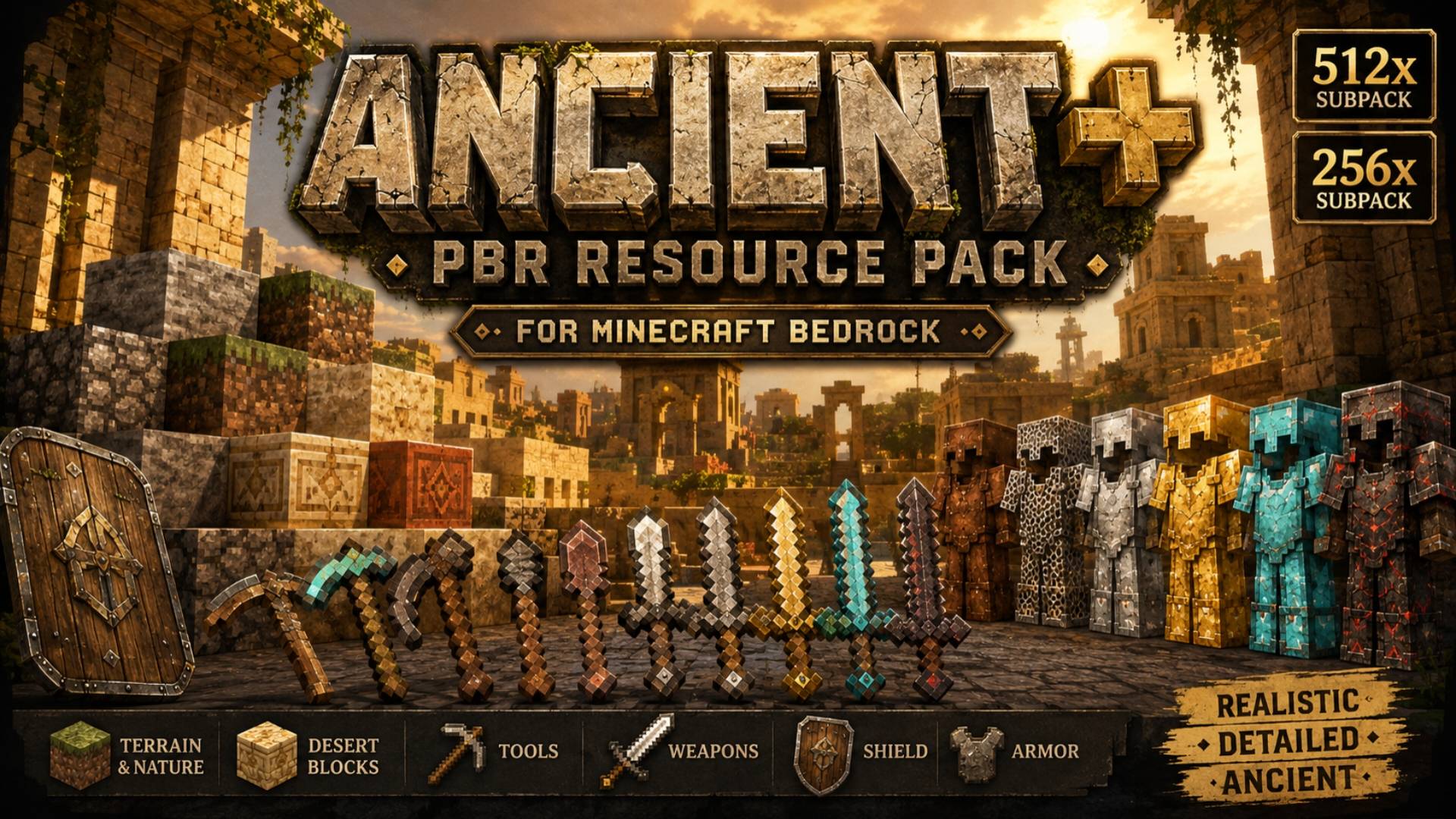
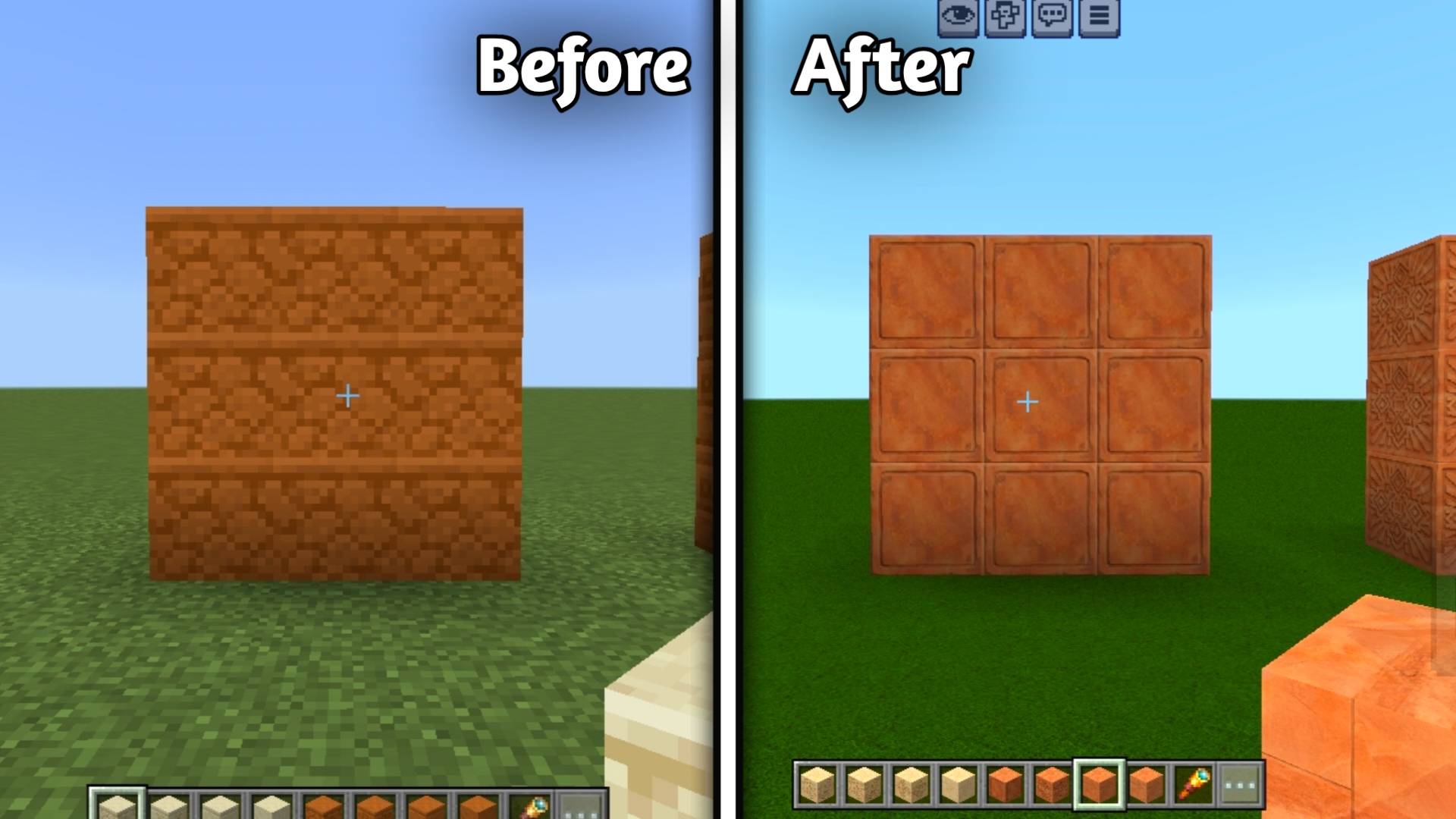
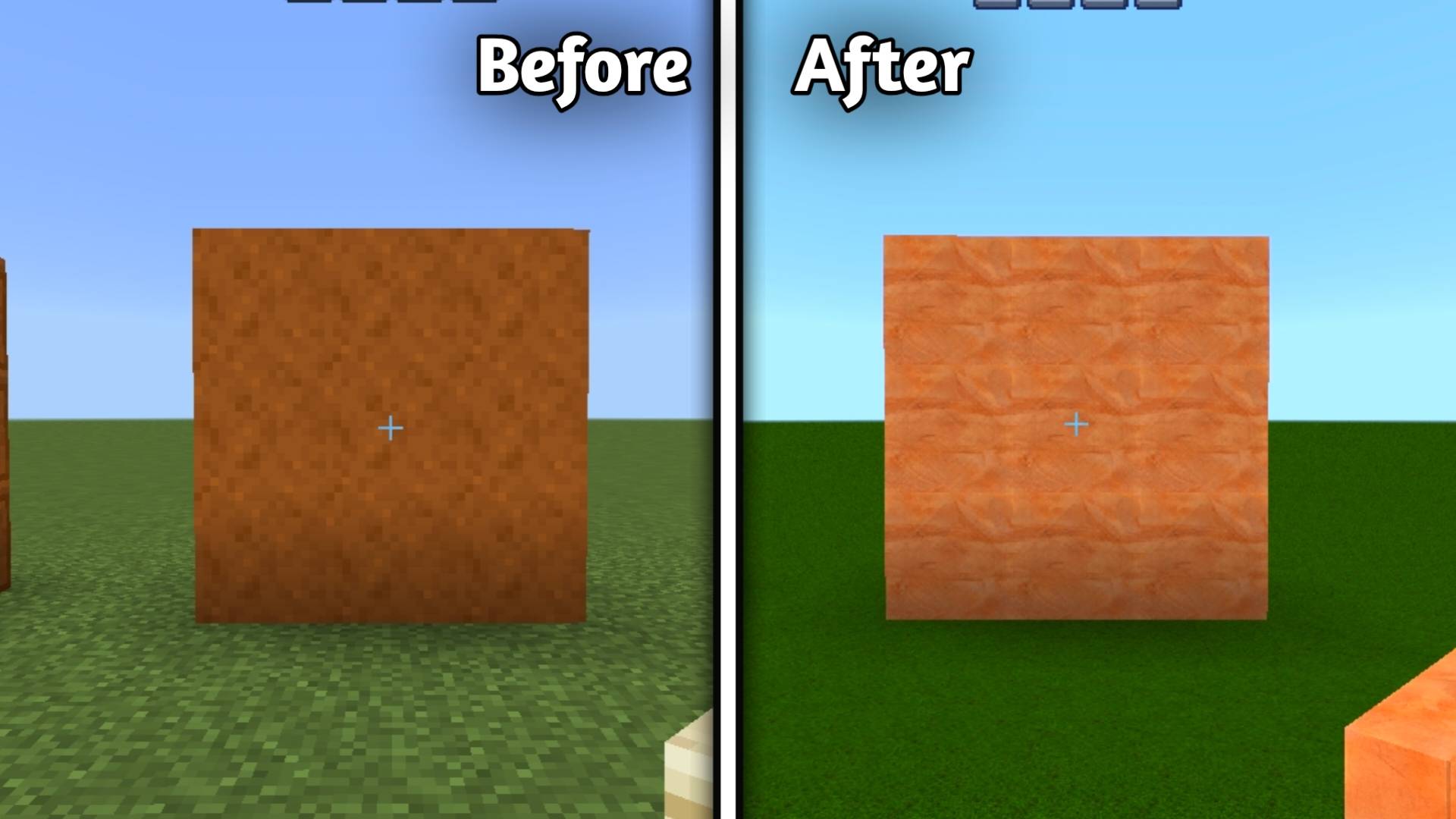
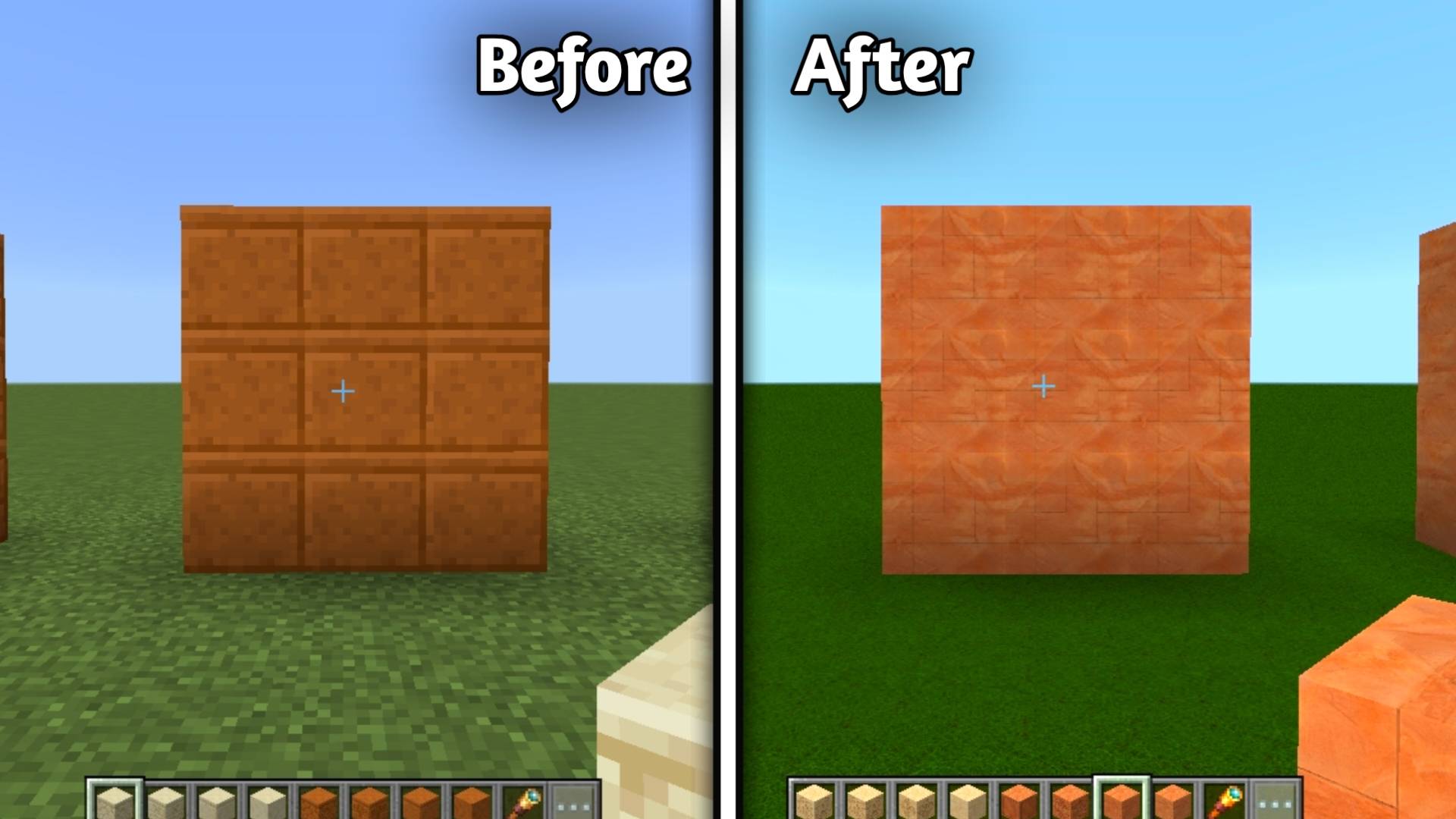
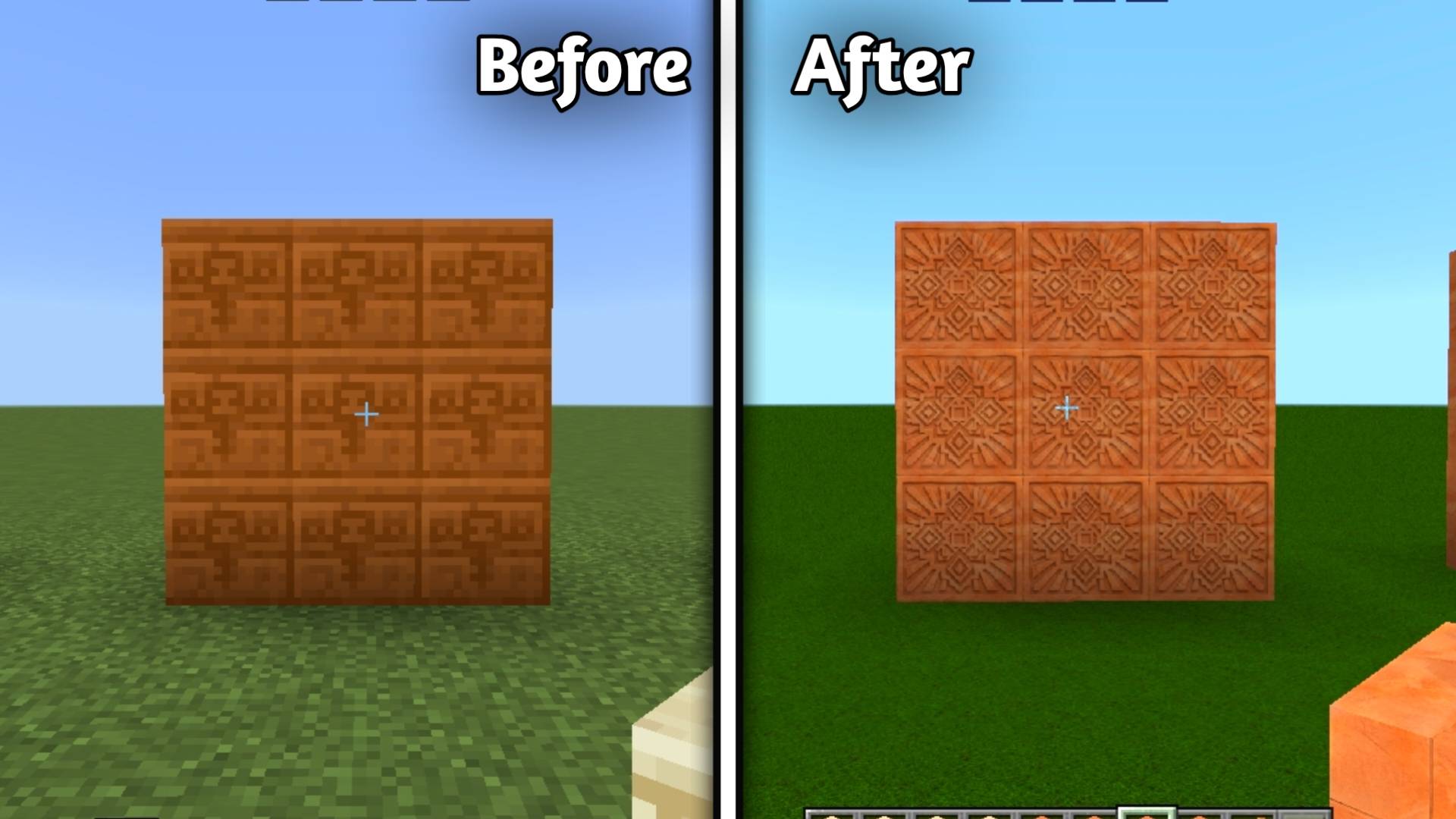
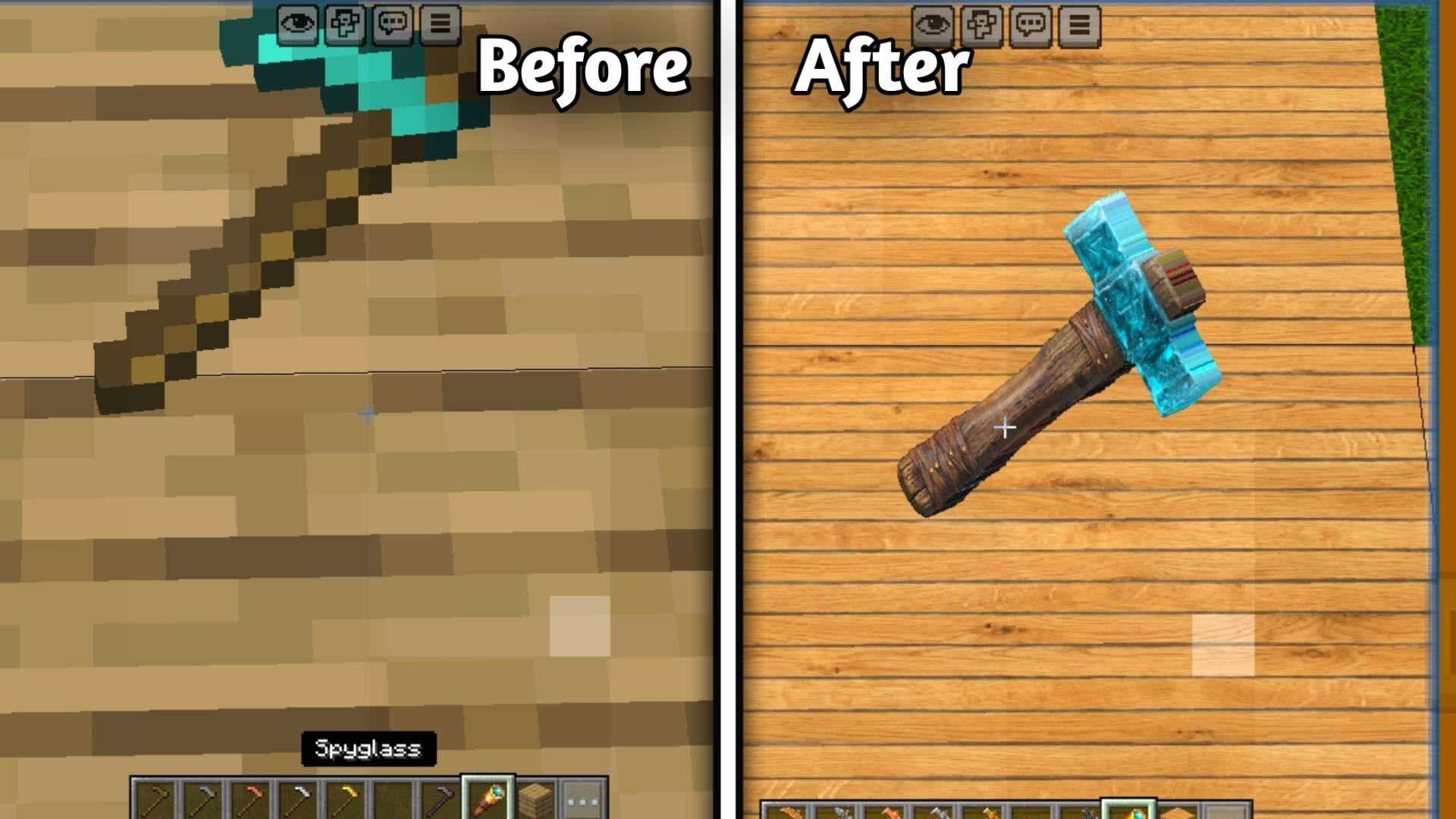
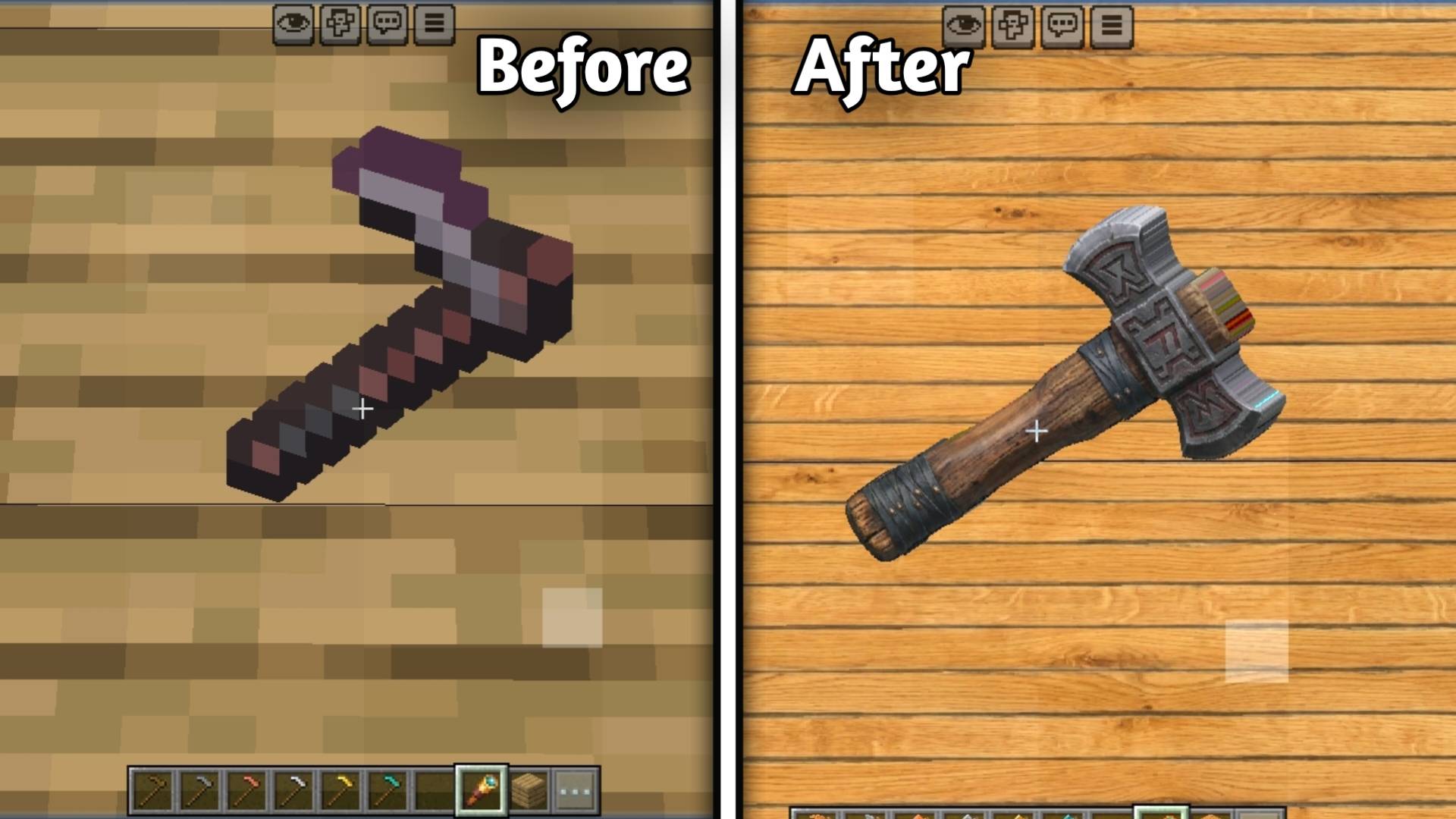
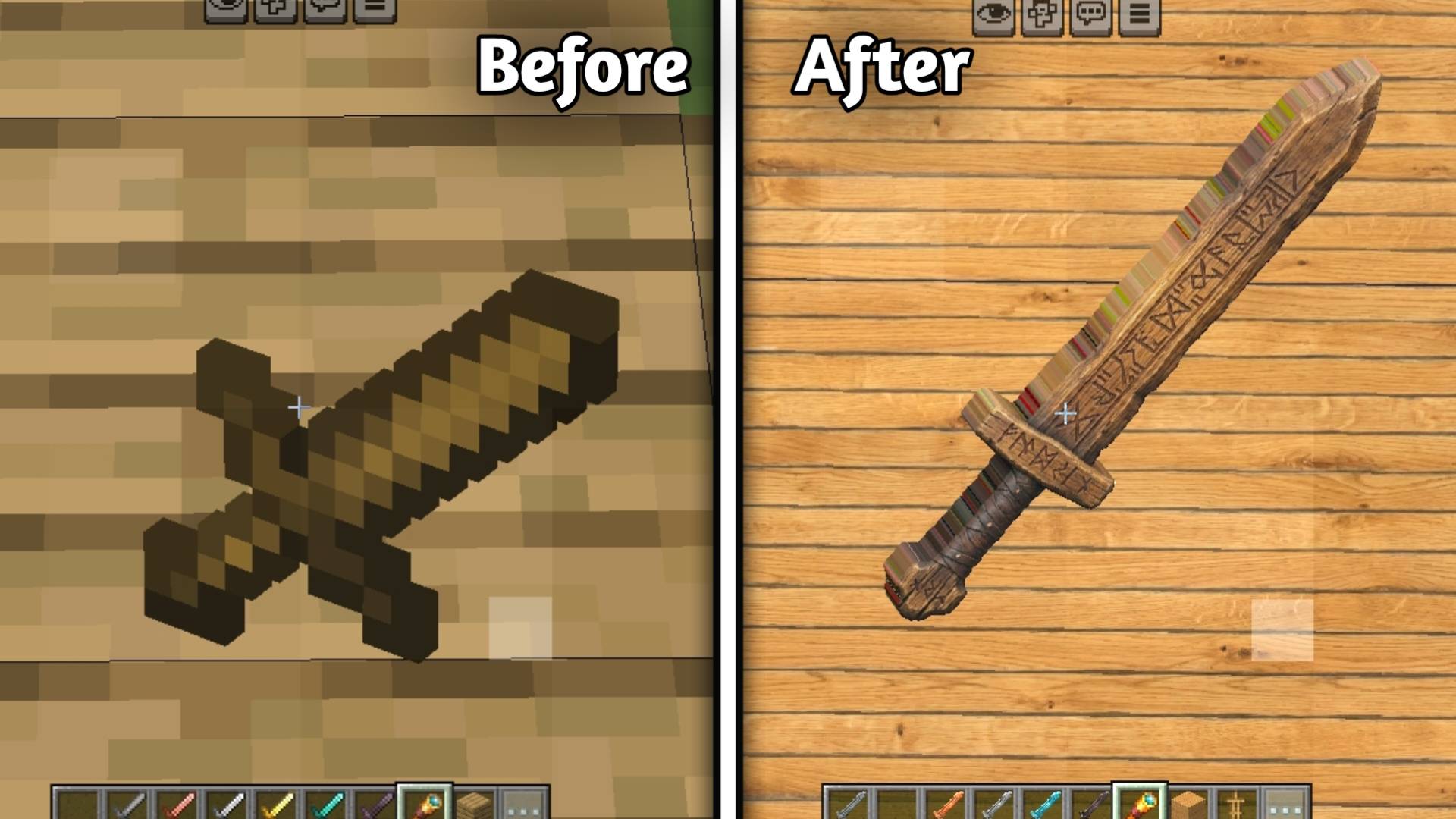
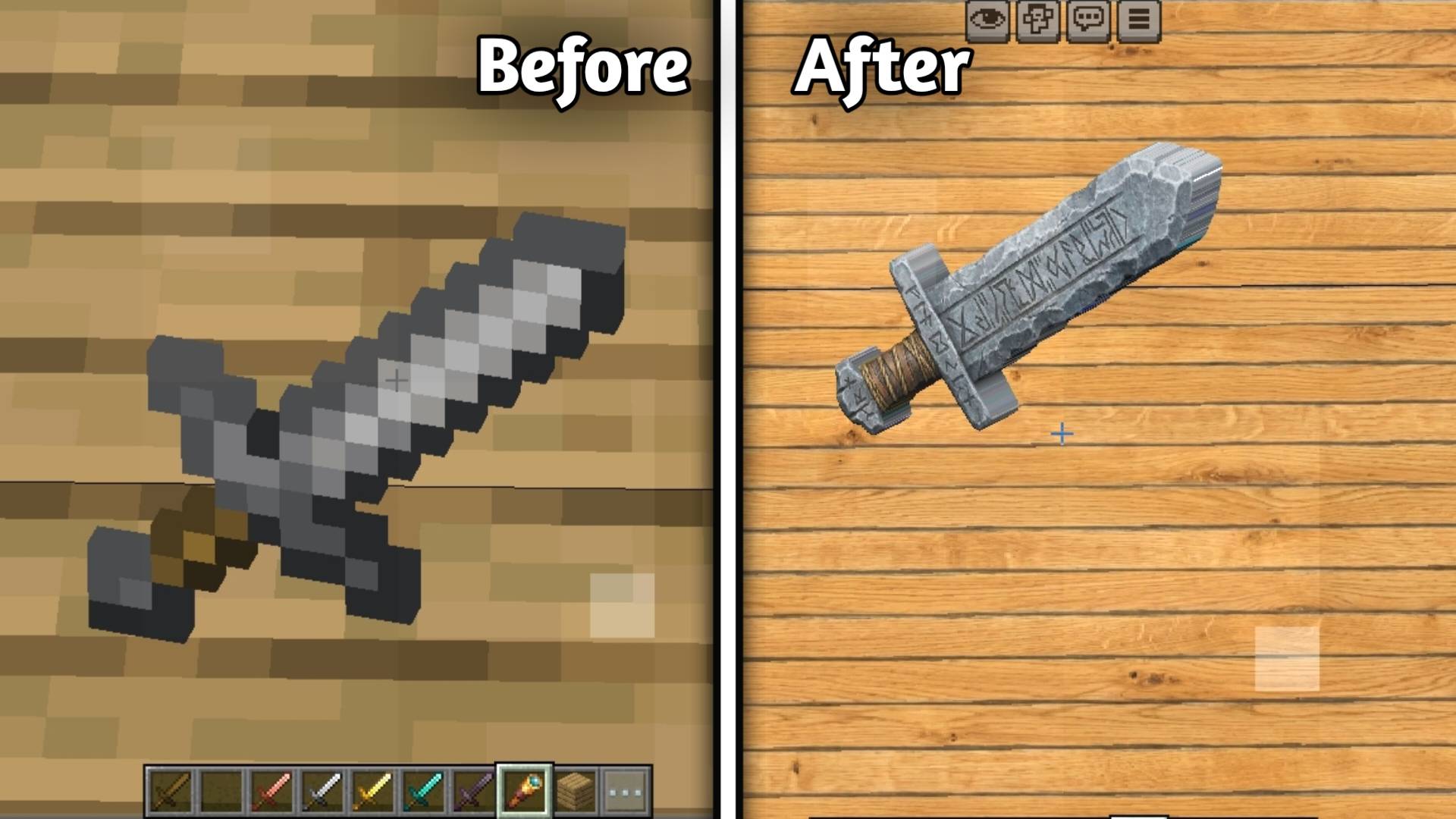
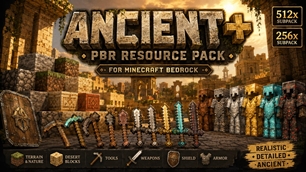
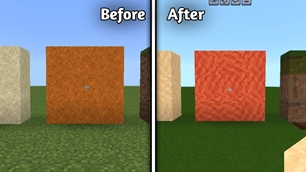
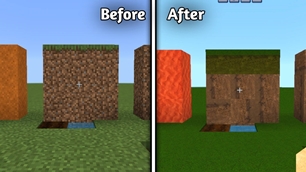
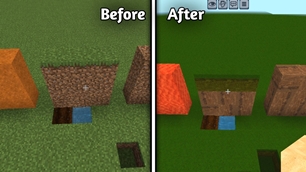
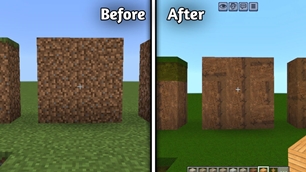
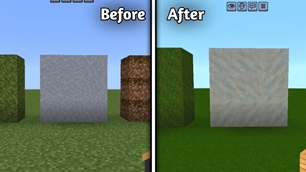
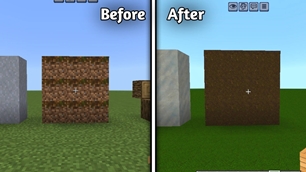
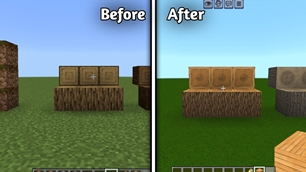
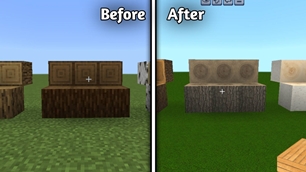
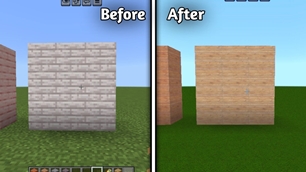
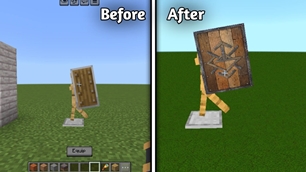
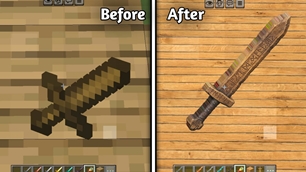
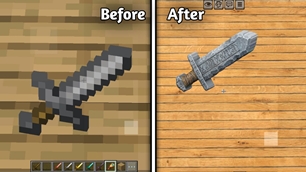
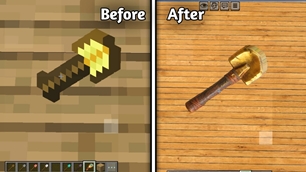
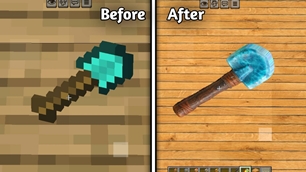
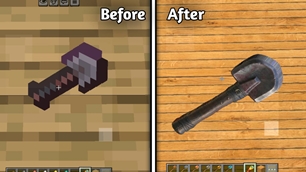
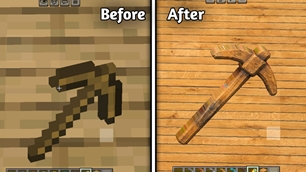
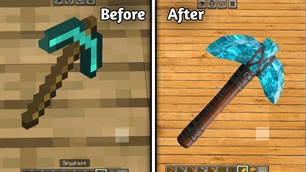
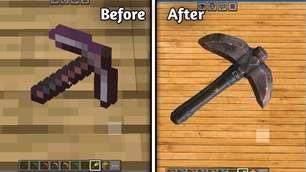
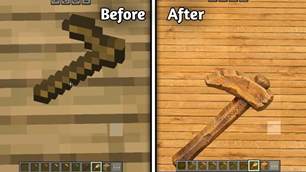
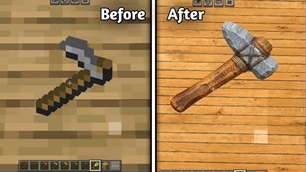
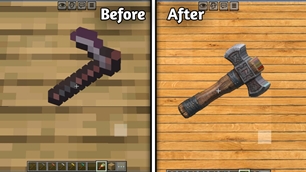
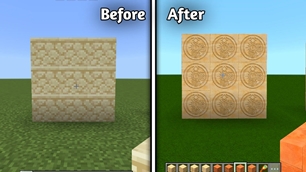
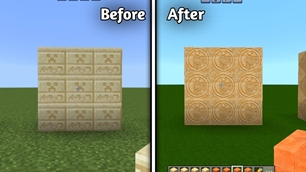
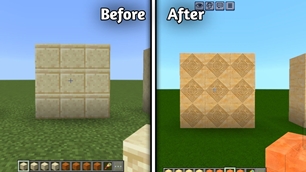
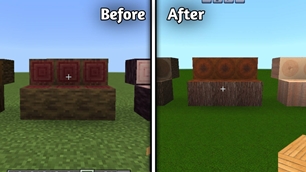
Ancient+ is a high-resolution Minecraft Bedrock Resource Pack that transforms vanilla textures with a realistic, ancient, and handcrafted visual style.

Why Ancient + is a top-tier shader mod for Minecraft 1.21.132

Developed by the talented creator Kareo_Gamerz, Ancient + stands out as a highly recommended selection for your Minecraft client. It is fully optimized, compatibility-tested, and brings a major upgrade to the gameplay experience in Minecraft version 1.21.132.

⚙️ Quick Resource Specs

Mod CreatorKareo_Gamerz
Latest Version1.21.132
Supported Game Versions1.21.132, 1.21.131, 1.21.130, 1.21.124, 1.21.111
File Size69.14 MB
Last UpdatedUpdated: August 26, 2026
Total Downloads1,344 downloads
Ancient + screenshot active
Discover new possibilities in your world with Ancient +, a premium shaders project created by Kareo_Gamerz. Designed to run smoothly on Minecraft 1.21.132, this addition brings both quality improvements and immersive elements to your setup.

🏛️ Ancient+

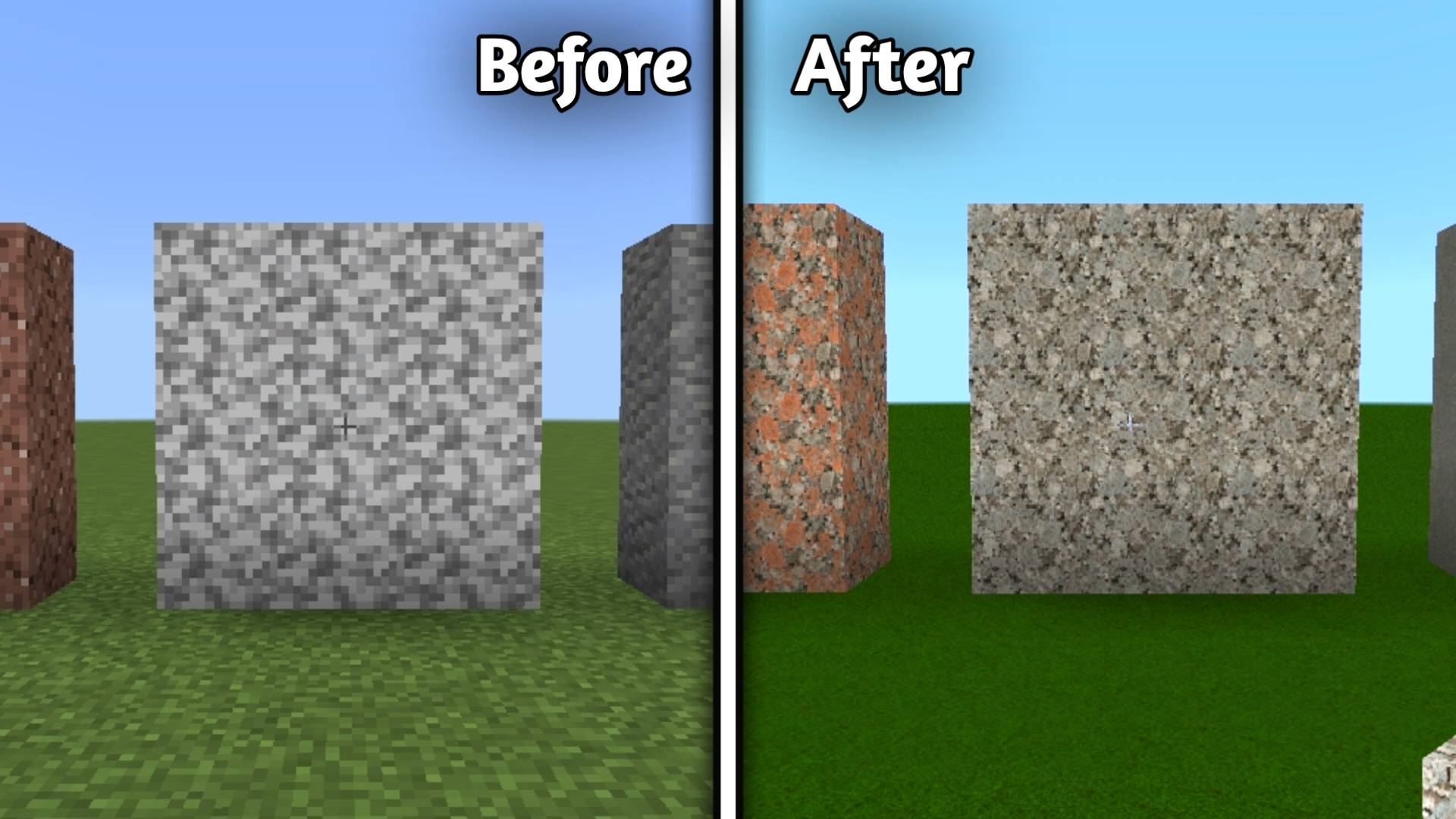
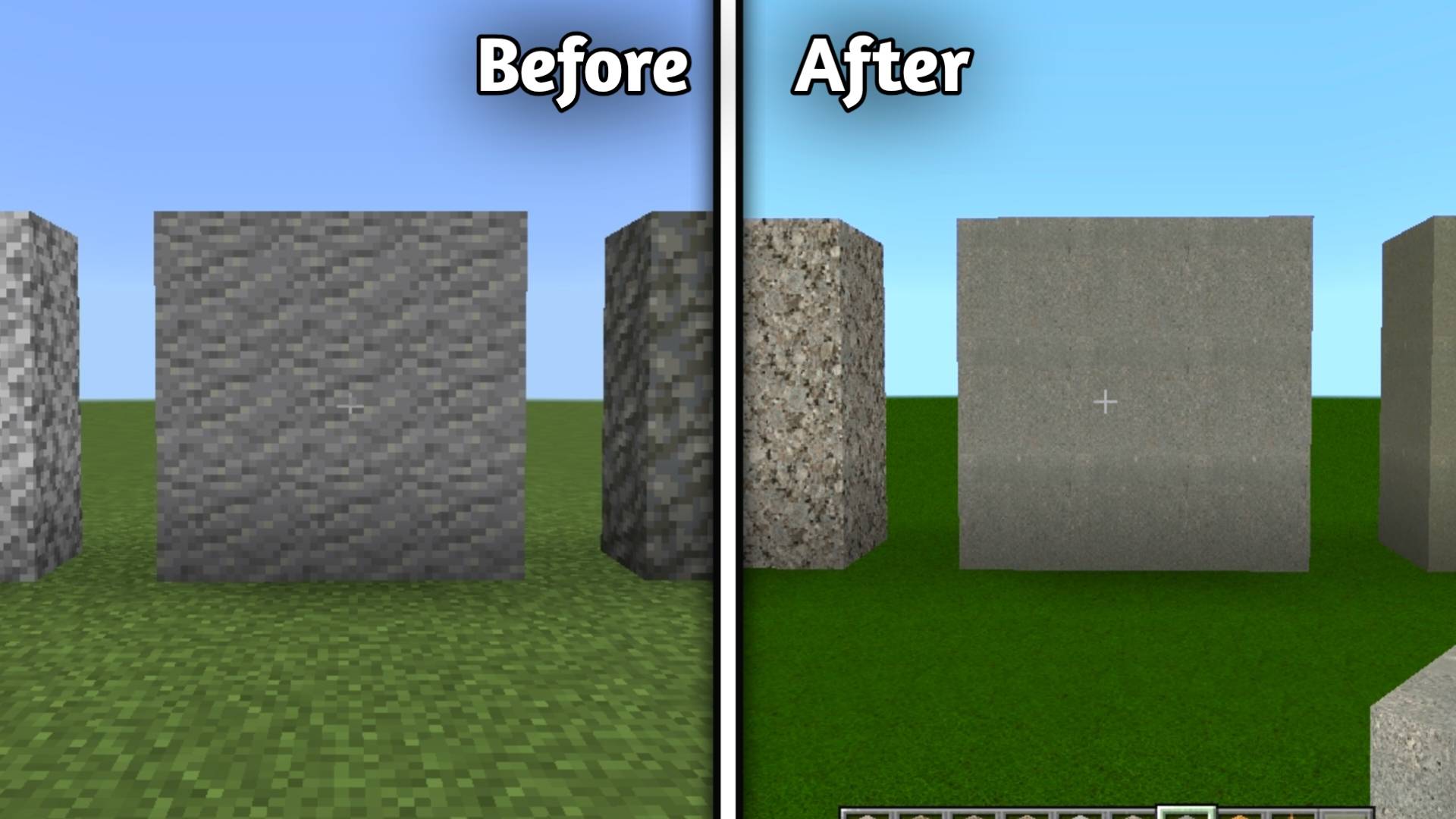
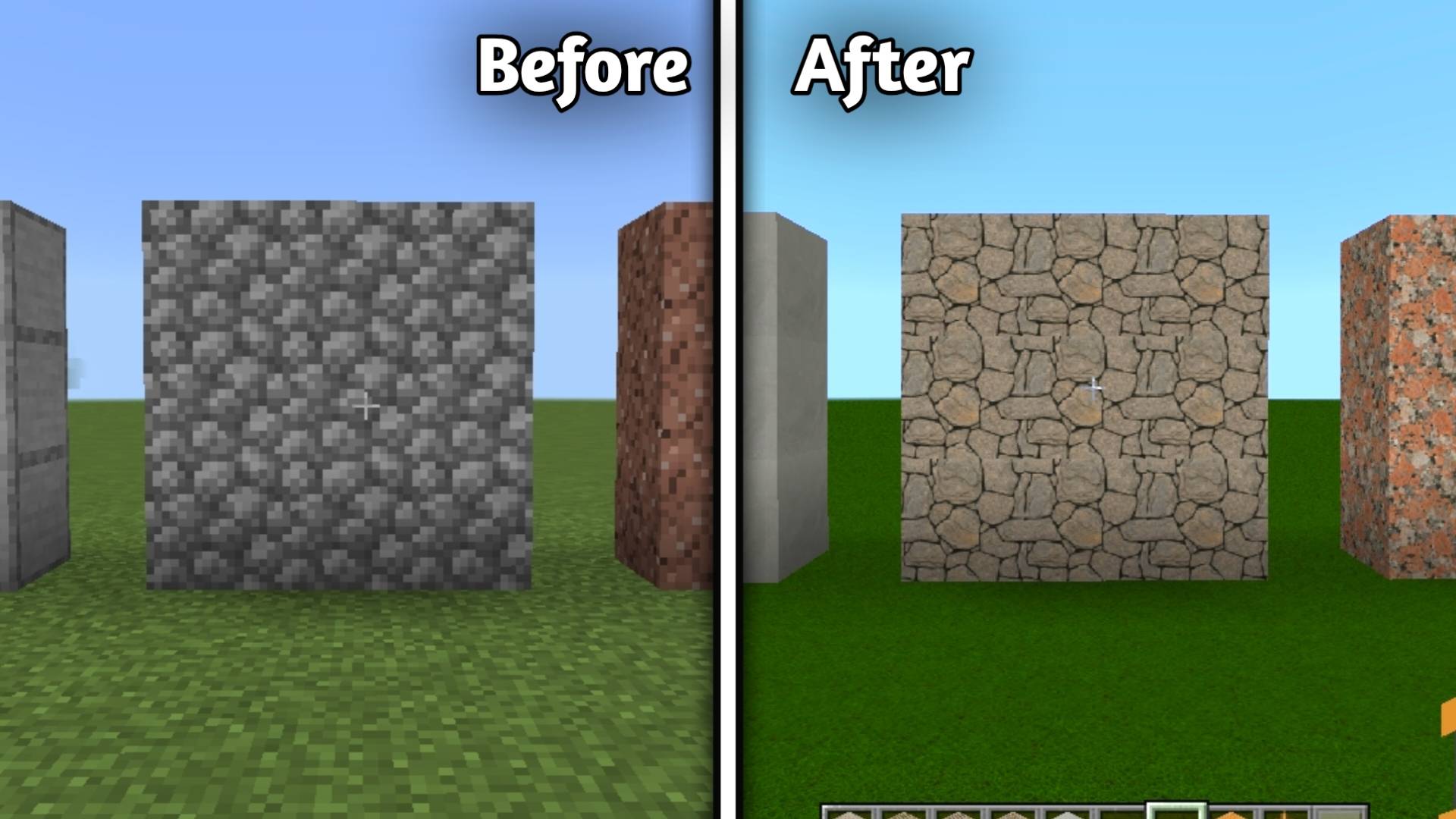
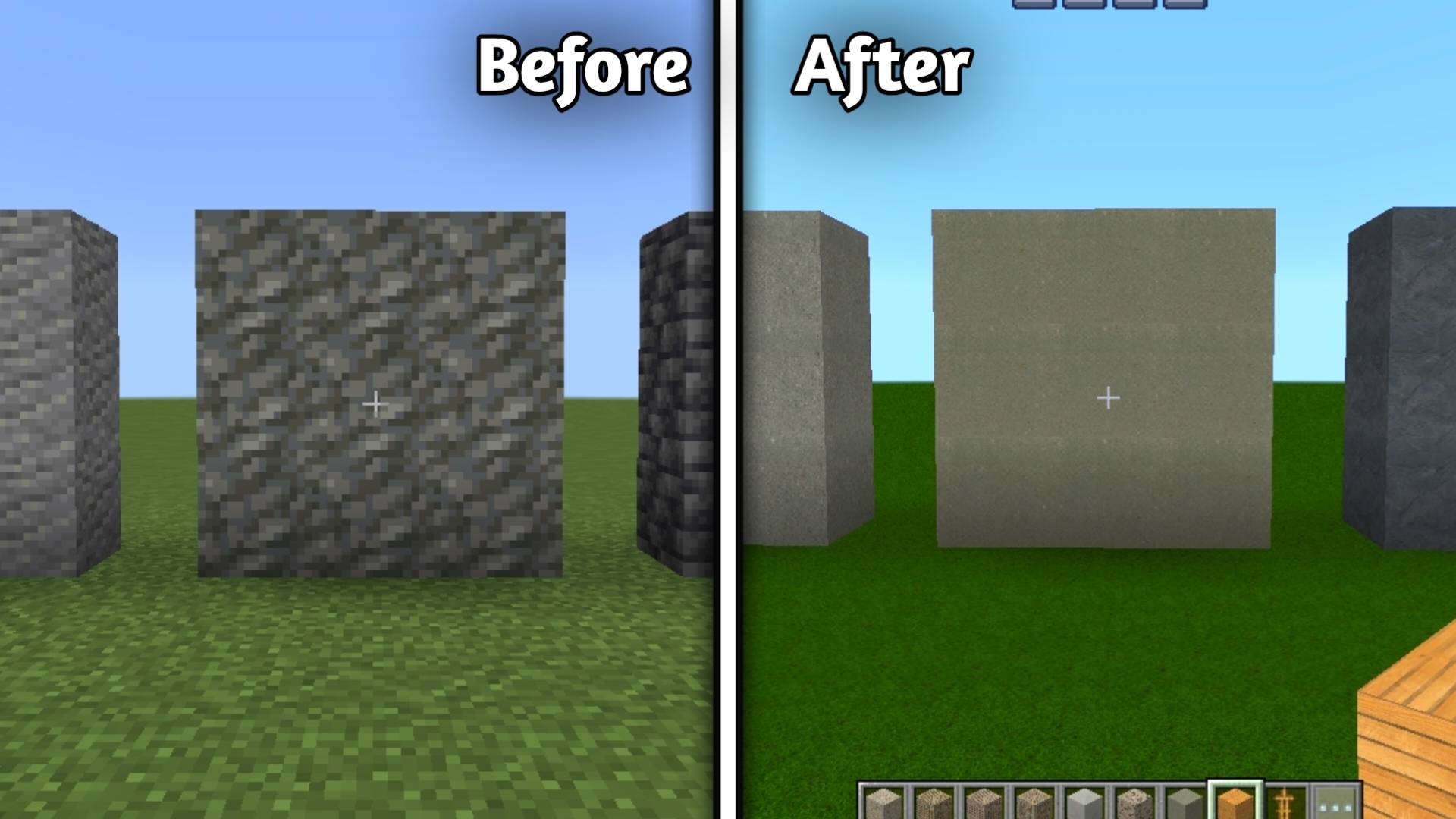
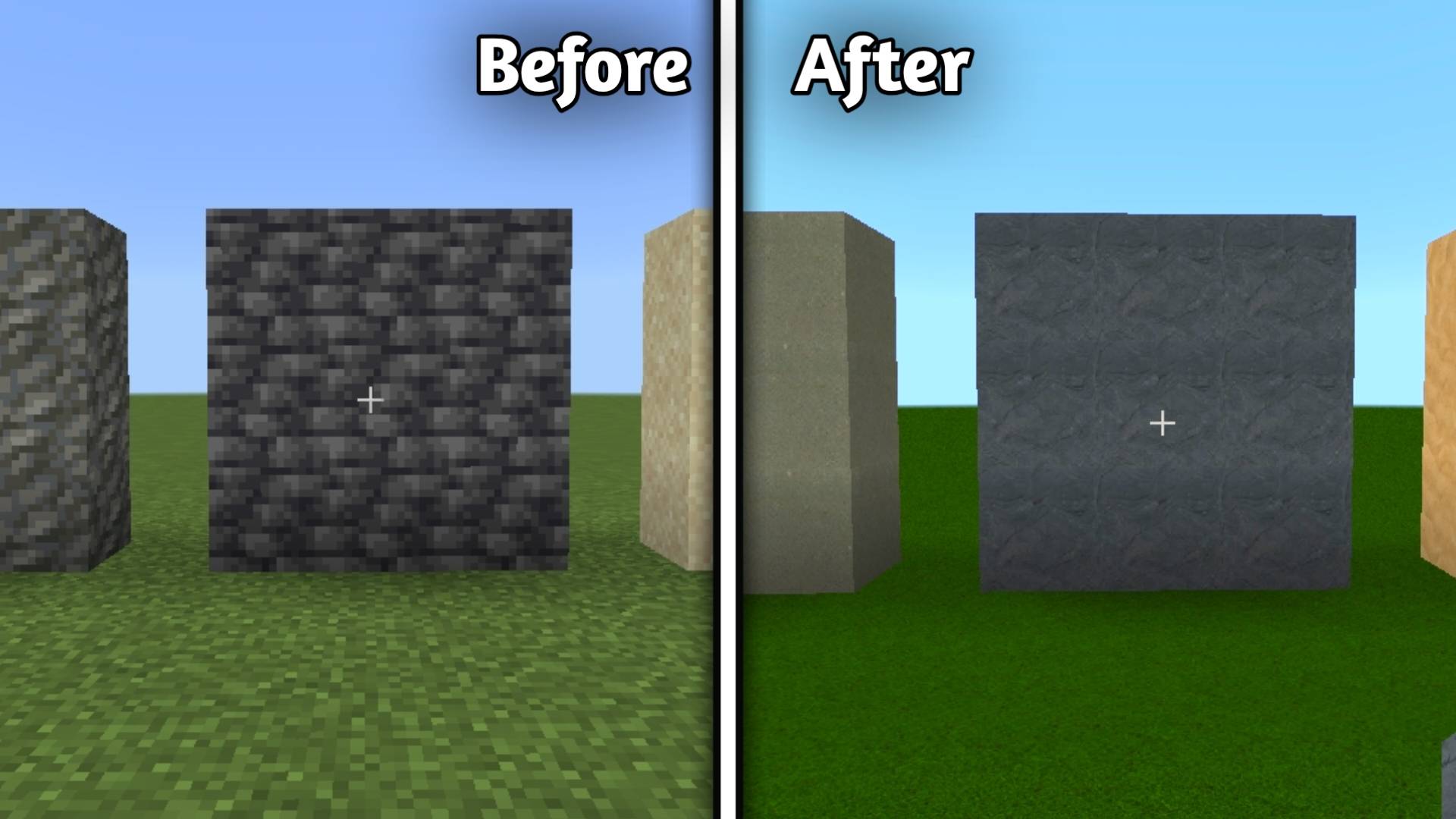
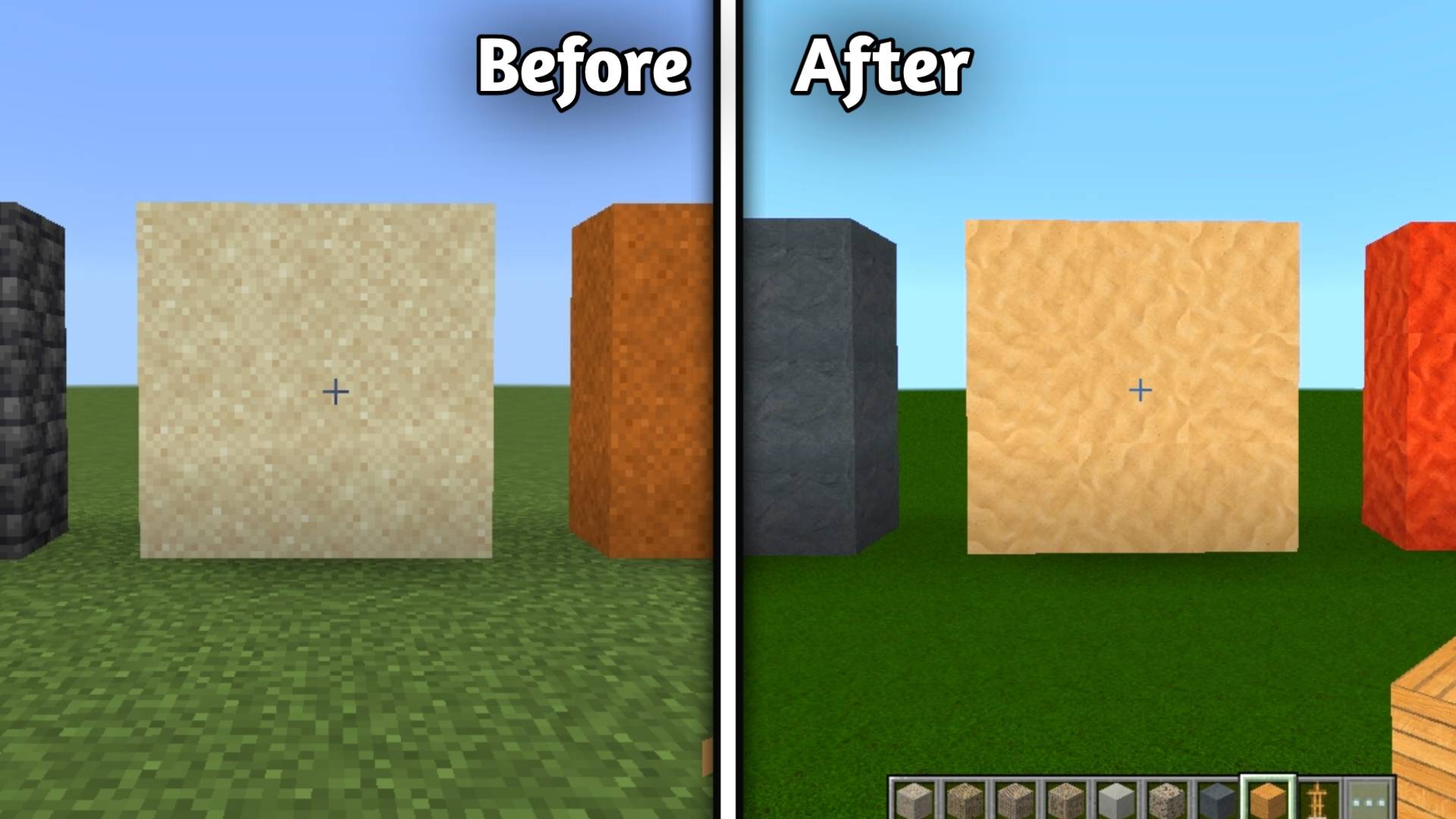
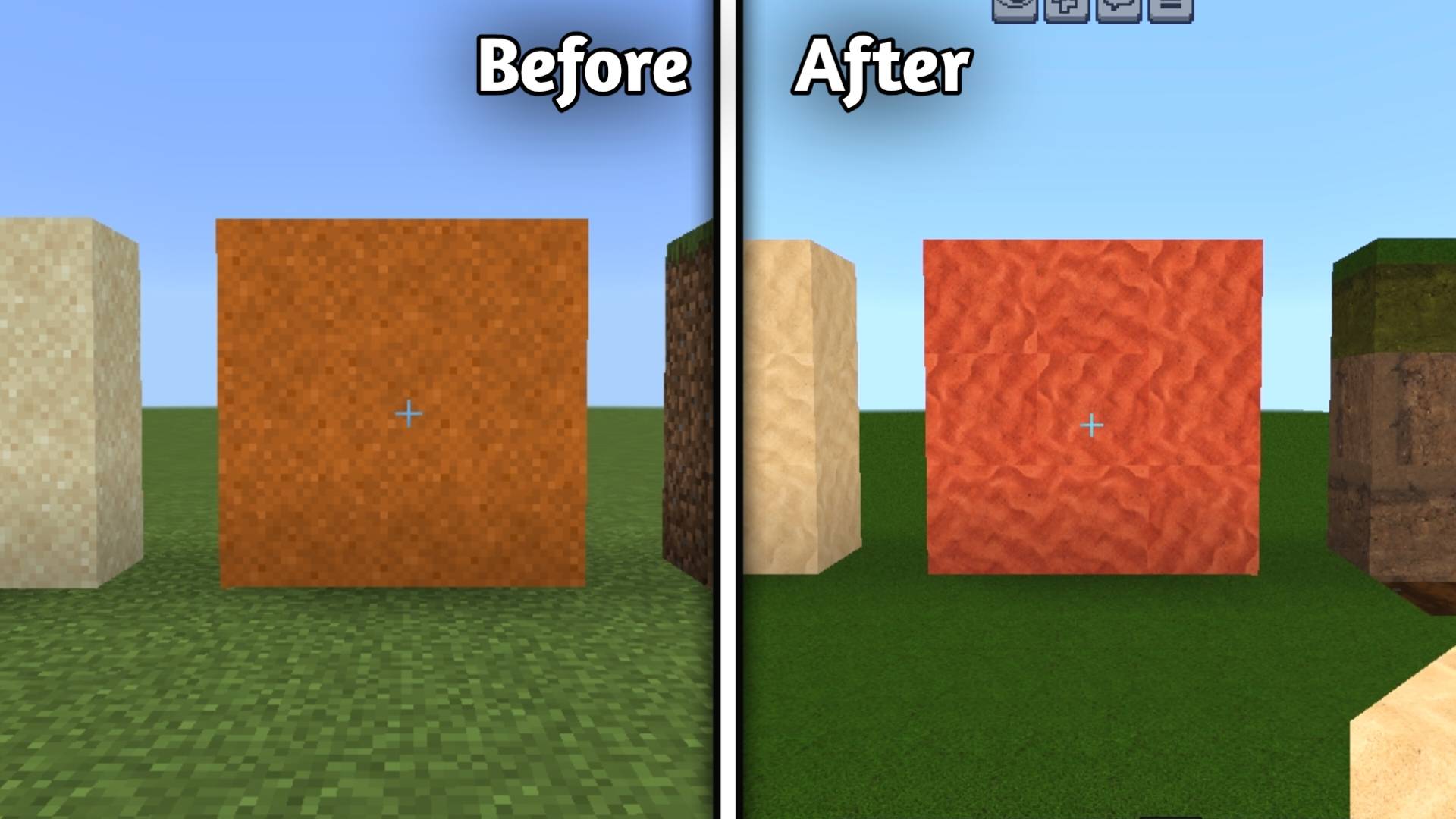
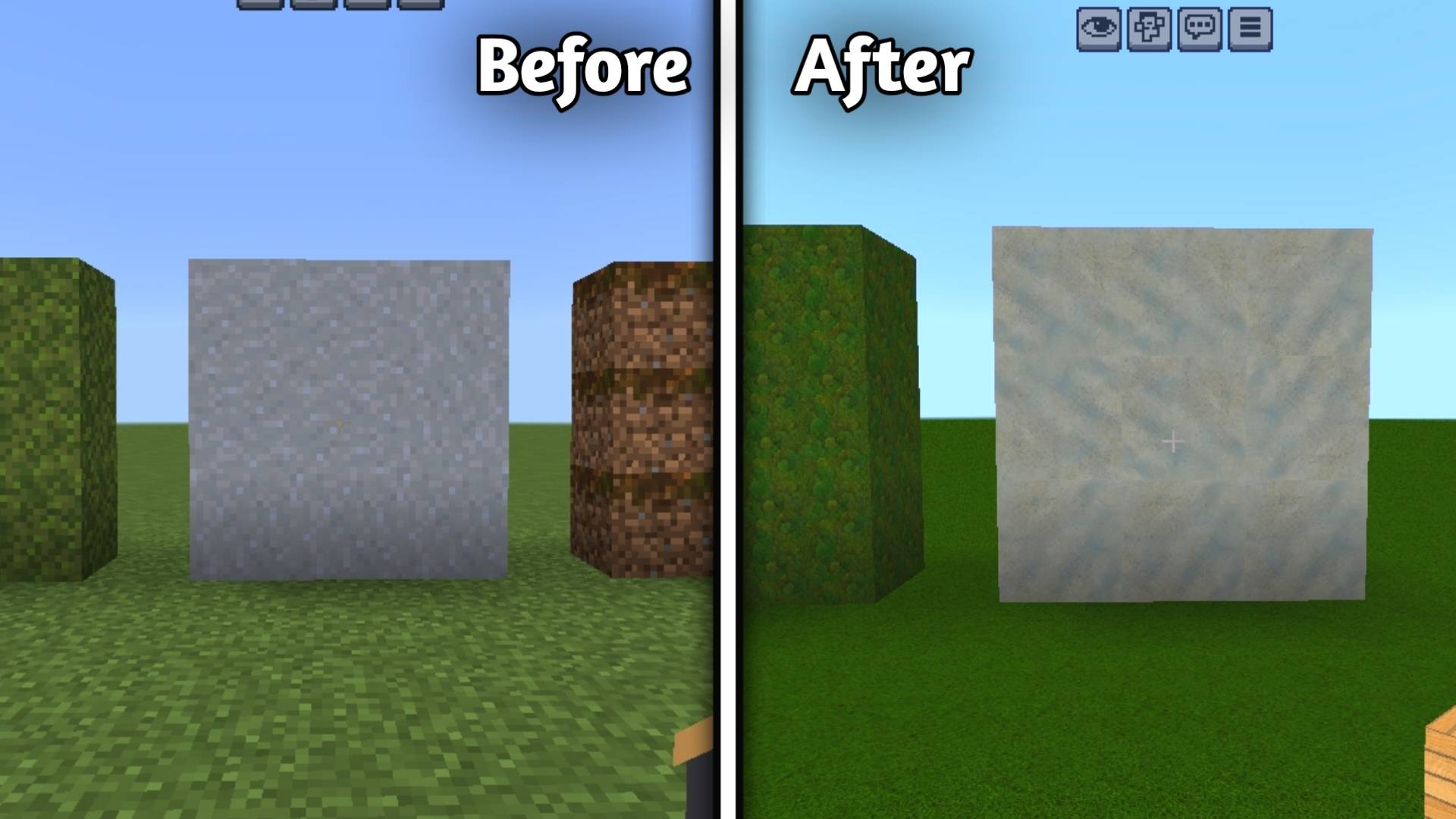
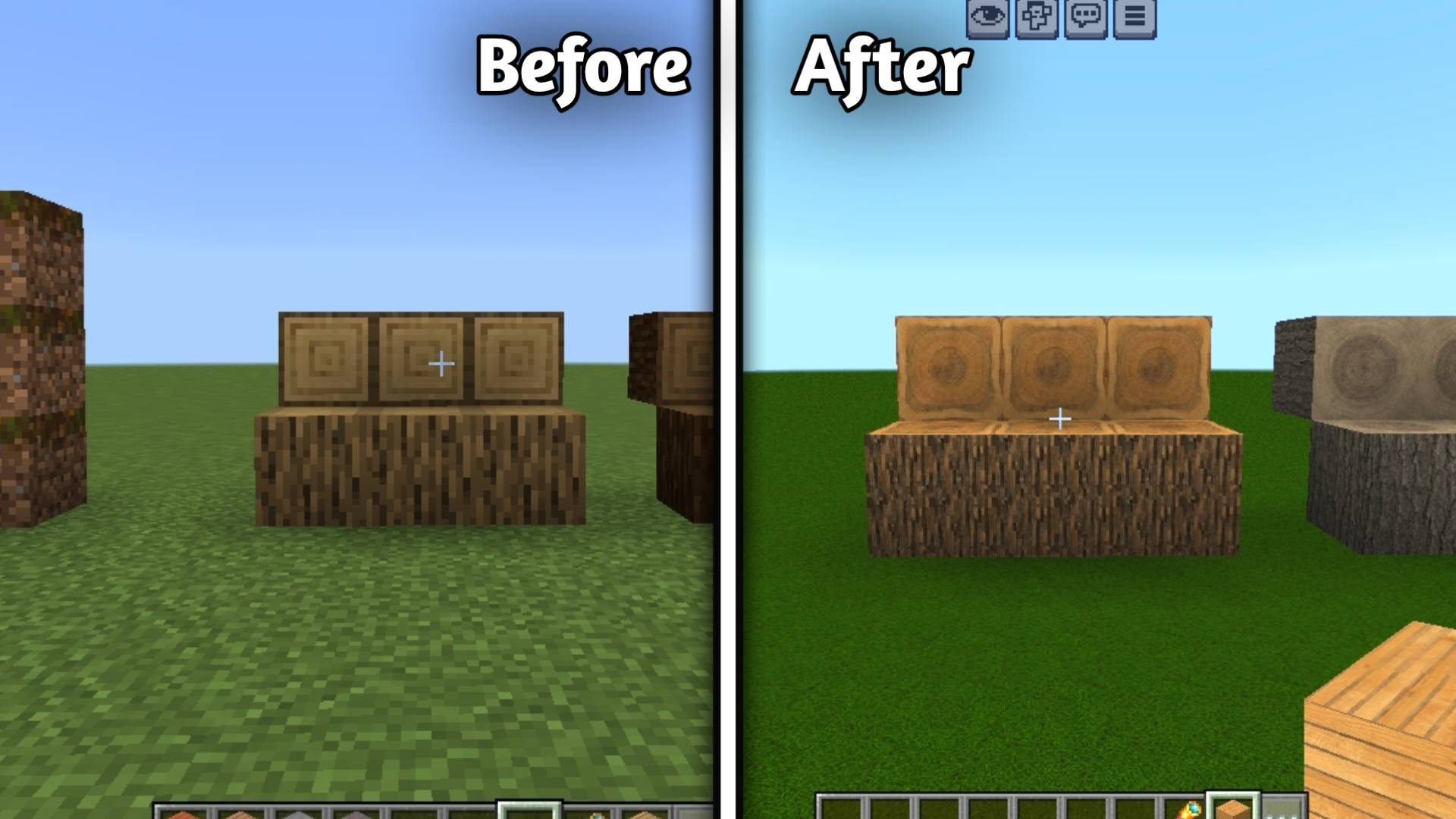
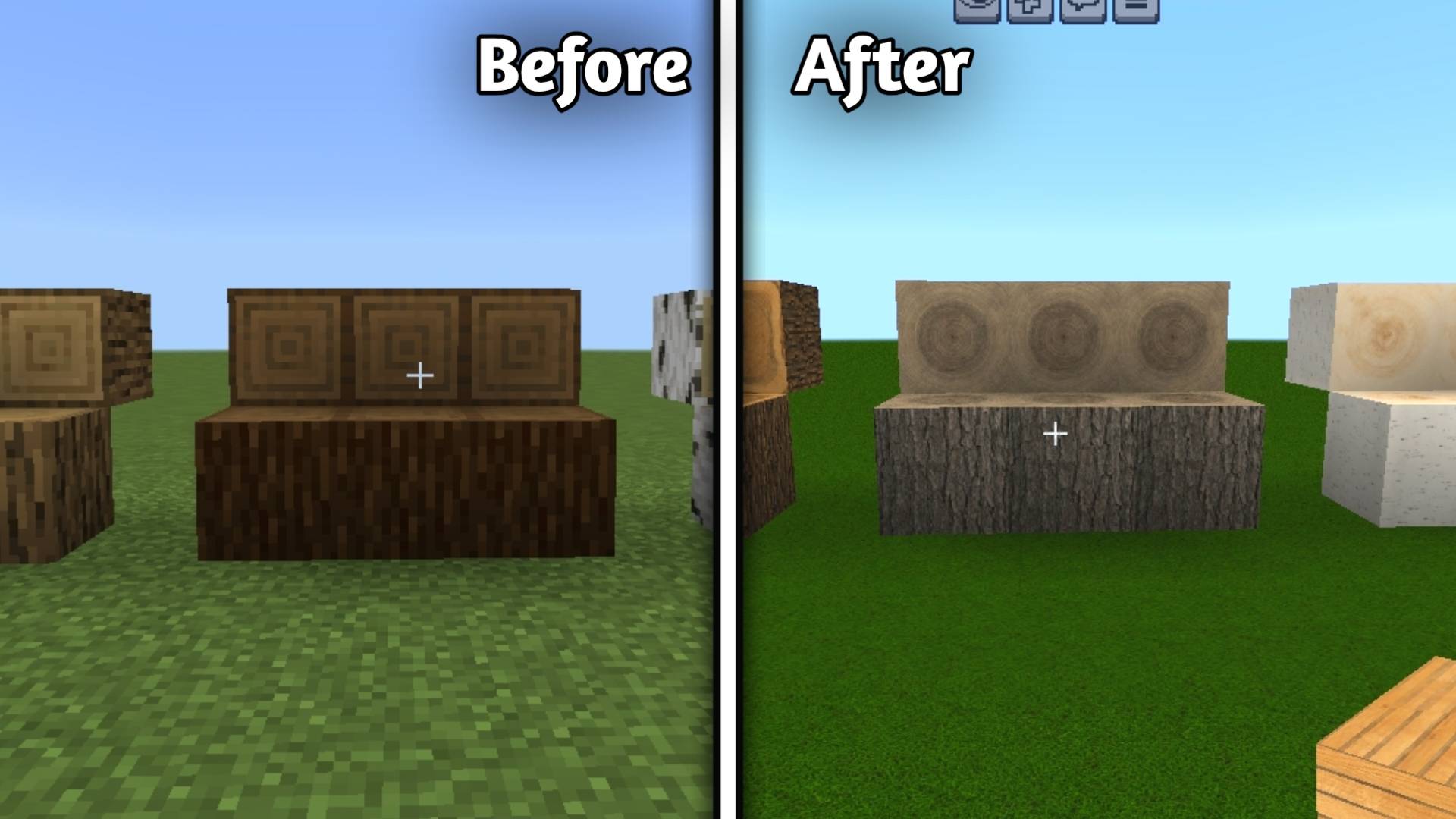
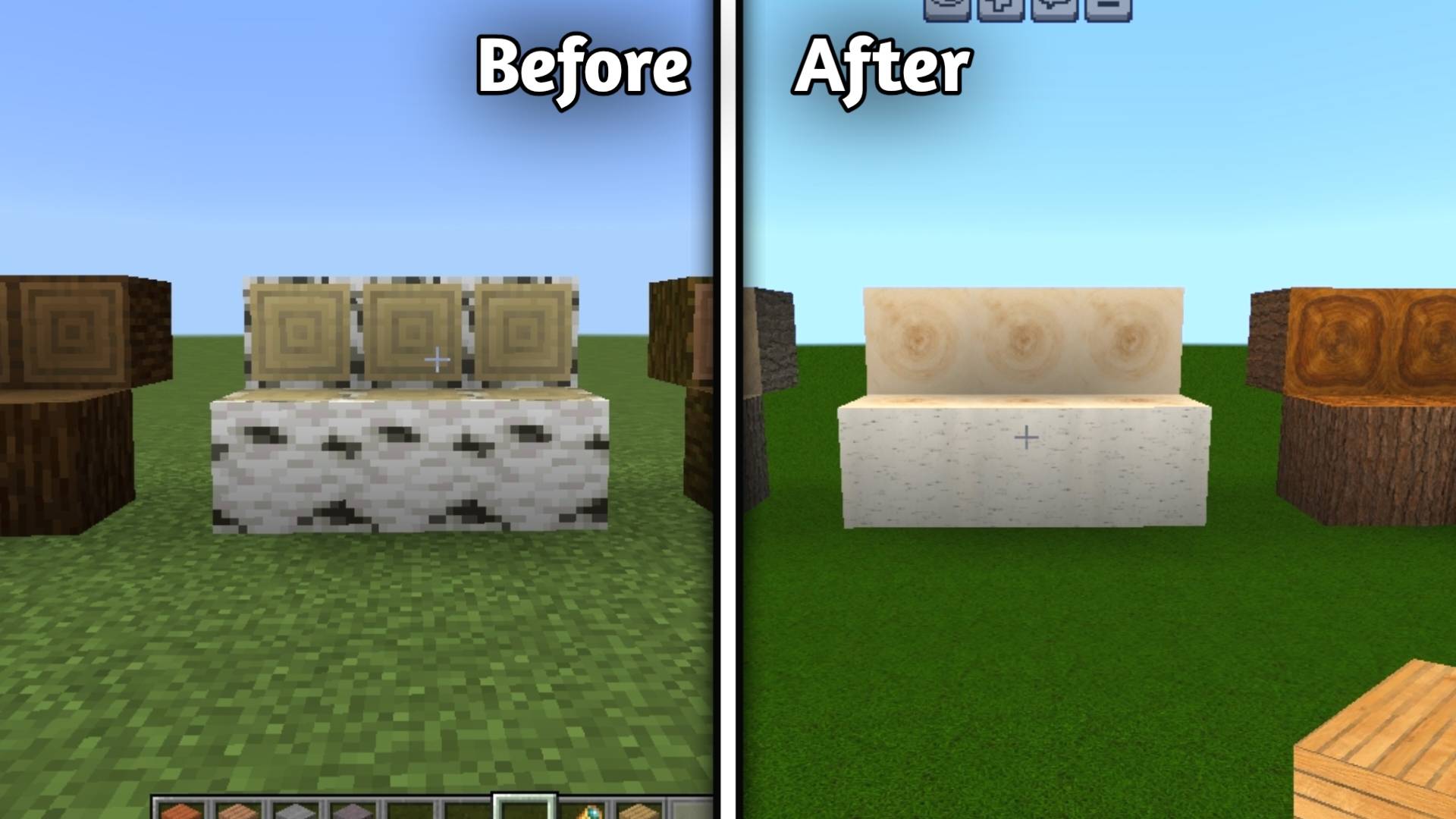
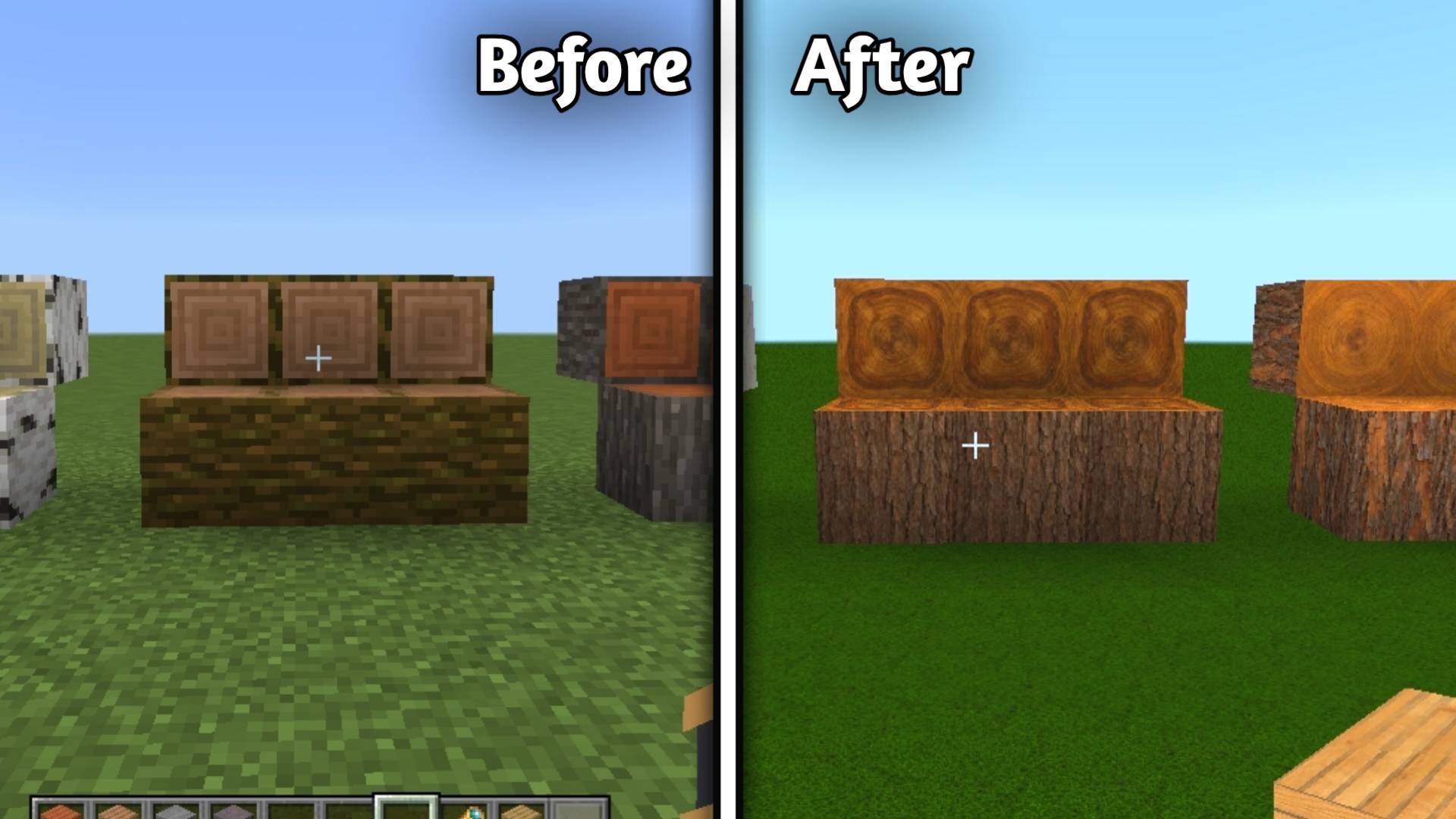
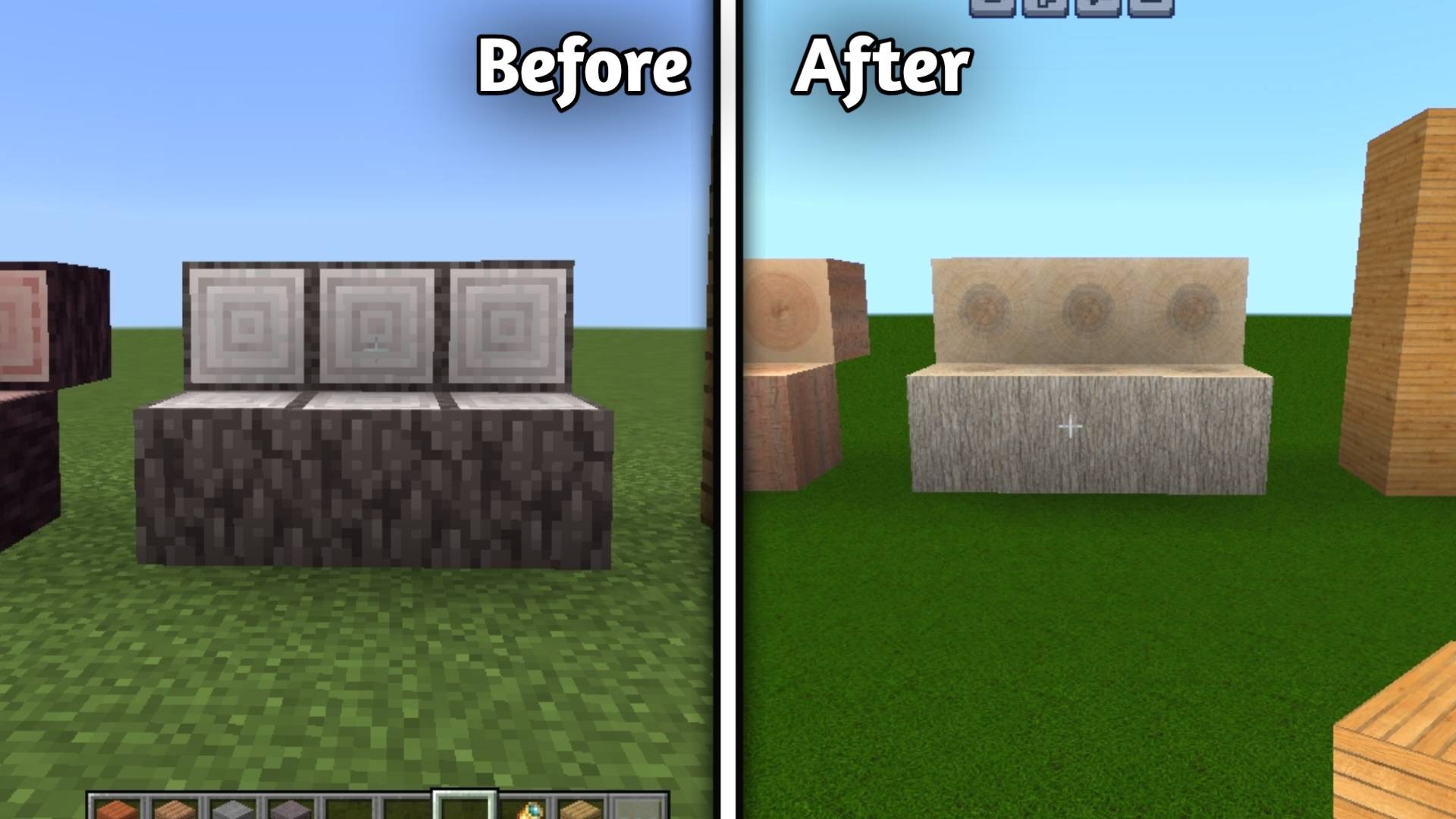
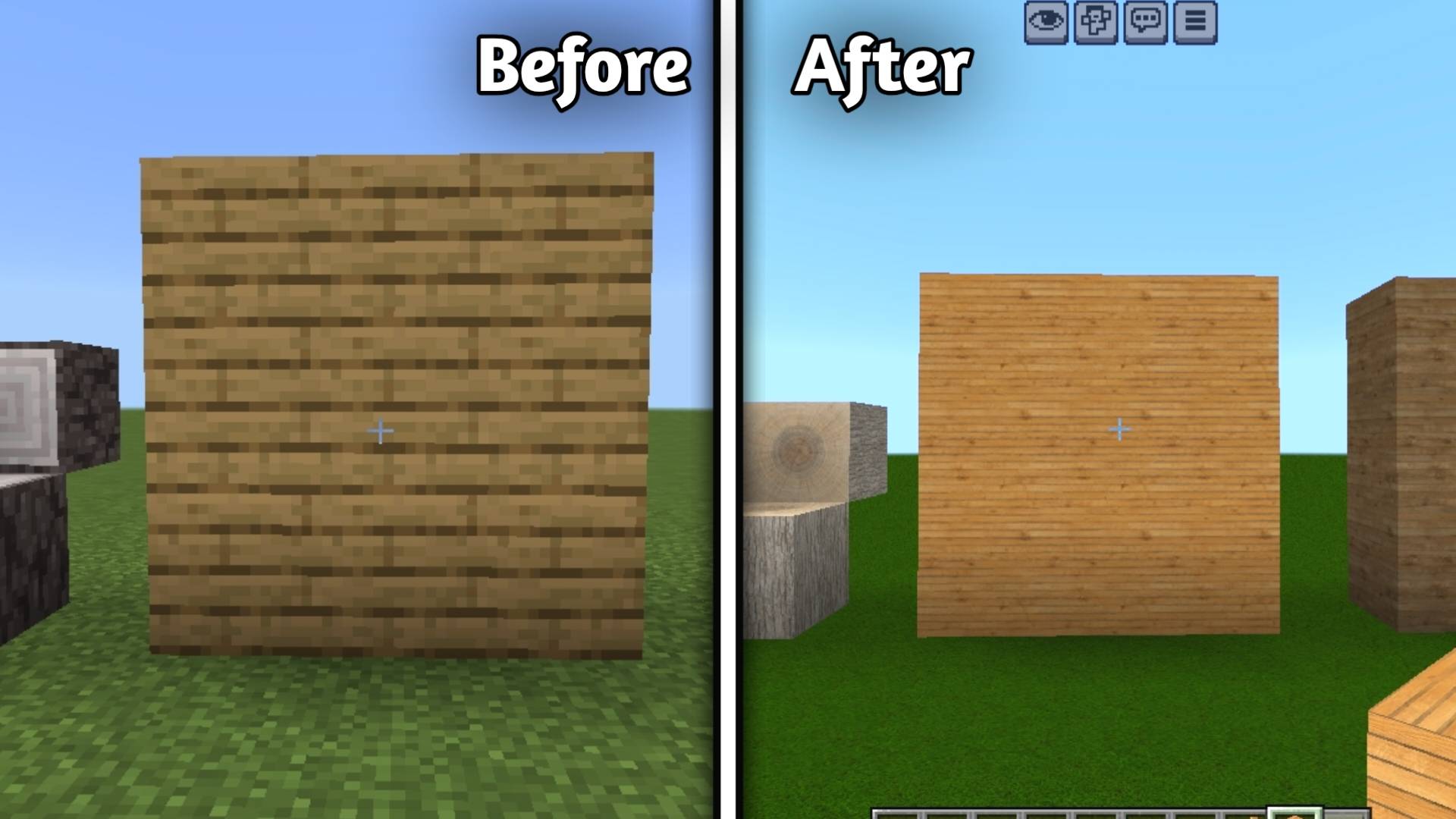
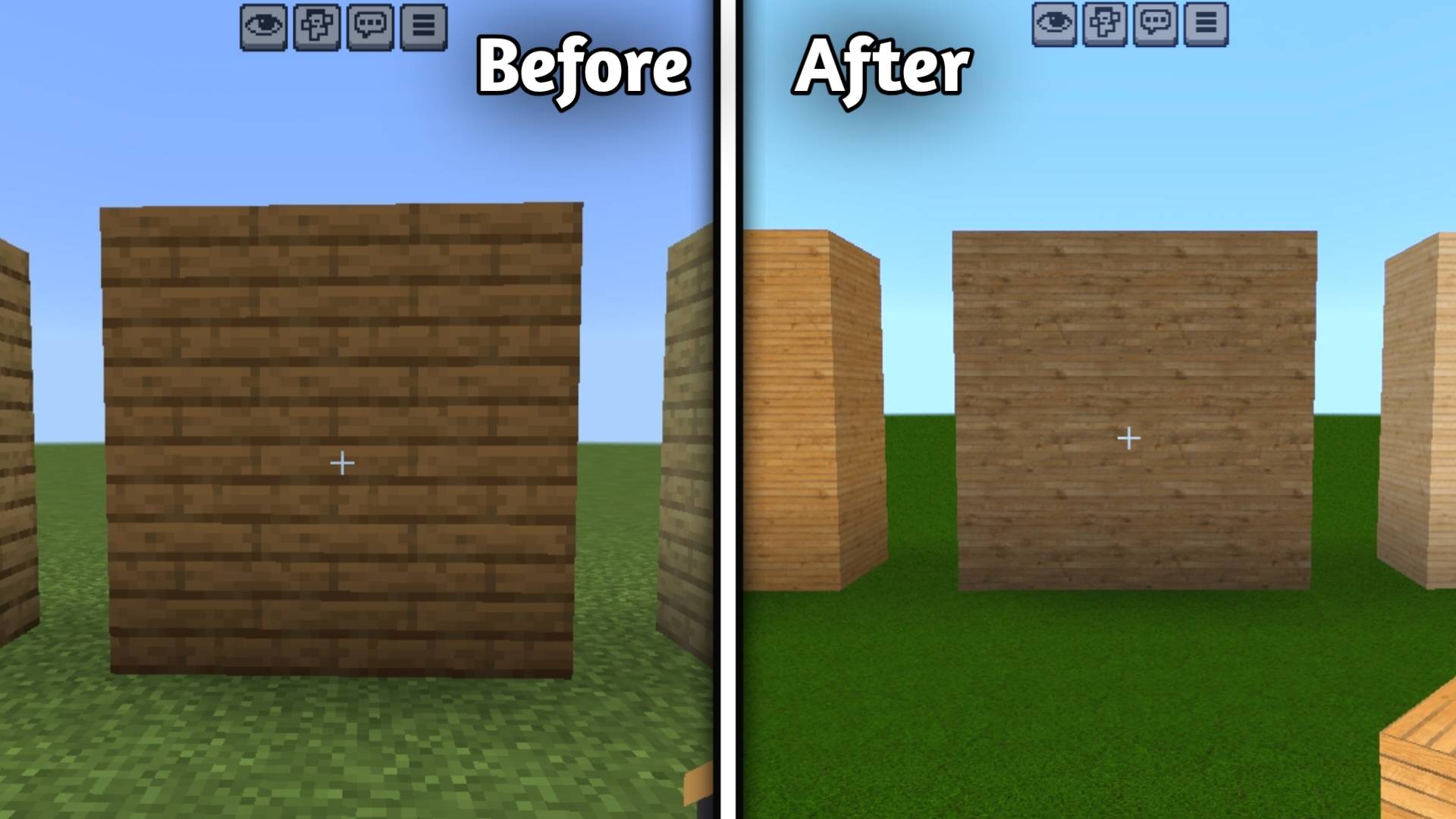
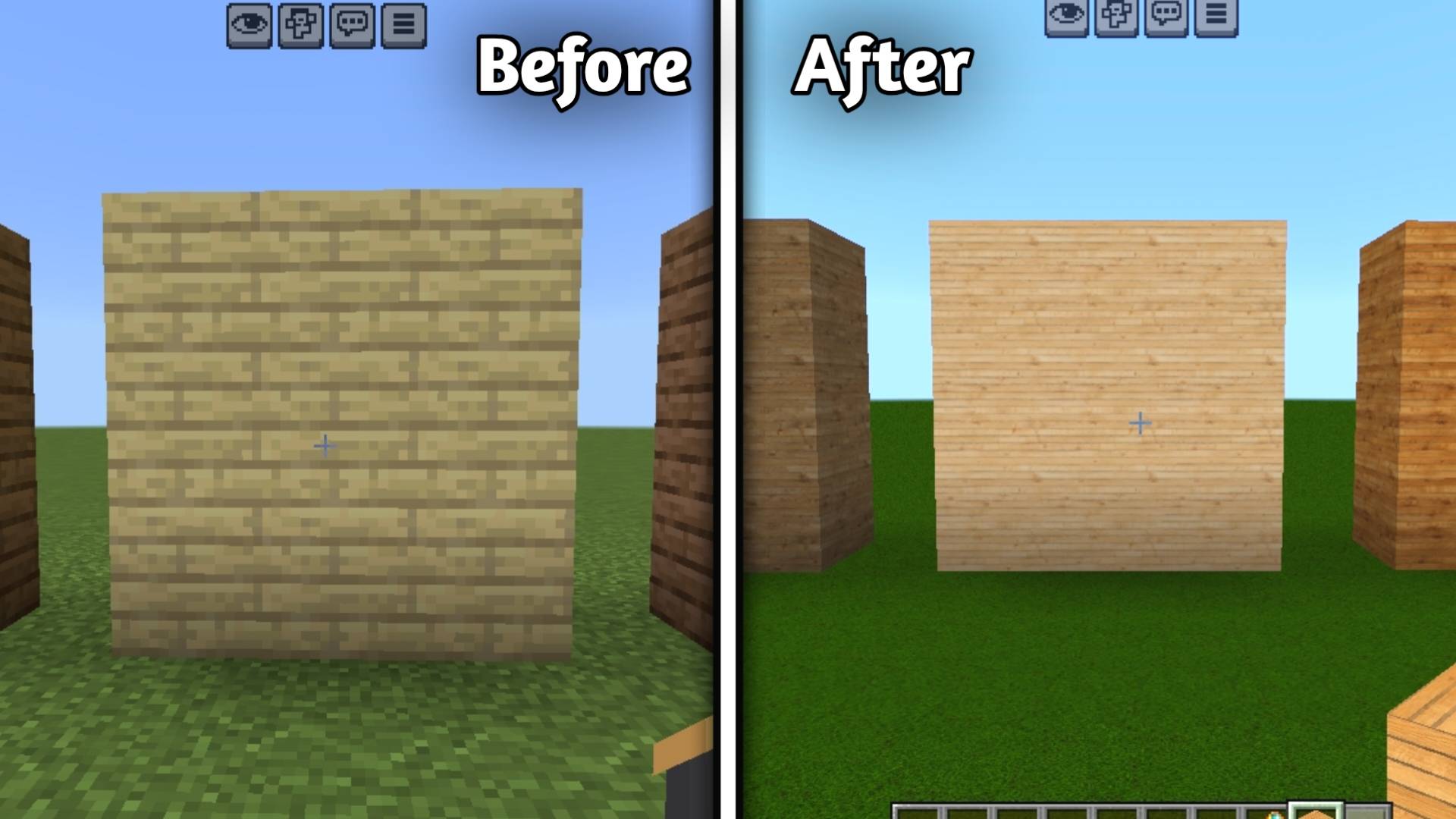
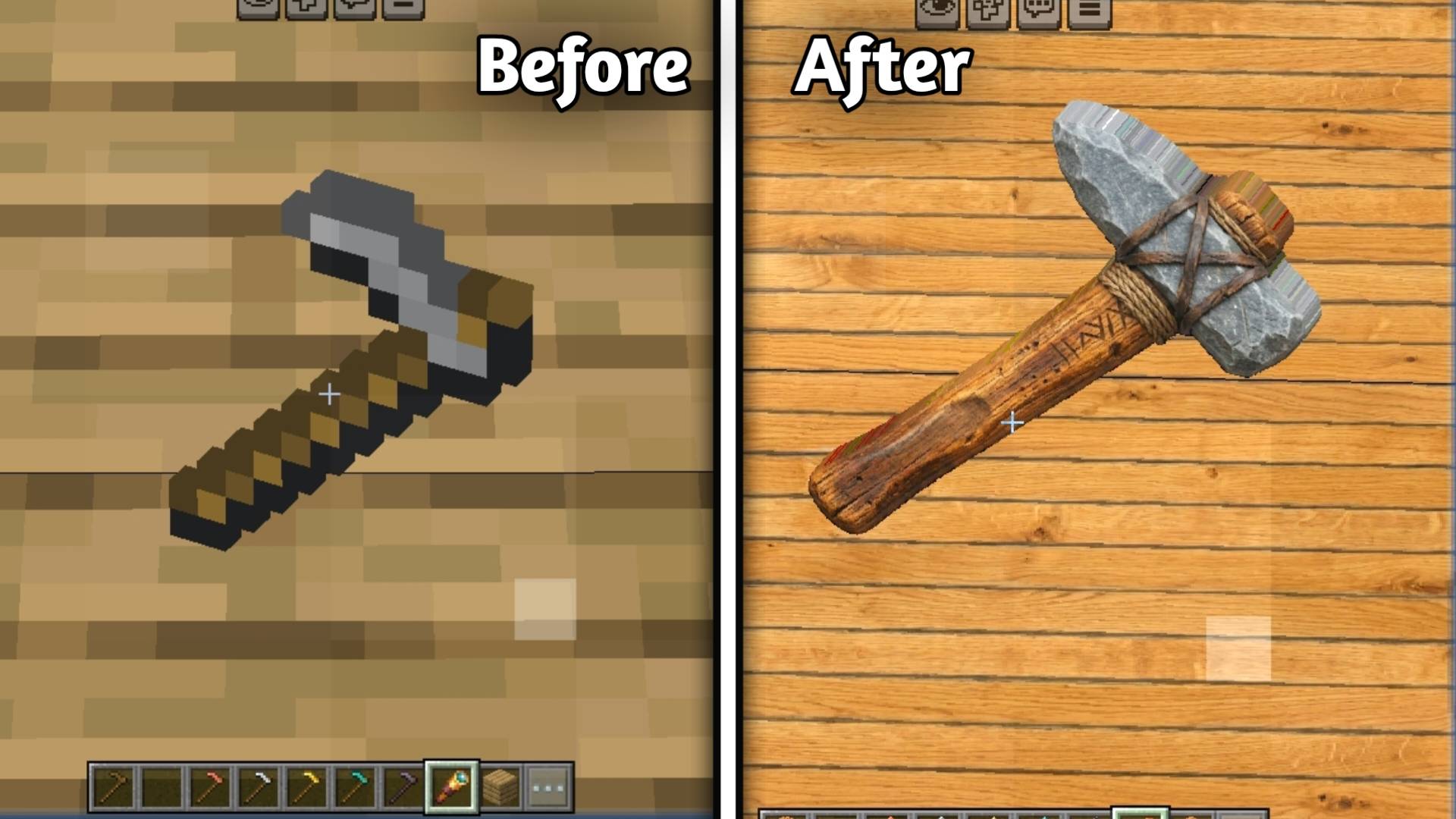
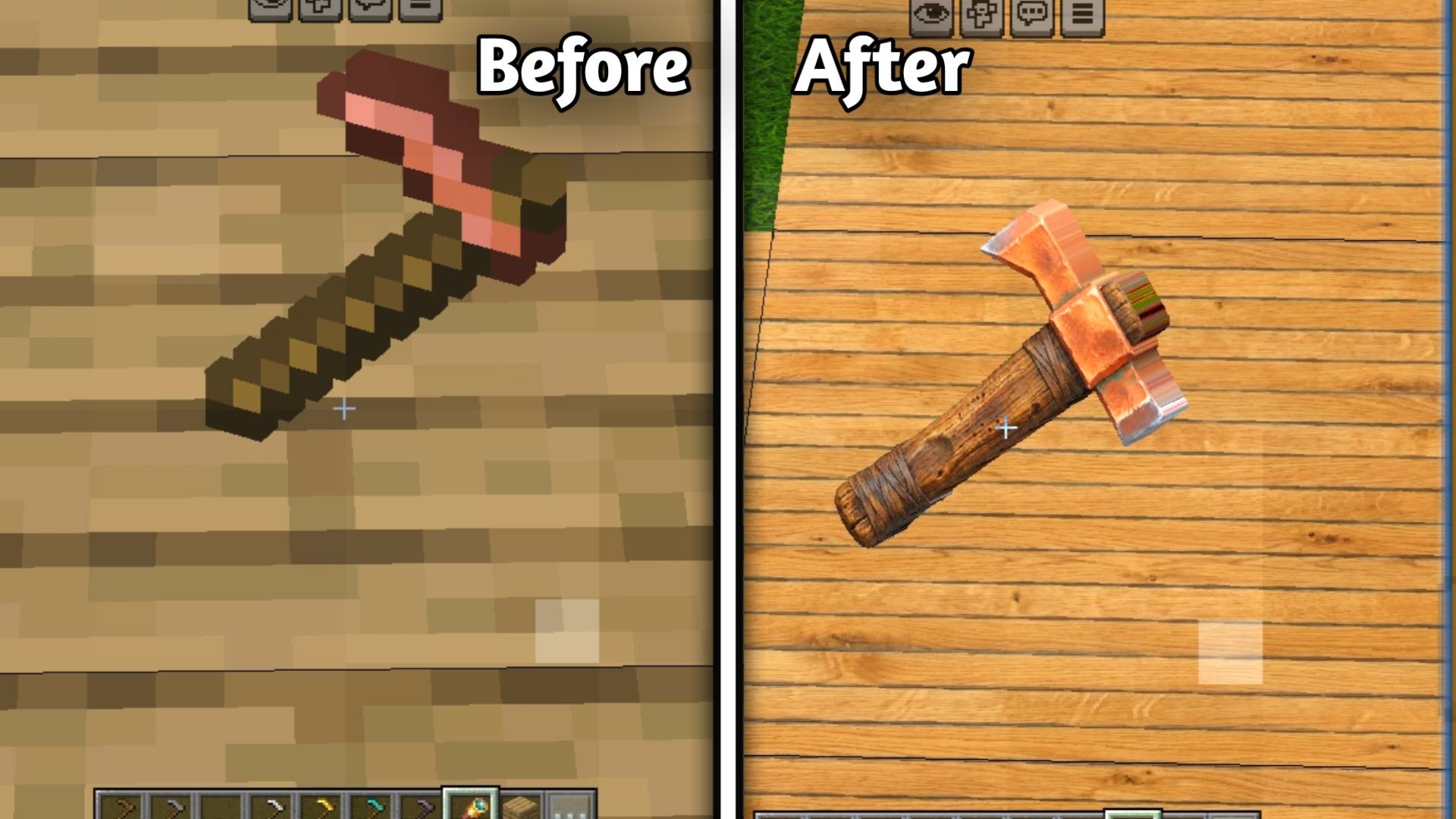
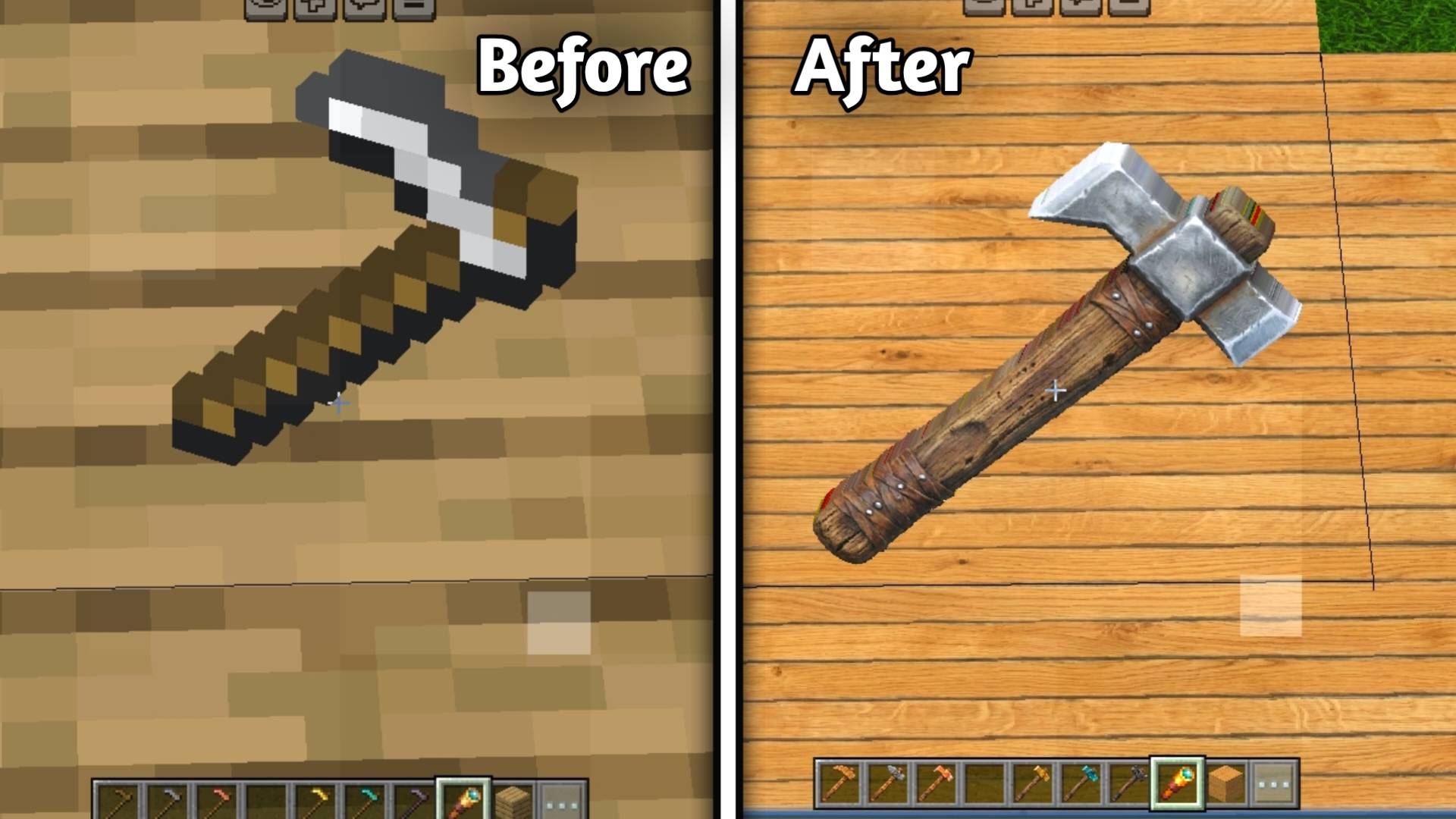
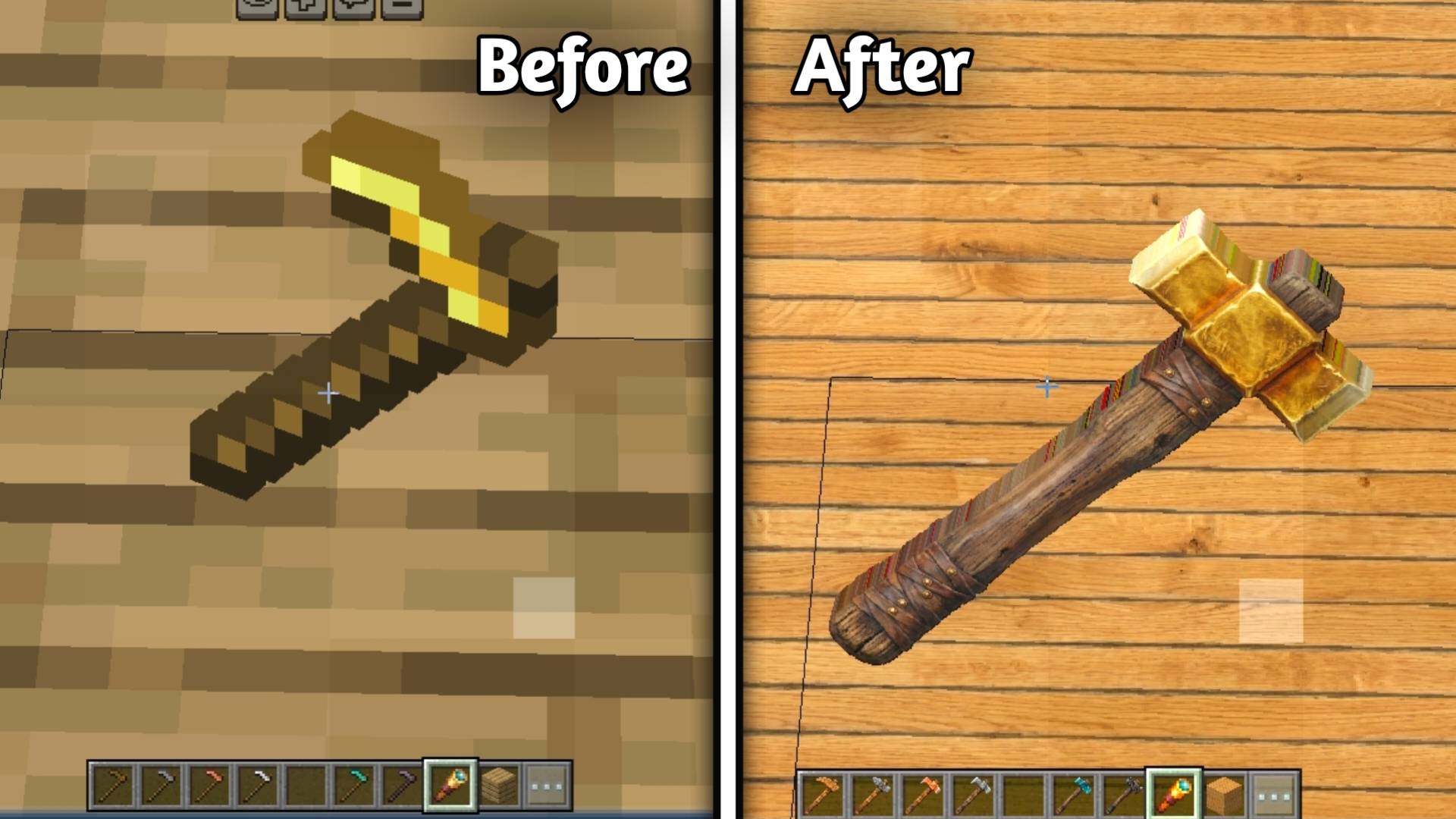
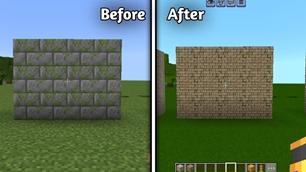
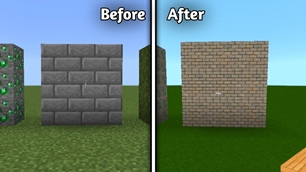
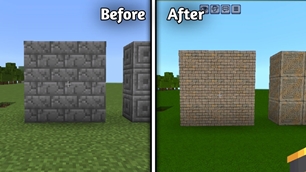
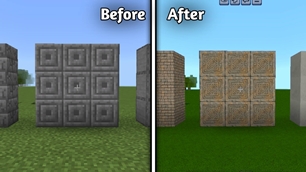
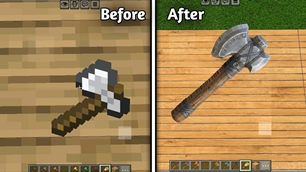
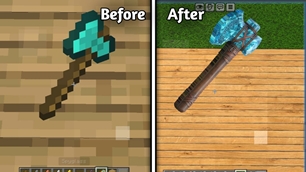
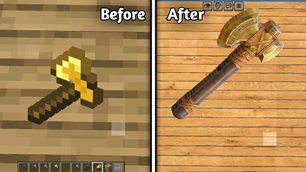
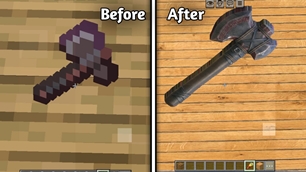
Transform your Minecraft world with Ancient+, a high-quality PBR resource pack designed to give vanilla Minecraft a more realistic, ancient, and detailed appearance while keeping the original Minecraft identity recognizable. 🏛️✨ This pack is currently being developed with carefully recreated textures, realistic materials, natural surface details, and an ancient weathered style.

───

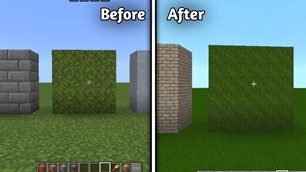
🌍 Terrain & Natural Blocks

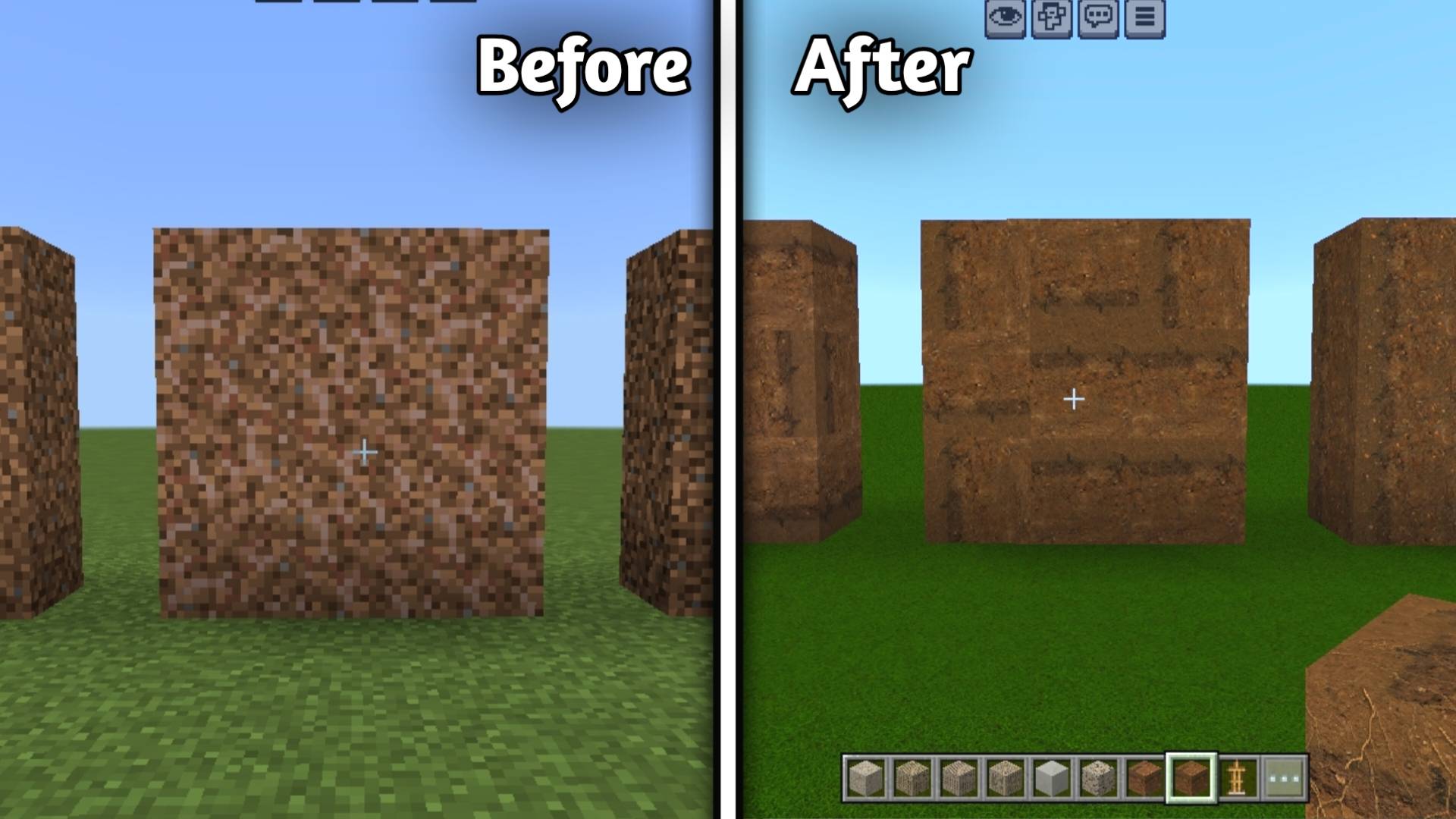
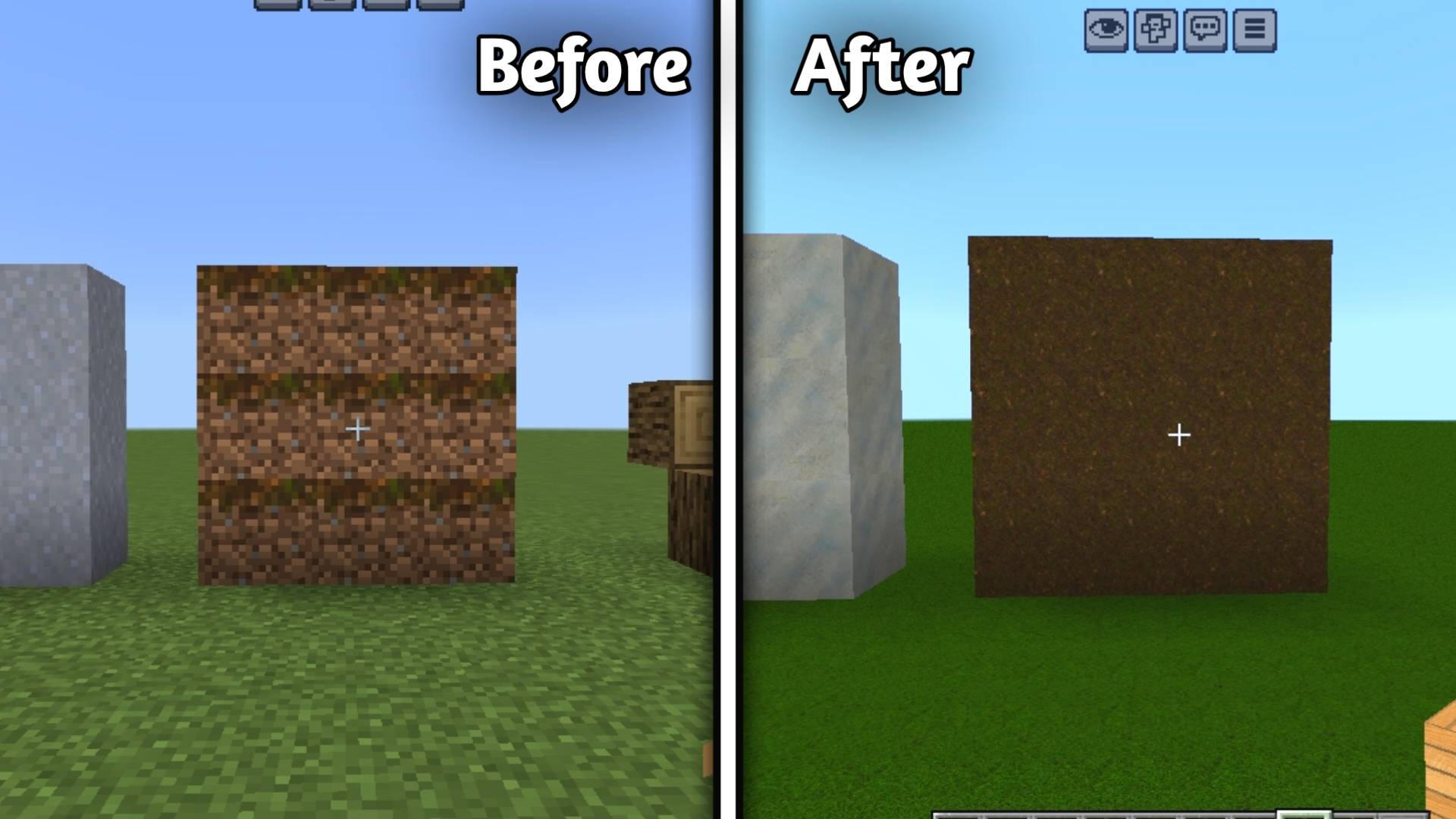
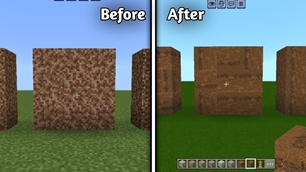
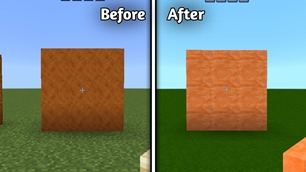
• Grass Block
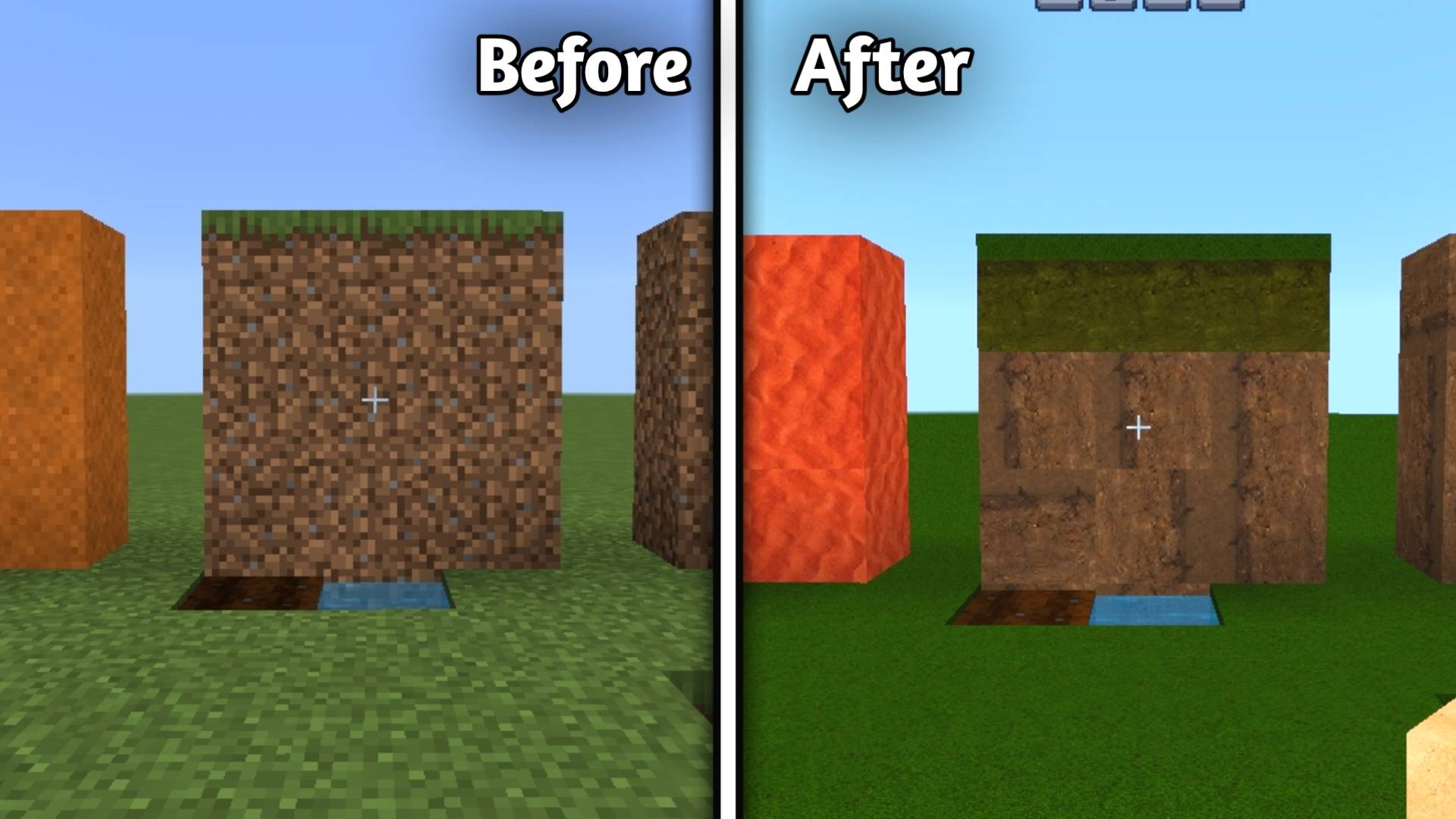
1

alt text

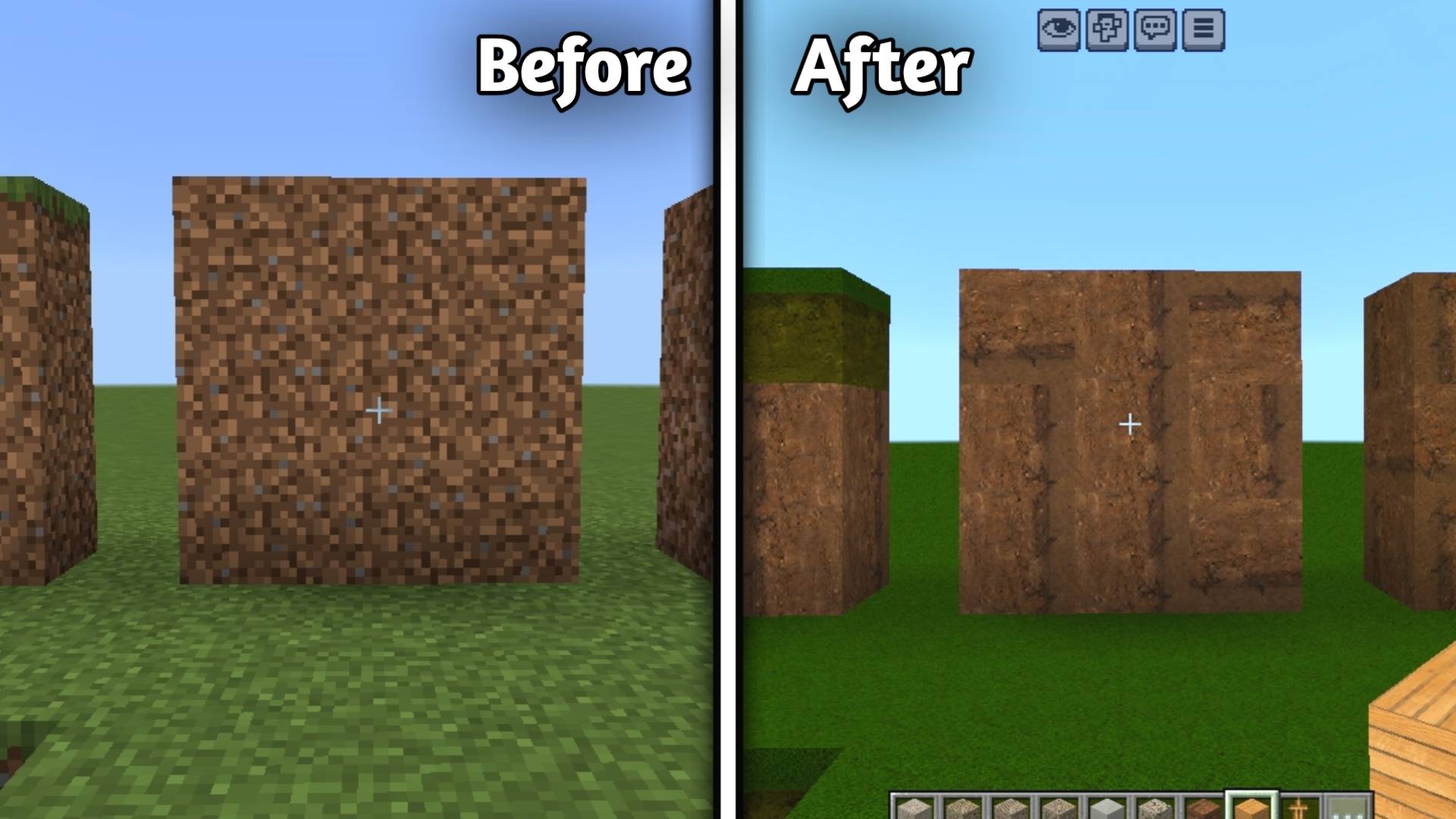
• Dirt

1

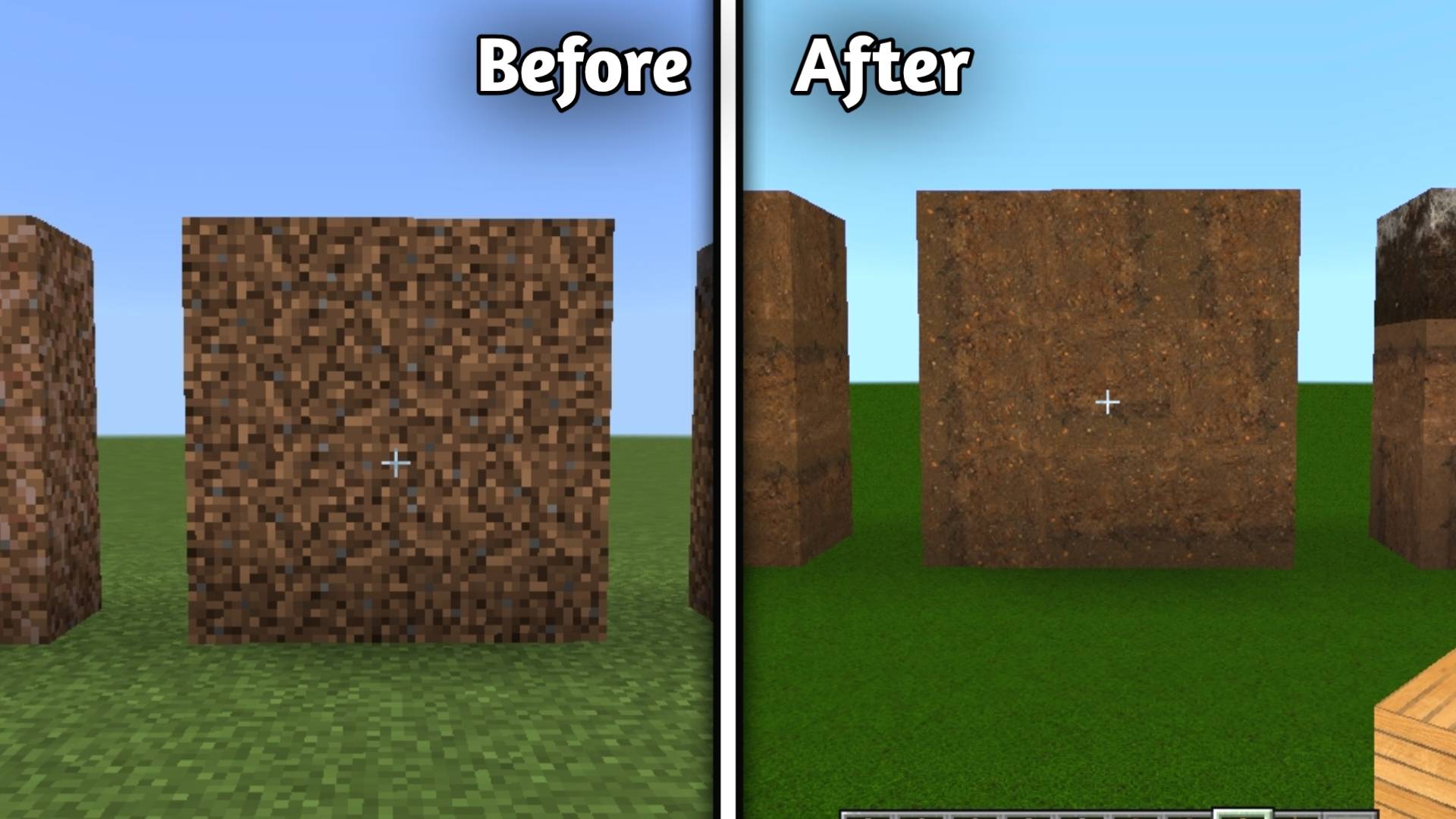
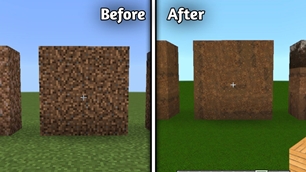
• Coarse Dirt

1

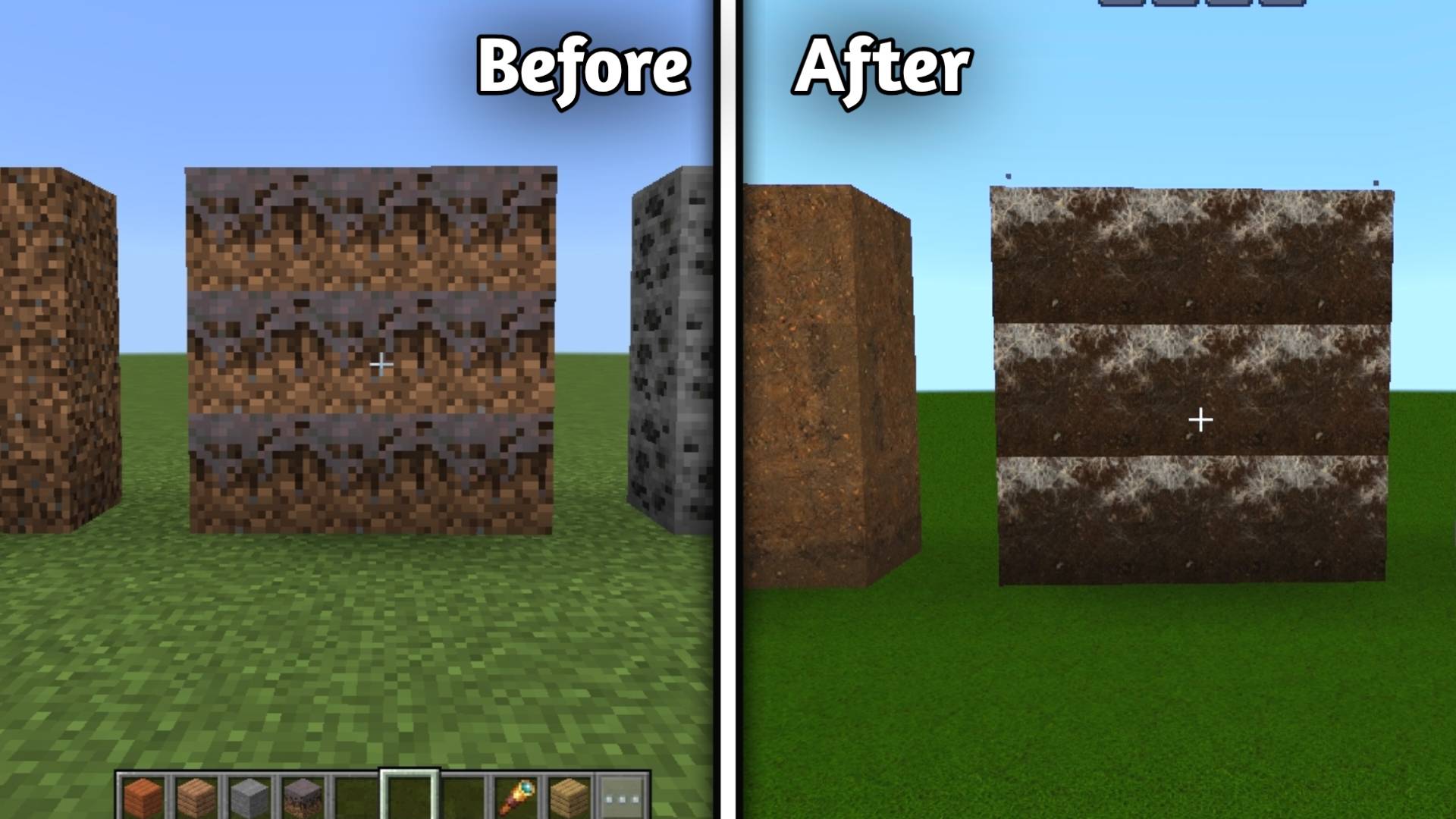
• Rooted Dirt

alt text

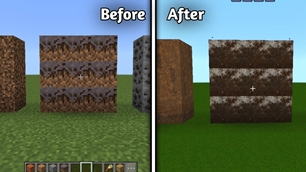
• Podzol

alt text

• Mycelium

alt text

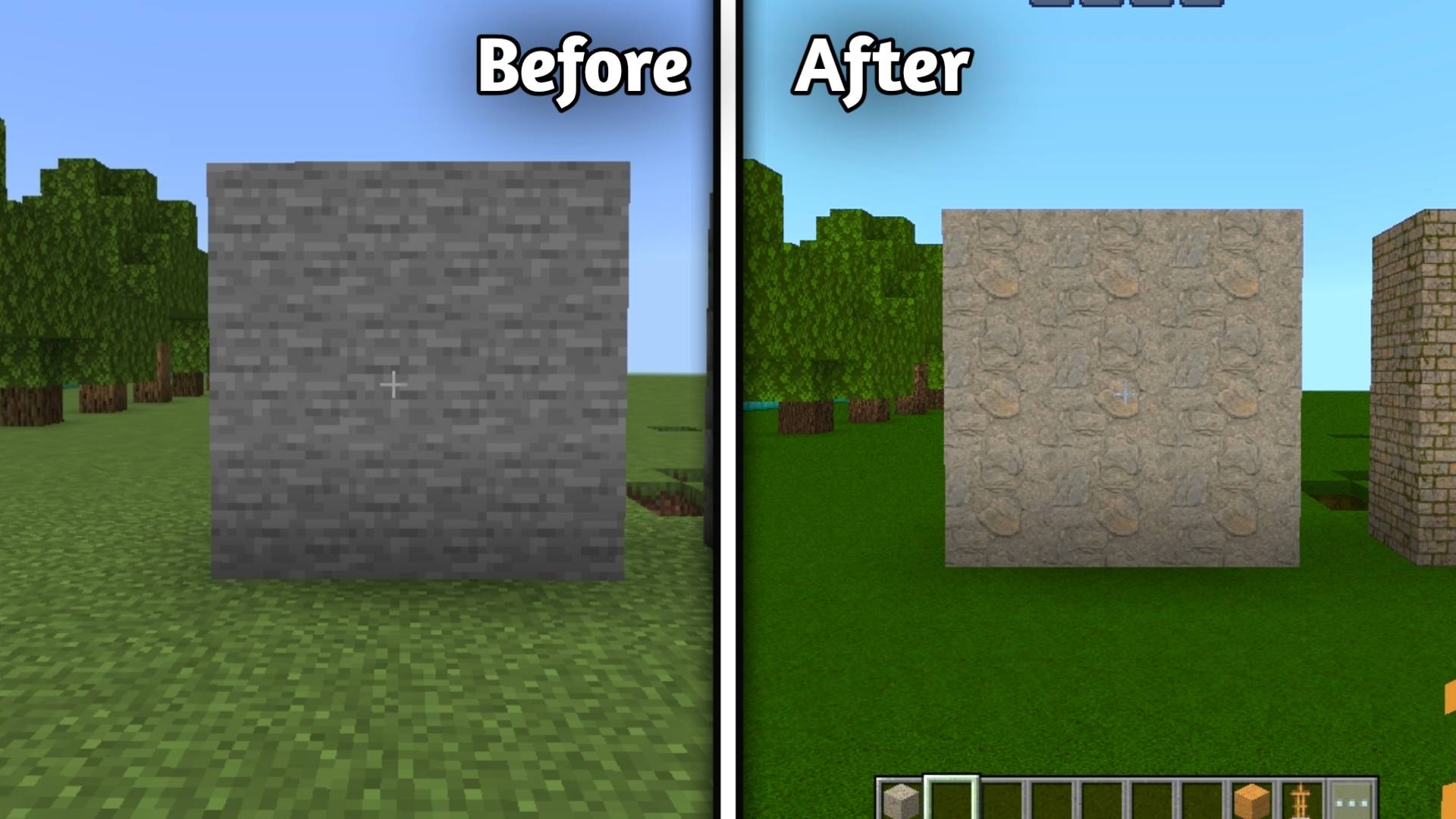
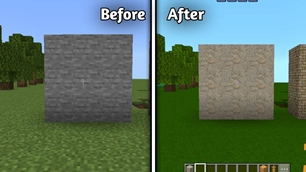
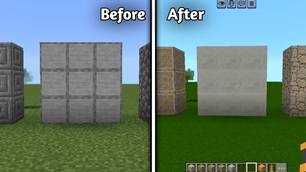
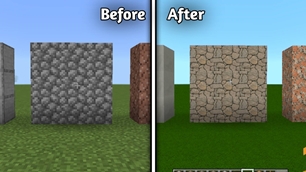
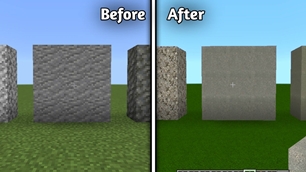
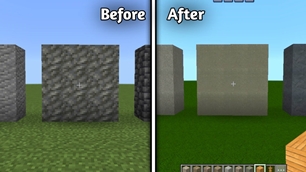
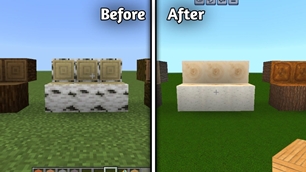
• Stone

alt text

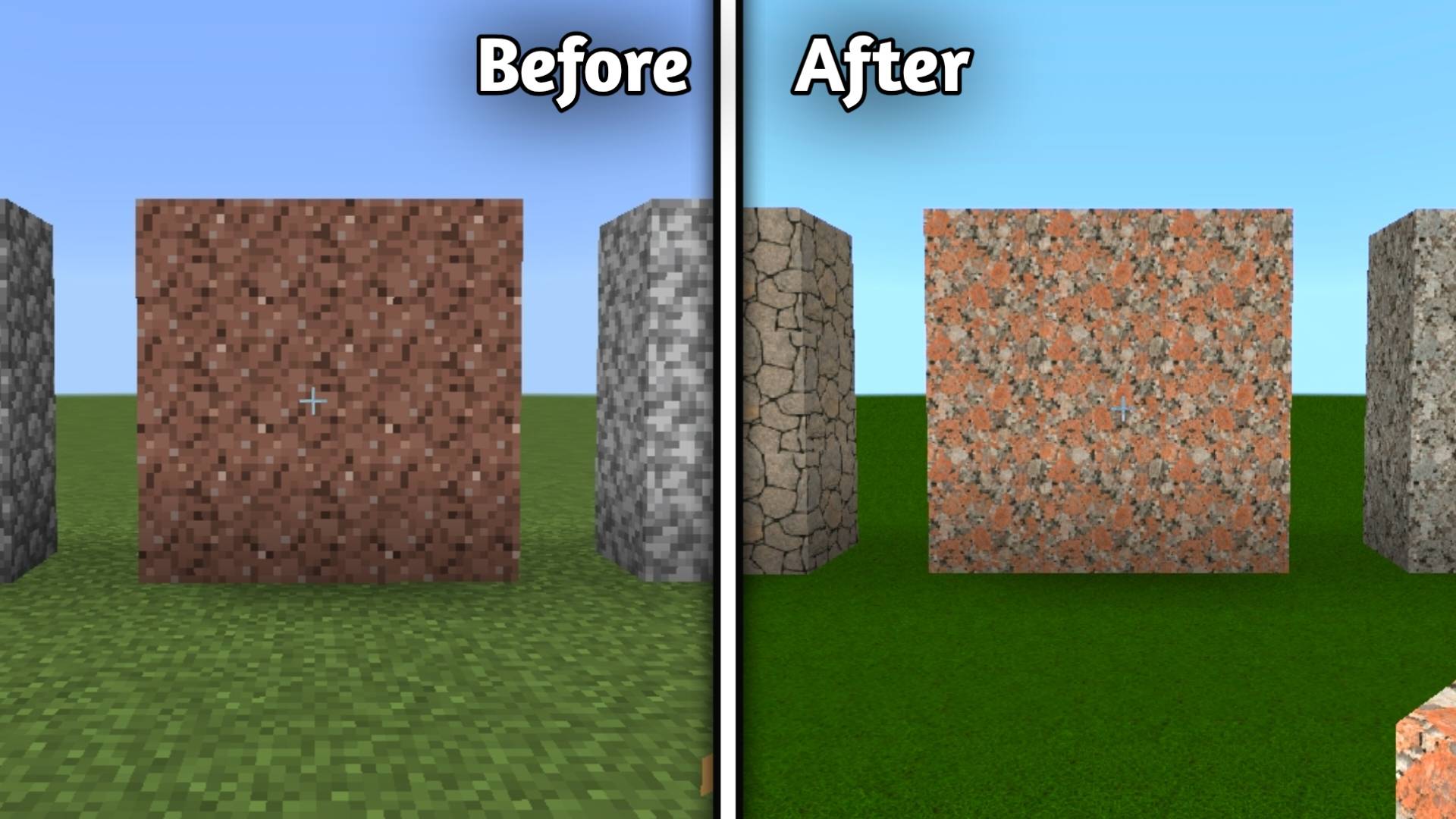
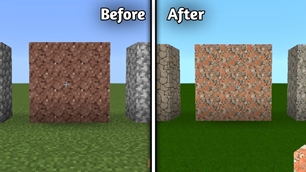
• Granite

alt text

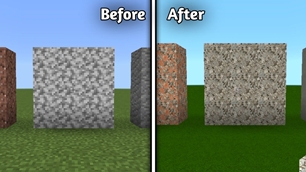
• Diorite

alt text

• Andesite

alt text

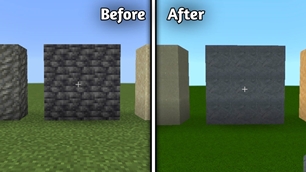
• Cobblestone

alt text

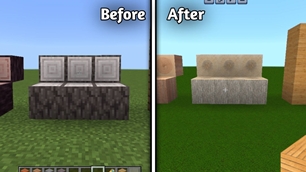
• Tuff

alt text

• Deepslate

alt text

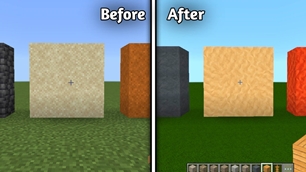
• Sand

alt text

• Red Sand

alt text

• Clay

alt text

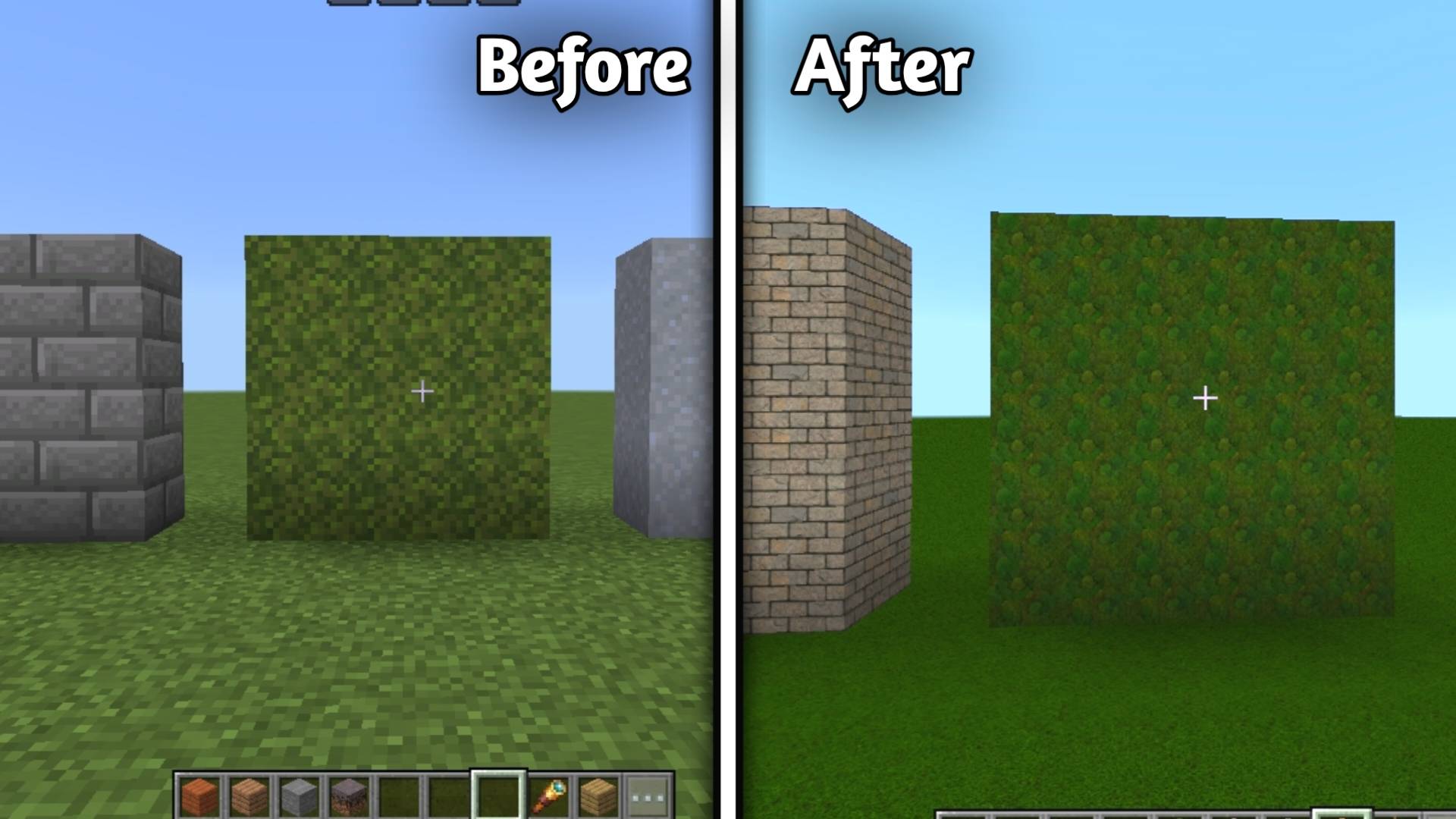
• Mosse Block

alt text

• Other natural terrain textures

───

🏜️ Desert & Sandstone Blocks

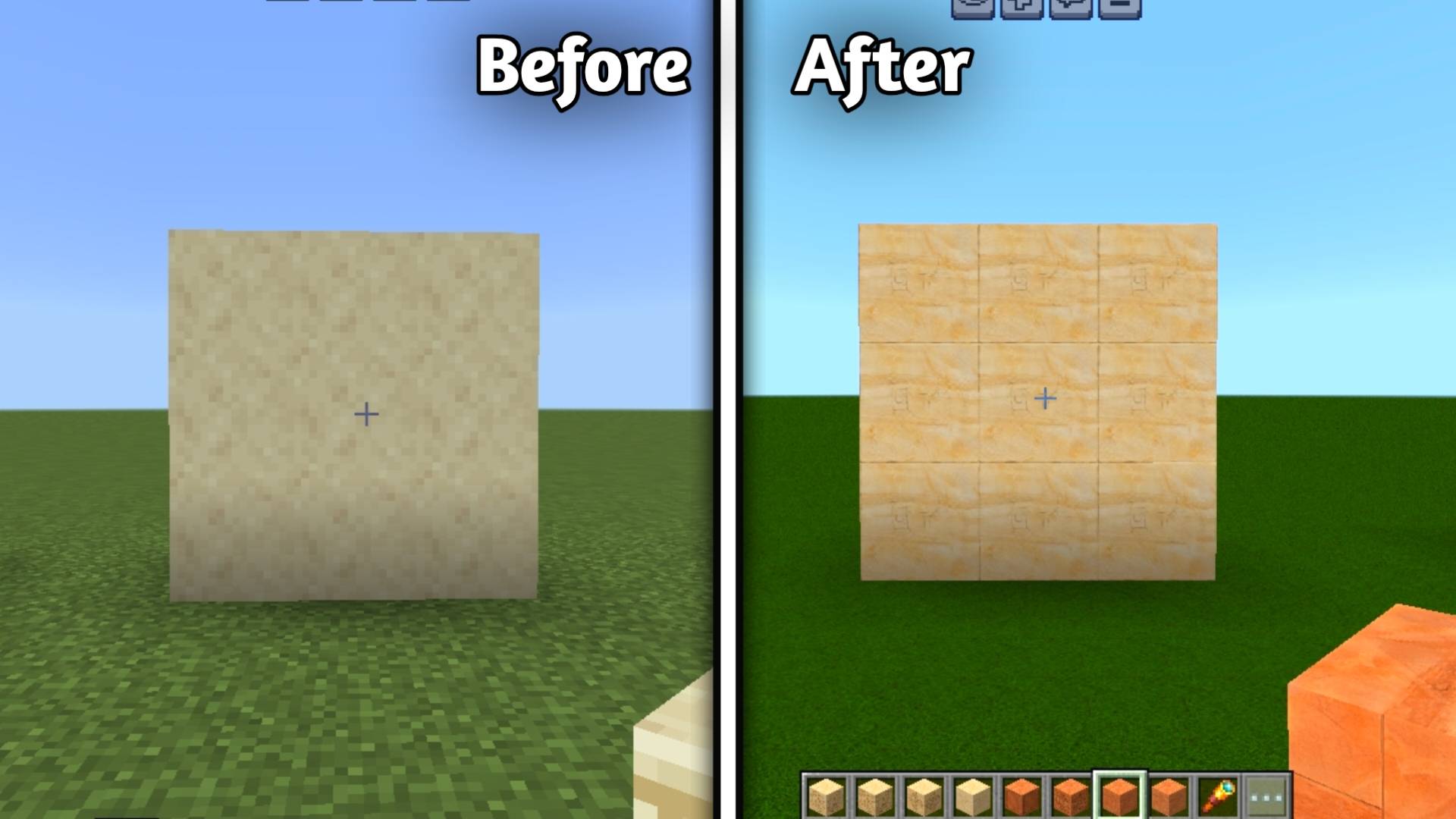
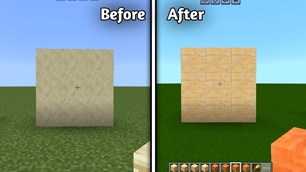
• Sandstone

alt text

• Smooth Sandstone

alt text

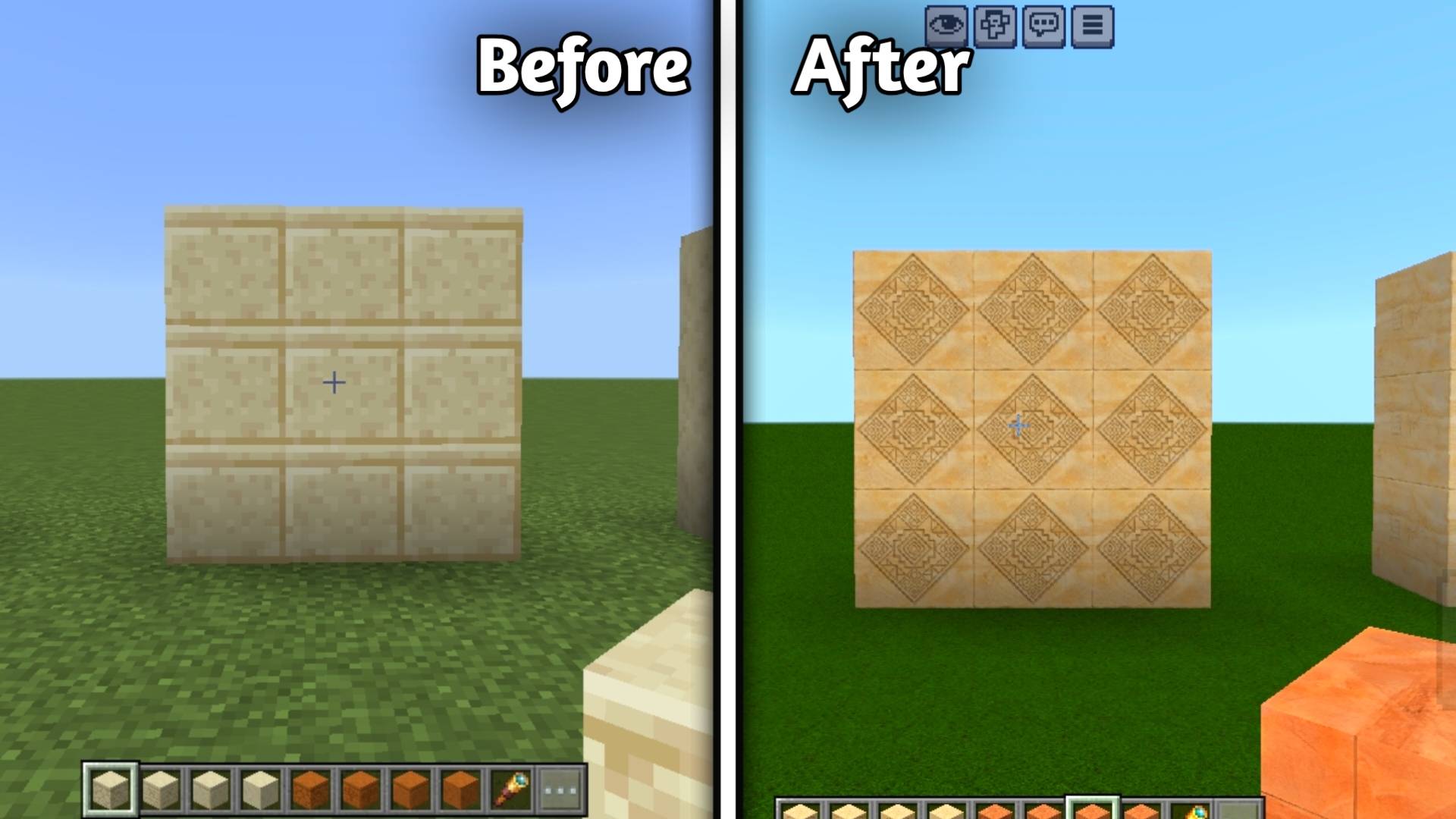
• Cut Sandstone

alt text

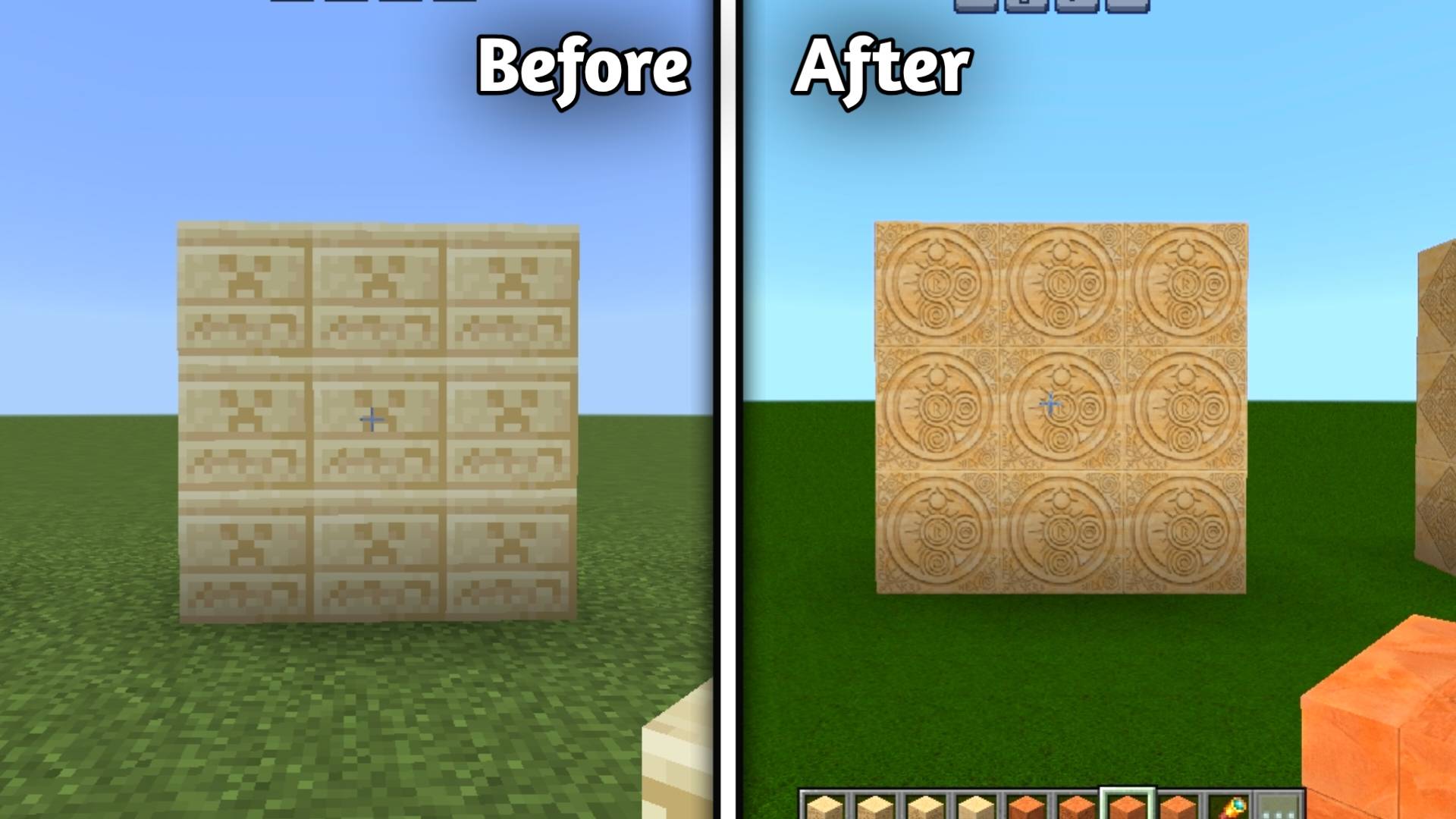
• Chiseled Sandstone

alt text

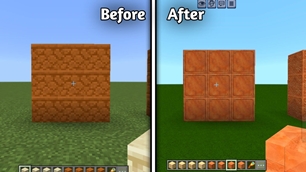
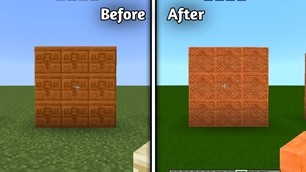
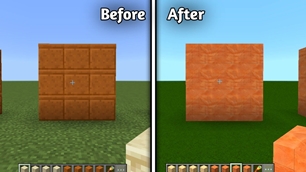
• Red Sandstone

alt text

• Smooth Red Sandstone

alt text

• Cut Red Sandstone

alt text

• Chiseled Red Sandstone

alt text

• Ancient desert-style details

───

Building blocks

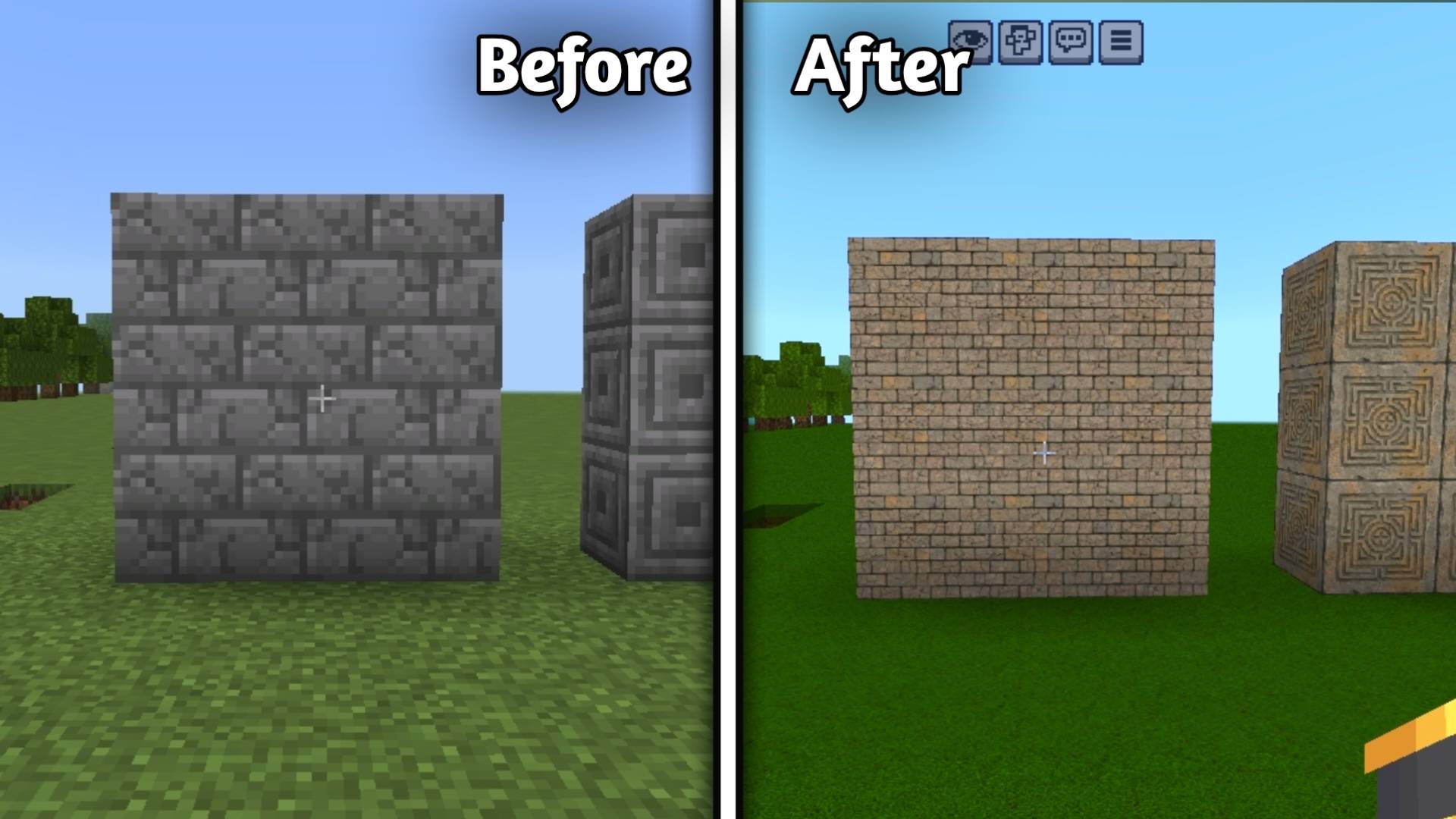
• Stone Brick

alt text

• Cracked stonebrick

alt text

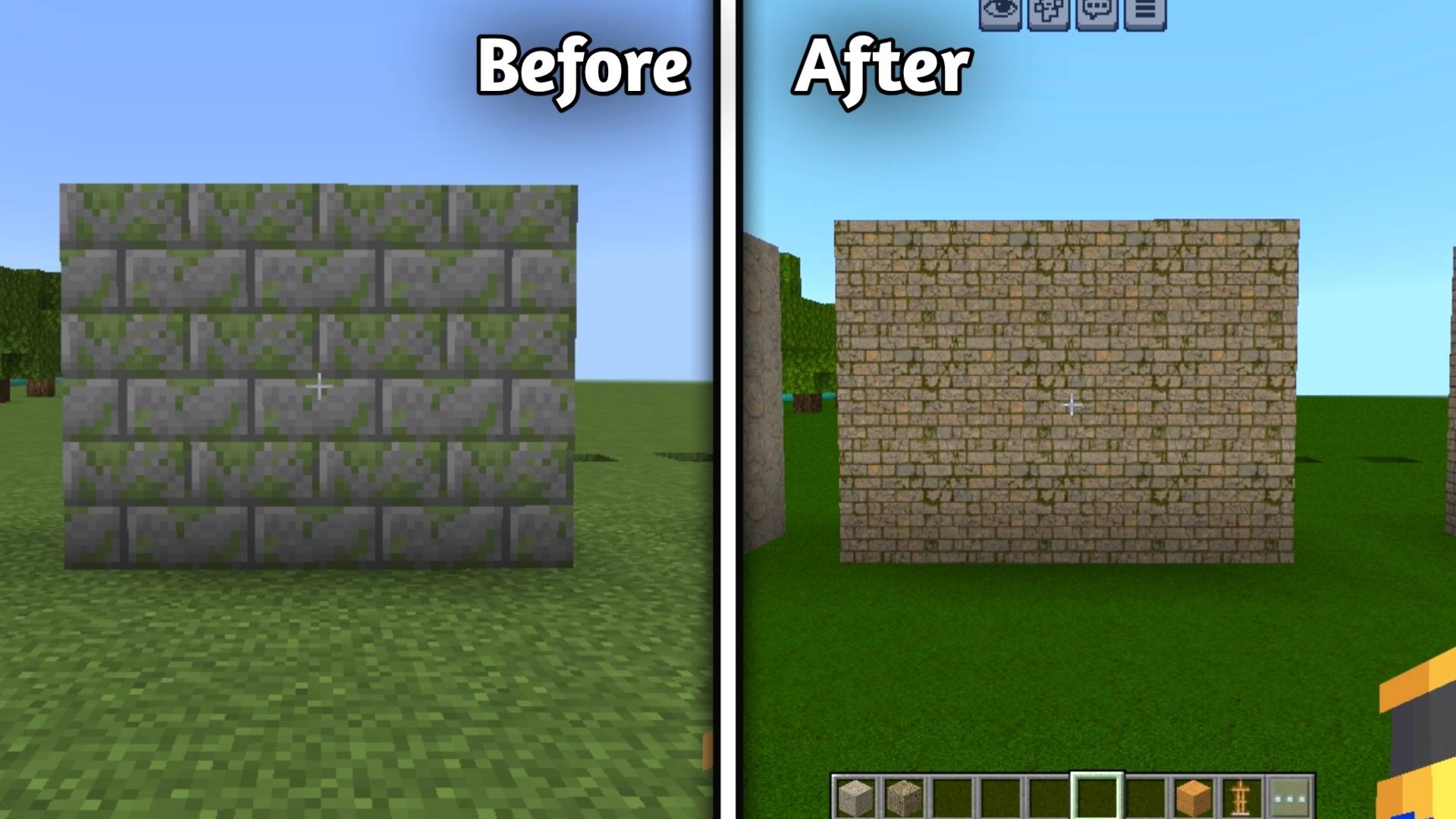
• Mossy stonebrick

alt text

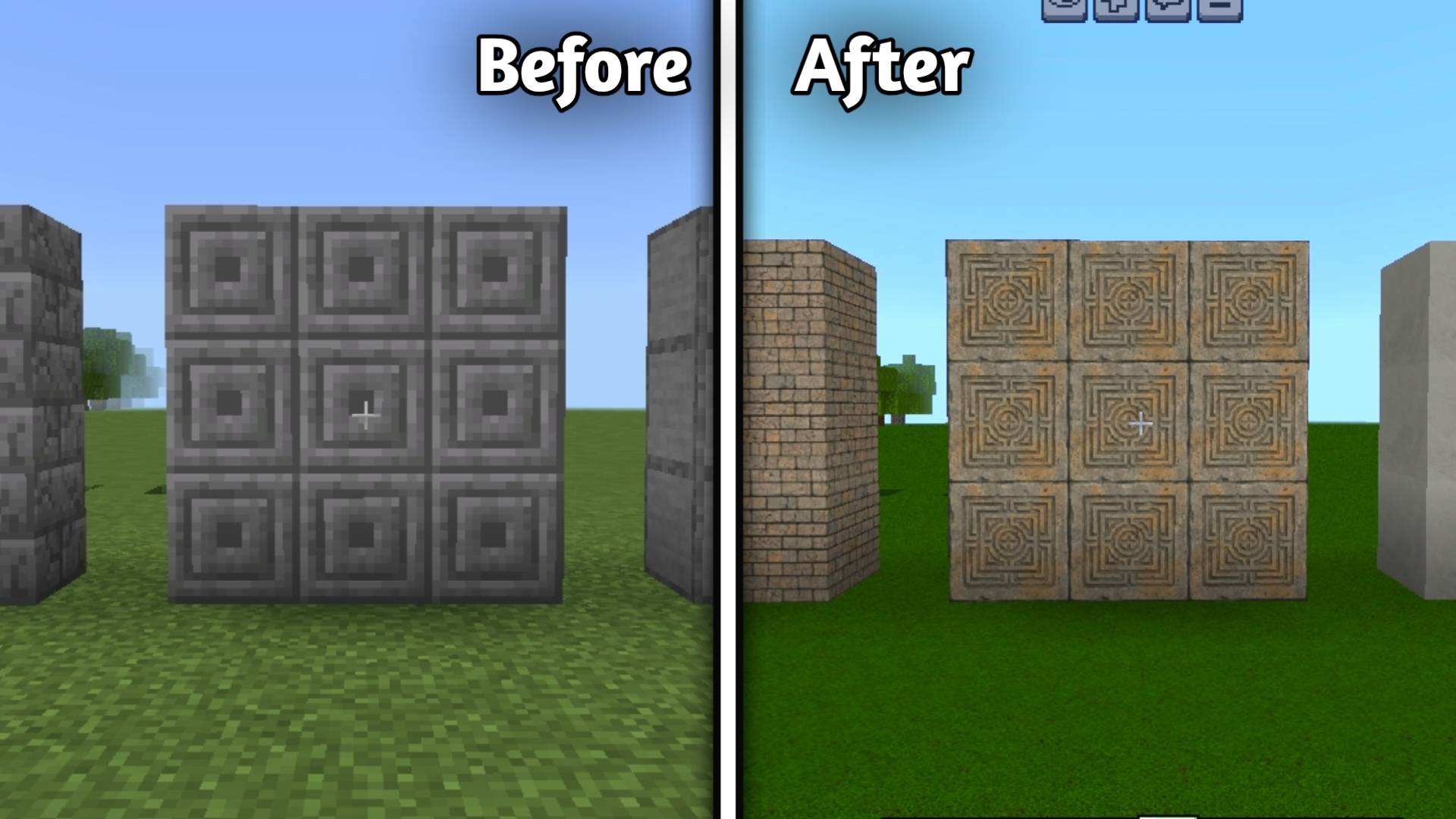
• Chiseled Stonebrick

alt text

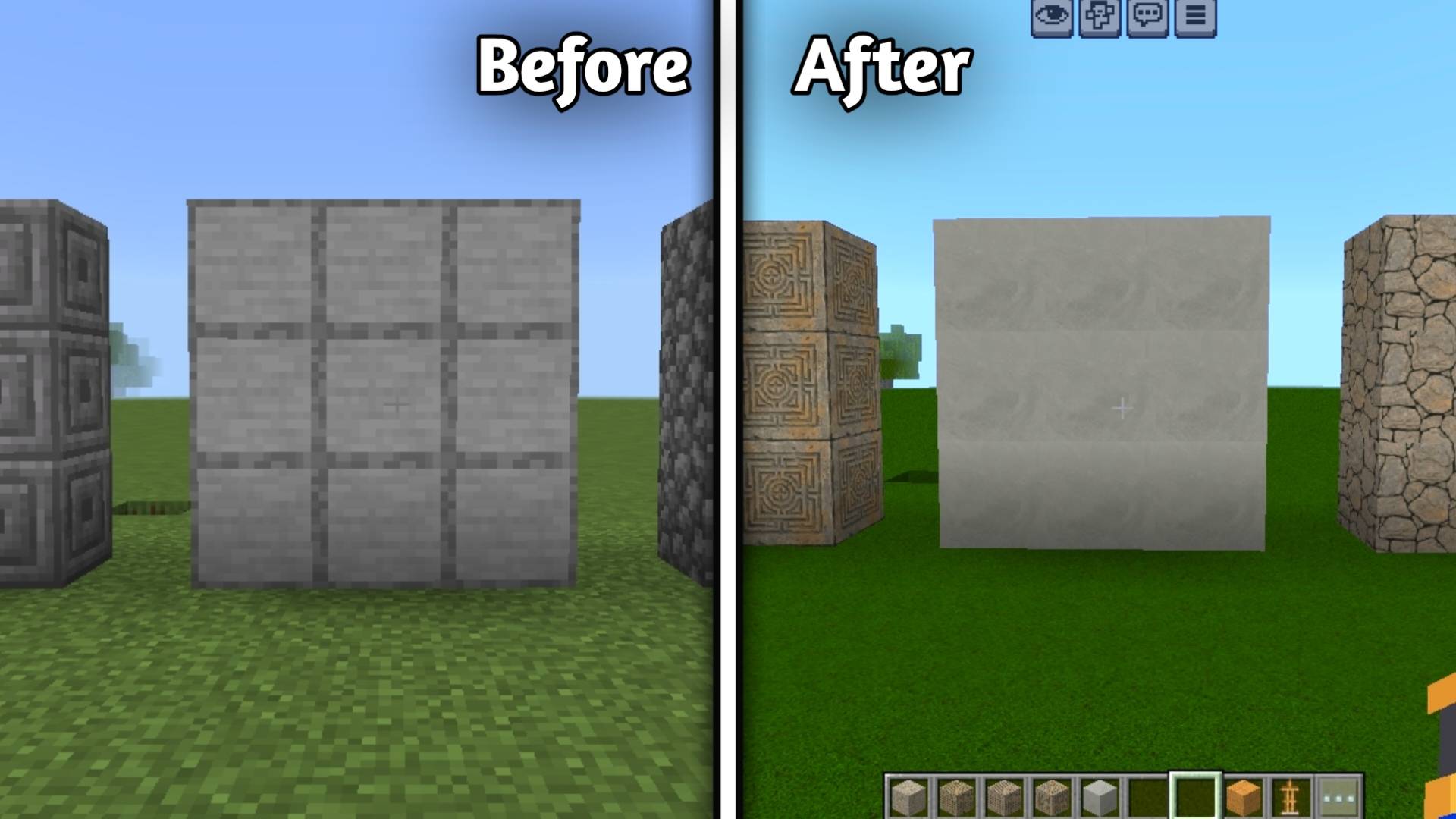
• Smooth Stone

alt text


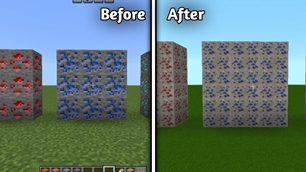
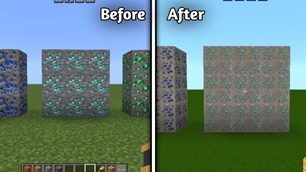
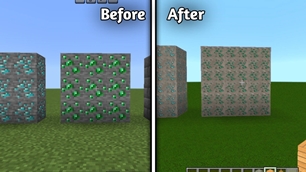
Ores

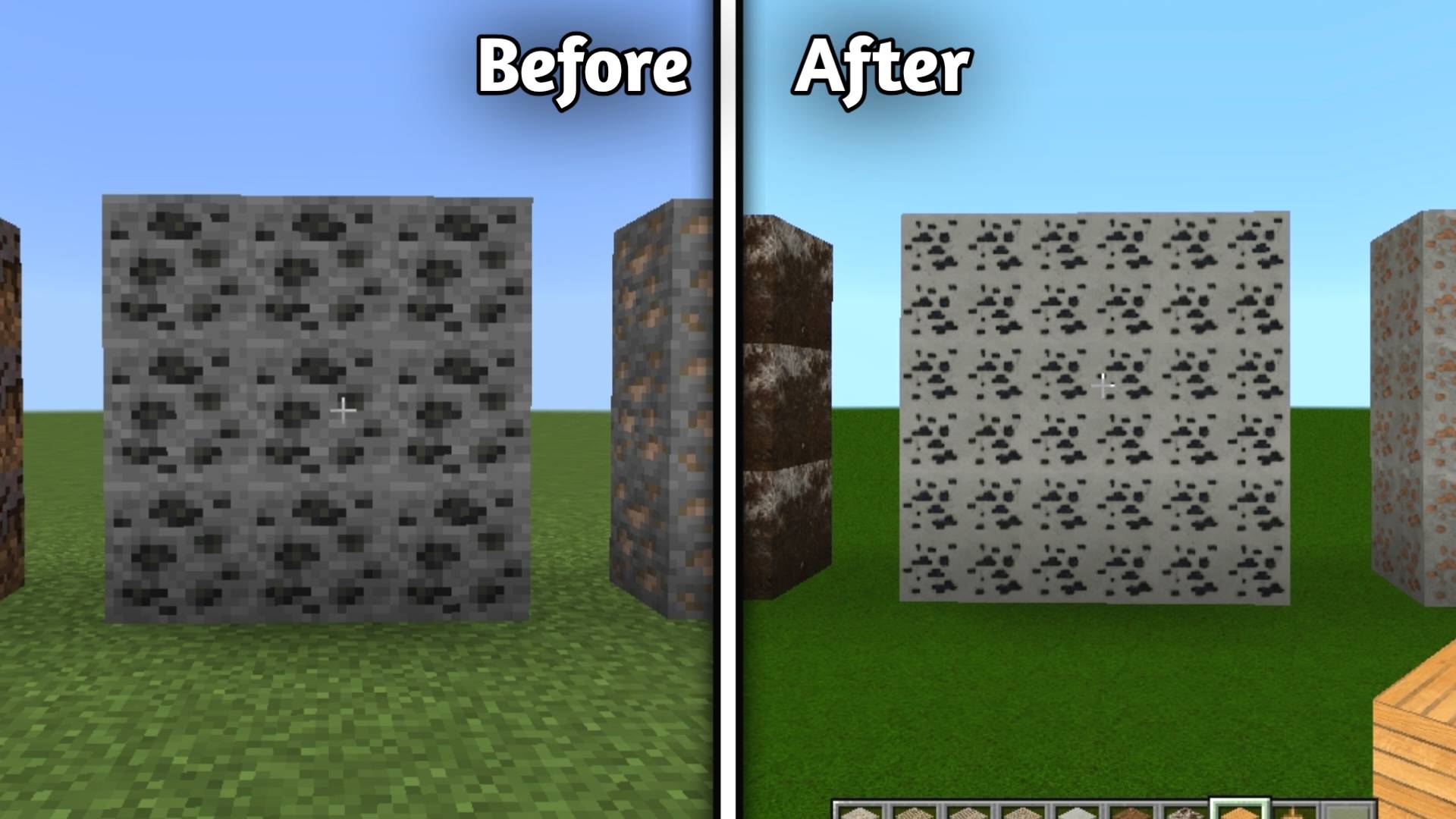
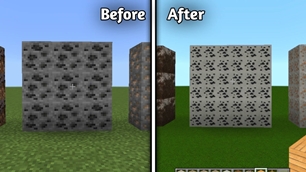
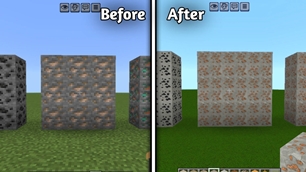
• Coal Ore

alt text

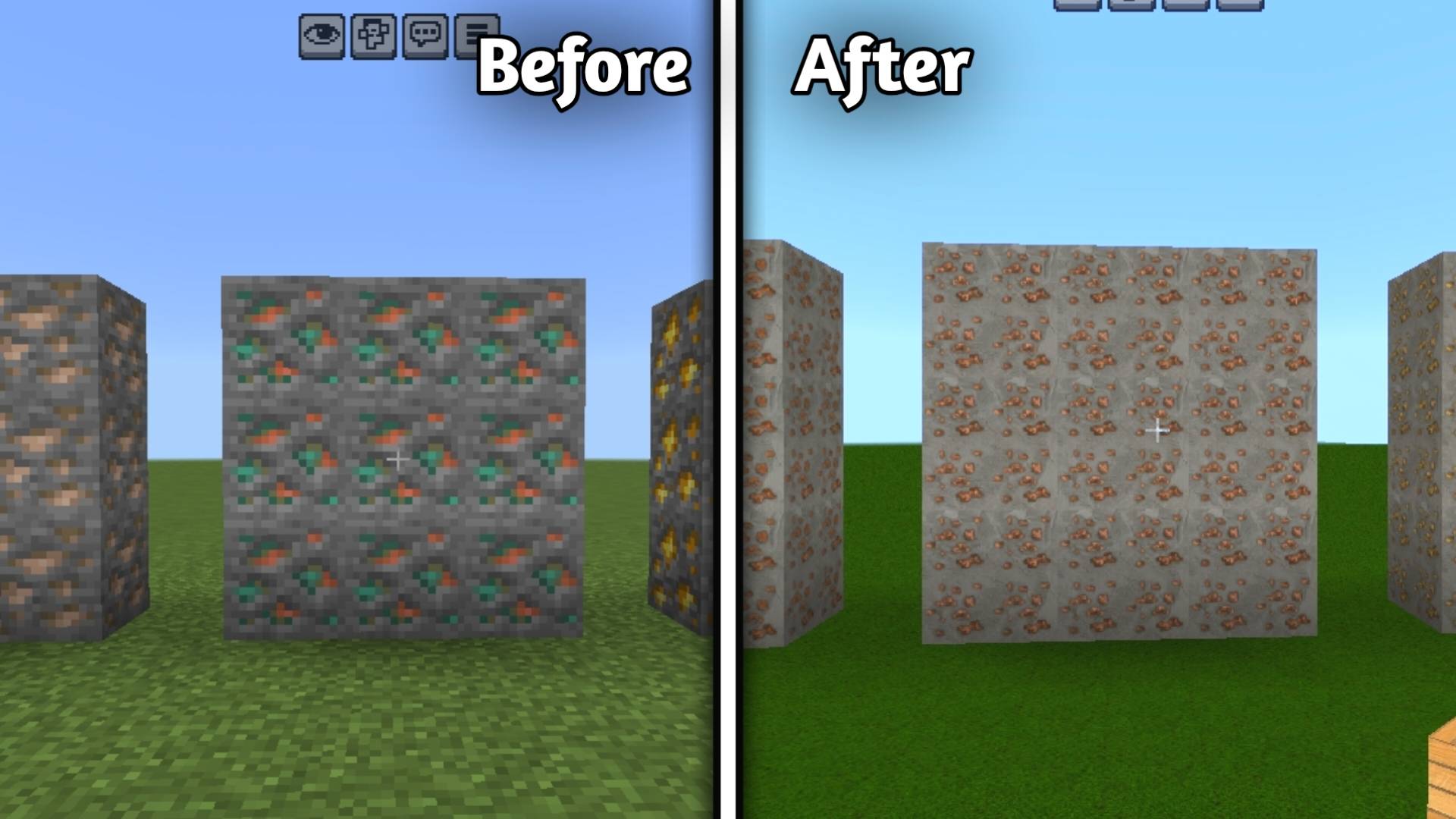
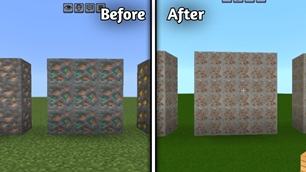
• Copper ore

alt text

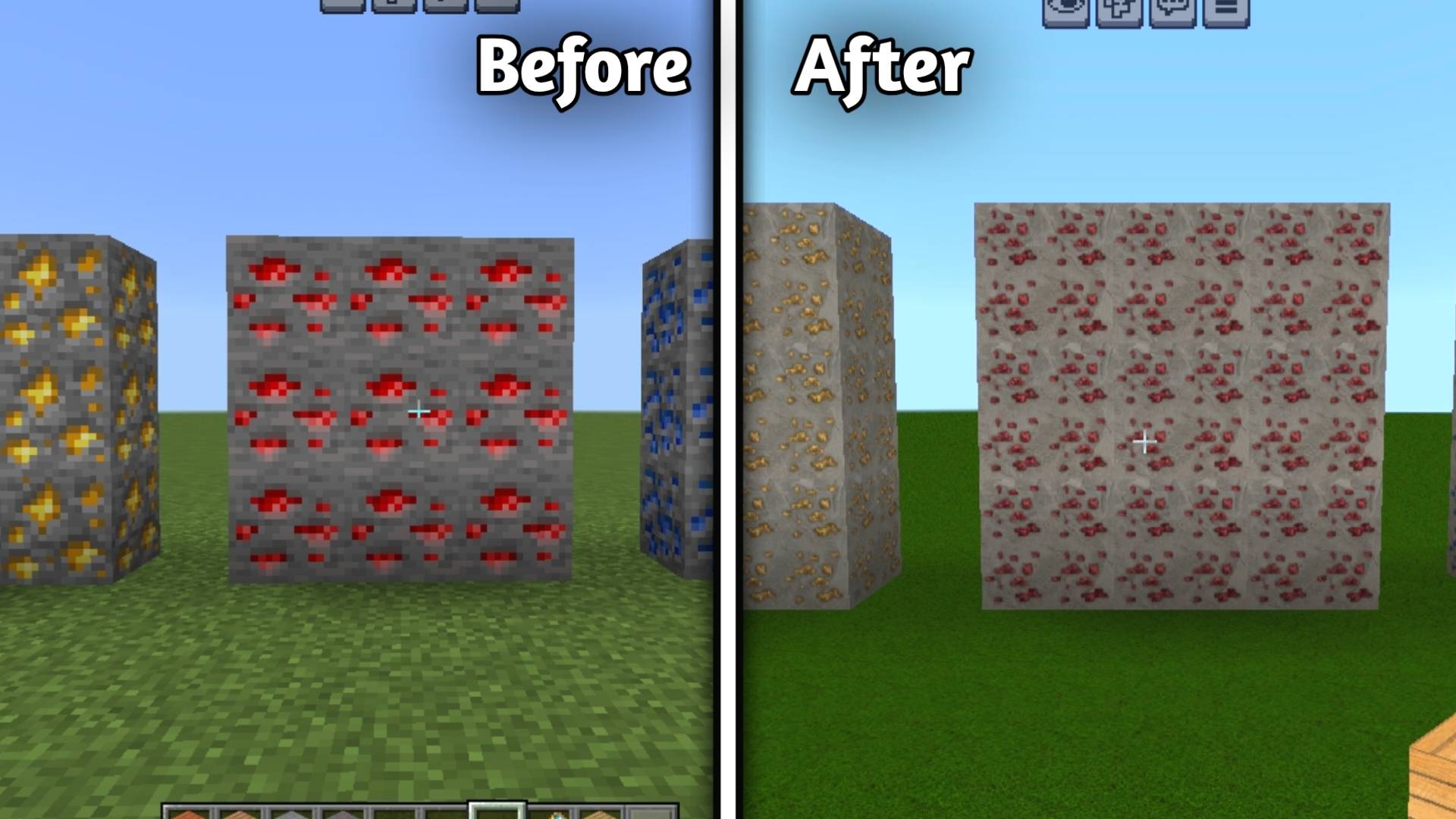
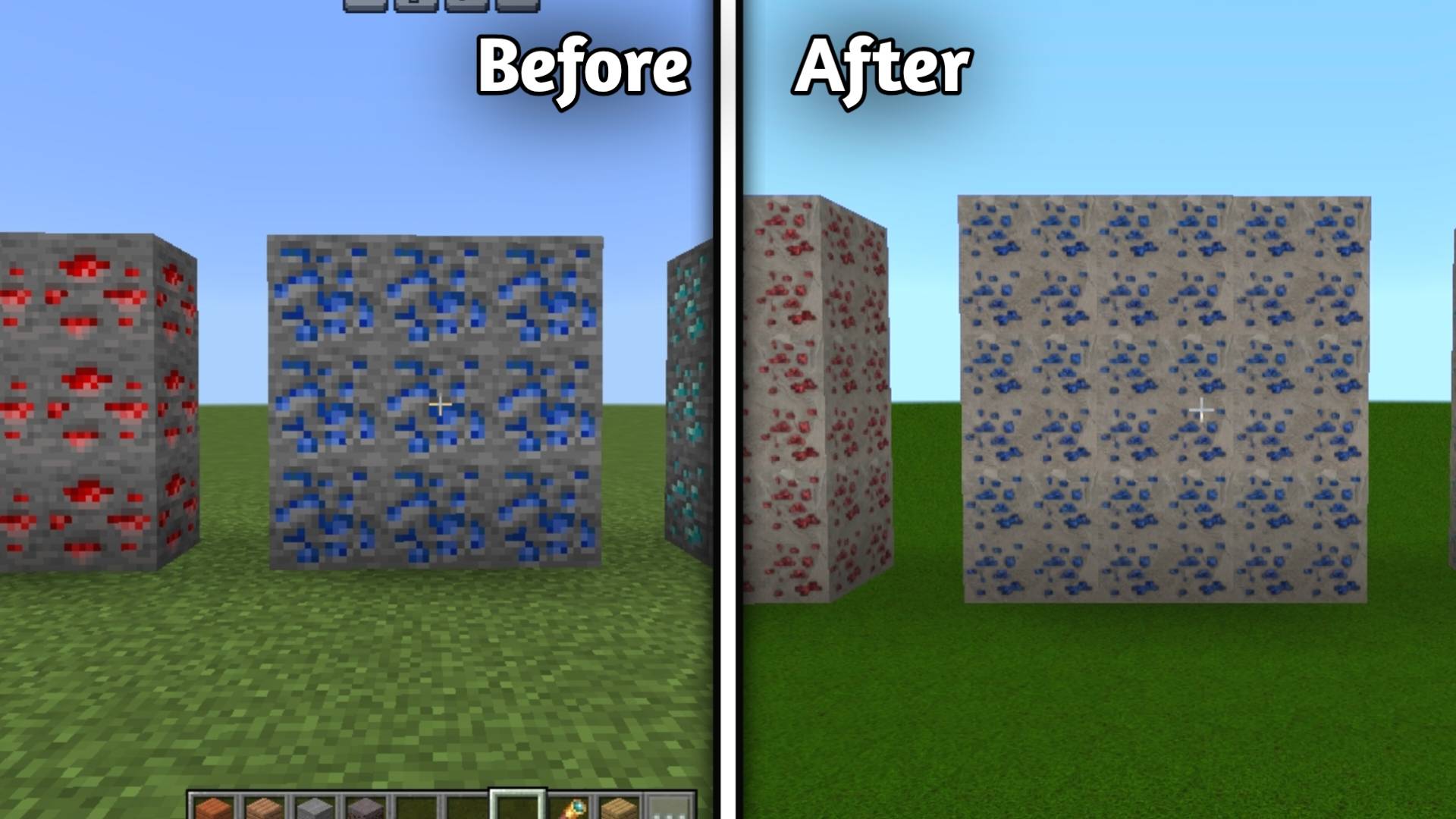
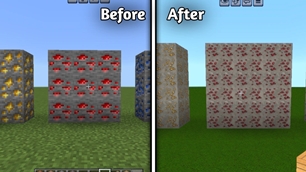
• Redstone Ore

alt text

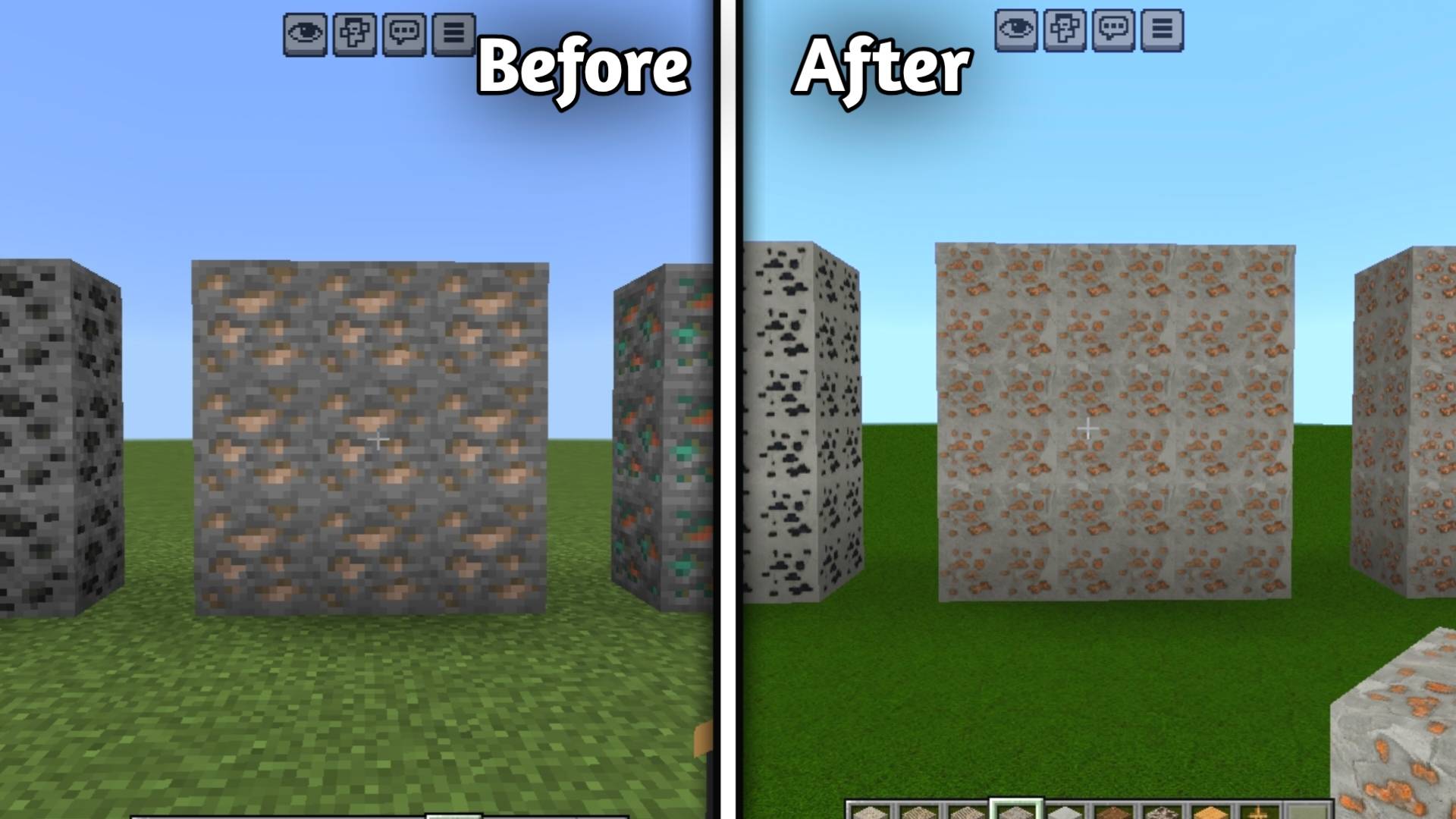
• Iron ore

alt text

• Lapis Lazuli ore

alt text

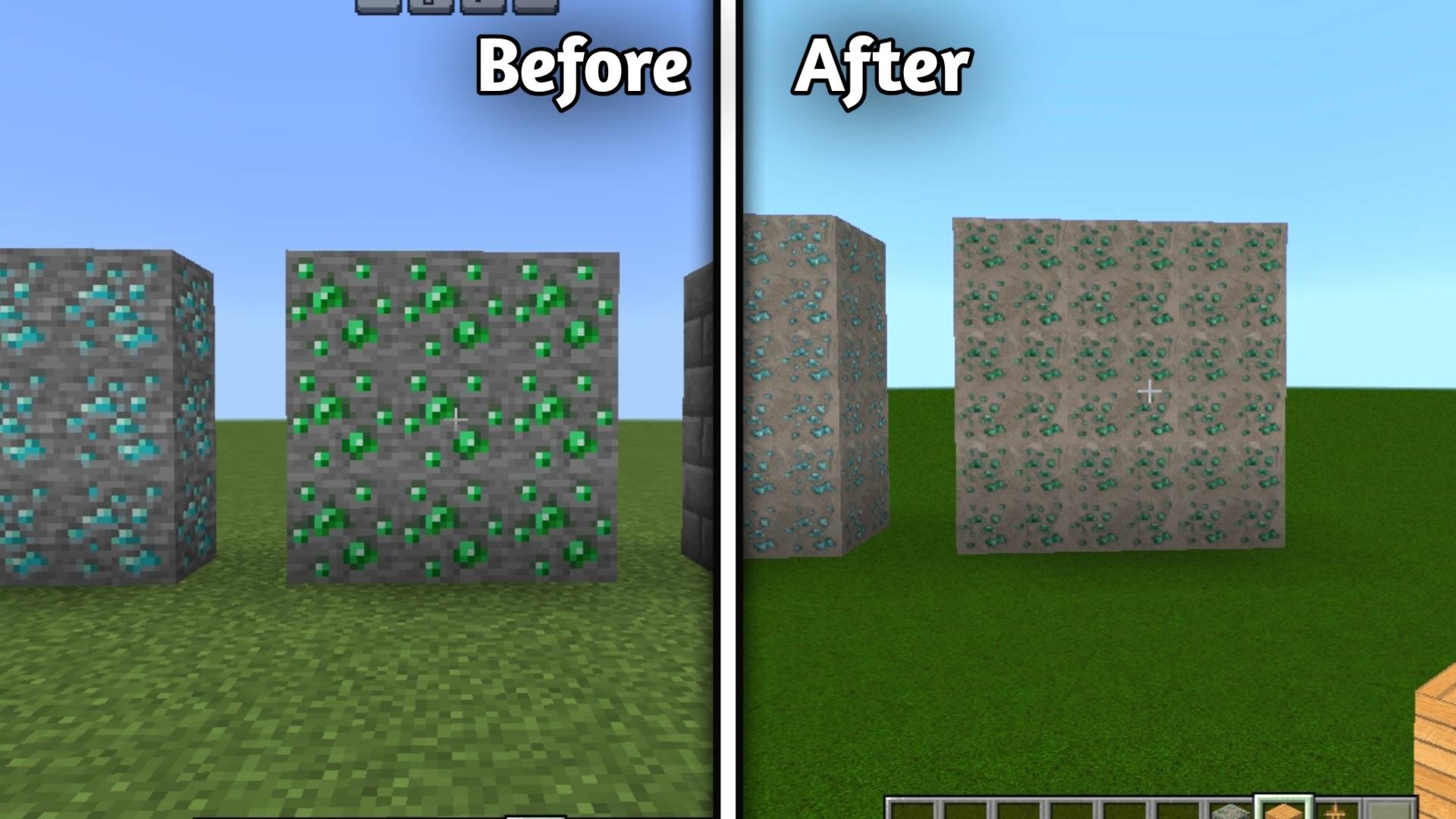
• Emerald Ore

alt text

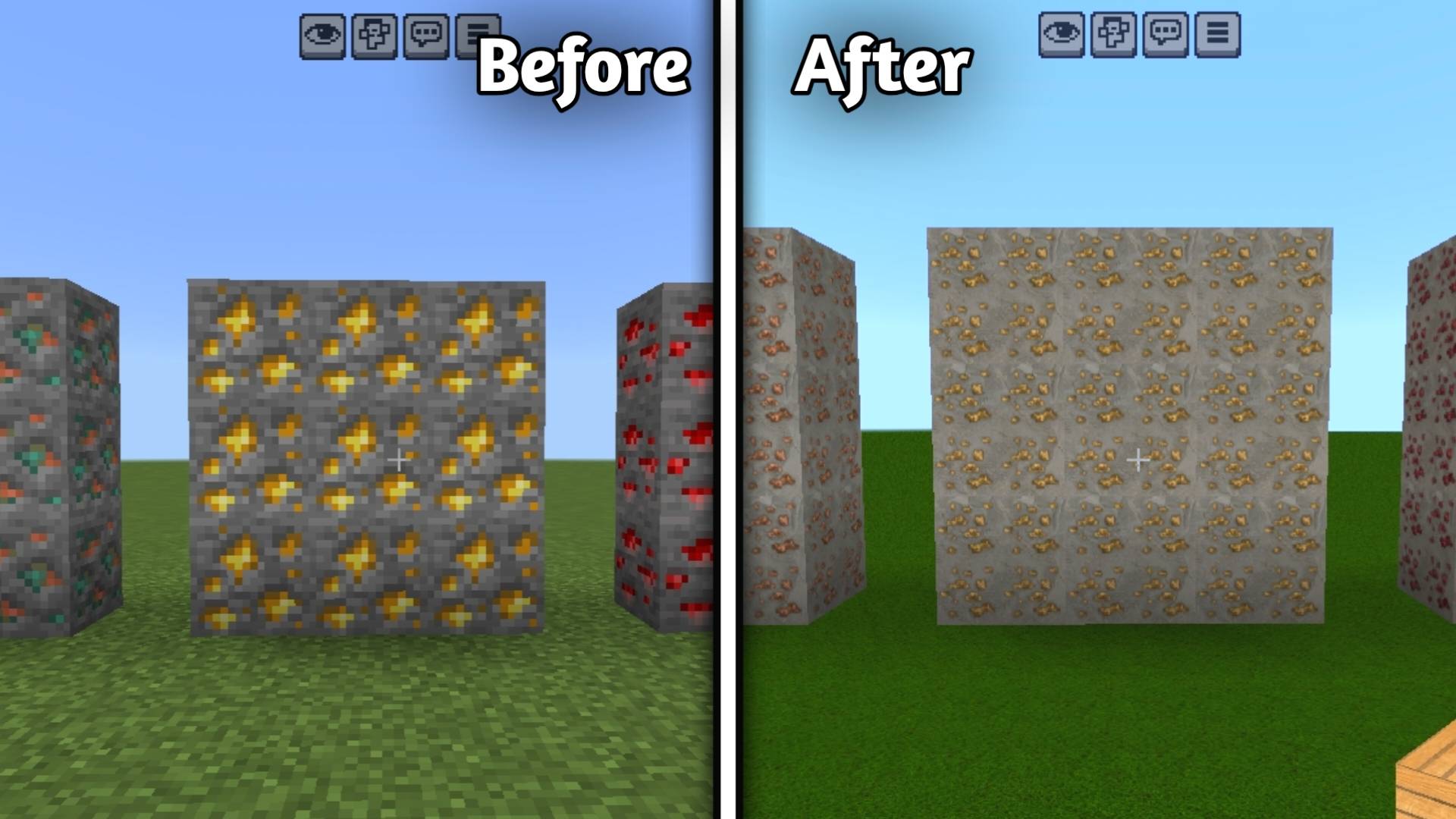
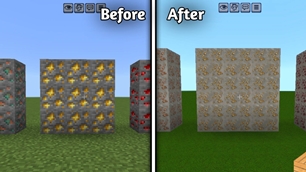
• Gold Ore

alt text

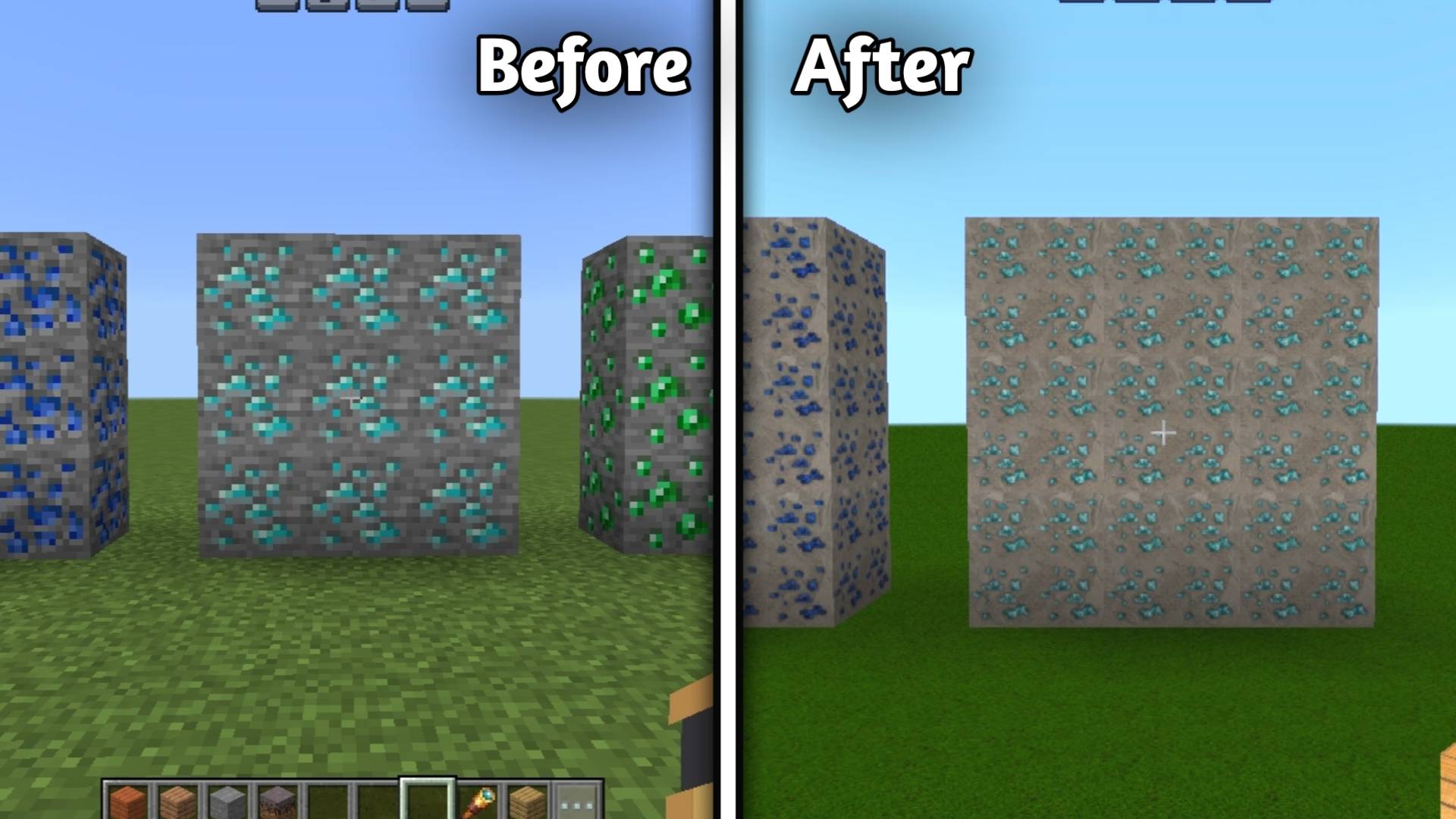
• Diamond Ore

alt text


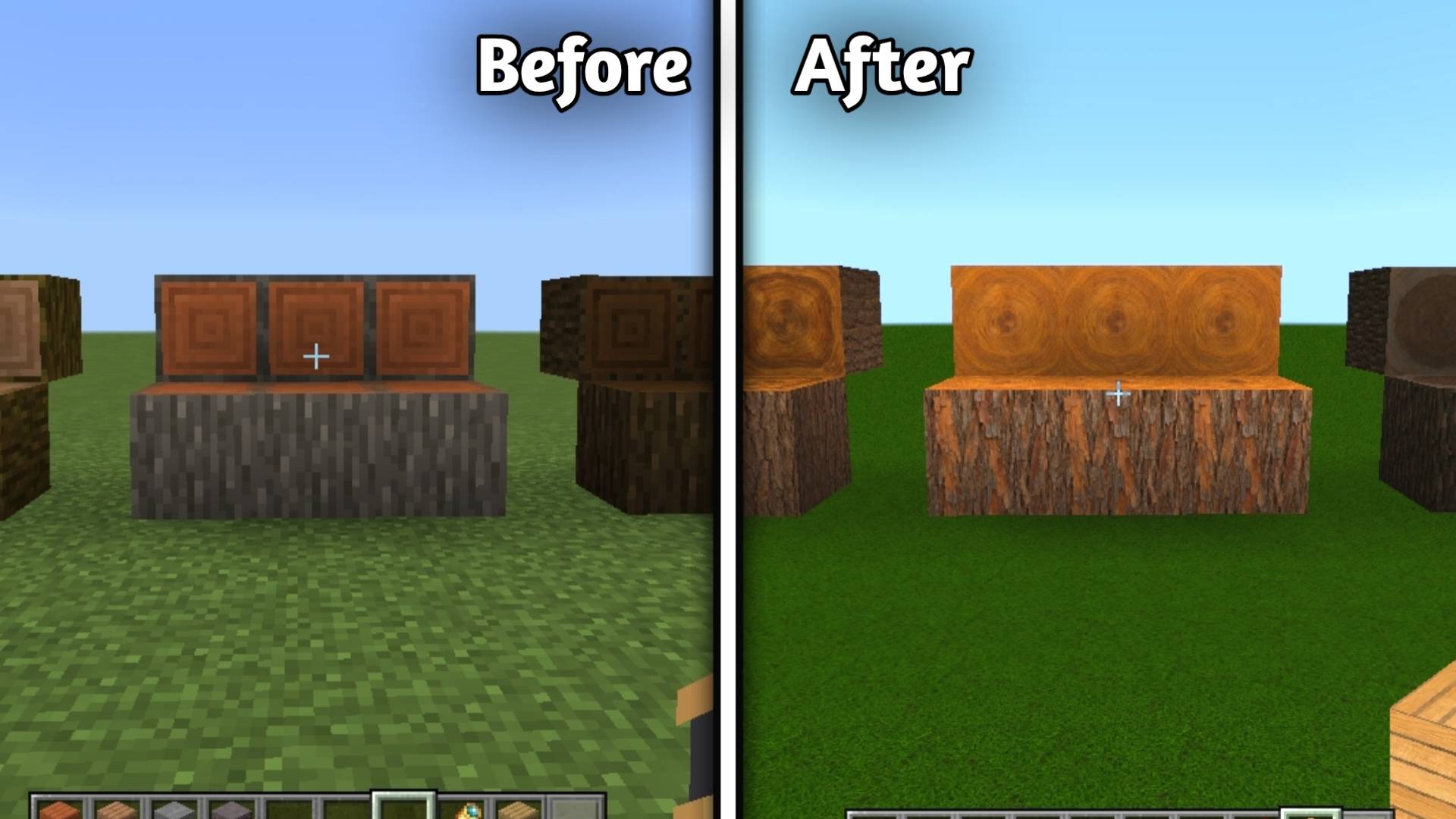
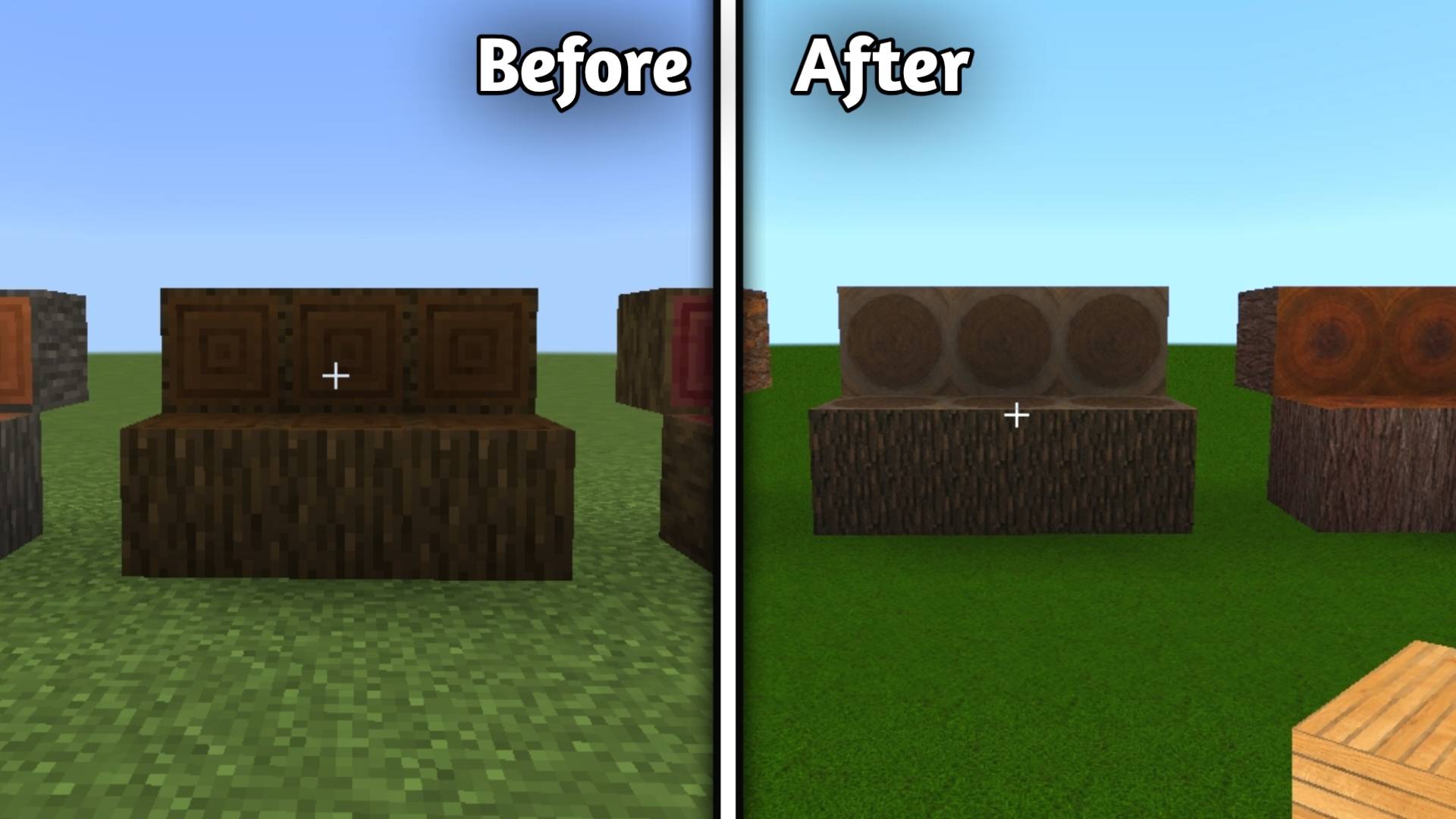
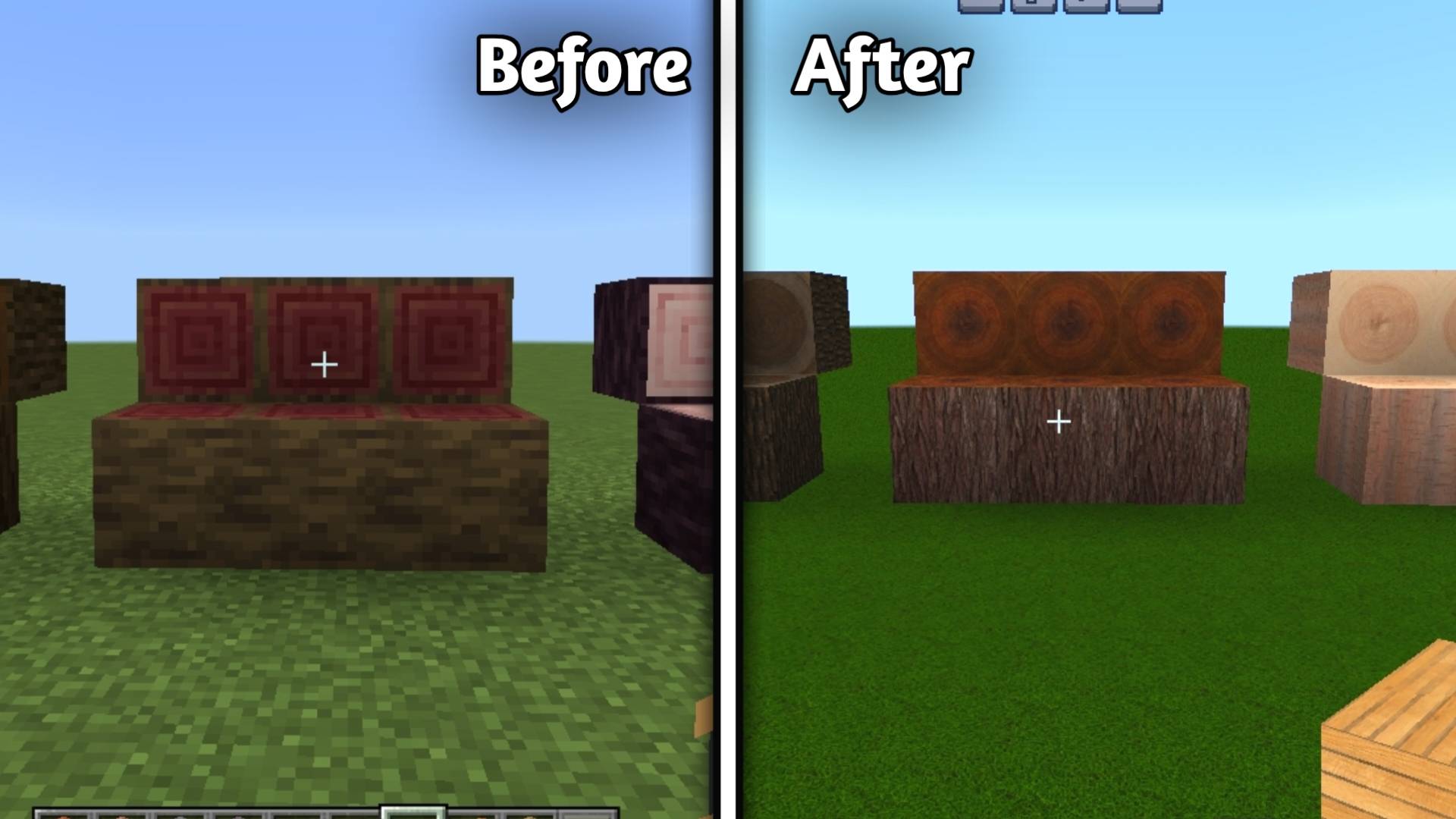
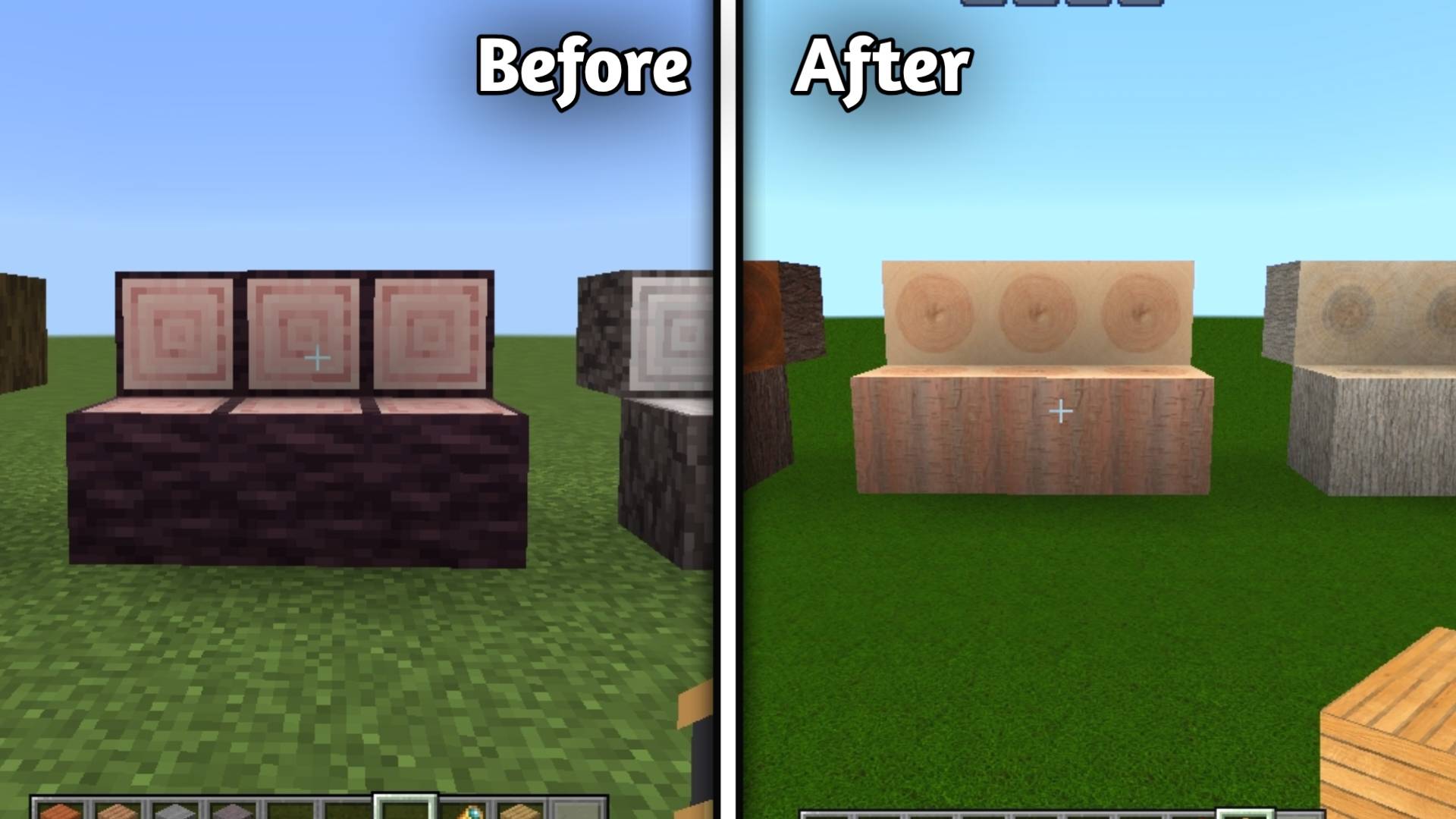
🌲 Woods

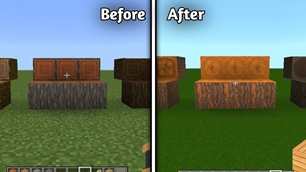
• Oak Log

alt text

• Spruce Log

alt text

• Birch Log

alt text

• Jungle Log

alt text

• Acacia Log

alt text

• Dark Oak Log

alt text

• Mangrove Log

alt text

• Cherry Log

alt text

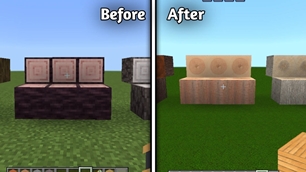
• Pale Oak Log

alt text

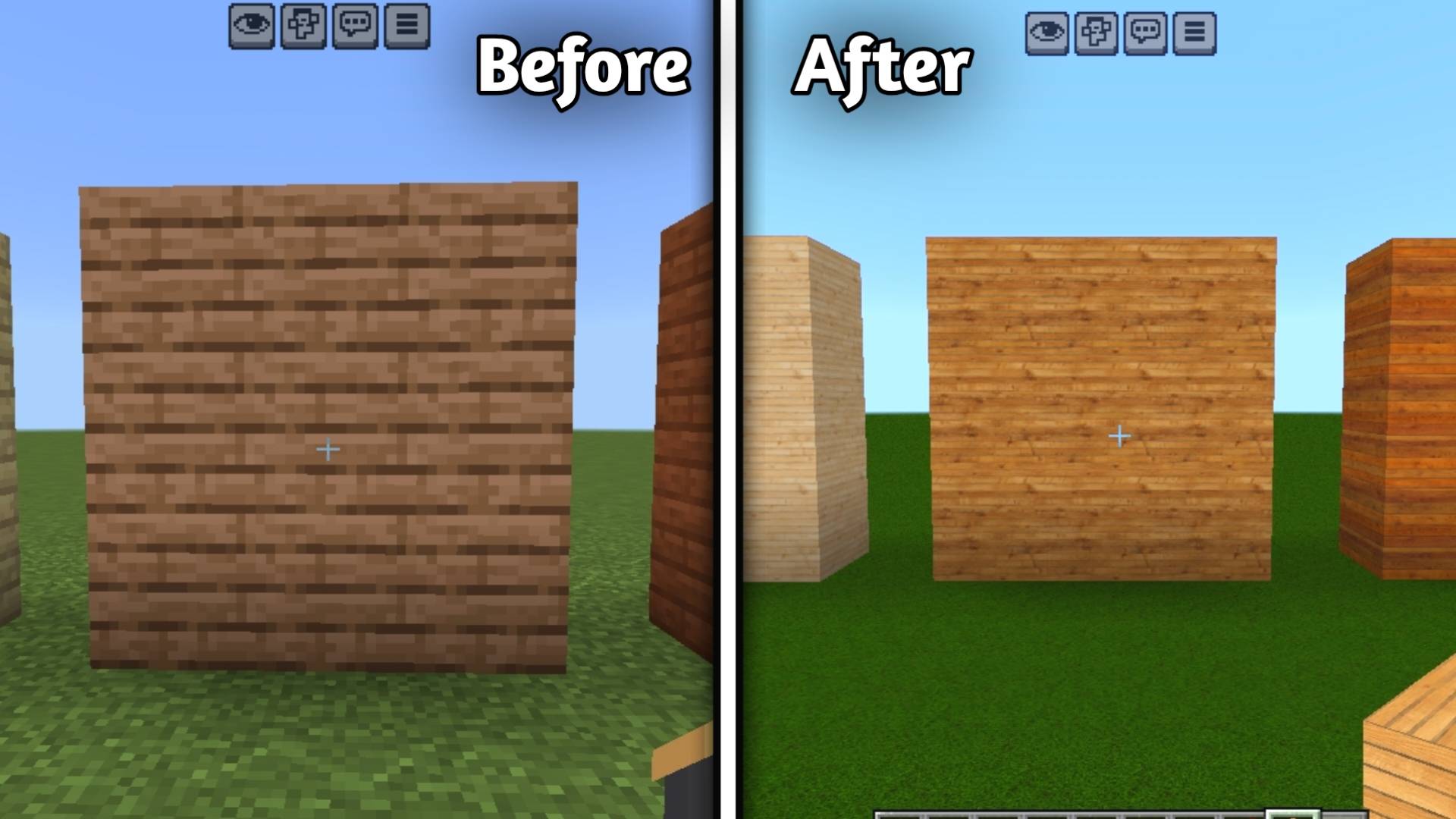
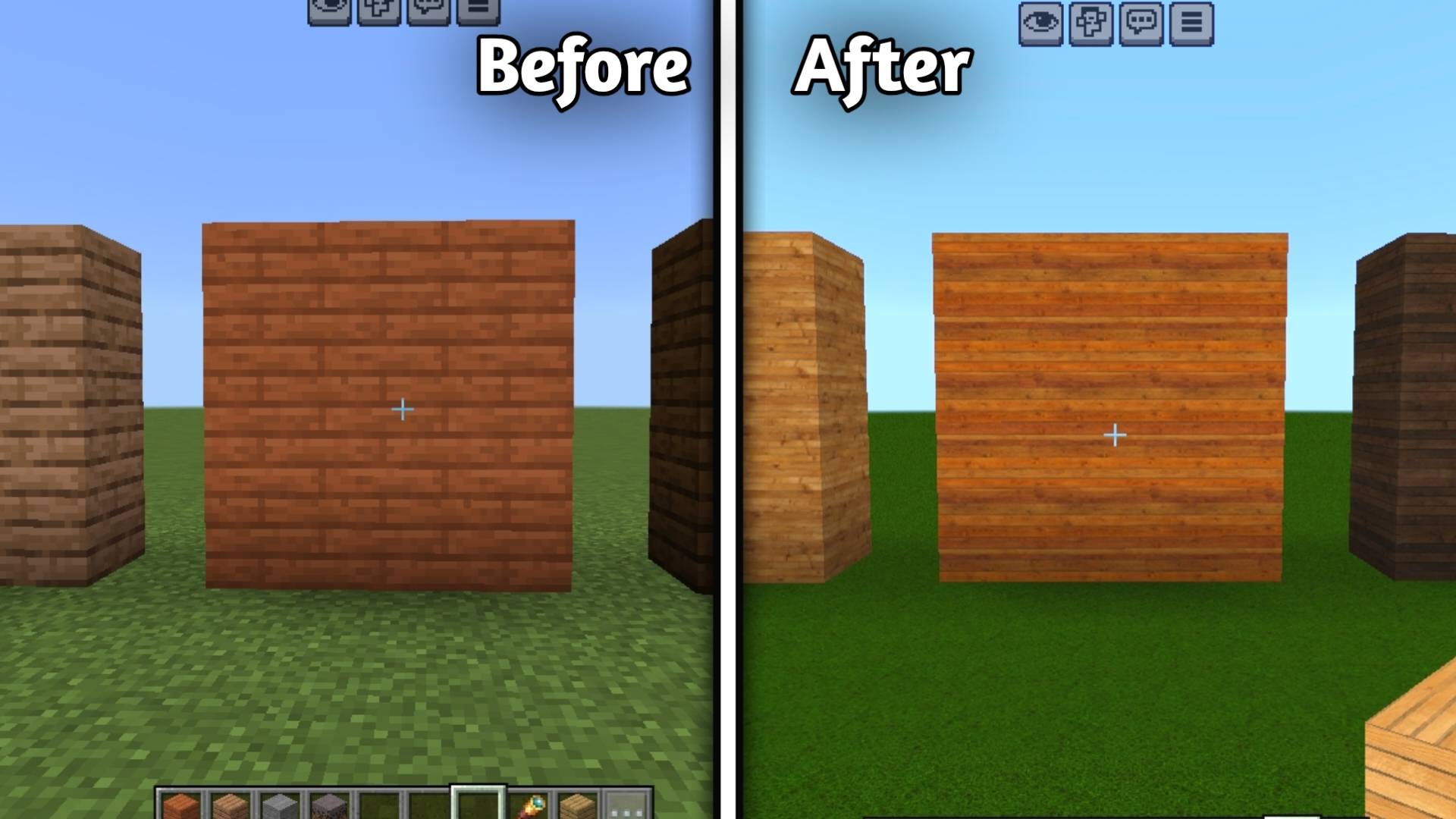
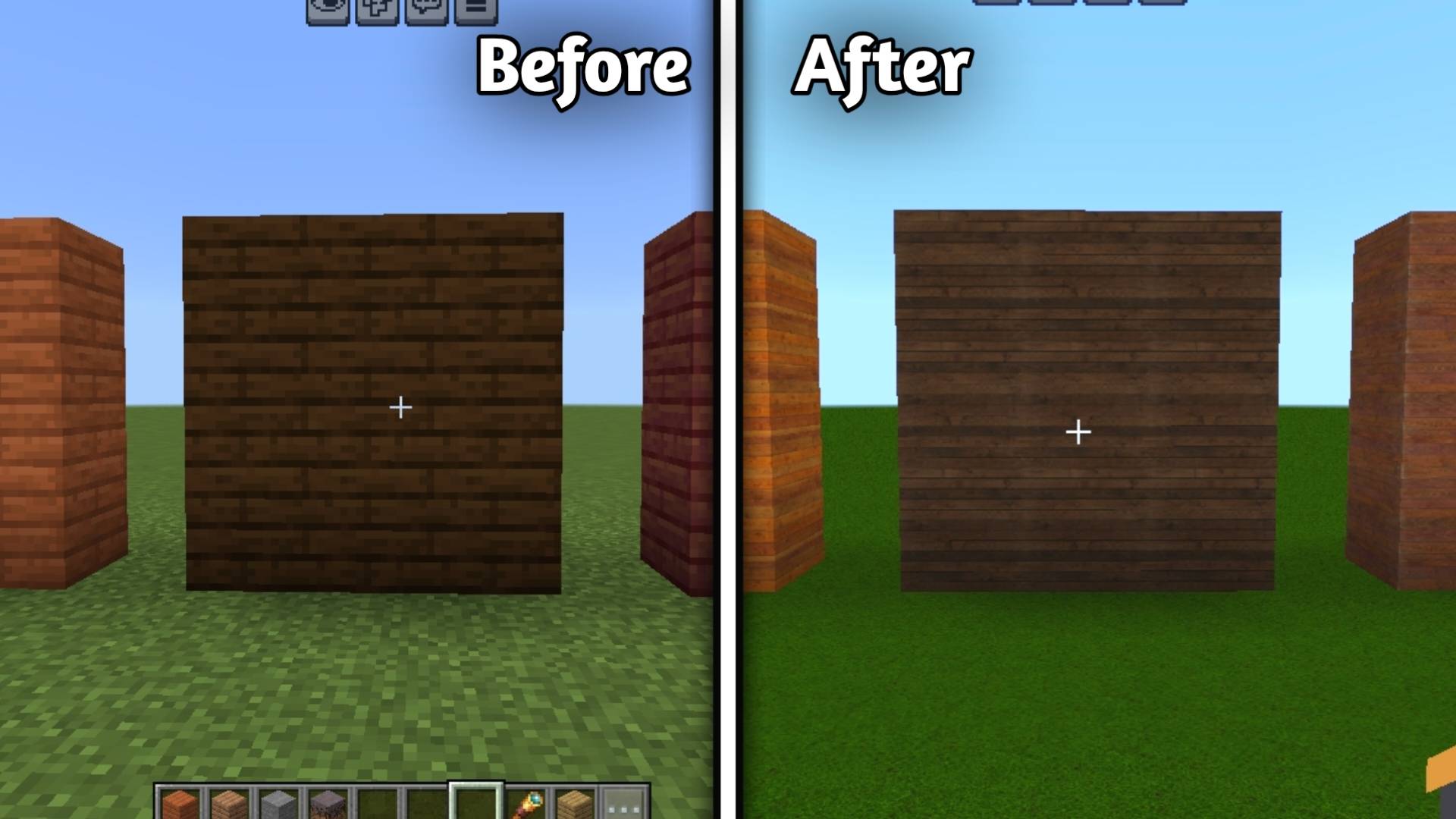
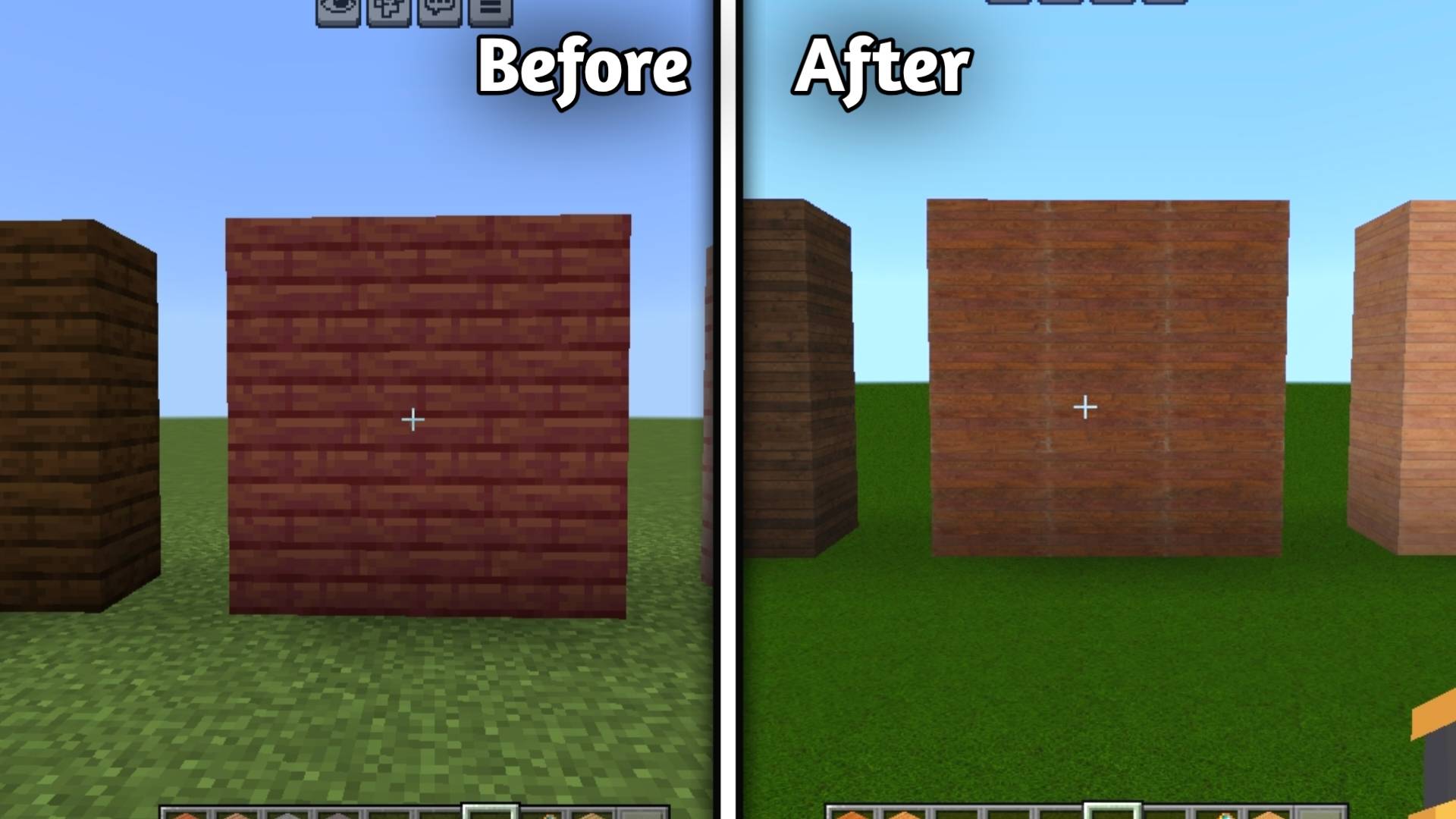
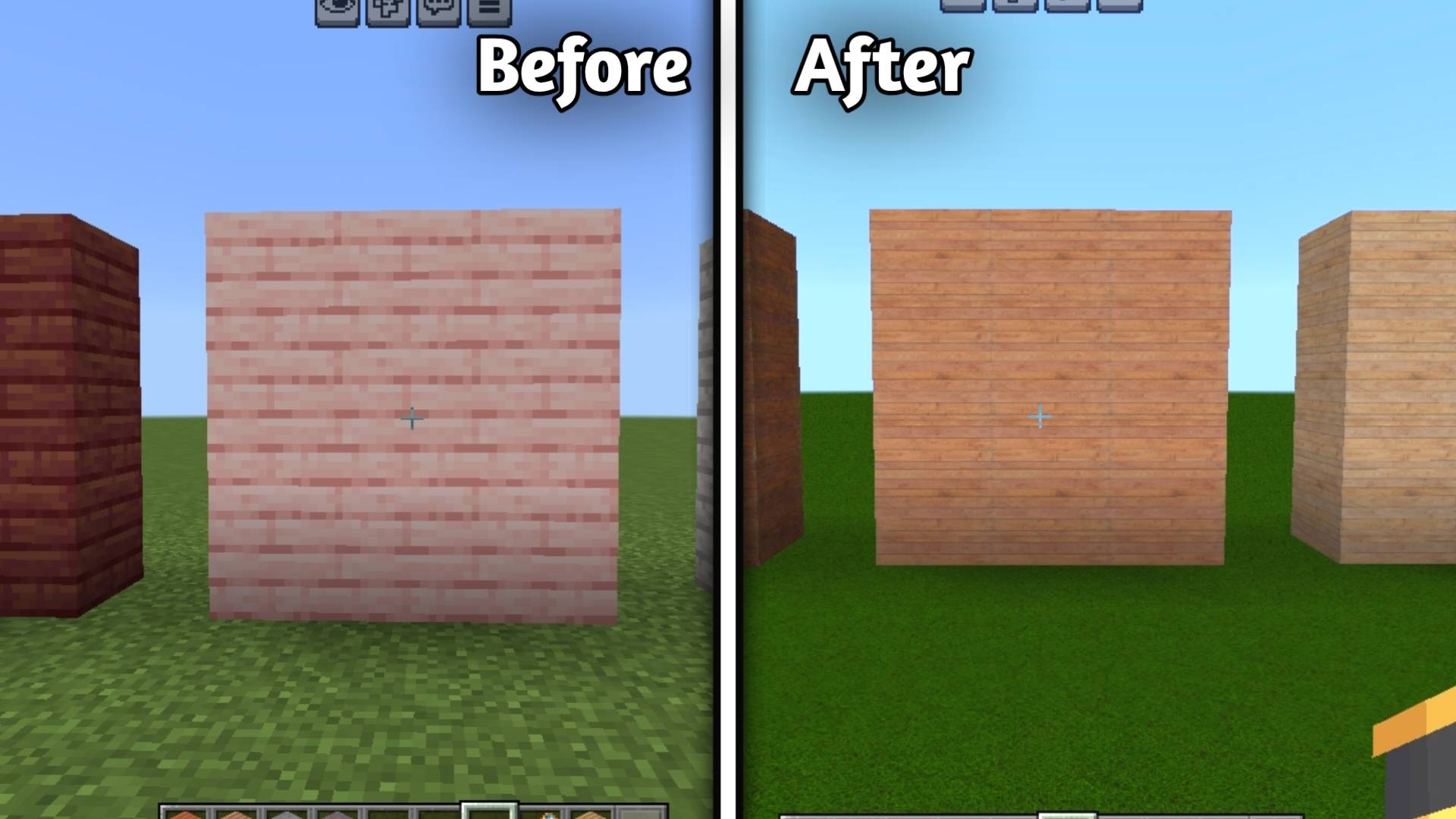
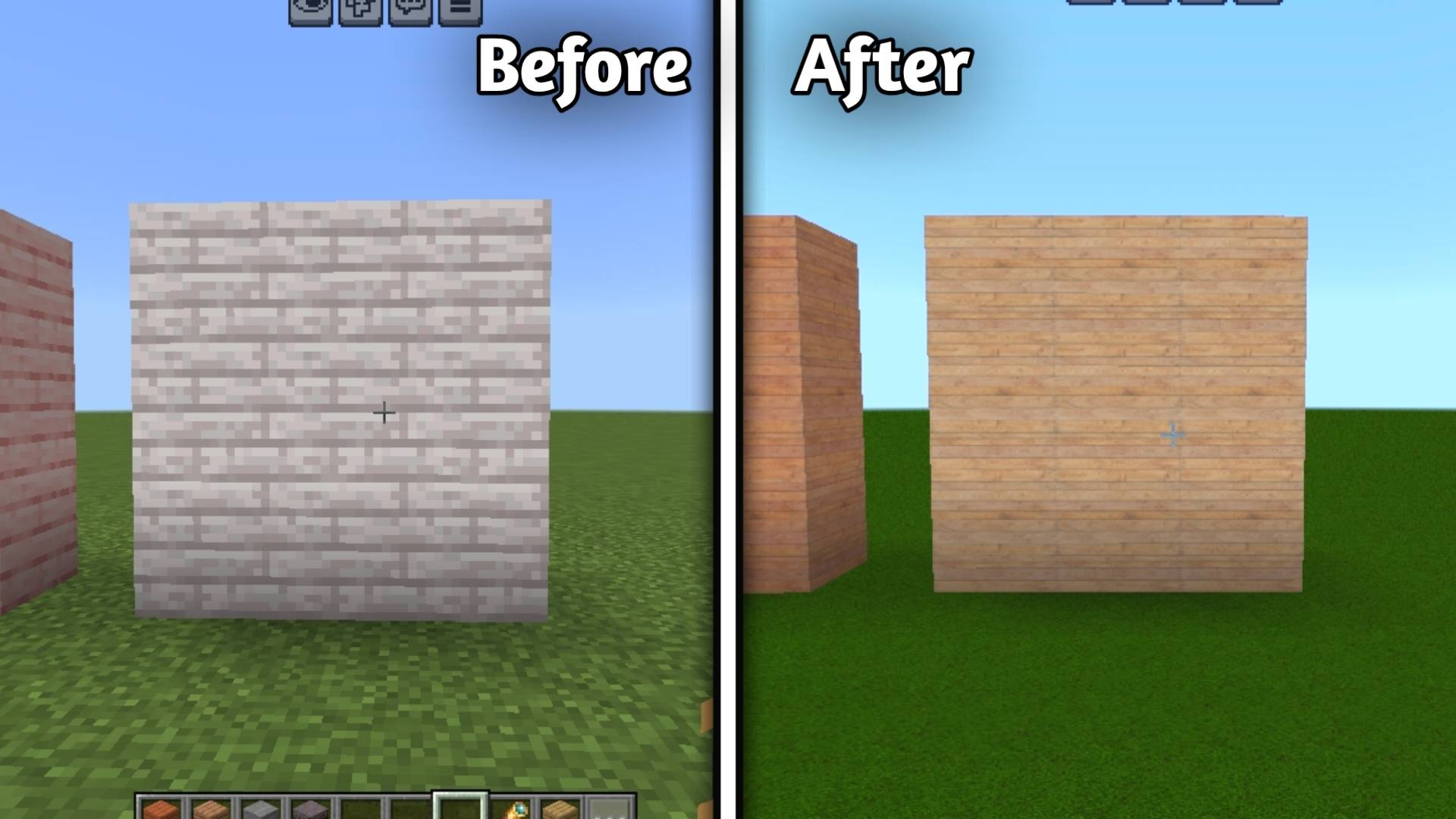
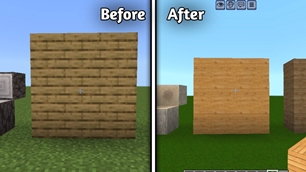
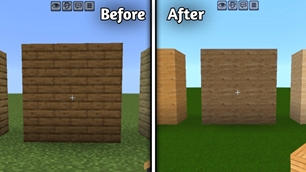
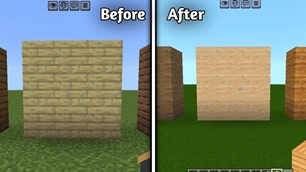
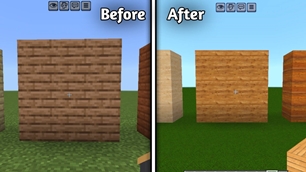
Planks

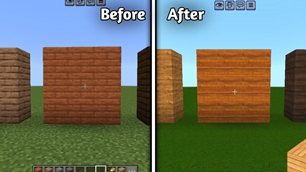
• Oak Plank

alt text

• Spruce Plank

alt text

• Birch Plank

alt text

• Jungle Plank

alt text

• Acacia Plank

alt text

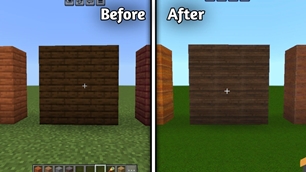
• Dark Oak Plank

alt text

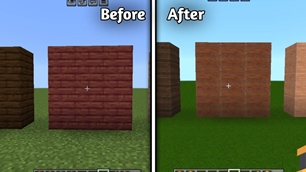
• Mangrove Plank

alt text

• Cherry Plank

alt text

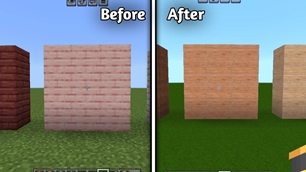
• Pale Oak Plank

alt text


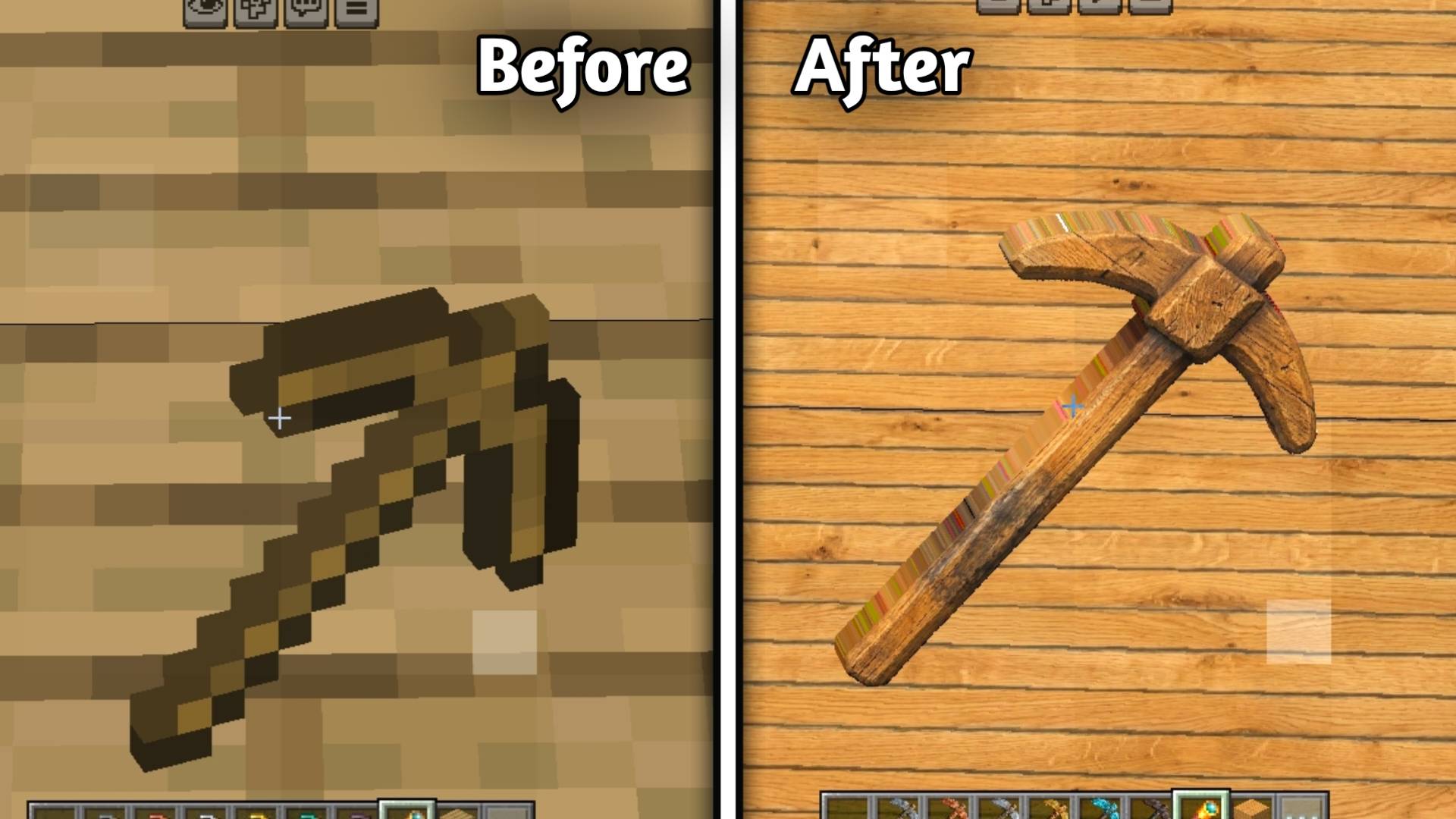
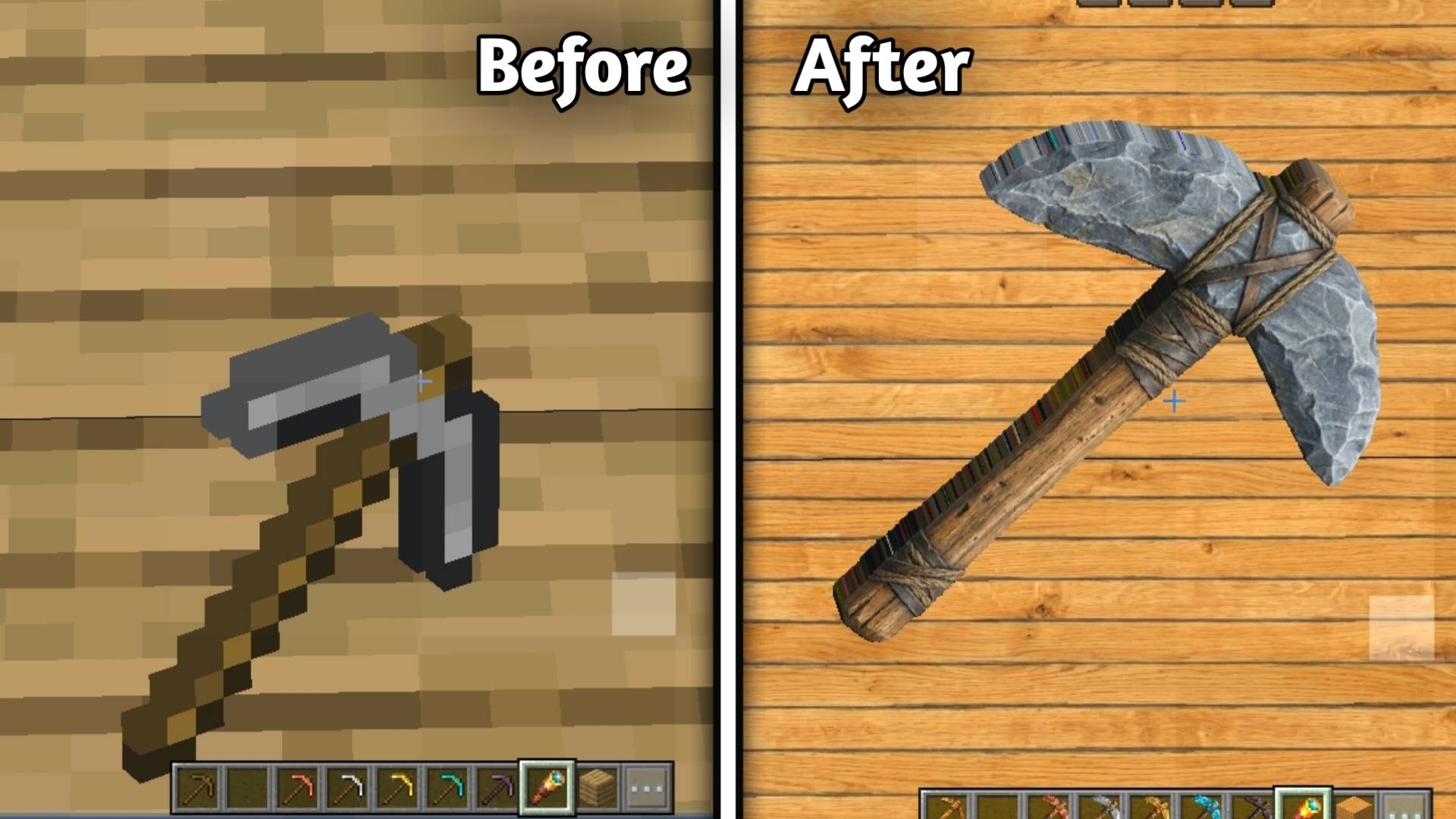
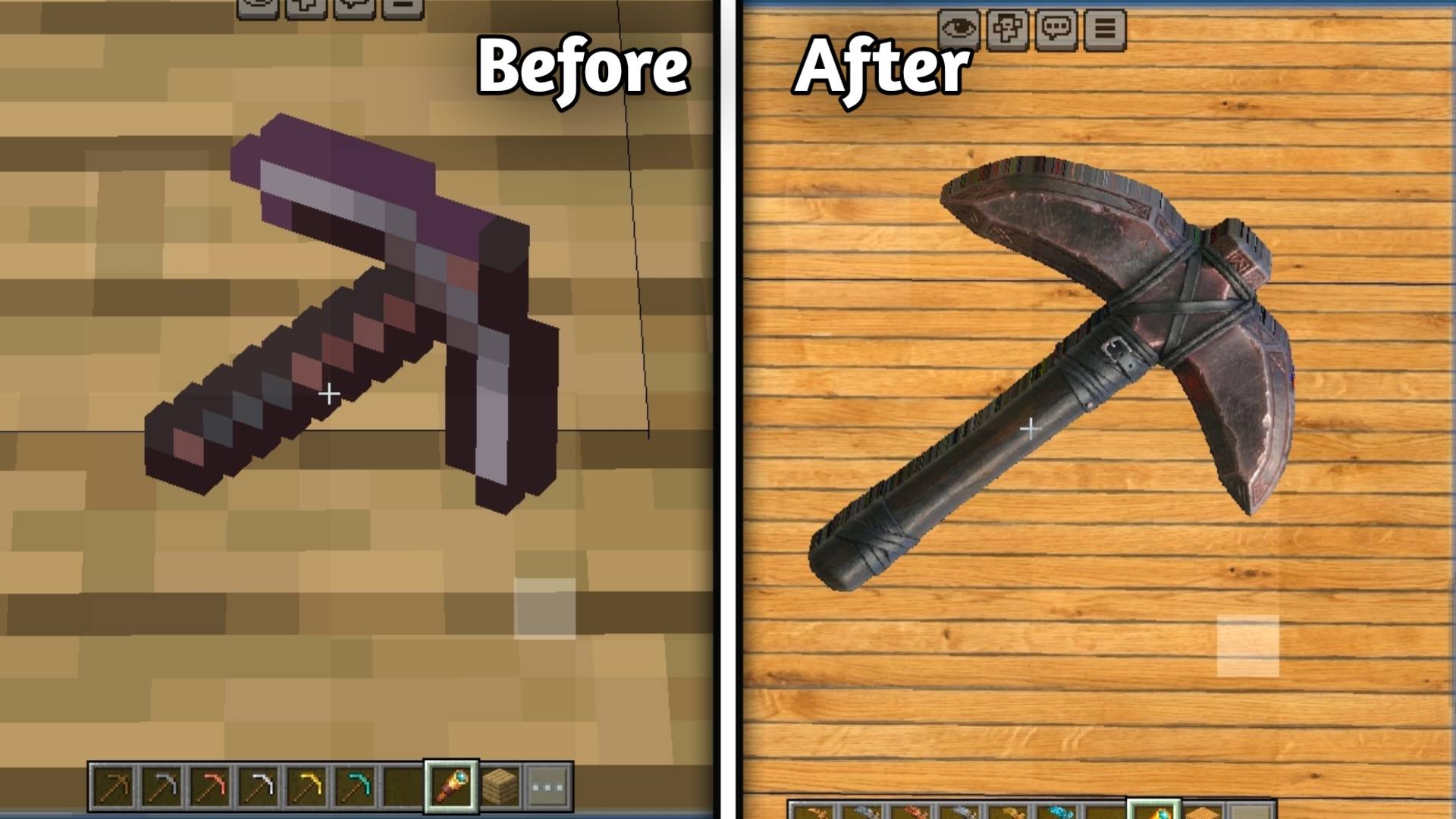
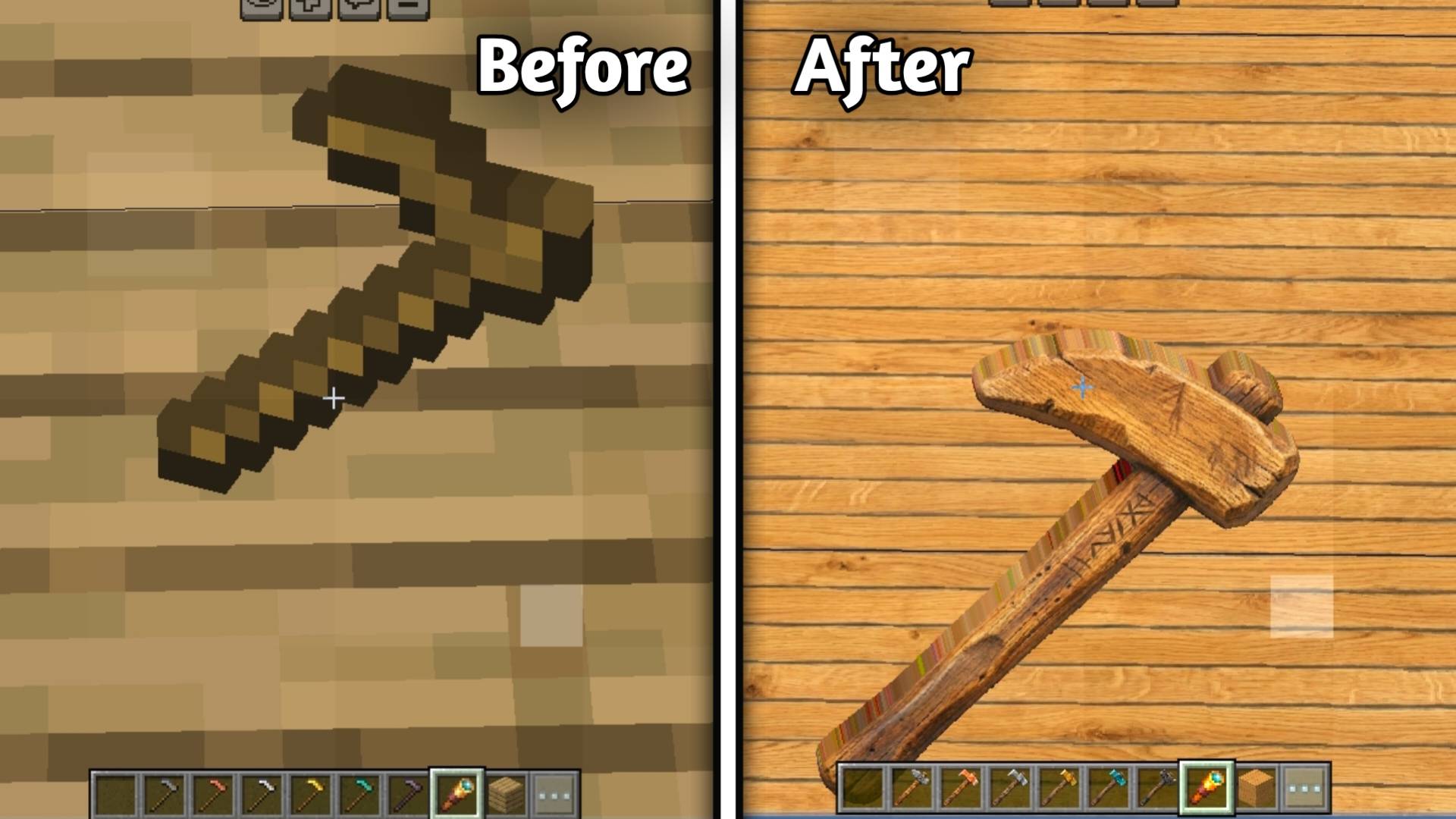
⛏️ Pickaxes

• Wooden Pickaxe

alt text

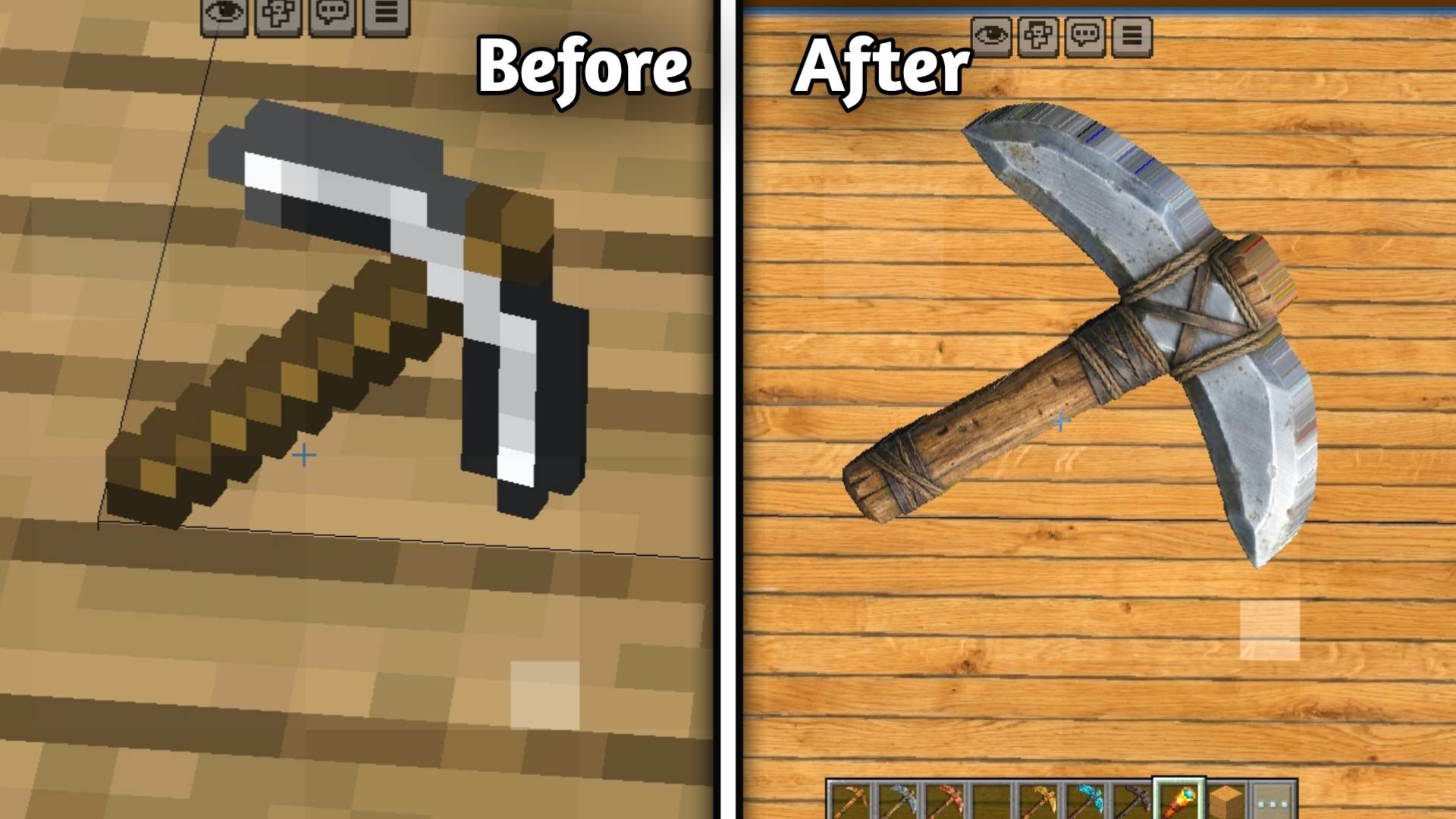
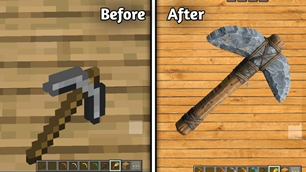
• Stone Pickaxe

alt text

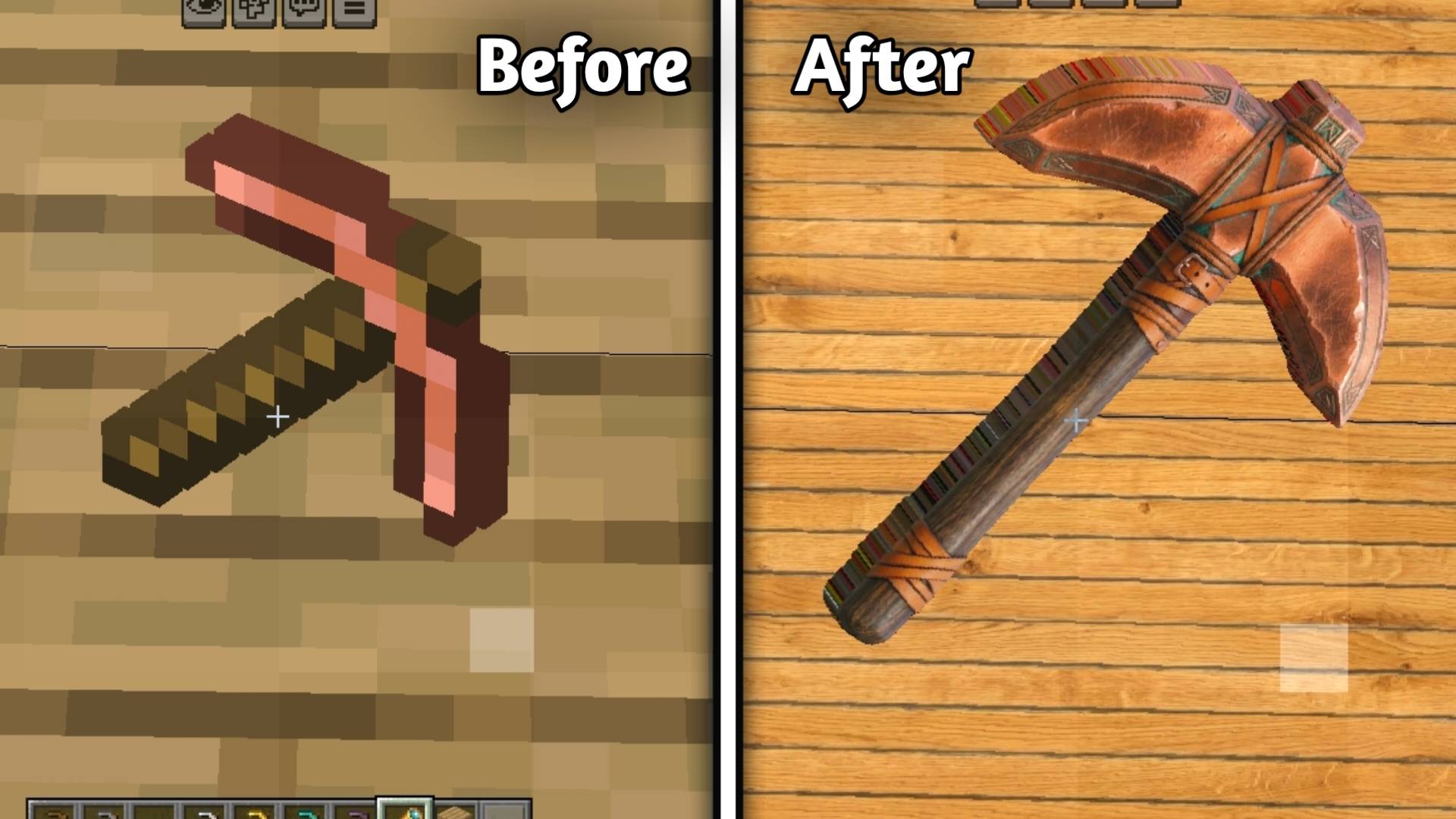
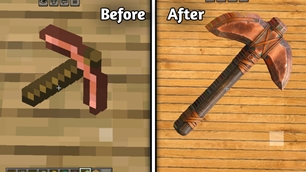
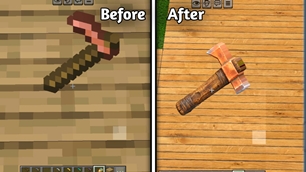
• Copper Pickaxe

alt text

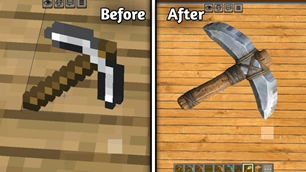
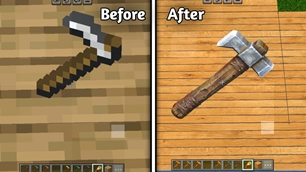
• Iron Pickaxe

alt text

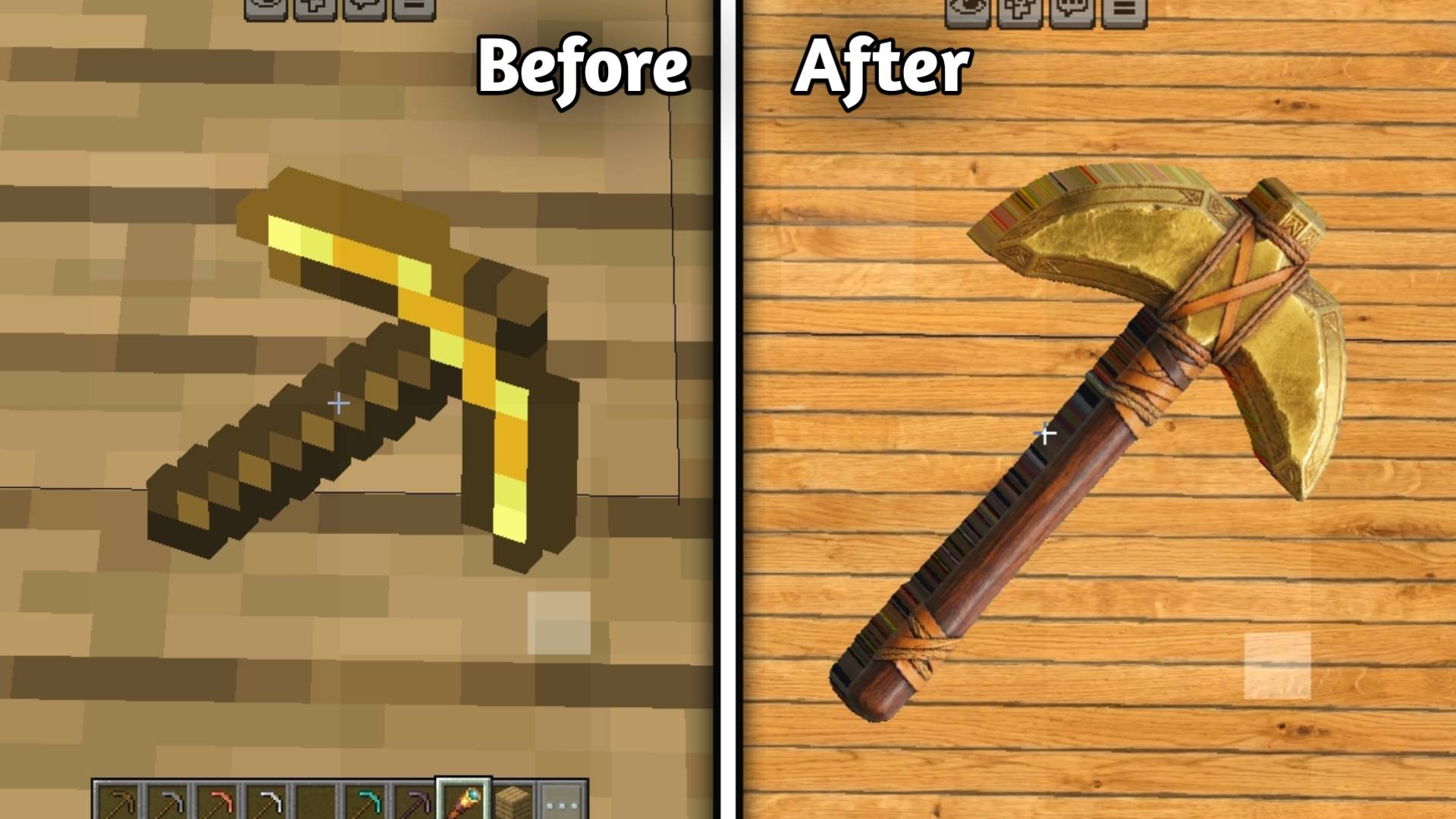
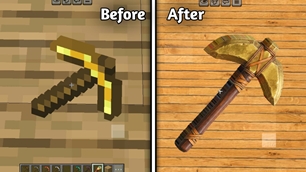
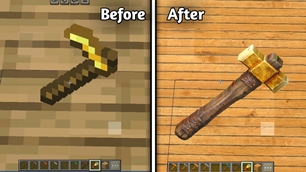
• Golden Pickaxe

alt text

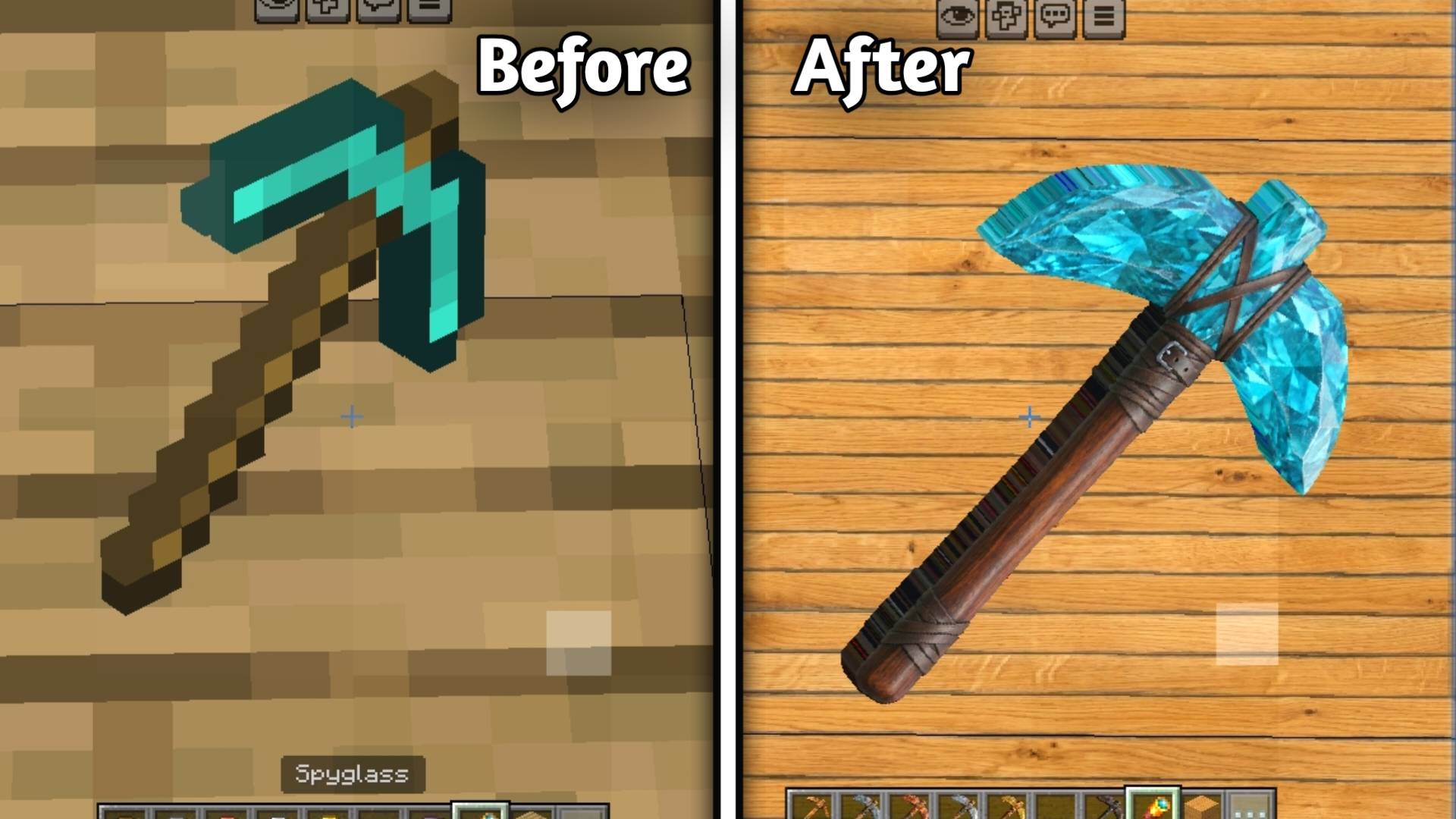
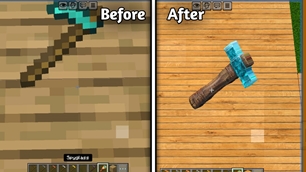
• Diamond Pickaxe

alt text

• Netherite Pickaxe

alt text

───

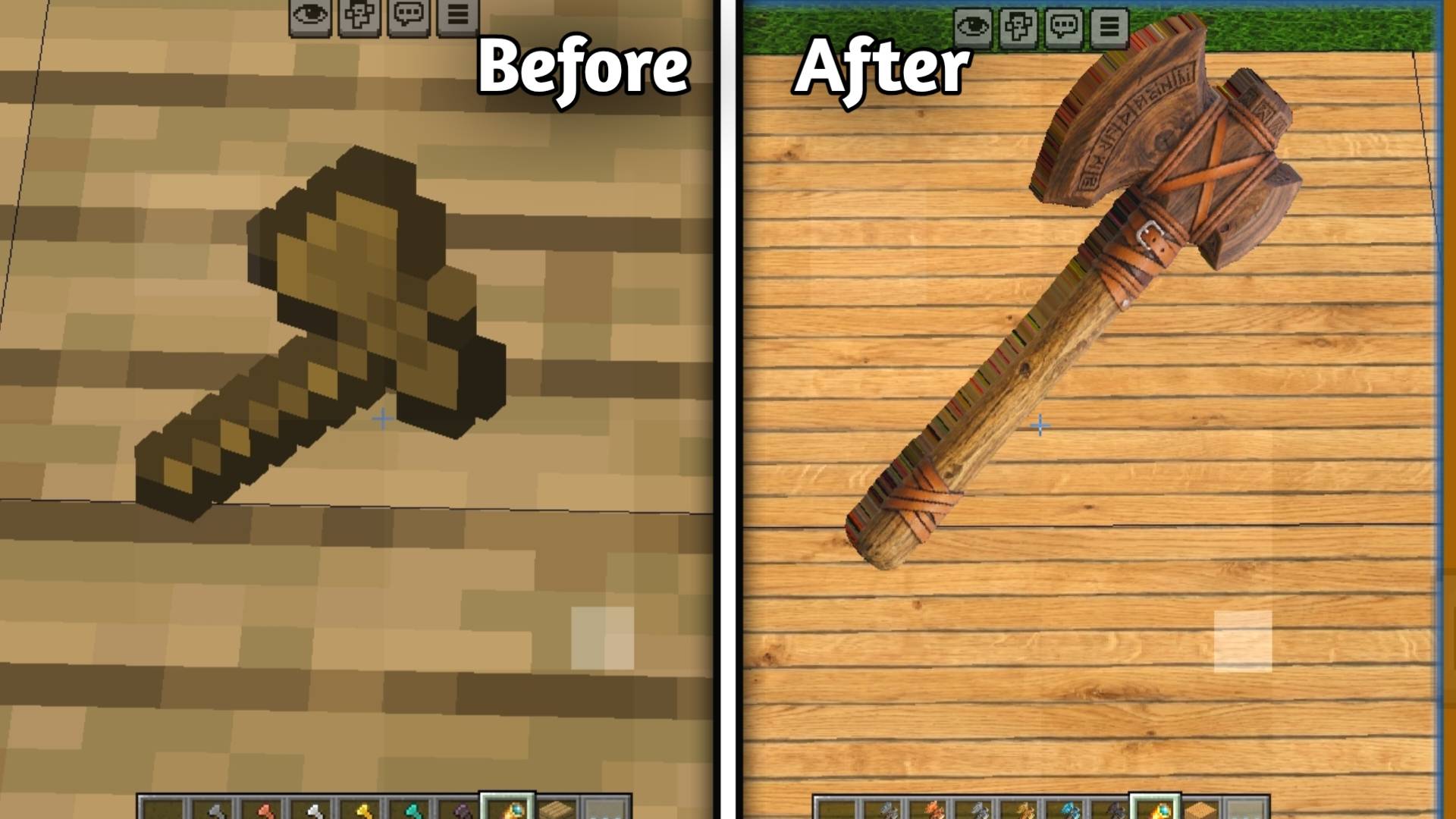
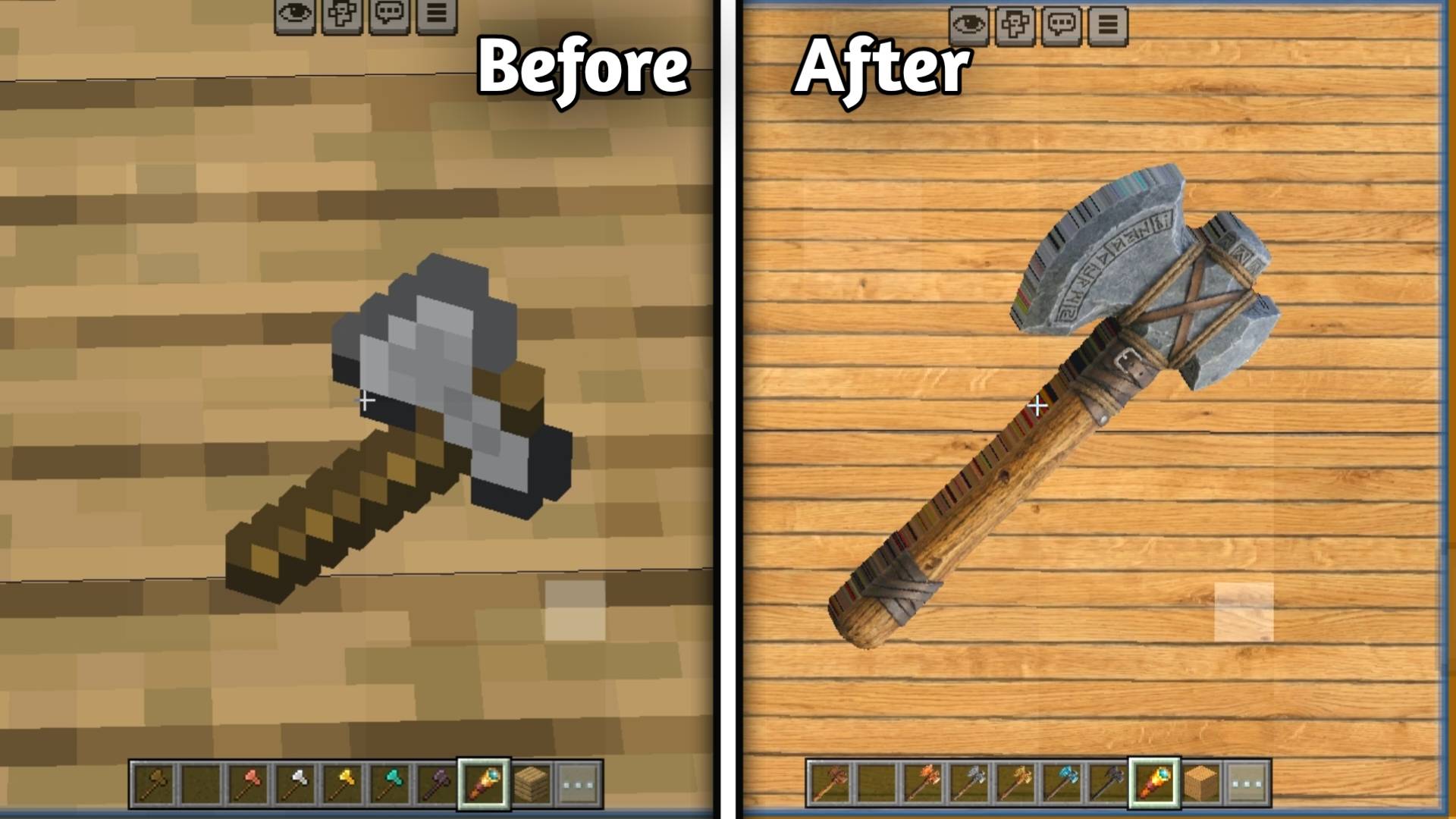
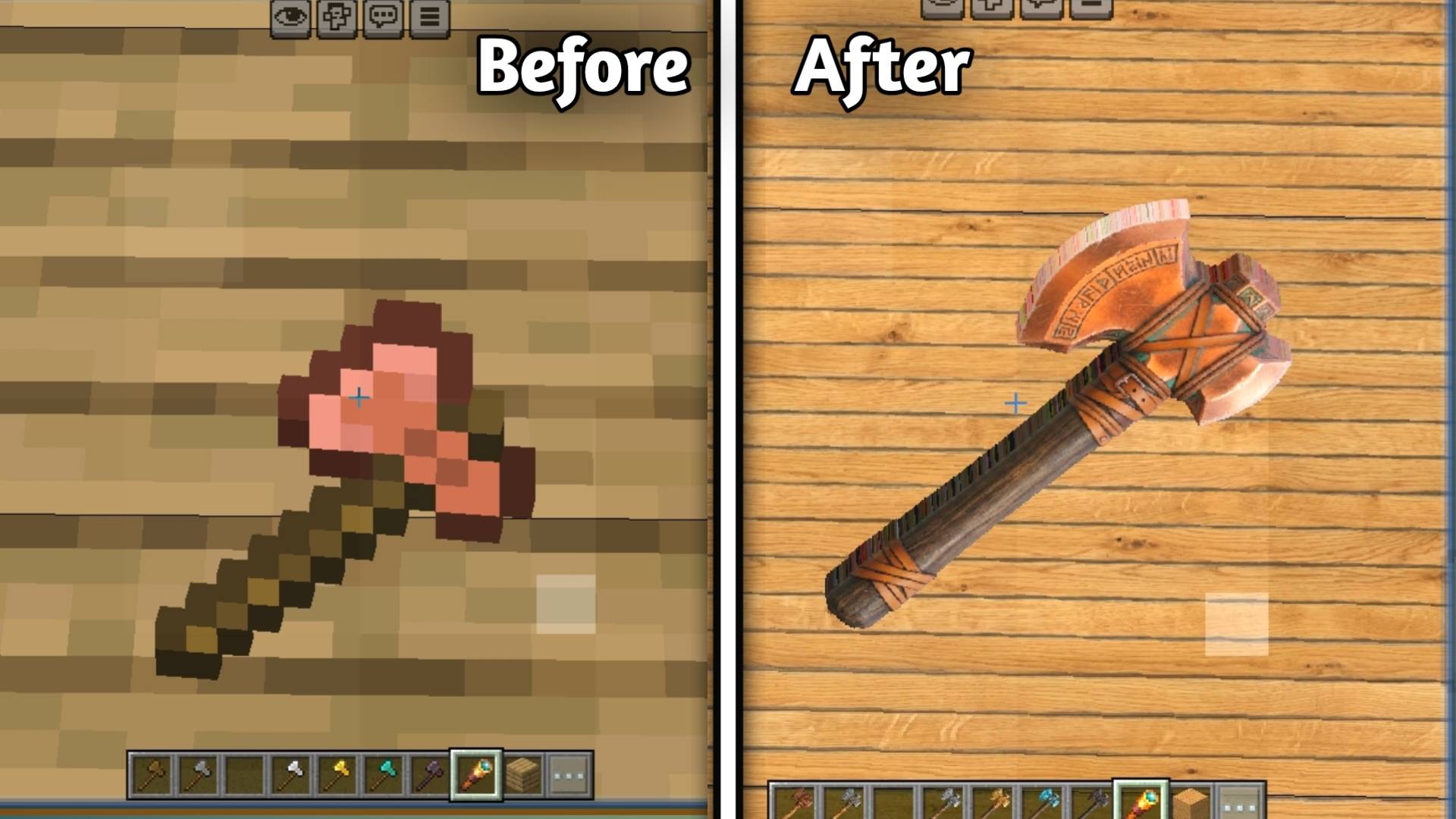
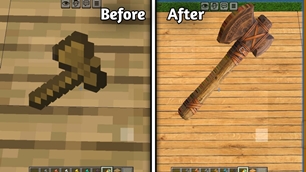
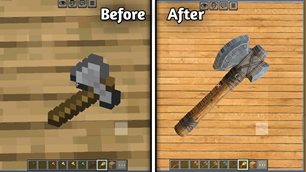
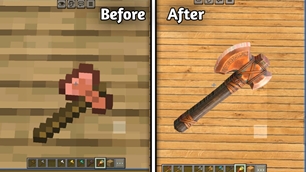
🪓 Axes

• Wooden Axe

alt text

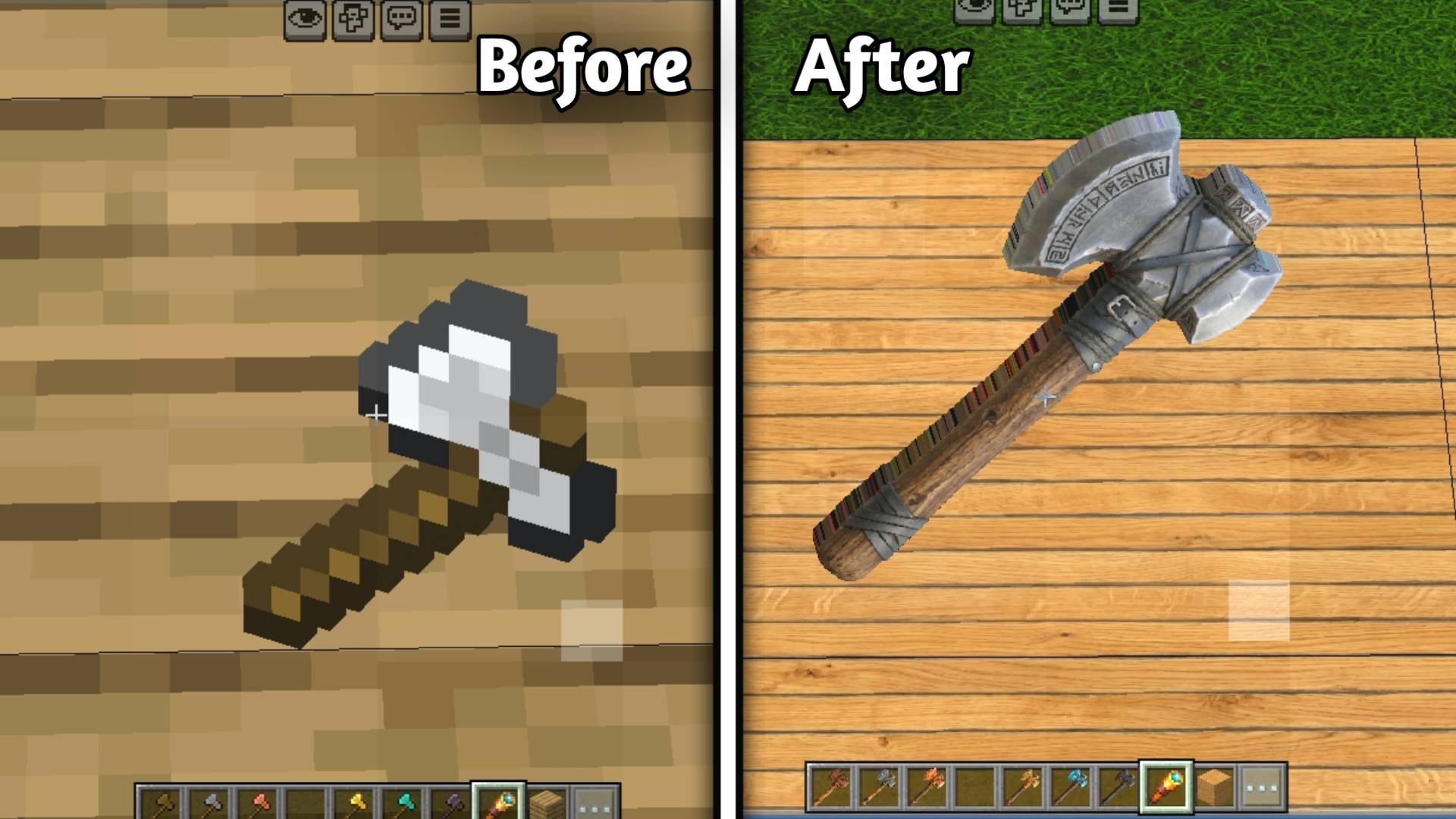
• Stone Axe

alt text

• Copper Axe

alt text

• Iron Axe

alt text

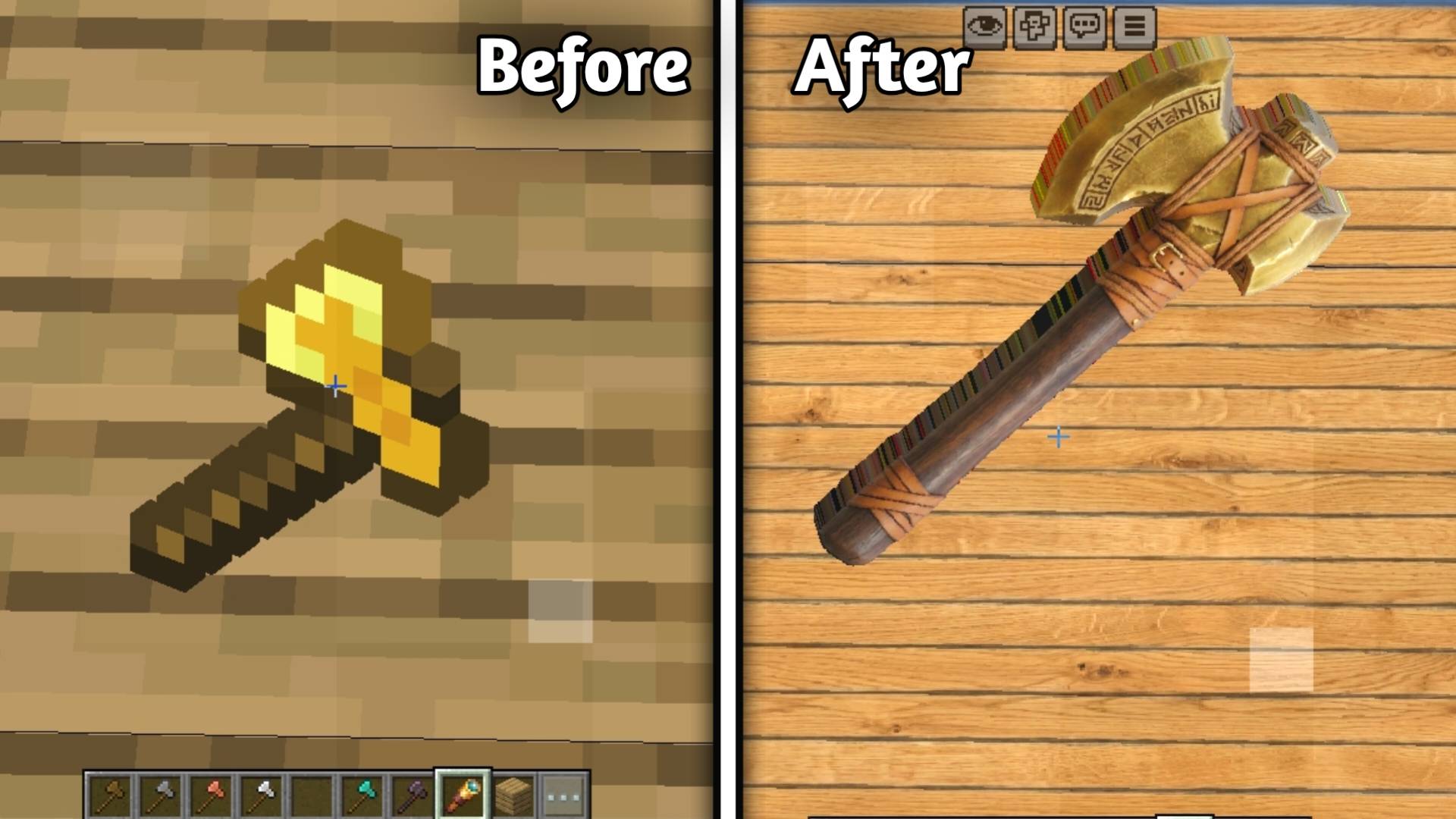
• Golden Axe

alt text

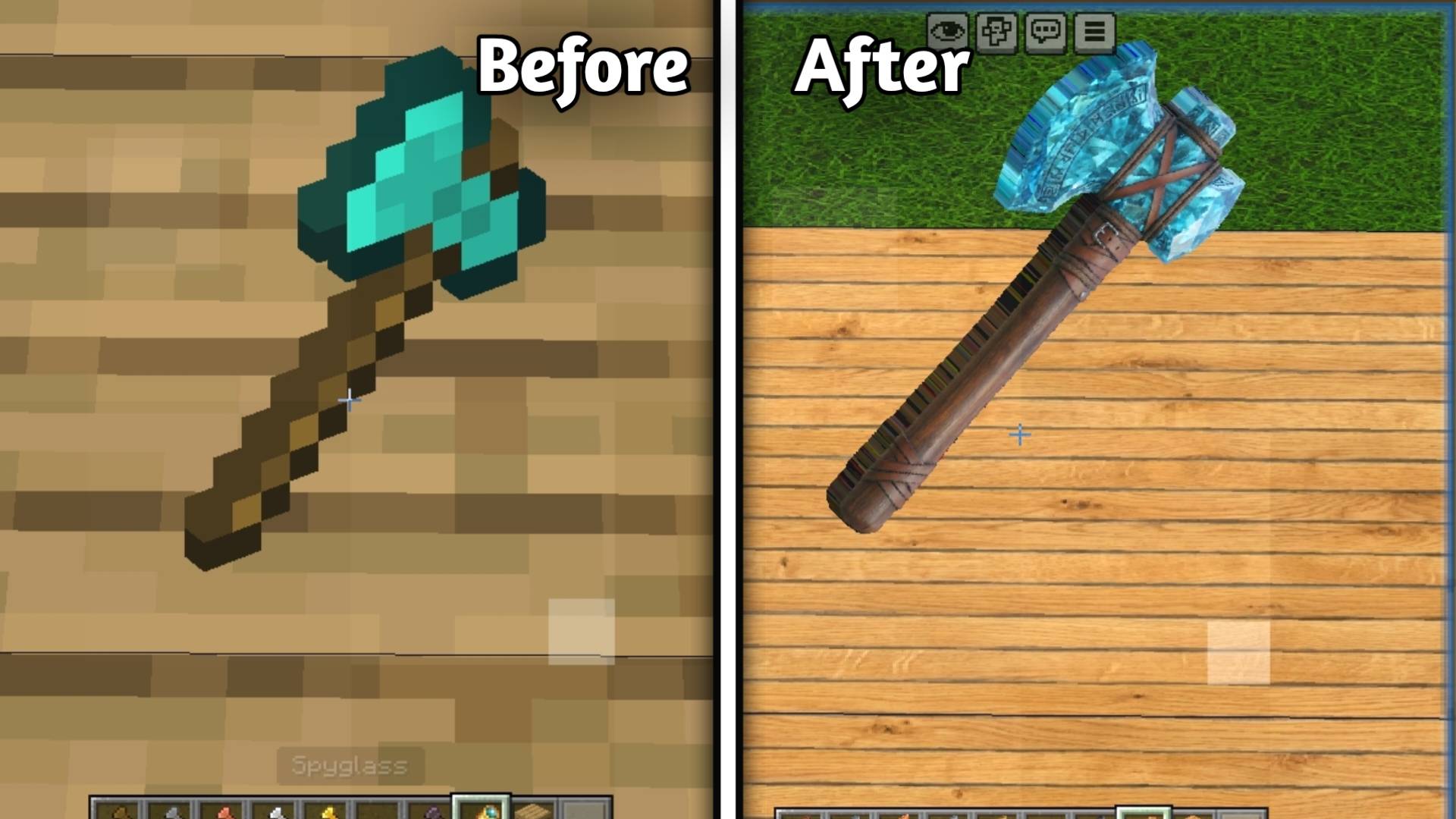
• Diamond Axe

alt text

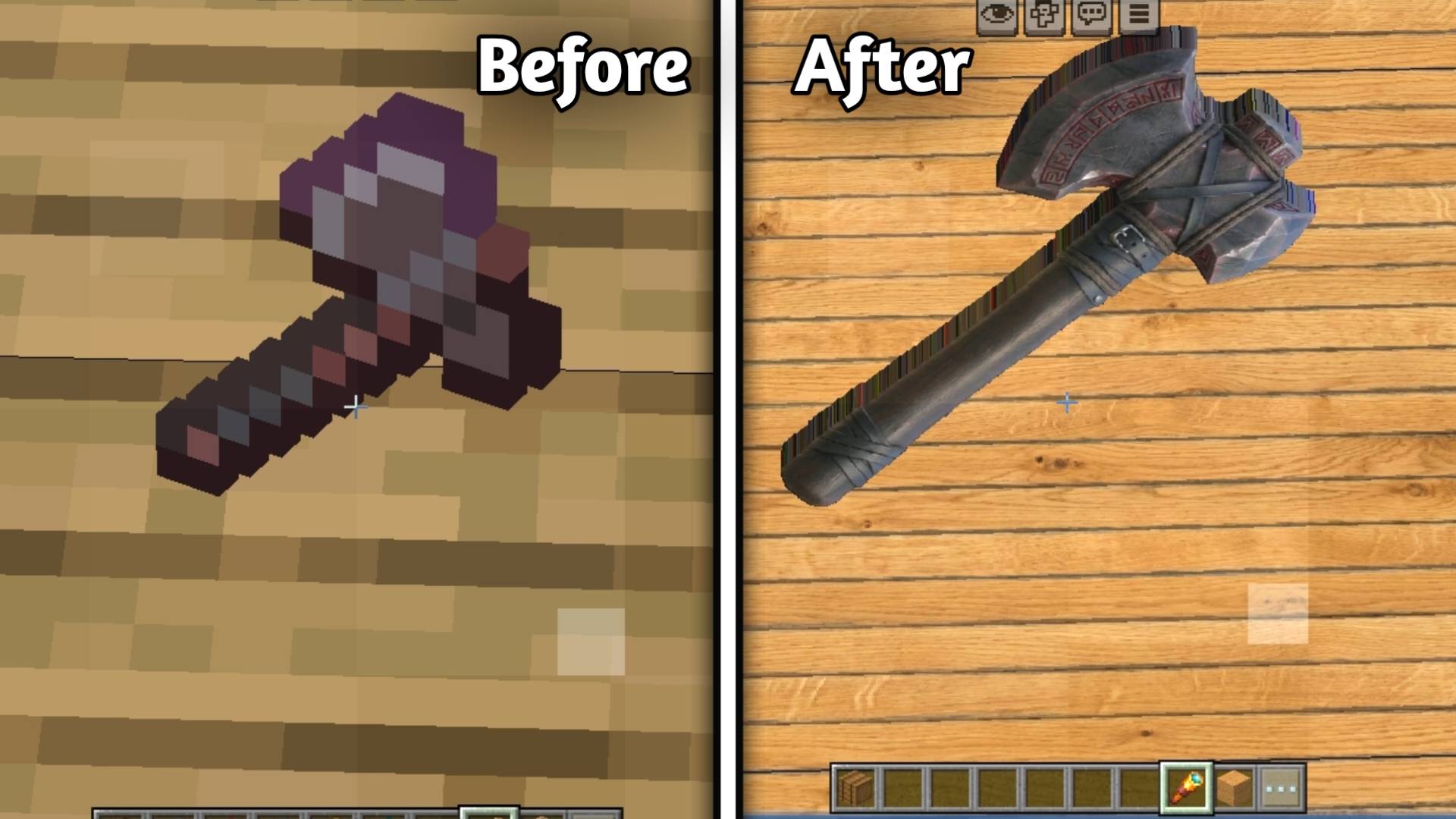
• Netherite Axe

alt text

───

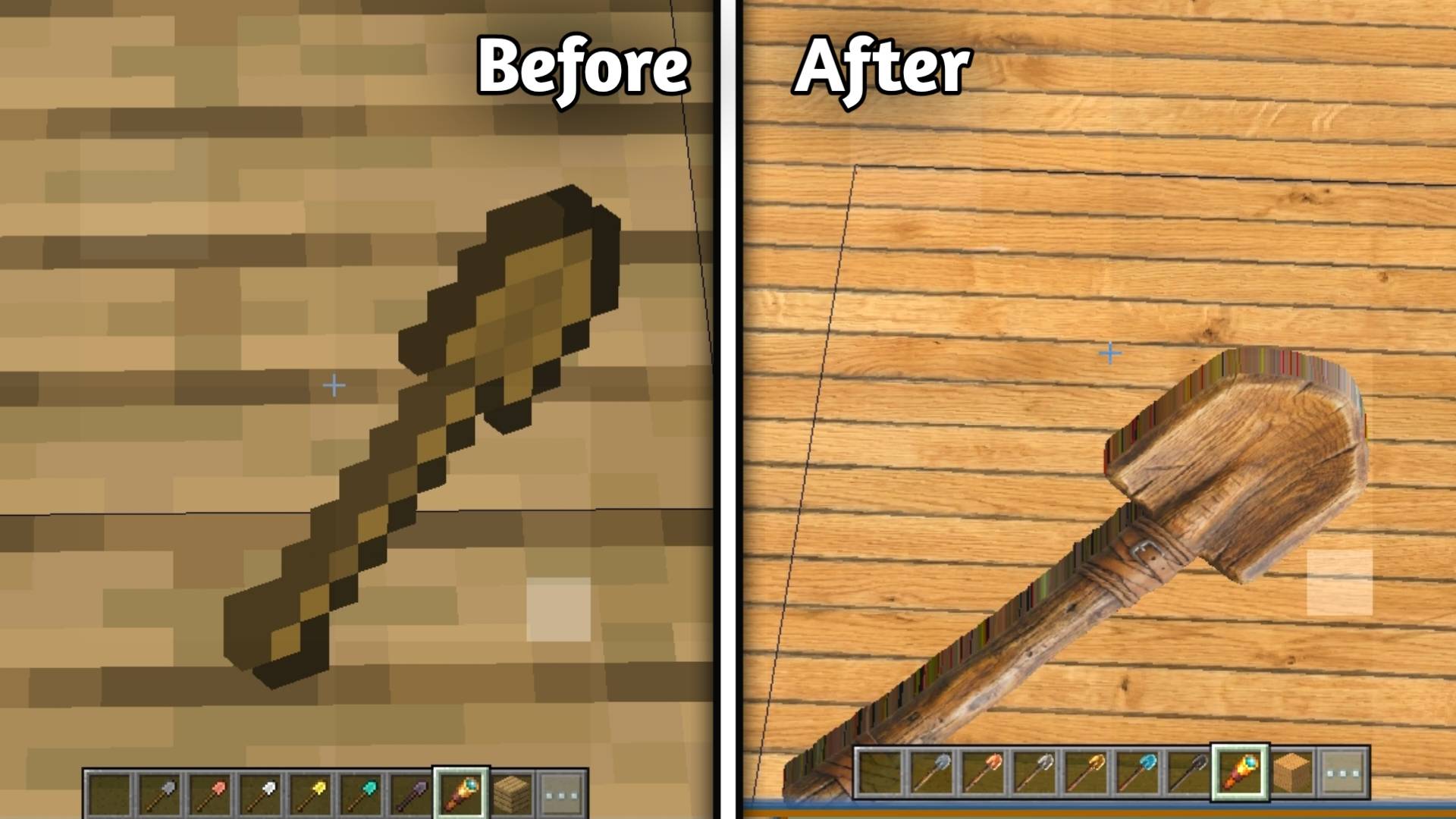
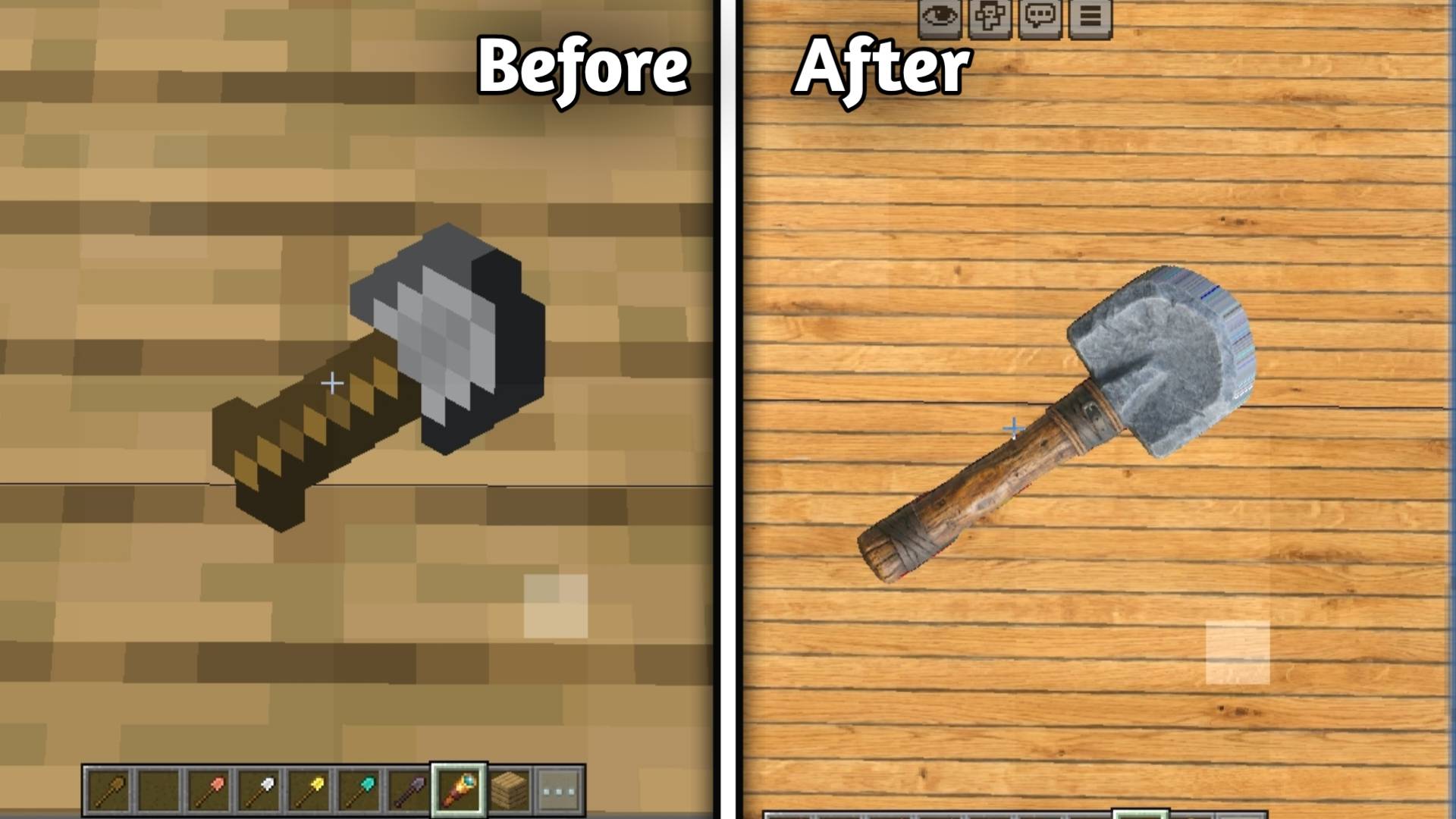
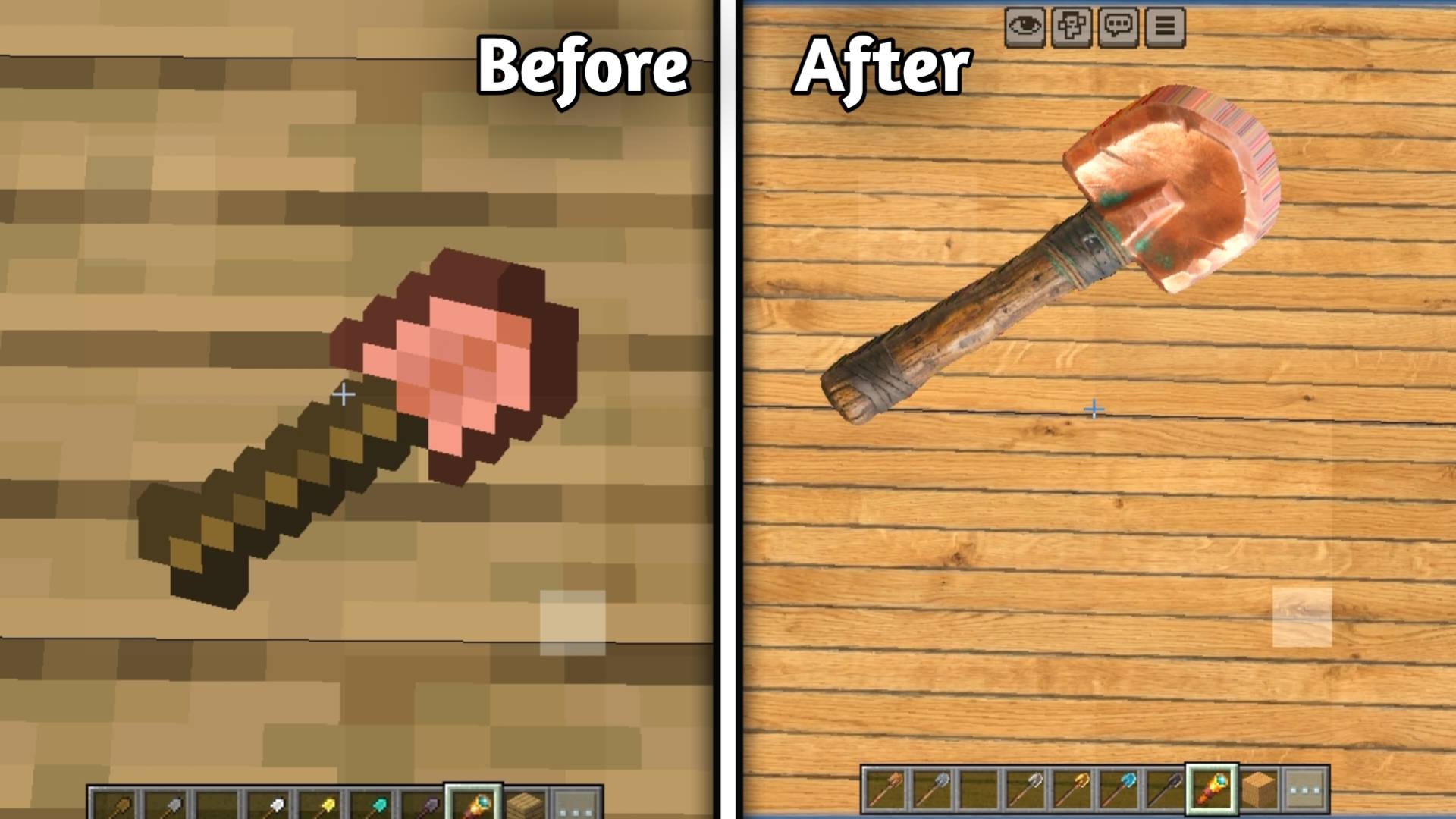
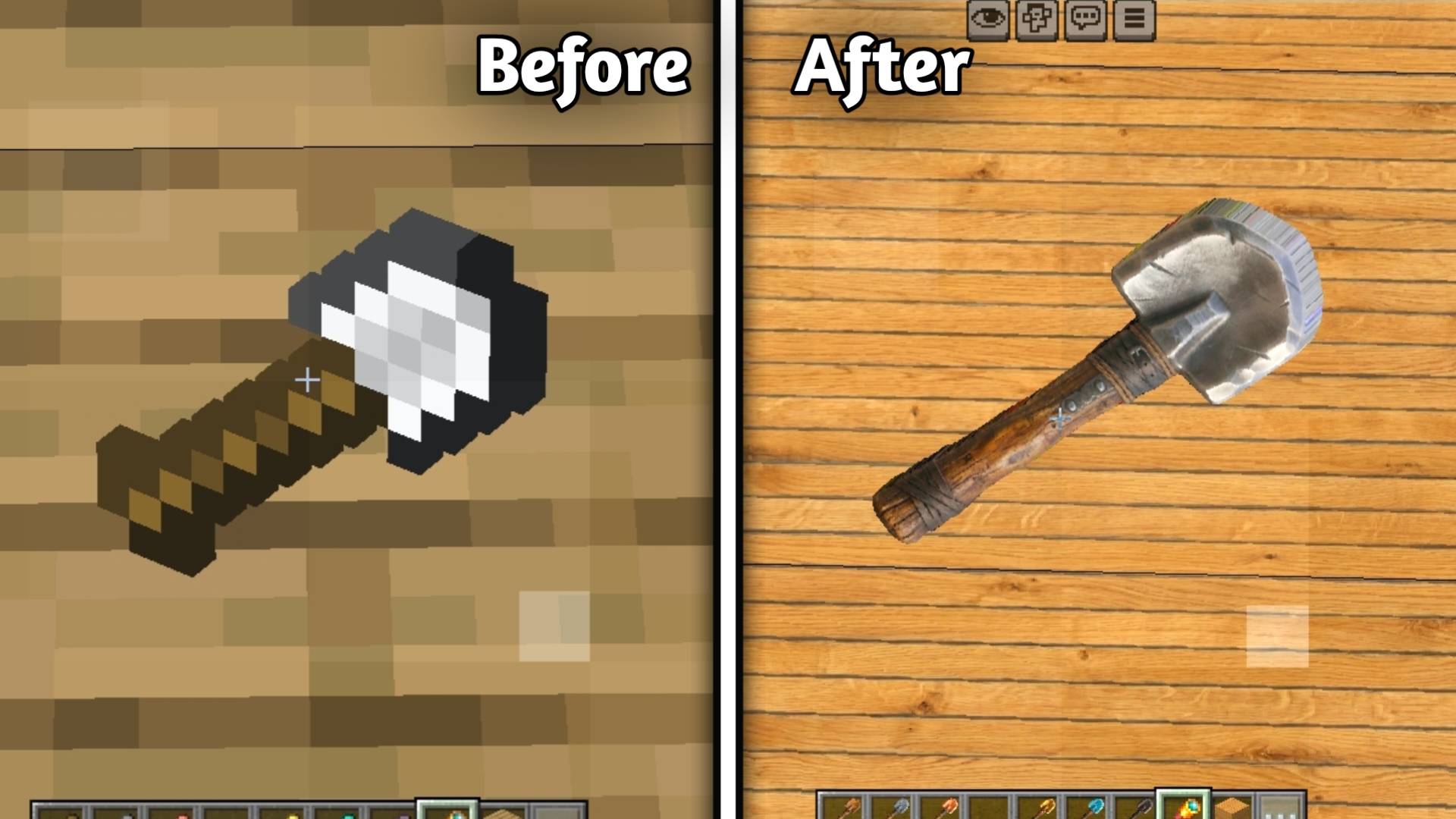
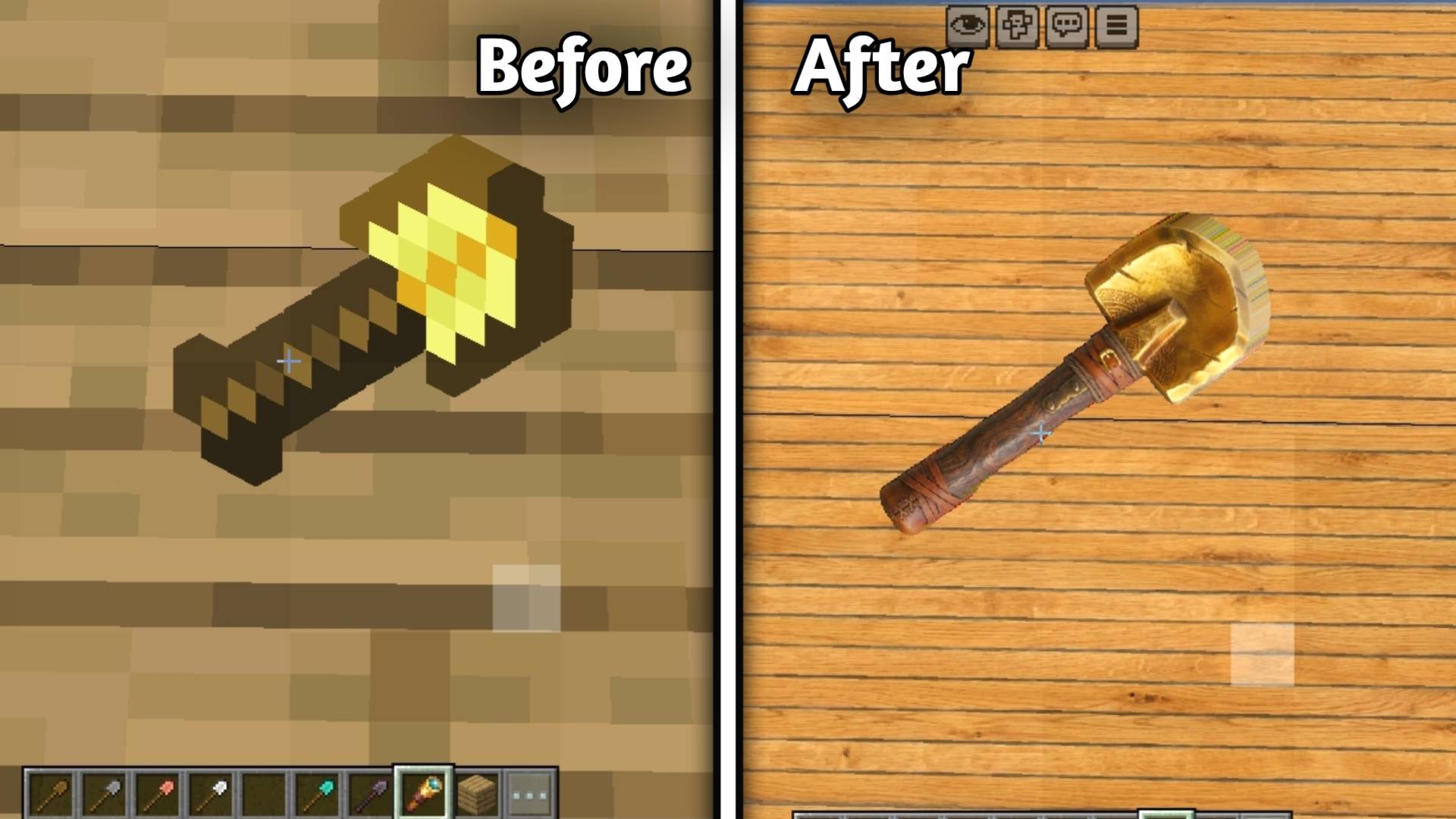
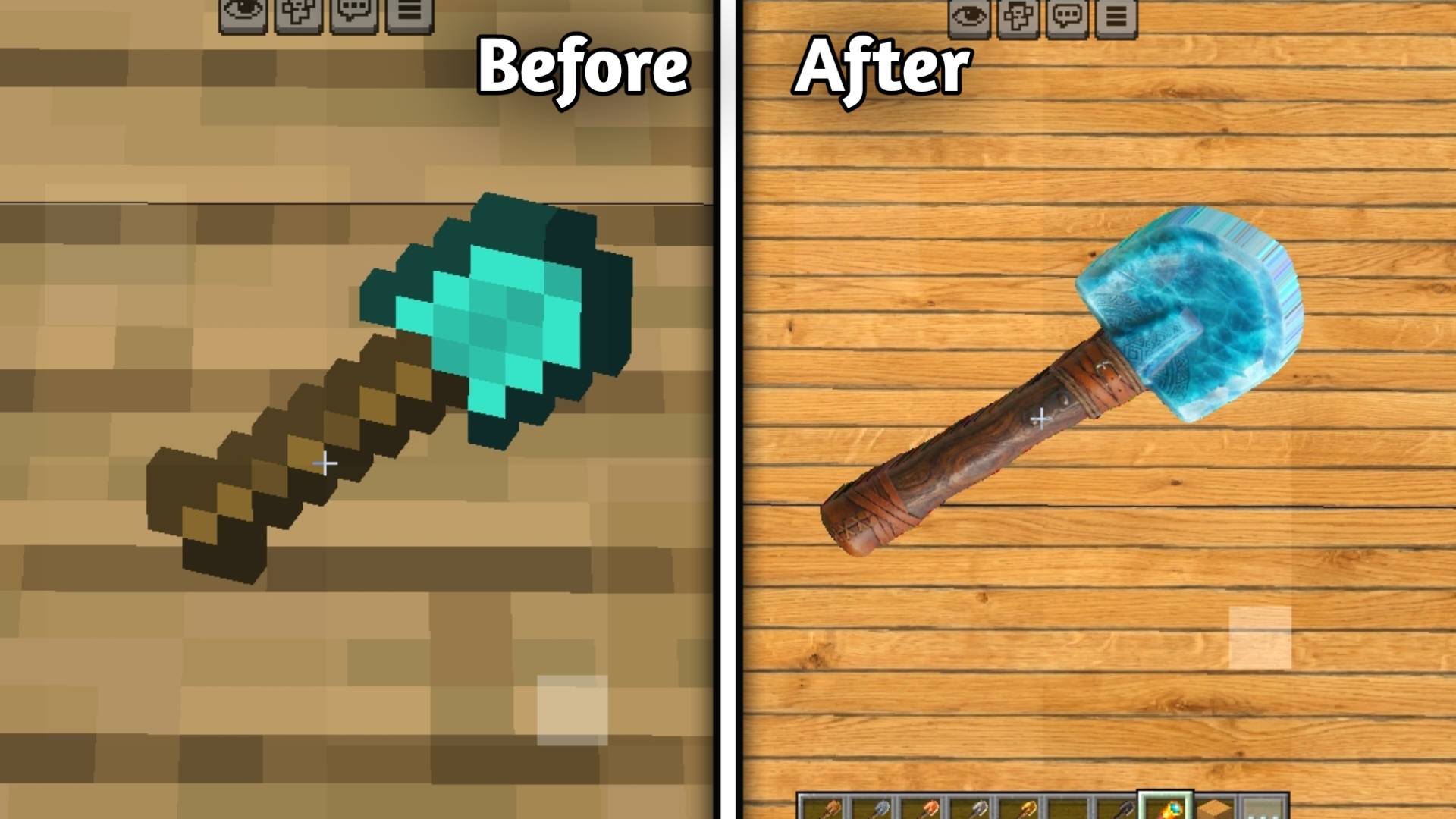
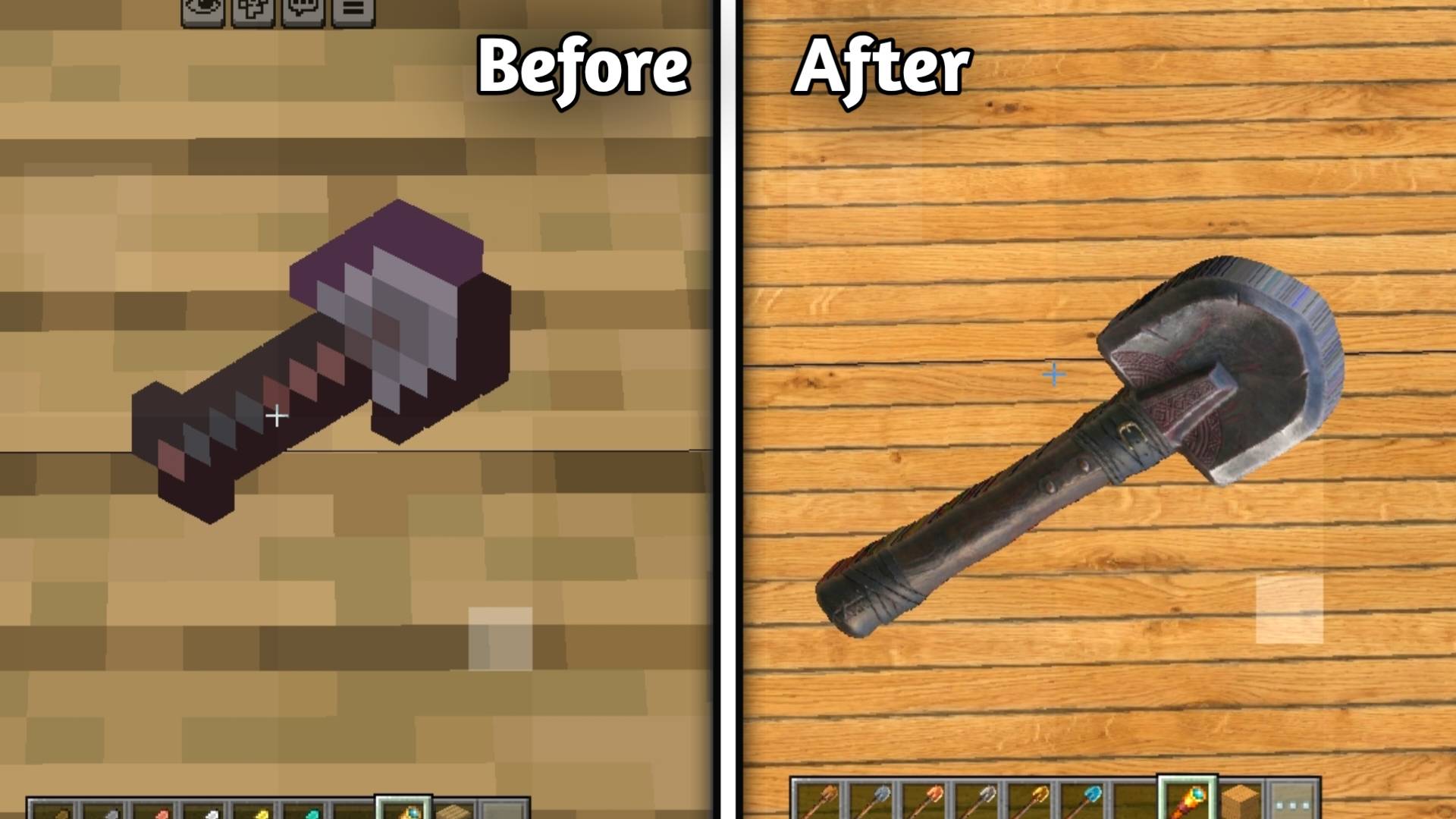
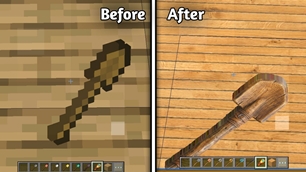
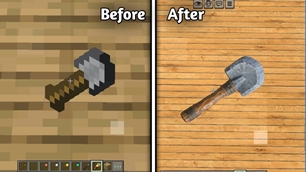
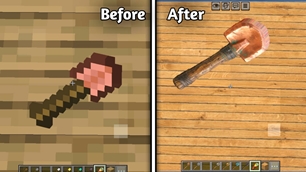
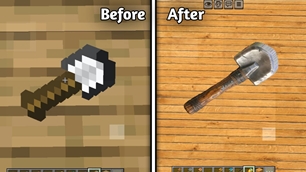
🥄 Shovels

• Wooden Shovel

alt text

• Stone Shovel

alt text

• Copper Shovel

alt text

• Iron Shovel

alt text

• Golden Shovel

alt text

• Diamond Shovel

alt text

• Netherite Shovel

alt text

───

🌱 Hoes

• Wooden Hoe

alt text

• Stone Hoe

alt text

• Copper Hoe

alt text

• Iron Hoe

alt text

• Golden Hoe

alt text

• Diamond Hoe

alt text

• Netherite Hoe

alt text

───

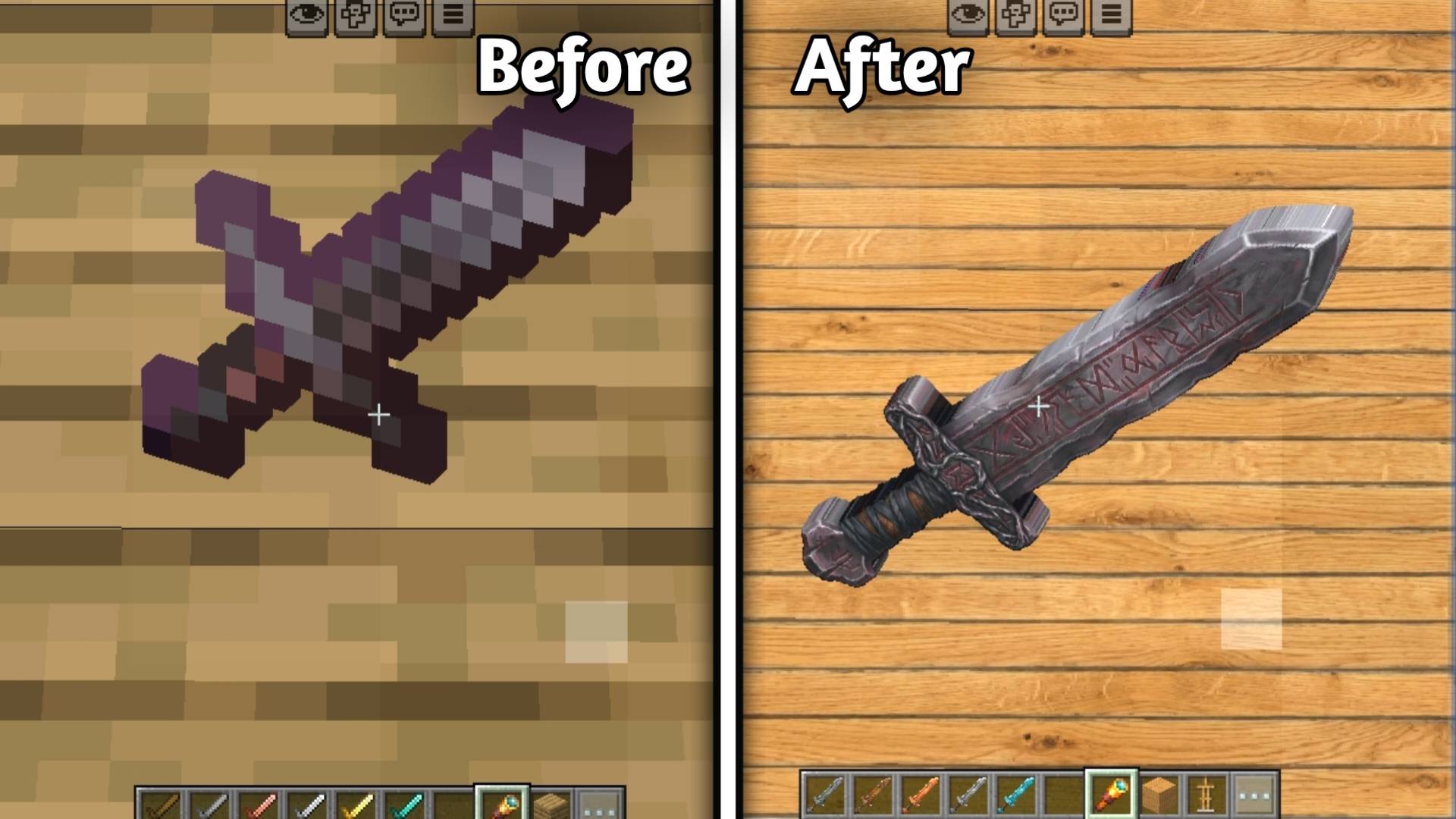
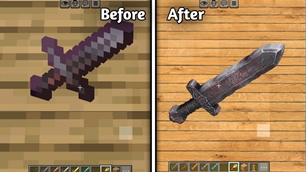
⚔️ Swords

• Wooden Sword

alt text

• Stone Sword

alt text

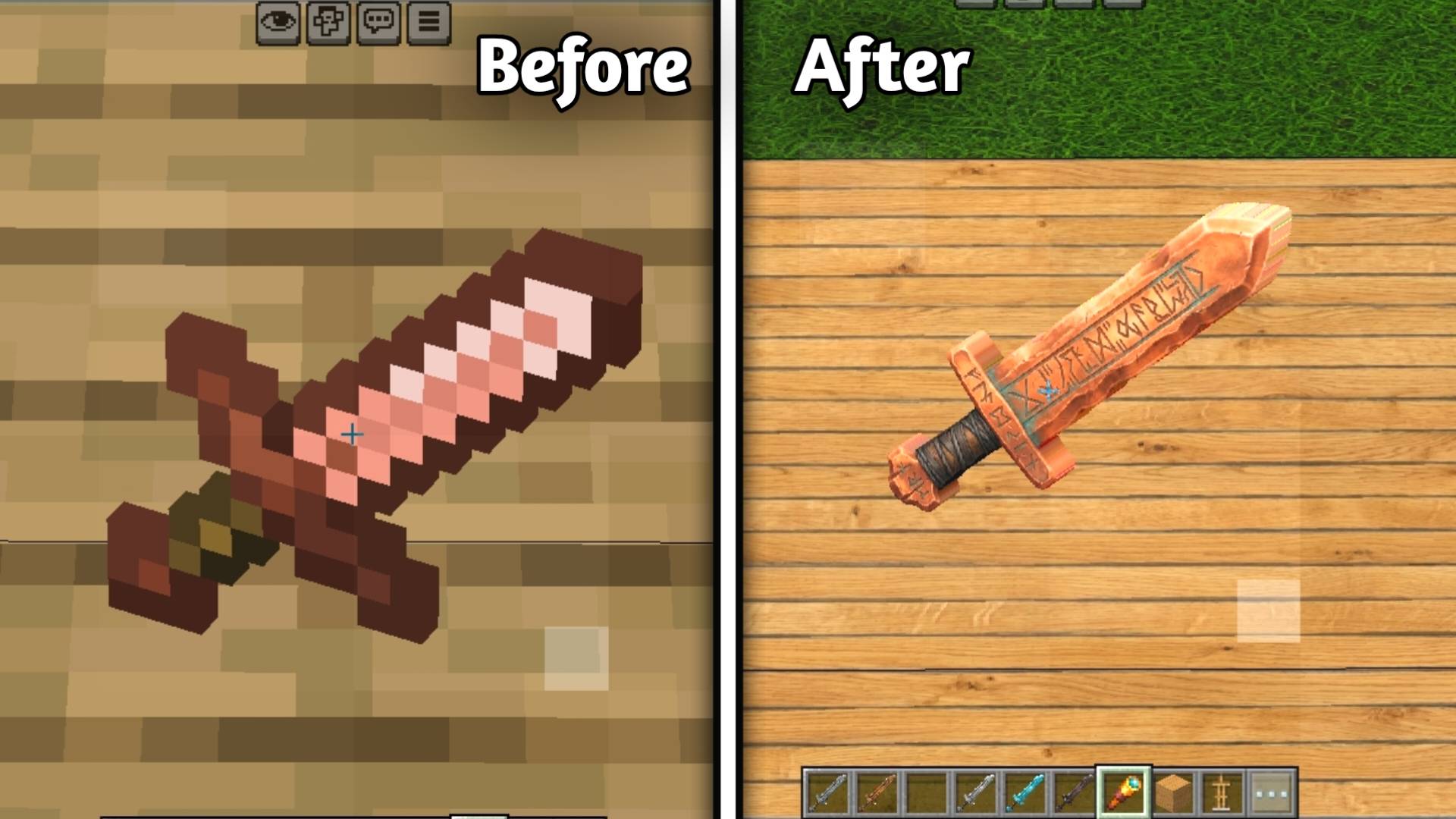
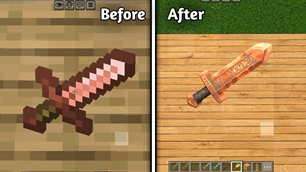
• Copper Sword

alt text

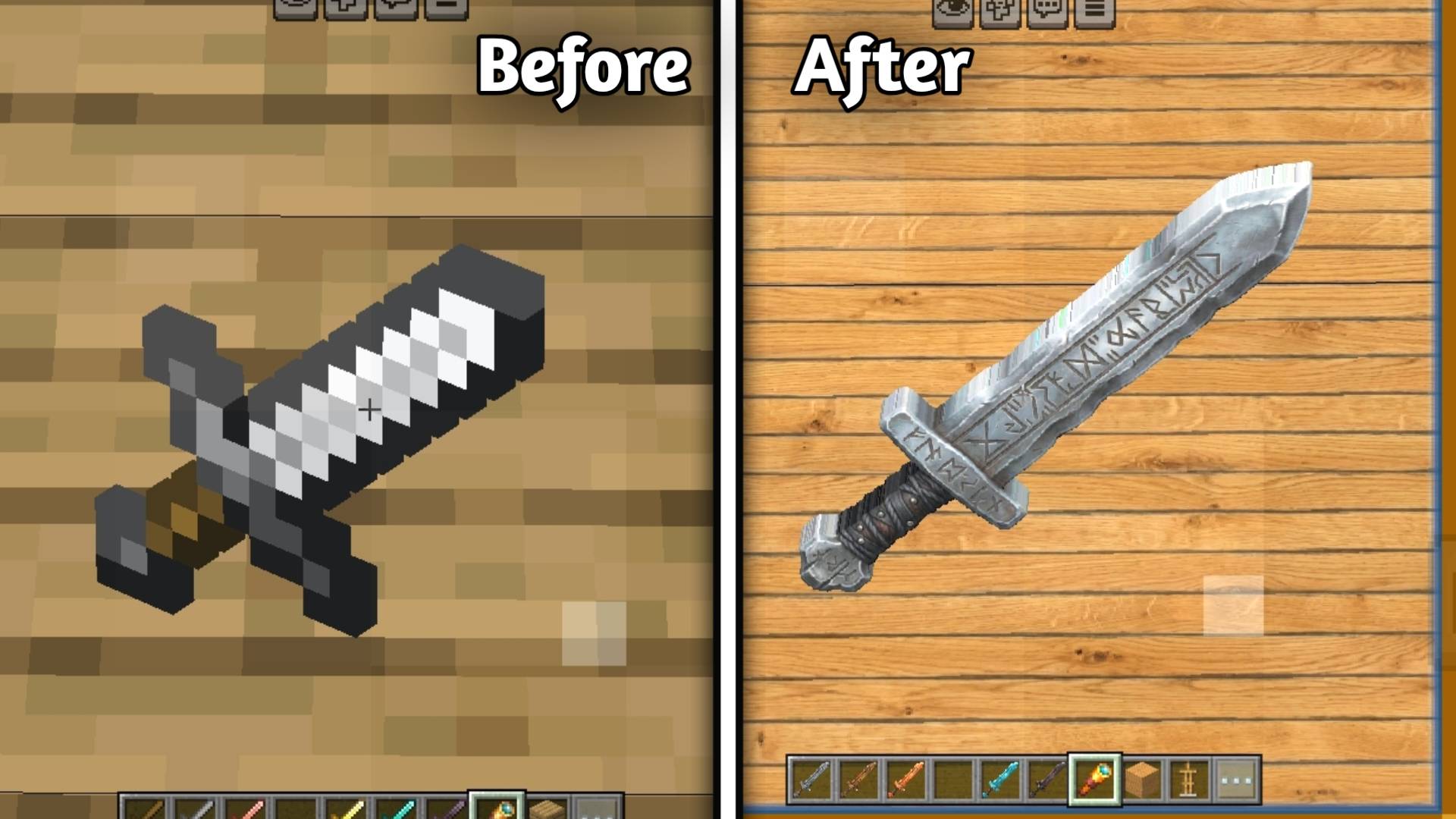
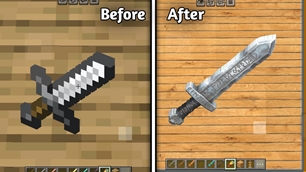
• Iron Sword

alt text

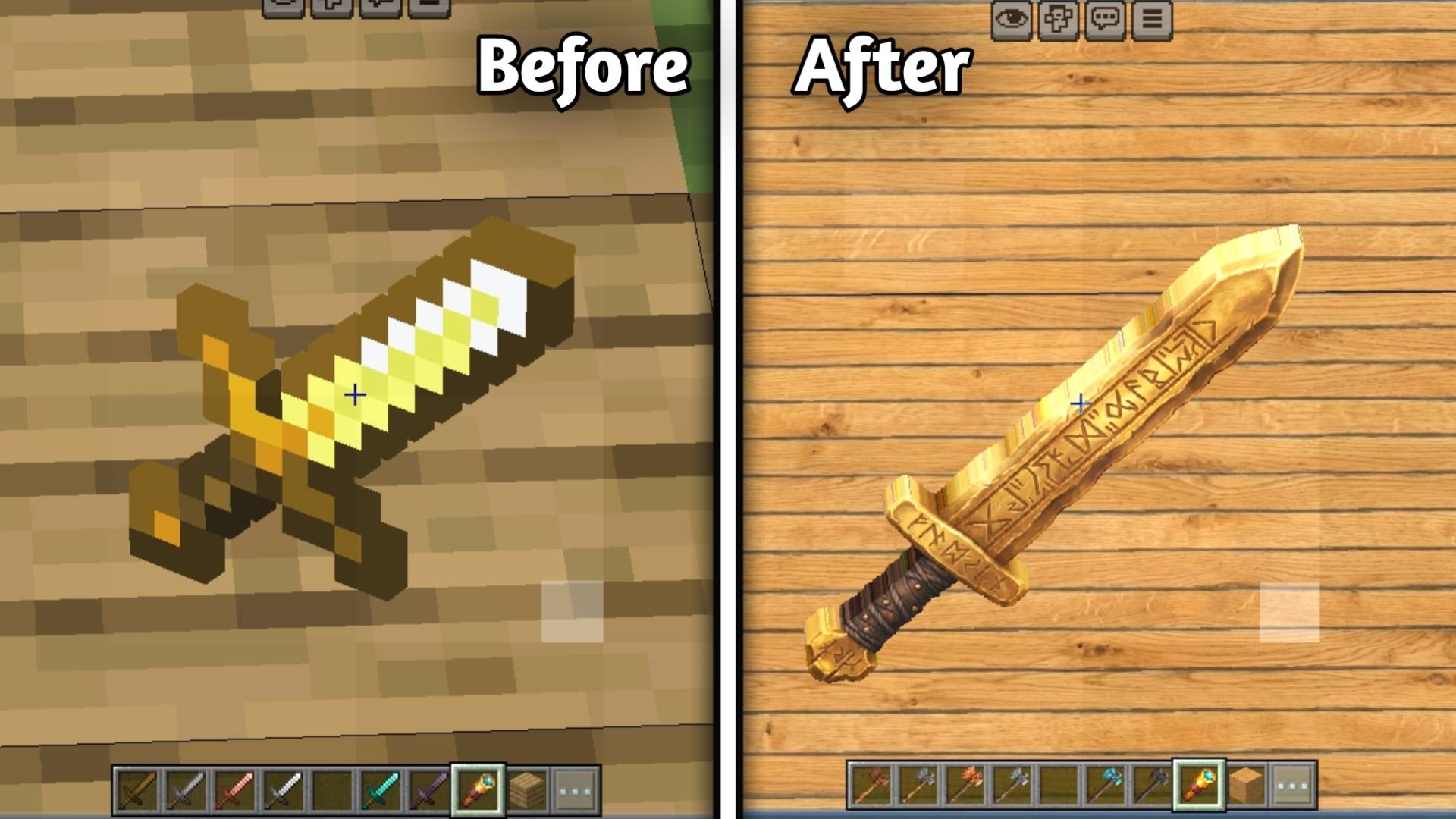
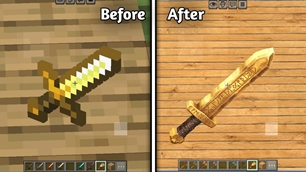
• Golden Sword

alt text

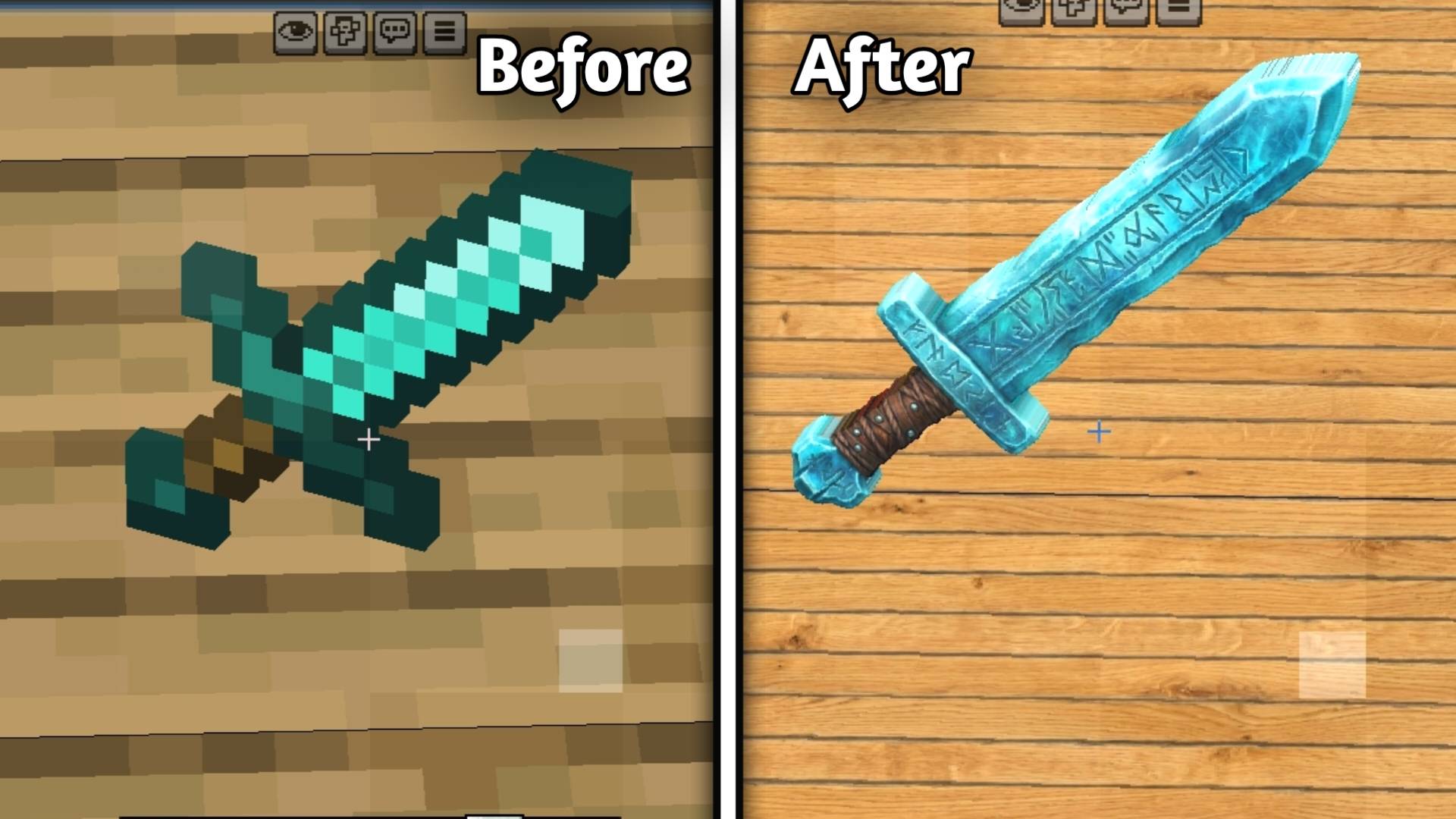
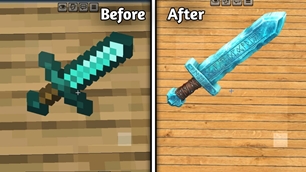
• Diamond Sword

alt text

• Netherite Sword

alt text

───

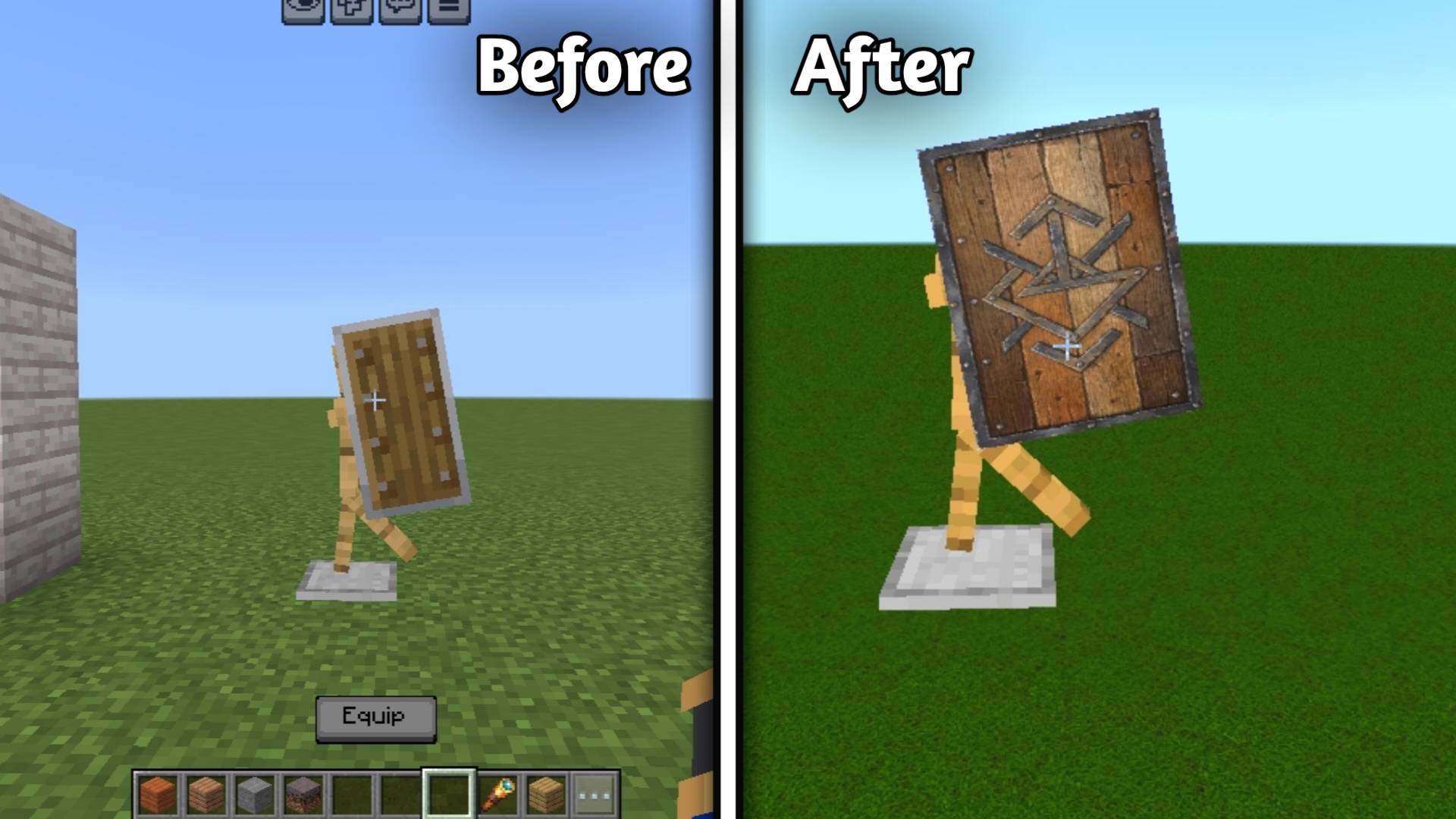
🛡️ Shield

• Ancient Shield Front

alt text

───

Coming Soon

🧥 Armor 🟤 Leather Armor • Leather Helmet • Leather Chestplate • Leather Leggings • Leather Boots ⛓️ Chainmail Armor • Chainmail Helmet • Chainmail Chestplate • Chainmail Leggings • Chainmail Boots ⚙️ Iron Armor • Iron Helmet • Iron Chestplate • Iron Leggings • Iron Boots 🟡 Golden Armor • Golden Helmet • Golden Chestplate • Golden Leggings • Golden Boots 💎 Diamond Armor • Diamond Helmet • Diamond Chestplate • Diamond Leggings • Diamond Boots ⚫ Netherite Armor • Netherite Helmet • Netherite Chestplate • Netherite Leggings • Netherite Boots

───

✨ Texture Style

Ancient+ focuses on:

• 🏛️ Ancient and weathered designs

• 🪨 Realistic stone surfaces

• 🌍 Detailed natural terrain

• 🏜️ Ancient desert-inspired architecture

• ⚒️ Handcrafted-looking tools

• 🛡️ Detailed equipment

• 🧥 Realistic material-based armor

• 🎮 Minecraft-friendly visual identity


****📦 How to Use

Installing Ancient+ is simple:

🖥️ Minecraft Bedrock Edition

  1. Download the Ancient+ Resource Pack.
  2. Open the downloaded .mcpack file with Minecraft.
  3. Minecraft will automatically import the resource pack.
  4. Go to Settings → Global Resources.
  5. Find Ancient+ under My Packs.
  6. Click Activate.
  7. Create or open any Minecraft world.
  8. Enjoy the new Ancient+ textures! 🏛️✨

🌍 Using It in a Specific World

  1. Select your world and click the Edit button.
  2. Open Resource Packs.
  3. Go to My Packs.
  4. Select Ancient+.
  5. Click Activate.
  6. Enter your world.

⚙️ Recommended Settings

For the best experience:

• Use the highest available texture resolution supported by your device.

• Enable Subpacks according to your device performance.

• Use 512x for high-end devices.

• Use 256x for better performance on mid-range devices.


Creator’s

Author : Kareo Gamerz


📜 License

All Rights Reserved This addon was created by Kareo Gamerz.

You are not allowed to redistribute, modify, or reupload this addon on any other platform without the creator’s permission. You may, however, make videos or showcase this addon on YouTube or social media — please provide credit and a link to the original CurseForge or MCPEDL page.

© 2025-2026Kareo Gamerz – All Rights Reserved.

The Ultimate Guide to Ancient +

If you are exploring the vast world of Minecraft modifications, Ancient + by Kareo_Gamerz is a standout shader that deserves your attention. With over 1,344 downloads, it has become a staple for players looking to enhance their experience. As the creator describes it, this project is "Ancient+ is a high-resolution Minecraft Bedrock Resource Pack that transforms vanilla textures with a realistic, ancient, and handcrafted visual style. ". Whether you are a veteran builder constructing massive cities, or simply a casual player looking to upgrade your survival world, this guide will provide you with all the essential details on how Ancient + alters the game.

What Makes It Special?

Unlike standard shaders that simply alter superficial elements, Ancient + introduces a wide array of visual and mechanical features designed to seamlessly blend into the vanilla aesthetic. Kareo_Gamerz has clearly spent significant time refining the project to ensure that every aspect feels polished and responsive for version 1.21.132.

Installation Guide

Getting Ancient + up and running is straightforward. Follow these step-by-step instructions:

  1. Verify Your Version: Ensure your Minecraft launcher is set to version 1.21.132.
  2. Install Mod Loader (if required): If this is a mod, download the compatible loader (Forge, Fabric, NeoForge).
  3. Download the File: Click the secure download button above to retrieve the official file from CurseForge.
  4. Move the File: Place the downloaded file into your `mods`, `shaderpacks`, or `resourcepacks` folder depending on the shader type.
  5. Launch and Enjoy: Open Minecraft, navigate to the respective settings menu, and activate Ancient +.

Compatibility & Performance

Compatibility is robust. Ancient + is designed specifically for version 1.21.132, taking full advantage of the latest engine optimizations. During typical gameplay, this addition maintains a stable frame rate, though lower-end laptops might experience slight stuttering. We recommend pairing this with performance boosters like Sodium or Iris to guarantee a silky-smooth experience.

Details

Downloads:1,344
Created:2 months ago
Updated:2 months ago
Project ID:1668771
License:All Rights Reserved
Environment:Client

Game Versions

1.21.1321.21.1311.21.1301.21.1241.21.111

🤝 Join Community for Support

Need help installing this resource or want to see more showcases? Join our community!

Subscribe on YouTubeFollow on Instagram

Ancient +

Screenshot 0
Screenshot 1
Screenshot 2
Screenshot 3
Screenshot 4
Screenshot 5
Screenshot 6
Screenshot 7
Screenshot 8
Screenshot 9
Screenshot 10
Screenshot 11
Screenshot 12
Screenshot 13
Screenshot 14
Screenshot 15
Screenshot 16
Screenshot 17
Screenshot 18
Screenshot 19
Screenshot 20
Screenshot 21
Screenshot 22
Screenshot 23
Screenshot 24
Screenshot 25
Screenshot 26
Screenshot 27
Screenshot 28
Screenshot 29
Screenshot 30
Screenshot 31
Screenshot 32
Screenshot 33
Screenshot 34
Screenshot 35
Screenshot 36
Screenshot 37
Screenshot 38
Screenshot 39
Screenshot 40
Screenshot 41
Screenshot 42
Screenshot 43
Screenshot 44
Screenshot 45
Screenshot 46
Screenshot 47
Screenshot 48
Screenshot 49
Screenshot 50
Screenshot 51
Screenshot 52
Screenshot 53
Screenshot 54
Screenshot 55
Screenshot 56
Screenshot 57
Screenshot 58
Screenshot 59
Screenshot 60
Screenshot 61
Screenshot 62
Screenshot 63
Screenshot 64
Screenshot 65
Screenshot 66
Screenshot 67
Screenshot 68
Screenshot 69
Screenshot 70
Screenshot 71
Screenshot 72
Screenshot 73
Screenshot 74
Screenshot 75
Screenshot 76
Screenshot 77
Screenshot 78
Screenshot 79
Screenshot 80
Screenshot 81
Screenshot 82
Screenshot 83
Screenshot 84
Screenshot 85
Screenshot 86
Screenshot 87
Screenshot 88
Screenshot 89
Screenshot 90
Screenshot 91
Screenshot 92
Screenshot 93
Screenshot 94
K
Kareo_Gamerz
SHADERS CREATOR
Downloads1K
Version1.21.132
TypeSHADERS
File Size69.14 MB

About This shaders

Ancient+ is a high-resolution Minecraft Bedrock Resource Pack that transforms vanilla textures with a realistic, ancient, and handcrafted visual style.

🏛️ Ancient+

Transform your Minecraft world with Ancient+, a high-quality PBR resource pack designed to give vanilla Minecraft a more realistic, ancient, and detailed appearance while keeping the original Minecraft identity recognizable. 🏛️✨ This pack is currently being developed with carefully recreated textures, realistic materials, natural surface details, and an ancient weathered style.

───

🌍 Terrain & Natural Blocks

• Grass Block
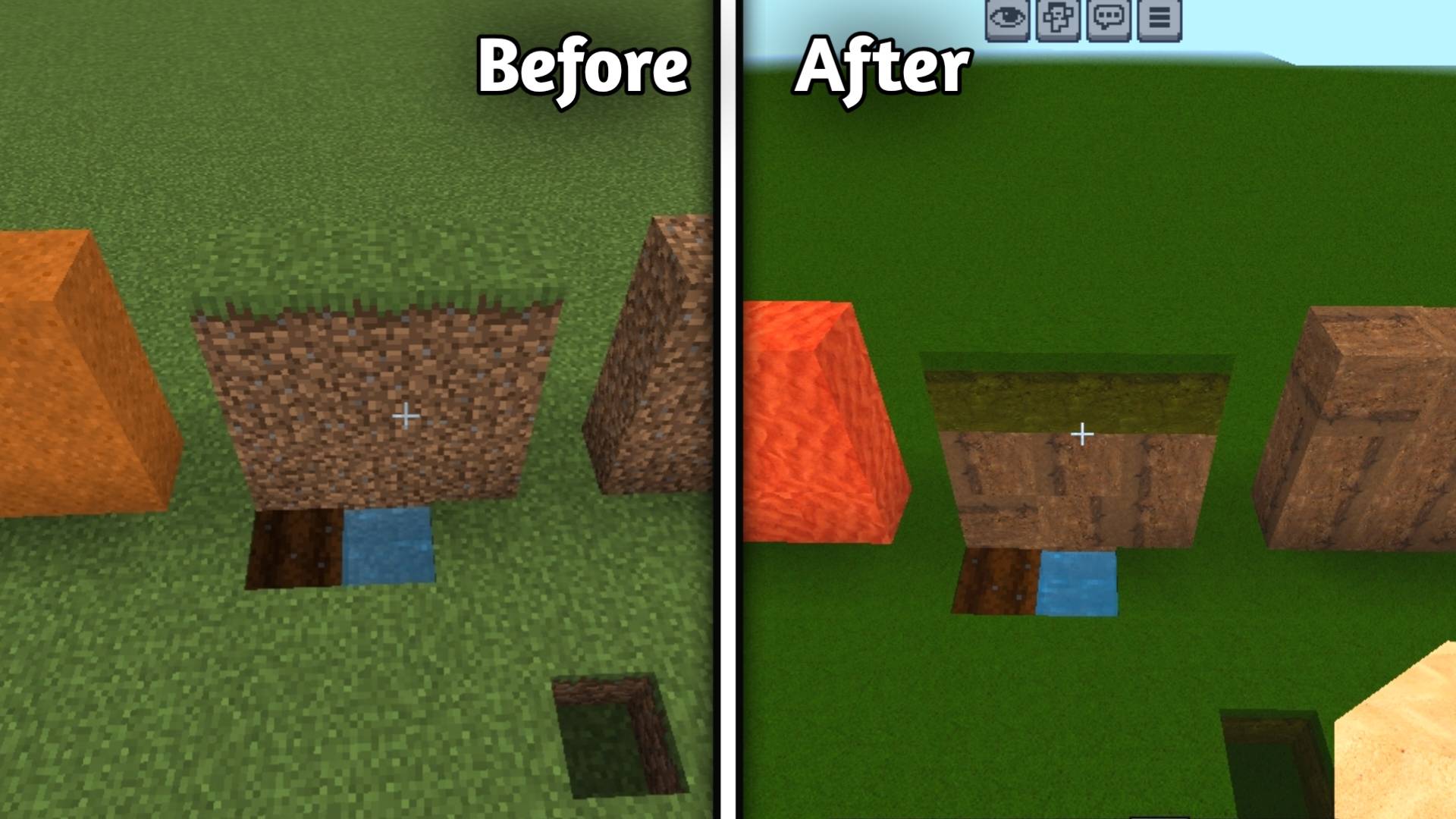
1

alt text

• Dirt

1

• Coarse Dirt

1

• Rooted Dirt

alt text

• Podzol

alt text

• Mycelium

alt text

• Stone

alt text

• Granite

alt text

• Diorite

alt text

• Andesite

alt text

• Cobblestone

alt text

• Tuff

alt text

• Deepslate

alt text

• Sand

alt text

• Red Sand

alt text

• Clay

alt text

• Mosse Block

alt text

• Other natural terrain textures

───

🏜️ Desert & Sandstone Blocks

• Sandstone
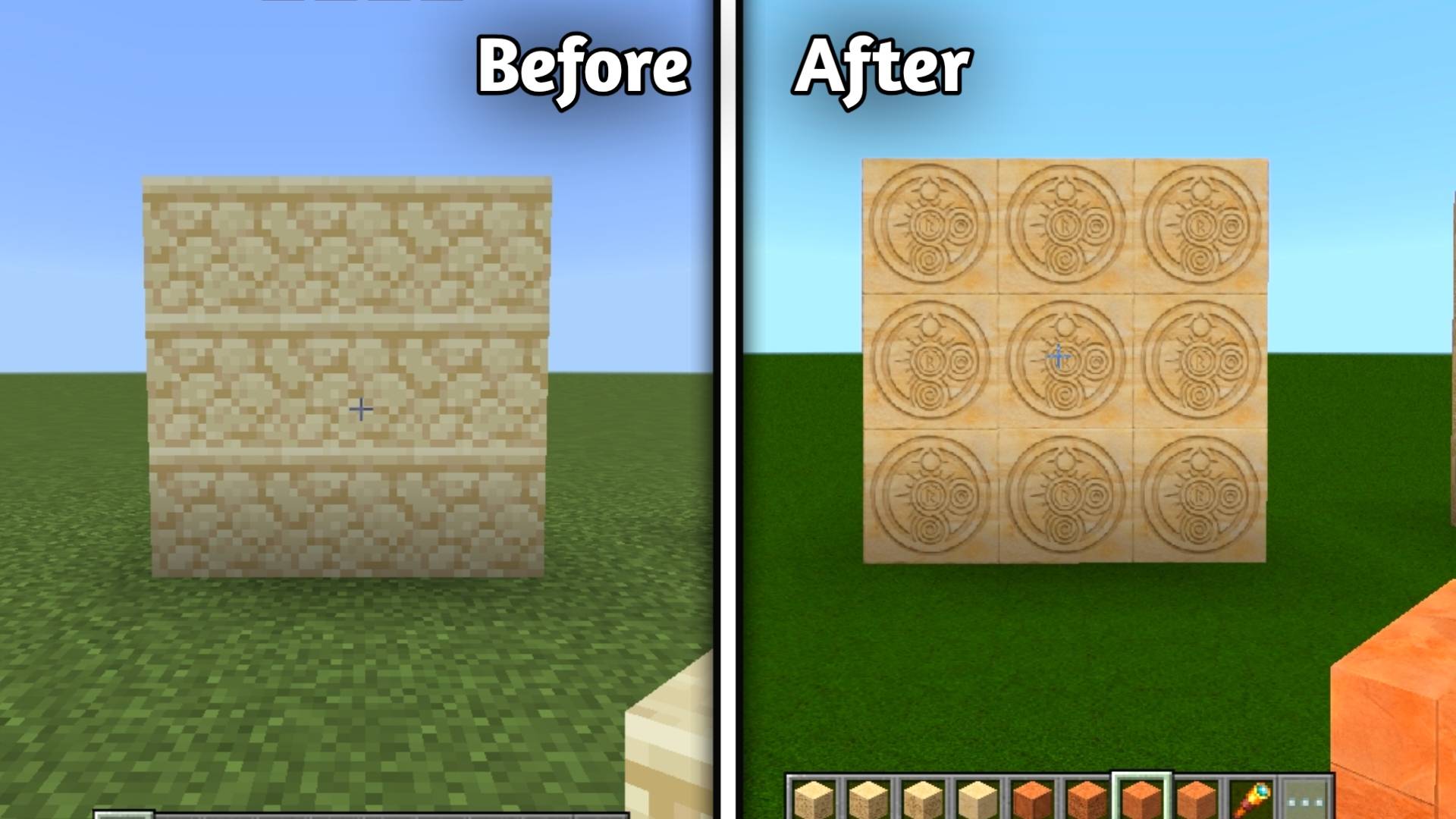
alt text

• Smooth Sandstone

alt text

• Cut Sandstone

alt text

• Chiseled Sandstone

alt text

• Red Sandstone

alt text

• Smooth Red Sandstone

alt text

• Cut Red Sandstone

alt text

• Chiseled Red Sandstone

alt text

• Ancient desert-style details

───

Building blocks

• Stone Brick
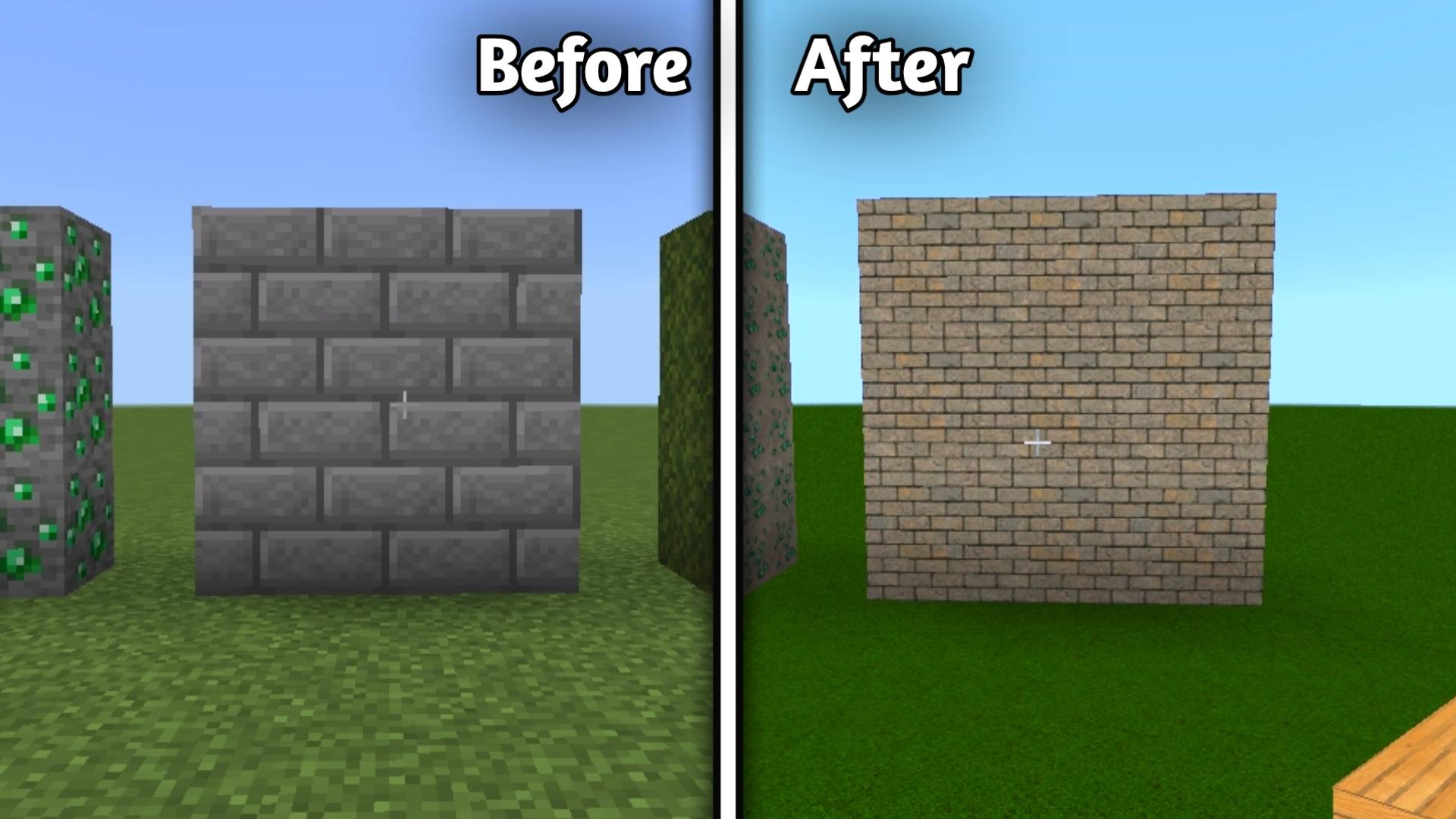
alt text

• Cracked stonebrick

alt text

• Mossy stonebrick

alt text

• Chiseled Stonebrick

alt text

• Smooth Stone

alt text


Ores

• Coal Ore

alt text

• Copper ore

alt text

• Redstone Ore

alt text

• Iron ore

alt text

• Lapis Lazuli ore

alt text

• Emerald Ore

alt text

• Gold Ore

alt text

• Diamond Ore

alt text


🌲 Woods

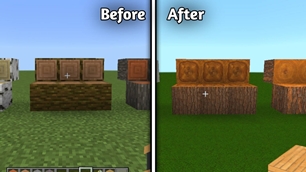
• Oak Log

alt text

• Spruce Log

alt text

• Birch Log

alt text

• Jungle Log

alt text

• Acacia Log

alt text

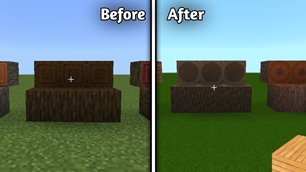
• Dark Oak Log

alt text

• Mangrove Log

alt text

• Cherry Log

alt text

• Pale Oak Log

alt text

Planks

• Oak Plank

alt text

• Spruce Plank

alt text

• Birch Plank

alt text

• Jungle Plank

alt text

• Acacia Plank

alt text

• Dark Oak Plank

alt text

• Mangrove Plank

alt text

• Cherry Plank

alt text

• Pale Oak Plank

alt text


⛏️ Pickaxes

• Wooden Pickaxe

alt text

• Stone Pickaxe

alt text

• Copper Pickaxe

alt text

• Iron Pickaxe

alt text

• Golden Pickaxe

alt text

• Diamond Pickaxe

alt text

• Netherite Pickaxe

alt text

───

🪓 Axes

• Wooden Axe

alt text

• Stone Axe

alt text

• Copper Axe

alt text

• Iron Axe

alt text

• Golden Axe

alt text

• Diamond Axe

alt text

• Netherite Axe

alt text

───

🥄 Shovels

• Wooden Shovel

alt text

• Stone Shovel

alt text

• Copper Shovel

alt text

• Iron Shovel

alt text

• Golden Shovel

alt text

• Diamond Shovel

alt text

• Netherite Shovel

alt text

───

🌱 Hoes

• Wooden Hoe

alt text

• Stone Hoe

alt text

• Copper Hoe

alt text

• Iron Hoe

alt text

• Golden Hoe

alt text

• Diamond Hoe

alt text

• Netherite Hoe

alt text

───

⚔️ Swords

• Wooden Sword

alt text

• Stone Sword

alt text

• Copper Sword

alt text

• Iron Sword

alt text

• Golden Sword

alt text

• Diamond Sword

alt text

• Netherite Sword

alt text

───

🛡️ Shield

• Ancient Shield Front

alt text

───

Coming Soon

🧥 Armor 🟤 Leather Armor • Leather Helmet • Leather Chestplate • Leather Leggings • Leather Boots ⛓️ Chainmail Armor • Chainmail Helmet • Chainmail Chestplate • Chainmail Leggings • Chainmail Boots ⚙️ Iron Armor • Iron Helmet • Iron Chestplate • Iron Leggings • Iron Boots 🟡 Golden Armor • Golden Helmet • Golden Chestplate • Golden Leggings • Golden Boots 💎 Diamond Armor • Diamond Helmet • Diamond Chestplate • Diamond Leggings • Diamond Boots ⚫ Netherite Armor • Netherite Helmet • Netherite Chestplate • Netherite Leggings • Netherite Boots

───

✨ Texture Style

Ancient+ focuses on:

• 🏛️ Ancient and weathered designs

• 🪨 Realistic stone surfaces

• 🌍 Detailed natural terrain

• 🏜️ Ancient desert-inspired architecture

• ⚒️ Handcrafted-looking tools

• 🛡️ Detailed equipment

• 🧥 Realistic material-based armor

• 🎮 Minecraft-friendly visual identity


****📦 How to Use

Installing Ancient+ is simple:

🖥️ Minecraft Bedrock Edition

  1. Download the Ancient+ Resource Pack.
  2. Open the downloaded .mcpack file with Minecraft.
  3. Minecraft will automatically import the resource pack.
  4. Go to Settings → Global Resources.
  5. Find Ancient+ under My Packs.
  6. Click Activate.
  7. Create or open any Minecraft world.
  8. Enjoy the new Ancient+ textures! 🏛️✨

🌍 Using It in a Specific World

  1. Select your world and click the Edit button.
  2. Open Resource Packs.
  3. Go to My Packs.
  4. Select Ancient+.
  5. Click Activate.
  6. Enter your world.

⚙️ Recommended Settings

For the best experience:

• Use the highest available texture resolution supported by your device.

• Enable Subpacks according to your device performance.
• Use 512x for high-end devices.

• Use 256x for better performance on mid-range devices.


Creator’s

Author : Kareo Gamerz


📜 License

All Rights Reserved This addon was created by Kareo Gamerz.

You are not allowed to redistribute, modify, or reupload this addon on any other platform without the creator’s permission. You may, however, make videos or showcase this addon on YouTube or social media — please provide credit and a link to the original CurseForge or MCPEDL page.
© 2025-2026Kareo Gamerz – All Rights Reserved.
📌Supported Minecraft Versions: 1.21.132, 1.21.131, 1.21.130, 1.21.124, 1.21.111

How to Install

1. Download Iris Shader Mod or OptiFine for Minecraft 1.21+. 2. Open Minecraft and go to Options > Video Settings > Shader Packs. 3. Tap 'Open Shader Folder' and place the downloaded .zip file inside.