Why RenderRush+│FPS Booster For Bedrock Edition is a top-tier texture pack mod for Minecraft 1.21.132
Developed by the talented creator Mingo14, RenderRush+│FPS Booster For Bedrock Edition stands out as a highly recommended selection for your Minecraft client. It is fully optimized, compatibility-tested, and brings a major upgrade to the gameplay experience in Minecraft version 1.21.132.
⚙️ Quick Resource Specs
| Mod Creator | Mingo14 |
| Latest Version | 1.21.132 |
| Supported Game Versions | 1.21.132, 1.21.131, 1.21.130, 1.21.124, 1.21.123 |
| File Size | 1.38 MB |
| Last Updated | |
| Total Downloads | 1,355 downloads |
ARCHIVED
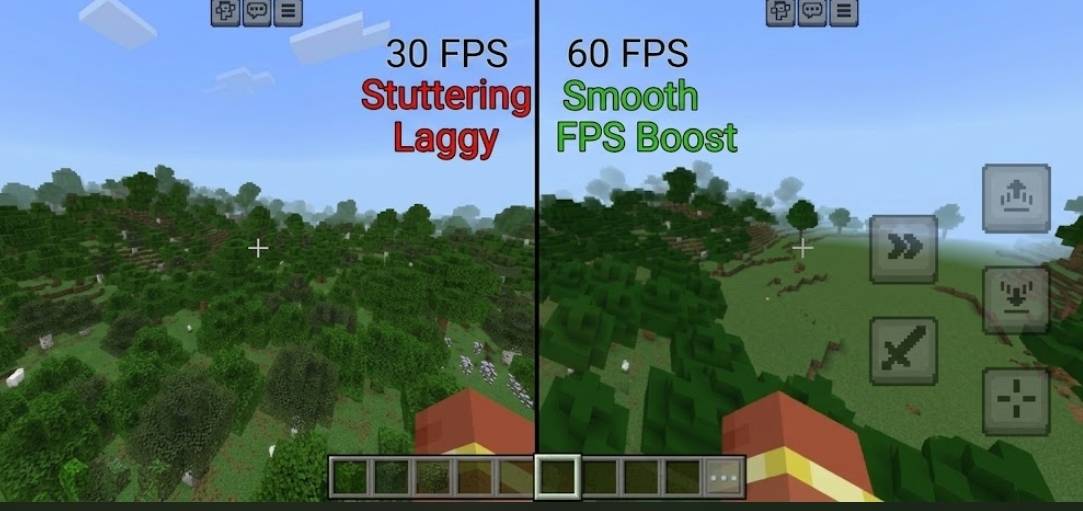
⚡ RenderRush+ V3.1.0 — FPS Booster for Minecraft Bedrock edition.
⚡ RenderRush+ Quick Summary
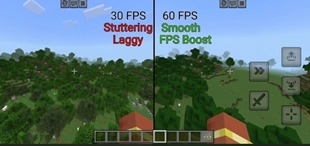
· 🚀 Boosts FPS helps Minecraft Bedrock run smoother on low-end and mid-range devices
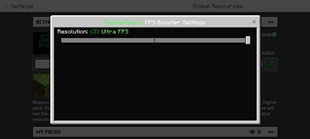
· 🎚️ 3 performance tiers Balanced, FPS Boost, and Ultra FPS for different devices
· 🧱 Keeps the vanilla look cleaner textures without changing the game’s style
· 📱 Great for mobile & low-end PCs made for players who need better performance
· ✅ Simple & compatible easy to install and built for Bedrock 1.21.40+.
Want a smoother Minecraft Bedrock experience without completely sacrificing the vanilla feel? Meet RenderRush+, a client-side performance resource pack designed to reduce selected particle effects, simplify demanding visuals, and optimize certain animations and rendering options.
Whether you're playing on a budget Android phone, an older tablet, or simply want a cleaner Minecraft experience, RenderRush+ gives you three optimization tiers so you can choose the right balance between visuals and performance.
No unnecessary complexity. No custom audio silencing. Just performance-focused visual optimizations! 💚
━━━━━━━━━━━━━━━━━━━━
🎮 THREE OPTIMIZATION TIERS
🌿 1. Balanced FPS — Keep the Vanilla Feel
Best for players who prefer Minecraft's original visuals.
Want fewer heavy particles without making the game look completely different? Balanced FPS is designed to preserve the familiar vanilla experience while reducing selected particle effects.
✨ Features:
- 💨 Disables 42 targeted particle definitions.
- 🎆 Caps 3 additional particle effects.
- 🌳 Keeps vanilla foliage textures and leaf shapes.
- ☁️ Retains clouds, terrain shadows, directional shadows, and entity shadows.
- 🌊 Keeps fancy water enabled.
- 🎨 Avoids the more aggressive biome, fog, and texture changes used by the higher tiers.
Ideal for: Players who want a subtle optimization with minimal visual changes.
⚡ 2. FPS Boost — The Everyday Choice
Recommended for everyday gameplay!
Looking for a balance between performance and visual clarity? FPS Boost takes optimization further by reducing selected particle effects, simplifying animations, and disabling several costly rendering options.
🔥 Features:
- 💨 Optimizes selected particle effects while retaining important gameplay cues at reduced rates where supported.
- 🌊 Includes water and environmental color adjustments.
- 🌫️ Adds custom biome fog profiles.
- 🔥 Reduces selected animated textures with 29 additional animation changes.
- ☁️ Disables clouds, terrain shadows, directional shadows, reflections, and fancy water.
- 👥 Retains entity shadows.
- 🔊 Preserves normal Minecraft audio, including Warden warnings, rain, and portal sounds.
Ideal for: Survival, PvP, general exploration, and everyday play when you want a stronger optimization without removing every visual cue.
🔥 3. Ultra FPS — Maximum Visual Reduction
For players who want the most aggressive optimization tier.
Ultra FPS pushes the visual reductions further. It removes many more targeted particle effects, simplifies selected plant textures, and disables additional rendering features to minimize visual overhead where possible.
⚙️ Features:
- 💨 Disables 192 targeted particle emitters.
- 🔥 Applies the same additional animation reductions as FPS Boost.
- 🍃 Uses opaque foliage textures for selected leaves and plants.
- ☁️ Disables clouds and fancy water.
- 🌑 Disables terrain, directional, and entity shadows.
- ✨ Disables selected reflections, atmospheric effects, and other rendering features.
⚠️ Important: Ultra FPS removes more visual feedback, including particle effects that can help communicate certain gameplay events. Some scenes may benefit more than others.
Ideal for: Lower-end devices and particle-heavy situations where minimizing visual effects matters more than preserving every detail.
━━━━━━━━━━━━━━━━━━━━
🛠️ WHAT MAKES RENDERRUSH+ DIFFERENT?
💨 Particle Optimization
Targets selected heavy particle effects to reduce unnecessary visual activity.
🔥 Animation Optimization
Reduces selected animated textures to simplify parts of the visual workload.
🌫️ Environment Adjustments
FPS Boost and Ultra FPS include custom biome fog profiles and environmental color changes.
🌳 Foliage Simplification
Ultra FPS uses selected opaque plant and leaf textures for a more performance-focused appearance.
⚙️ Rendering Optimizations
Each tier uses different cloud, shadow, and water-rendering settings to suit its optimization level.
🔊 Normal Audio Preserved
RenderRush+ does not silence Minecraft's audio. Warden warnings, weather, portals, and other normal game sounds remain intact.
📦 Three Selectable Subpacks
Choose the optimization level that matches your device and visual preferences.
━━━━━━━━━━━━━━━━━━━━
📱 WHO IS RENDERRUSH+ FOR?
✅ Players using budget or older mobile devices
✅ Players experiencing heavy particle effects
✅ PvP and survival players who prefer a cleaner screen
✅ Players looking for a lightweight client-side resource pack
✅ Anyone who wants to choose between vanilla-like visuals and aggressive visual reduction
━━━━━━━━━━━━━━━━━━━━
⚠️ PERFORMANCE & COMPATIBILITY
📈 Your FPS results will vary. Improvements depend on your device, graphics settings, world, and the effects currently being rendered. Gains may be more noticeable during particle-heavy situations than during ordinary exploration.
RenderRush+ is a client-side resource pack. It does not directly optimize chunk meshing, entity AI, simulation distance, networking, redstone, farms, or server-side processing. It cannot guarantee a specific FPS increase.
🎮 Minecraft Bedrock Edition: The pack's declared minimum engine version is 1.21.120. Some newer particle and biome assets target content from later releases, so individual features may vary by game version. Full in-game compatibility across versions has not been verified.
💡 Our recommendation: Start with FPS Boost. Switch to Balanced FPS for a more vanilla-like experience, or Ultra FPS when you want the strongest visual reductions.
━━━━━━━━━━━━━━━━━━━━
💚 CREDITS
Inspired by the original RenderRush V1 by @AllayMC.
⚡ Remade, tweaked, and improved by @Mingo14.
━━━━━━━━━━━━━━━━━━━━
⚡ RenderRush+ Render Less. Play Smoother.
Three tiers. Your choice. Your gameplay. 🚀
The Ultimate Guide to RenderRush+│FPS Booster For Bedrock Edition
If you are exploring the vast world of Minecraft modifications, RenderRush+│FPS Booster For Bedrock Edition by Mingo14 is a standout texture that deserves your attention. With over 1,355 downloads, it has become a staple for players looking to enhance their experience. As the creator describes it, this project is "RenderRush+ is a Better Remake version of the pack RenderRushV1 by @AllayMC it features things like Particle Remover, Animation Optimizations, Renderer Optimizations, Particle Skipping, Texture Optimization, Overlay Optimizations, and much more things". Whether you are a veteran builder constructing massive cities, or simply a casual player looking to upgrade your survival world, this guide will provide you with all the essential details on how RenderRush+│FPS Booster For Bedrock Edition alters the game.
What Makes It Special?
Unlike standard textures that simply alter superficial elements, RenderRush+│FPS Booster For Bedrock Edition digs deep into the game's engine to provide a cohesive, performance-focused experience. Mingo14 has clearly spent significant time refining the project to ensure that every aspect feels polished and responsive for version 1.21.132.
Installation Guide
Getting RenderRush+│FPS Booster For Bedrock Edition up and running is straightforward. Follow these step-by-step instructions:
- Verify Your Version: Ensure your Minecraft launcher is set to version 1.21.132.
- Install Mod Loader (if required): If this is a mod, download the compatible loader (Forge, Fabric, NeoForge).
- Download the File: Click the secure download button above to retrieve the official file from CurseForge.
- Move the File: Place the downloaded file into your `mods`, `shaderpacks`, or `resourcepacks` folder depending on the texture type.
- Launch and Enjoy: Open Minecraft, navigate to the respective settings menu, and activate RenderRush+│FPS Booster For Bedrock Edition.
Compatibility & Performance
Compatibility is robust. RenderRush+│FPS Booster For Bedrock Edition is designed specifically for version 1.21.132, taking full advantage of the latest engine optimizations. Since this is heavily focused on optimization, you can expect significant frame rate improvements on both low-end and high-end hardware.