Why Shining Dark Mode UI is a top-tier texture pack mod for Minecraft 1.21.80
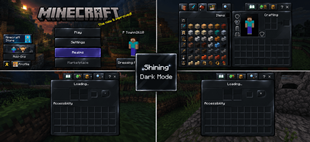
Developed by the talented creator Baku_Studio, Shining Dark Mode UI stands out as a highly recommended selection for your Minecraft client. It is fully optimized, compatibility-tested, and brings a major upgrade to the gameplay experience in Minecraft version 1.21.80.
⚙️ Quick Resource Specs
| Mod Creator | Baku_Studio |
| Latest Version | 1.21.80 |
| Supported Game Versions | 1.21.80 |
| File Size | 495.43 KB |
| Last Updated | |
| Total Downloads | 3,448 downloads |
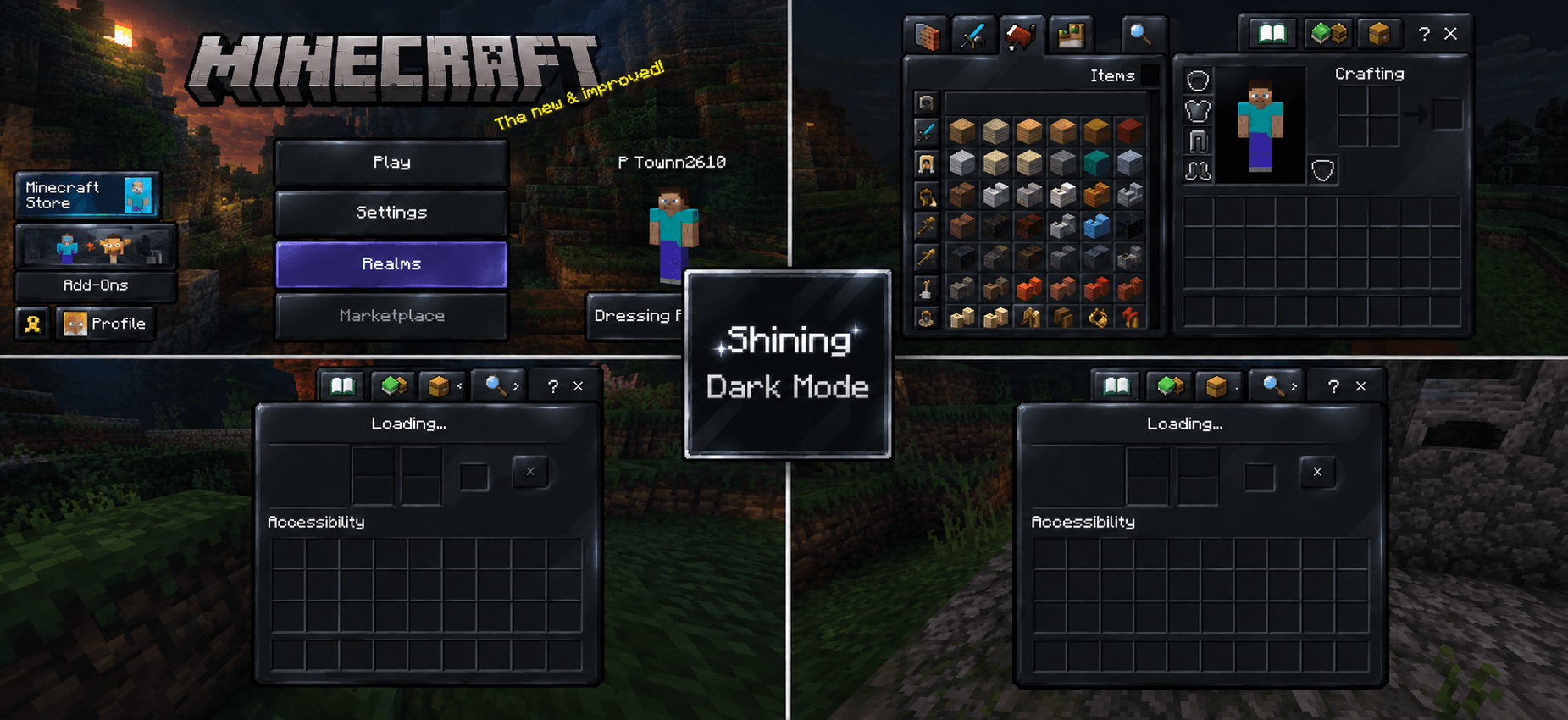
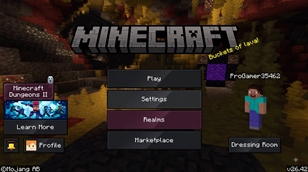
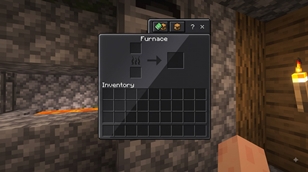
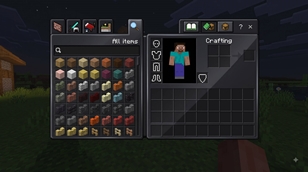
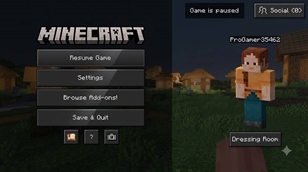
Shining Dark Mode UI is a Minecraft Bedrock UI resource pack designed to give the game interface a darker, cleaner, and more polished appearance while preserving the original Minecraft visual identity. Instead of simply lowering brightness, the pack redesigns the visual tone of menus, panels, buttons, tabs, scroll elements, interface backgrounds, and touch-control graphics with a deep charcoal and near-black palette. The overall look uses subtle contrast, soft highlights, dark surfaces, and a restrained glossy/shining feel that makes the interface feel more modern without replacing Minecraft’s familiar pixel-art language.
The pack includes a main Shining Dark concept and an Extra Shining Dark subpack for a deeper dark presentation. Its UI texture set covers a wide range of interface elements, including normal buttons, pressed and hover states, dialogs, panels, tabs, arrows, inventory-related interface graphics, scroll components, controls, and other common Minecraft Bedrock UI assets. This helps keep the visual theme consistent across different screens instead of changing only the main menu background.
The design goal is readability and atmosphere: dark surfaces provide a strong foundation, while subtle edge highlights and tonal separation help important controls remain visible. The result is suitable for players who prefer dark interfaces, creators who want a cleaner-looking Minecraft presentation, and screenshots or videos where the UI should feel less bright and more cinematic.
This resource pack was created by Baku_Studio. The uploaded package currently contains a Bedrock resource-pack manifest with a minimum engine version of 1.19.0 and includes two subpack options: Shining Dark and Extra Shining Dark. Actual compatibility should be tested against the specific Minecraft Bedrock version being used.
Credits: Baku_Studio Pack type: Minecraft Bedrock UI Resource Pack Theme: Shining Dark / Extra Dark License: Use according to the creator’s stated permissions. Please do not redistribute or reupload modified versions without direct permission from Baku_Studio.
- Main Features
🌑 Deep Dark UI Near-black and charcoal interface textures for a darker Minecraft experience.
✨ Subtle Shining Effect Soft highlights and restrained glossy details instead of excessive glow.
🎮 Complete UI Styling Buttons, panels, dialogs, tabs, arrows, controls, scroll elements and many other interface textures follow the same theme.
🖤 Extra Shining Dark Subpack Provides a deeper, darker visual option.
⛏️ Minecraft Style Preserved Designed around Minecraft’s existing pixel-art interface rather than replacing it with a modern unrelated UI.
📱 Bedrock UI Focused Suitable for Minecraft Bedrock / Pocket Edition style interfaces and touch controls.
Shining Dark Mode UI Created by: Baku_Studio
Original Creator: Baku_Studio Pack Type: Minecraft Bedrock UI Resource Pack
The Ultimate Guide to Shining Dark Mode UI
If you are exploring the vast world of Minecraft modifications, Shining Dark Mode UI by Baku_Studio is a standout texture that deserves your attention. With over 3,448 downloads, it has become a staple for players looking to enhance their experience. As the creator describes it, this project is "A polished dark-mode UI for Minecraft Bedrock that transforms menus, buttons, panels, tabs, controls, and interface elements into a sleek charcoal-black style with subtle shining highlights.". Whether you are a veteran builder constructing massive cities, or simply a casual player looking to upgrade your survival world, this guide will provide you with all the essential details on how Shining Dark Mode UI alters the game.
What Makes It Special?
Unlike standard textures that simply alter superficial elements, Shining Dark Mode UI introduces a wide array of visual and mechanical features designed to seamlessly blend into the vanilla aesthetic. Baku_Studio has clearly spent significant time refining the project to ensure that every aspect feels polished and responsive for version 1.21.80.
Installation Guide
Getting Shining Dark Mode UI up and running is straightforward. Follow these step-by-step instructions:
- Verify Your Version: Ensure your Minecraft launcher is set to version 1.21.80.
- Install Mod Loader (if required): If this is a mod, download the compatible loader (Forge, Fabric, NeoForge).
- Download the File: Click the secure download button above to retrieve the official file from CurseForge.
- Move the File: Place the downloaded file into your `mods`, `shaderpacks`, or `resourcepacks` folder depending on the texture type.
- Launch and Enjoy: Open Minecraft, navigate to the respective settings menu, and activate Shining Dark Mode UI.
Compatibility & Performance
Compatibility is robust. Shining Dark Mode UI is designed specifically for version 1.21.80, taking full advantage of the latest engine optimizations. During typical gameplay, this addition maintains a stable frame rate, though lower-end laptops might experience slight stuttering. We recommend pairing this with performance boosters like Sodium or Iris to guarantee a silky-smooth experience.