Why GURJAR X Noir Shader is a top-tier shader mod for Minecraft 1.21.100
Developed by the talented creator GURJAR, GURJAR X Noir Shader stands out as a highly recommended selection for your Minecraft client. It is fully optimized, compatibility-tested, and brings a major upgrade to the gameplay experience in Minecraft version 1.21.100.
⚙️ Quick Resource Specs
| Mod Creator | GURJAR |
| Latest Version | 1.21.100 |
| Supported Game Versions | 1.21.100 |
| File Size | 132.92 KB |
| Last Updated | |
| Total Downloads | 380 downloads |
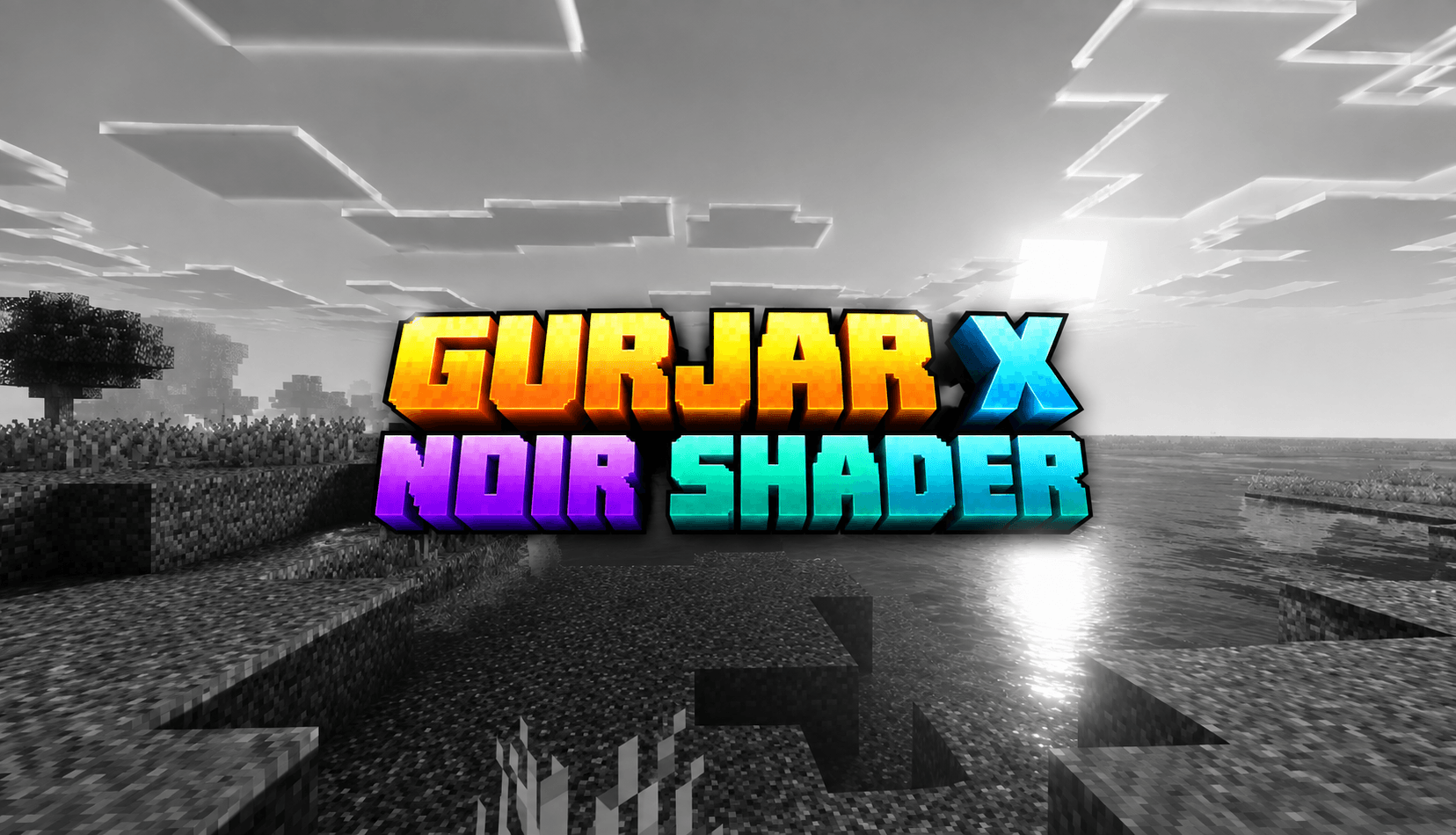
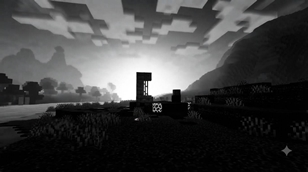
GURJAR X Noir Shader is a lightweight, single-style visual pack for Minecraft Bedrock Edition, built on Mojang's native Vibrant Visuals render pipeline. Where every other filter in this series leans into color — Vivid's saturation, Cartoon's punch, Retro's warmth — Noir strips it all away and goes in the opposite direction entirely: a bold, dramatic, almost entirely monochrome world built around light, shadow, and contrast rather than hue.
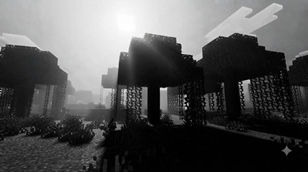
Color Grading — This is the heart of the Noir identity. Saturation is pushed down to nearly zero across shadows, midtones, and highlights alike, stripping color out of the entire scene and leaving behind a true black-and-white presentation. But this isn't a flat grayscale filter slapped over the top — contrast and gamma are carefully tuned so that blacks stay deep and rich, whites stay bright and clean, and the full tonal range in between remains readable and detailed, exactly like classic film noir cinematography. The result feels less like a color image with the saturation turned down and more like the game was shot on black-and-white film from the start.
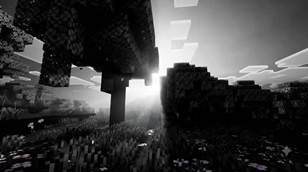
Lighting — Noir leans hard into dramatic, high-contrast lighting. Rather than smooth, even illumination, the sun's brightness and positioning are tuned to create striking pools of light against darker surroundings — long shadows, bright highlights, and a strong sense of directionality. This is what gives Noir its "dramatic lighting" character: scenes feel staged and cinematic, with light doing as much storytelling as the landscape itself.
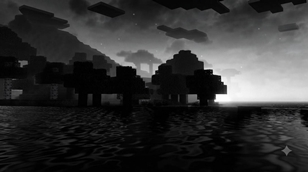
Atmospherics — Sky scattering is tuned to support the monochrome mood — soft, moody, and atmospheric rather than colorful, so skies read as bright fog-like gradients of light and dark instead of blue expanses. This keeps the focus on shape, silhouette, and contrast, the classic visual language of noir film.
Shadows — Noir uses more defined, higher-contrast shadow rendering than the softer filters in this series, reinforcing the dramatic, high-contrast aesthetic. Shadows aren't just present — they're part of the composition, adding depth and mood to builds, caves, and forests alike.
Water — Even without color, water keeps its natural wave motion and caustic detailing, appearing as shimmering light and dark patterns rather than colored ripples, fitting naturally into the monochrome world without looking flat or lifeless.
Because this pack uses a proper dedicated subpack structure (rather than a root-only setup), it loads reliably and automatically the moment it's enabled — no slider, no filter menu, no risk of silent failure. Enable it, and the Noir look is active immediately, every time you load into a world.
Noir works especially well for atmospheric builds, horror maps, detective/mystery-themed servers, black-and-white photography-style screenshots, or simply for players who want to experience familiar terrain in a completely new, moody light.
Requirements: Minecraft Bedrock 1.21.80+, with the Vibrant Visuals experimental toggle enabled at world creation, on a device capable of running the deferred rendering pipeline.
Install: Tap the .mcpack file to import it into Minecraft, then activate only this pack under Resource Packs before creating or loading a world. If you've previously installed Cinematic, Vivid, Retro, Cartoon, or Standard from this series, make sure they are disabled or removed first — only one shader-style pack should be active at a time.
🙌 Credits - GURJAR
The Ultimate Guide to GURJAR X Noir Shader
If you are exploring the vast world of Minecraft modifications, GURJAR X Noir Shader by GURJAR is a standout shader that deserves your attention. With over 380 downloads, it has become a staple for players looking to enhance their experience. As the creator describes it, this project is "GURJAR X Noir Shader transforms Minecraft Bedrock into a dramatic black-and-white world — deep contrast, moody shadows and cinematic monochrome lighting inspired by classic film noir.". Whether you are a veteran builder constructing massive cities, or simply a casual player looking to upgrade your survival world, this guide will provide you with all the essential details on how GURJAR X Noir Shader alters the game.
What Makes It Special?
Unlike standard shaders that simply alter superficial elements, GURJAR X Noir Shader introduces a wide array of visual and mechanical features designed to seamlessly blend into the vanilla aesthetic. GURJAR has clearly spent significant time refining the project to ensure that every aspect feels polished and responsive for version 1.21.100.
Installation Guide
Getting GURJAR X Noir Shader up and running is straightforward. Follow these step-by-step instructions:
- Verify Your Version: Ensure your Minecraft launcher is set to version 1.21.100.
- Install Mod Loader (if required): If this is a mod, download the compatible loader (Forge, Fabric, NeoForge).
- Download the File: Click the secure download button above to retrieve the official file from CurseForge.
- Move the File: Place the downloaded file into your `mods`, `shaderpacks`, or `resourcepacks` folder depending on the shader type.
- Launch and Enjoy: Open Minecraft, navigate to the respective settings menu, and activate GURJAR X Noir Shader.
Compatibility & Performance
Compatibility is robust. GURJAR X Noir Shader is designed specifically for version 1.21.100, taking full advantage of the latest engine optimizations. During typical gameplay, this addition maintains a stable frame rate, though lower-end laptops might experience slight stuttering. We recommend pairing this with performance boosters like Sodium or Iris to guarantee a silky-smooth experience.