Creevoxx LogoCreevoxxMCMods
HomeShadersTexturesModsLow-End ShadersRTX ShadersSavedGuidesAbout
GET IT ONGoogle Play

Popular Collections

πŸ“± Performance HubBest Low-End ShadersMCPE Performance Mods
✨ Realism & RTXRealistic RTX ShadersRTX Texture Packs for MCPE
πŸ€– Platform CompatibilityMinecraft PE Shaders 1.21Shaders for Android & iOS
βš”οΈ Gameplay VibeTop PvP Texture PacksMedieval Texture Packs
🀝 Community & SocialsYouTubeInstagram
Get the Android App β€” Free on Play Store
HomeGuidesAbout UsSponsor & PartnerContactPrivacy PolicyTerms & ConditionsDisclaimer
Minecraft>Textures>Bocchi 32x
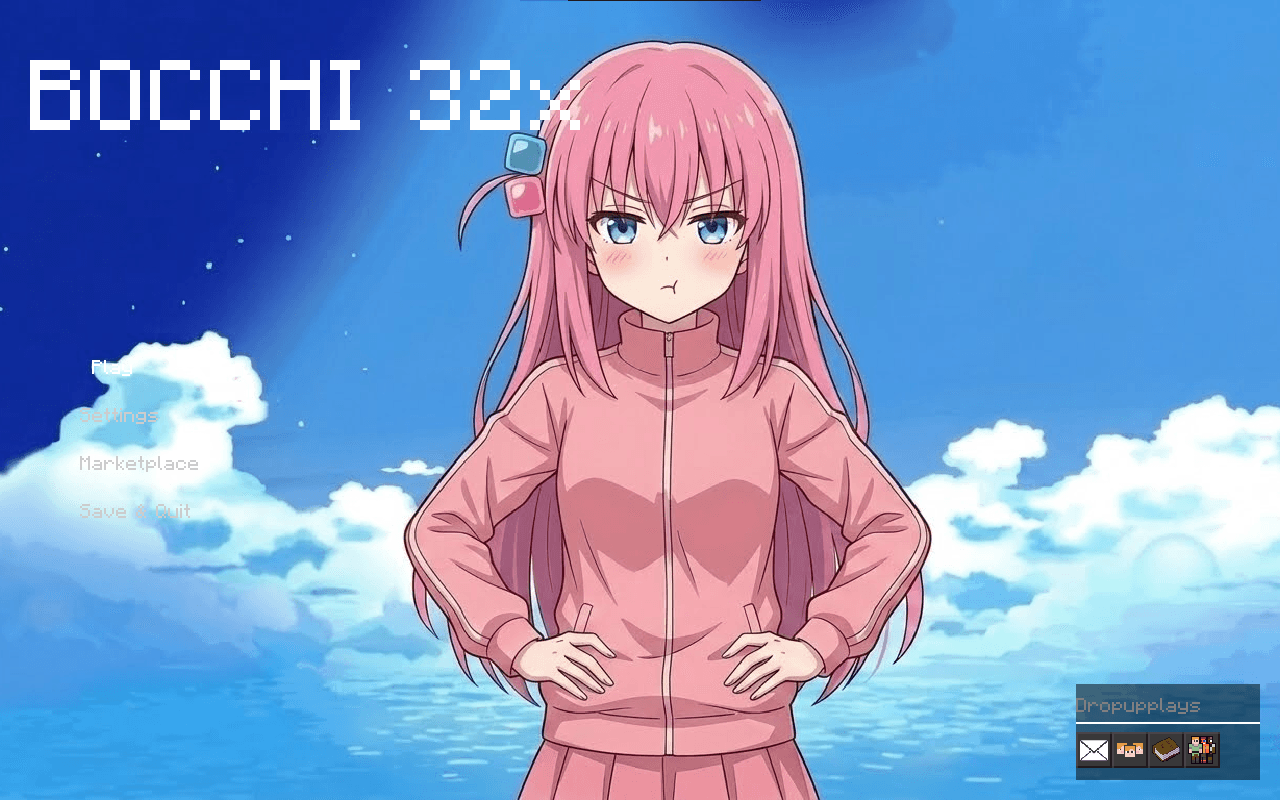
Bocchi 32x  logo

Bocchi 32x

ByπŸ‘€Dropup_plays

PVP texture pack that is smooth and also increases FPS , has a clean look with purple them and also has custom sky and custom gui.

Why Bocchi 32x is a top-tier texture pack mod for Minecraft 1.21

Developed by the talented creator Dropup_plays, Bocchi 32x stands out as a highly recommended selection for your Minecraft client. It is fully optimized, compatibility-tested, and brings a major upgrade to the gameplay experience in Minecraft version 1.21.

βš™οΈ Quick Resource Specs

Mod CreatorDropup_plays
Latest Version1.21
Supported Game VersionsMinecraft 1.21+
File Size14.15 MB
Last UpdatedUpdated: October 15, 2026
Total Downloads69 downloads
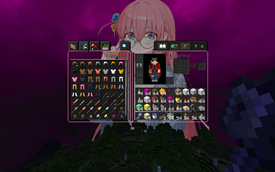
Bocchi 32x  screenshot active
Looking for the best textures updates? Bocchi 32x by Dropup_plays provides excellent features tailored for Minecraft 1.21 players. It stands out in the textures category for its stability and beautiful execution.
Looking for a clean, competitive edge with a touch of introverted rockstar energy? This is a Minecraft Bedrock PvP texture pack themed entirely around Bocchi the Rock!
Please note: The entire visual foundation of this pack was completely ME.
Key Features
# Bocchi Aesthetics: Custom pink and black UI themes, anime-inspired item icons, and subtle references to your favorite socially anxious guitarist.
# Optimized PvP Swords: Shortened and streamlined swords to give you a completely clear field of view during intense build battles and UHC fights.
# Clean Particles & Sky: Custom critical hit particles and a gorgeous, low-lag skybox that keeps your frame rate high.
# Clear Glass & Low Fire: Reduced fire height and borderless glass so nothing obstructs your vision when you are tracking targets.
 
PUBLISHED by Dropup_plays ,I have got all the rights for pubblishing this pack by asking reikqz  reikqz channelπŸ“Žfor the auhorisation of this pack.
 
FOR THE ADMIN/ MOD (sorry for the disturbance but i have got the permission from reikqz and he have given me all the rights to upload and to give my authorisations, you can also ask him). :)
 

The Ultimate Guide to Bocchi 32x

If you are exploring the vast world of Minecraft modifications, Bocchi 32x by Dropup_plays is a standout texture that deserves your attention. With over 69 downloads, it has become a staple for players looking to enhance their experience. As the creator describes it, this project is "PVP texture pack that is smooth and also increases FPS , has a clean look with purple them and also has custom sky and custom gui.". Whether you are a veteran builder constructing massive cities, or simply a casual player looking to upgrade your survival world, this guide will provide you with all the essential details on how Bocchi 32x alters the game.

What Makes It Special?

Unlike standard textures that simply alter superficial elements, Bocchi 32x digs deep into the game's engine to provide a cohesive, performance-focused experience. Dropup_plays has clearly spent significant time refining the project to ensure that every aspect feels polished and responsive for version 1.21.

Installation Guide

Getting Bocchi 32x up and running is straightforward. Follow these step-by-step instructions:

  1. Verify Your Version: Ensure your Minecraft launcher is set to version 1.21.
  2. Install Mod Loader (if required): If this is a mod, download the compatible loader (Forge, Fabric, NeoForge).
  3. Download the File: Click the secure download button above to retrieve the official file from CurseForge.
  4. Move the File: Place the downloaded file into your `mods`, `shaderpacks`, or `resourcepacks` folder depending on the texture type.
  5. Launch and Enjoy: Open Minecraft, navigate to the respective settings menu, and activate Bocchi 32x .

Compatibility & Performance

Compatibility is robust. Bocchi 32x is designed specifically for version 1.21, taking full advantage of the latest engine optimizations. Since this is heavily focused on optimization, you can expect significant frame rate improvements on both low-end and high-end hardware.

Details

Downloads:69
Created:21 days ago
Updated:18 days ago
Project ID:1709975
License:All Rights Reserved
Environment:Client

🀝 Join Community for Support

Need help installing this resource or want to see more showcases? Join our community!

Subscribe on YouTubeFollow on Instagram

Bocchi 32x

Screenshot 0
Screenshot 1
Screenshot 2
Screenshot 3
Screenshot 4
D
Dropup_plays
TEXTURES CREATOR
Downloads69
Version1.21
TypeTEXTURES
File Size14.15 MB

About This textures

PVP texture pack that is smooth and also increases FPS , has a clean look with purple them and also has custom sky and custom gui.

Looking for a clean, competitive edge with a touch of introverted rockstar energy? This is a Minecraft Bedrock PvP texture pack themed entirely around Bocchi the Rock!
Please note: The entire visual foundation of this pack was completely ME.
Key Features
# Bocchi Aesthetics: Custom pink and black UI themes, anime-inspired item icons, and subtle references to your favorite socially anxious guitarist.
# Optimized PvP Swords: Shortened and streamlined swords to give you a completely clear field of view during intense build battles and UHC fights.
# Clean Particles & Sky: Custom critical hit particles and a gorgeous, low-lag skybox that keeps your frame rate high.
# Clear Glass & Low Fire: Reduced fire height and borderless glass so nothing obstructs your vision when you are tracking targets.
 
PUBLISHED by Dropup_plays ,I have got all the rights for pubblishing this pack by asking reikqz  reikqz channelπŸ“Žfor the auhorisation of this pack.
 
FOR THE ADMIN/ MOD (sorry for the disturbance but i have got the permission from reikqz and he have given me all the rights to upload and to give my authorisations, you can also ask him). :)
 
πŸ“ŒSupported Minecraft Versions: Minecraft 1.21+

How to Install

1. Download the resource pack .zip file. 2. Open Minecraft and go to Options > Resource Packs. 3. Drag and drop the downloaded file into the list and activate it.