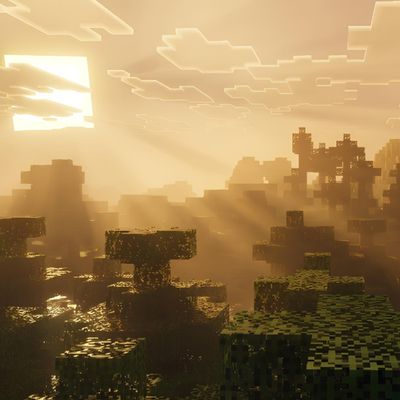
Why BAKU CLASSIC VISUALS! is a top-tier shader mod for Minecraft 1.21.100
Developed by the talented creator Baku_Studio, BAKU CLASSIC VISUALS! stands out as a highly recommended selection for your Minecraft client. It is fully optimized, compatibility-tested, and brings a major upgrade to the gameplay experience in Minecraft version 1.21.100.
⚙️ Quick Resource Specs
| Mod Creator | Baku_Studio |
| Latest Version | 1.21.100 |
| Supported Game Versions | 1.21.100 |
| File Size | 119.20 KB |
| Last Updated | |
| Total Downloads | 315 downloads |
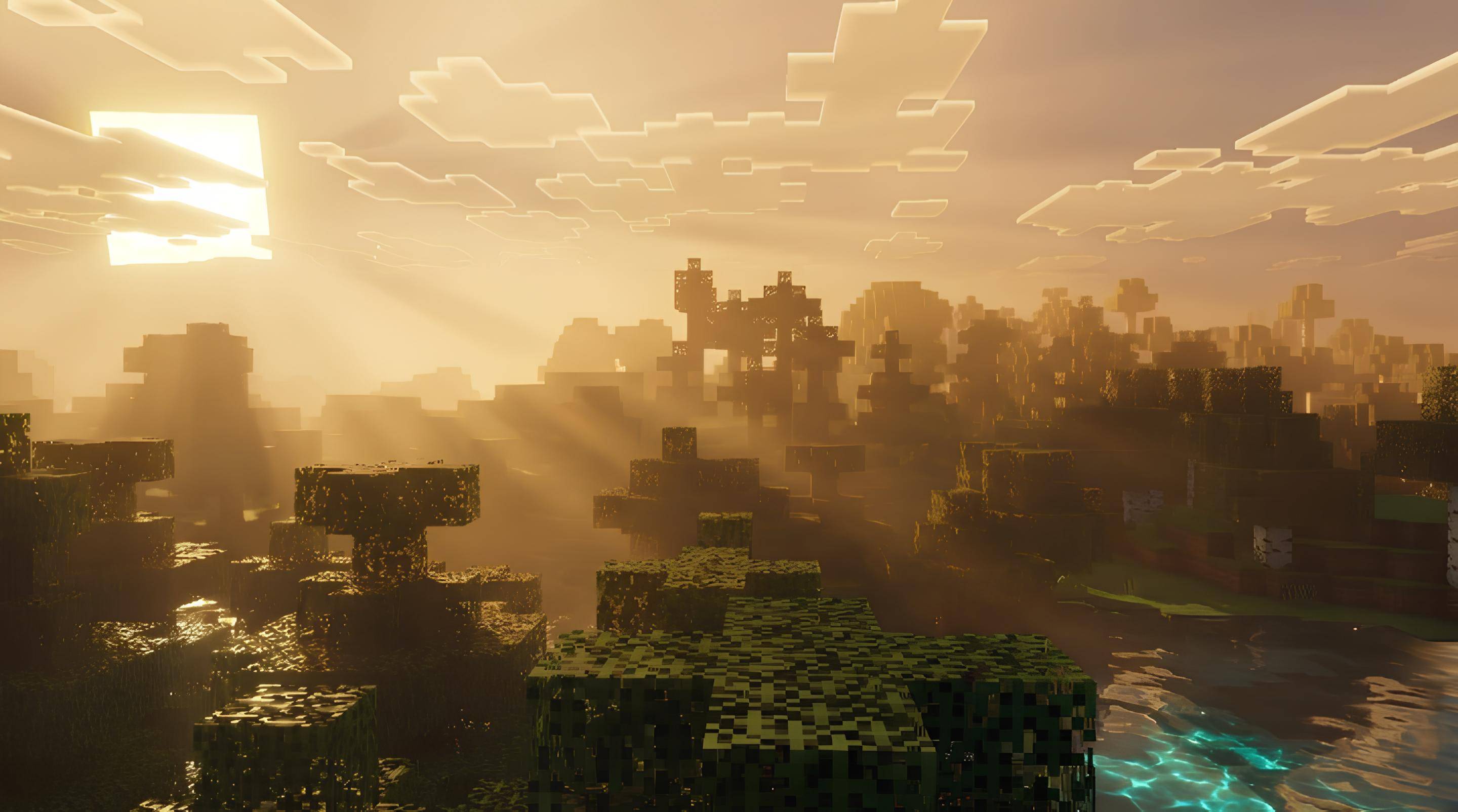
CLASSIC VISUALS: Classic Minecraft, Beautiful Light
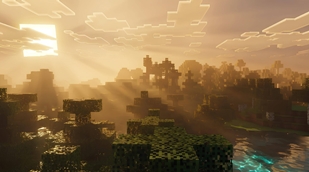
CLASSIC VISUALS is a lighting and atmosphere pack for Minecraft Bedrock, built for Vibrant Visuals. It keeps the blocks, textures and feel of classic Minecraft and changes only the light around them. Instead of one grey-white light for the whole world, every biome gets its own colour of sunlight, haze, sky and water. Step into a cherry grove and the rays turn soft pink. Walk into a jungle and the light becomes deep emerald. Every biome feels like a different place.
What You Get
Biome-coloured sun rays. The pack tints the volumetric fog that carries the light shafts, so the rays take the colour of the biome around you. It covers all 89 biomes with 39 hand-tuned light themes, including caves, oceans and the other dimensions.
A few examples:
- Cherry Grove: rose-pink rays with a dreamy glow
- Jungle and Bamboo Jungle: emerald and lime-green shafts
- Birch and Forest: warm champagne-gold light
- Dark Forest: golden light cutting through dark canopies
- Autumn Forest: fiery orange rays
- Taiga: cool mint-teal light
- Snowy Biomes: icy blue rays
- Desert, Savanna and Badlands: amber, orange and terracotta light
- Oceans: aqua, turquoise and deep blue
- Mushroom Fields: violet-magenta haze
Pink sunsets and sunrises. At dusk and dawn the sky blends from dusky violet at the top to rose-pink around the sun. The sunlight itself turns pink, so the rays at that time of day glow pink too. This is the best moment to look for light shafts.
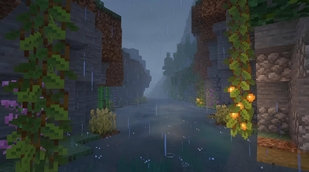
Moody rain. During rain the haze turns a cool blue-grey, only lightly tinted by the biome, so storms feel wet and atmospheric.
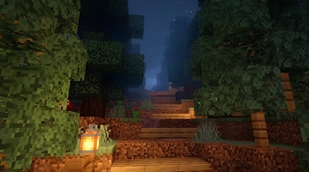
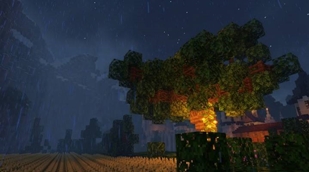
Deep, glowing nights. Night skies are a rich navy-indigo with soft blue moonlight. Lanterns, torches and glow berries stand out warmly against the dark.
A dramatic End. The End has a magenta-purple haze with a golden-orange beam of light cutting through it, plus its own colour grading.
A redesigned Nether. Nether wastes, Crimson Forest, Warped Forest, Soul Sand Valley and Basalt Deltas each have their own sky, light colour and ambient glow.
Matching water and colour. Water surfaces are tuned to each biome. A gentle colour-grading pass adds a little contrast and saturation without crushing shadows or blowing out highlights.
Two Versions
- CLASSIC VISUALS: the main pack, with rich, clearly visible colour.
- CLASSIC VISUALS (Soft): the same idea with gentler rays, for a more natural look.
How to Use It
- Import the .mcpack file by tapping or double-clicking it.
- Go to Settings, then Global Resources, and activate CLASSIC VISUALS.
- Turn on Vibrant Visuals in Video Settings.
- For the best rays, explore at sunrise or sunset, near trees, hills or clouds where light is broken up.
Tips
- Use only one Vibrant Visuals pack at a time to avoid conflicts.
- If the effect feels too strong, switch to the Soft version.
- Light shafts are strongest when the sun is low and something casts shadows.
Compatibility
Built for Minecraft Bedrock 1.21.120 and newer, with Vibrant Visuals enabled. It needs a device that supports Vibrant Visuals. Performance depends on your hardware and render distance.
Originality
All configuration files, colour values and the pack icon in this pack were made from scratch. It uses no textures, files or assets from other packs.
Creator and Credits
- Pack name: CLASSIC VISUALS
- Author / Creator: Baku_Studio
- Version: 1.1.0
- Platform: Minecraft Bedrock Edition (Vibrant Visuals)
- Minimum engine version: 1.21.120
- Credits: Concept, direction and reference screenshots by Baku_Studio.
- Not affiliated: This is an unofficial community creation. It is not made by, endorsed by, or associated with Mojang Studios or Microsoft. Minecraft is a trademark of Mojang Studios.
- Usage: Free for personal play and content creation. Please credit Baku_Studio, and do not re-upload or sell this pack as your own work.
The Ultimate Guide to BAKU CLASSIC VISUALS!
If you are exploring the vast world of Minecraft modifications, BAKU CLASSIC VISUALS! by Baku_Studio is a standout shader that deserves your attention. With over 315 downloads, it has become a staple for players looking to enhance their experience. As the creator describes it, this project is "CLASSIC VISUALS adds biome-coloured volumetric sun rays, pink sunsets, moody rain and glowing nights to Vibrant Visuals while keeping the classic Minecraft look. By Baku_Studio.". Whether you are a veteran builder constructing massive cities, or simply a casual player looking to upgrade your survival world, this guide will provide you with all the essential details on how BAKU CLASSIC VISUALS! alters the game.
What Makes It Special?
Unlike standard shaders that simply alter superficial elements, BAKU CLASSIC VISUALS! introduces a wide array of visual and mechanical features designed to seamlessly blend into the vanilla aesthetic. Baku_Studio has clearly spent significant time refining the project to ensure that every aspect feels polished and responsive for version 1.21.100.
Installation Guide
Getting BAKU CLASSIC VISUALS! up and running is straightforward. Follow these step-by-step instructions:
- Verify Your Version: Ensure your Minecraft launcher is set to version 1.21.100.
- Install Mod Loader (if required): If this is a mod, download the compatible loader (Forge, Fabric, NeoForge).
- Download the File: Click the secure download button above to retrieve the official file from CurseForge.
- Move the File: Place the downloaded file into your `mods`, `shaderpacks`, or `resourcepacks` folder depending on the shader type.
- Launch and Enjoy: Open Minecraft, navigate to the respective settings menu, and activate BAKU CLASSIC VISUALS!.
Compatibility & Performance
Compatibility is robust. BAKU CLASSIC VISUALS! is designed specifically for version 1.21.100, taking full advantage of the latest engine optimizations. During typical gameplay, this addition maintains a stable frame rate, though lower-end laptops might experience slight stuttering. We recommend pairing this with performance boosters like Sodium or Iris to guarantee a silky-smooth experience.