Why OS CLIENT is a top-tier texture pack mod for Minecraft 1.21
Developed by the talented creator oSkullo, OS CLIENT stands out as a highly recommended selection for your Minecraft client. It is fully optimized, compatibility-tested, and brings a major upgrade to the gameplay experience in Minecraft version 1.21.
⚙️ Quick Resource Specs
| Mod Creator | oSkullo |
| Latest Version | 1.21 |
| Supported Game Versions | Minecraft 1.21+ |
| File Size | 7.97 MB |
| Last Updated | |
| Total Downloads | 16,744 downloads |
OS CLIENT – oSkullo
Mods + Cosmetics + Custom UI for Minecraft Bedrock
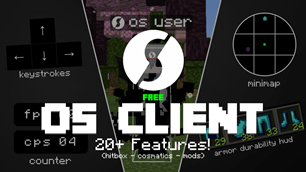
OS CLIENT brings a complete client-style experience to Bedrock, with no external launcher and no mods to install. Apply the pack, open its settings, and tune everything to your playstyle.
⚔️ Combat & Effects
Hitbox outlines in 9 colours
Hit particles in 10 colours plus Rainbow
Damage indicator: floating numbers in Small, Normal, Large or Huge
Hit arrow showing where a hit knocked you from
Particle trails: Hearts, Stars, Flames, Sparkles or Skulls
📊 HUD Mods
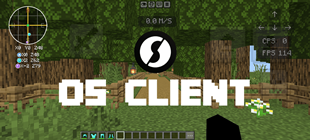
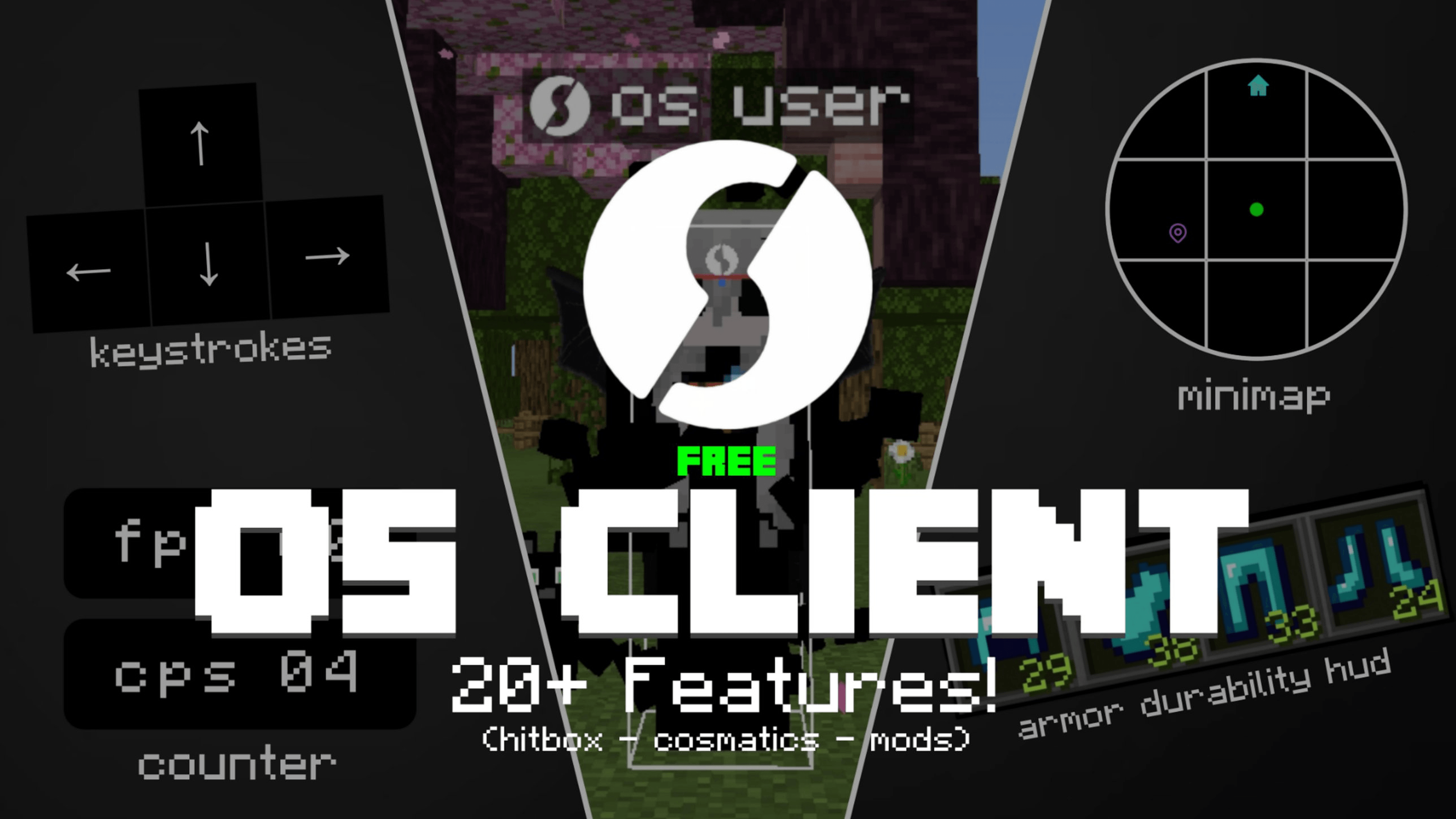
CPS counter and FPS counter
Keystrokes: Jump, Sneak, LMB and RMB
Speedometer in blocks per second
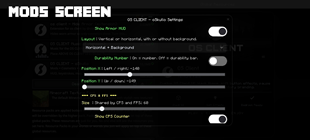
Armor HUD with a durability bar or number, and 4 layouts (vertical or horizontal, with or without background)
Position, size and opacity sliders for each module
🗺️ Chunk Map
A minimap with chunk borders around you
Adjustable range, size, opacity and position
Waypoint beams that last 1, 10 or 60 minutes
Chunk borders in Java style or 10 colours plus Rainbow, visible in third person
✨ Cosmetics
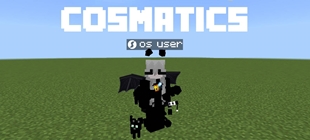
Wings, headband and a kitten (floating, on your shoulder or walking)
Darkness shoes and gloves
A katana and a cape with physics and animation options
Halo, aura and floating accessories
Hide My Armor option for showing off your look
🎨 Custom UI
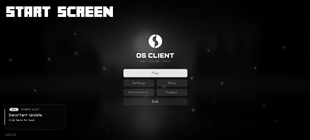
A redesigned start screen, pause menu and loading screen
Animated logo, menu music and a custom click sound
Built-in mini-games, a music card and a custom chat screen
🔧 How to use
Install the .mcpack and activate it under Global Resources.
Open Pack Settings to enable and position each mod.
For best results, place OS CLIENT at the top of your pack list.
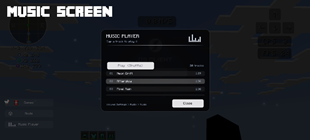
Note: the 20-track music player needs the separate OS CLIENT Music extension pack, placed above OS CLIENT in Global Resources.
📌 Compatibility
Minecraft Bedrock Edition 26.30 and newer (Windows, mobile and console, subject to pack-settings support on your platform).
© Copyright
© All rights reserved to oSkullo. All content and assets are the original property of oSkullo. Unauthorized copying, redistribution, modification, or reuse without prior permission is strictly prohibited. Violations may result in a copyright takedown request. For personal use.
Created by @oSkullo
The Ultimate Guide to OS CLIENT
If you are exploring the vast world of Minecraft modifications, OS CLIENT by oSkullo is a standout texture that deserves your attention. With over 16,744 downloads, it has become a staple for players looking to enhance their experience. As the creator describes it, this project is "OS CLIENT by oSkullo turns Minecraft Bedrock into a full PvP client, It adds cosmetics and a fully custom start, hud, pause and loading UI. Everything is toggled from the pack settings.". Whether you are a veteran builder constructing massive cities, or simply a casual player looking to upgrade your survival world, this guide will provide you with all the essential details on how OS CLIENT alters the game.
What Makes It Special?
Unlike standard textures that simply alter superficial elements, OS CLIENT introduces a wide array of visual and mechanical features designed to seamlessly blend into the vanilla aesthetic. oSkullo has clearly spent significant time refining the project to ensure that every aspect feels polished and responsive for version 1.21.
Installation Guide
Getting OS CLIENT up and running is straightforward. Follow these step-by-step instructions:
- Verify Your Version: Ensure your Minecraft launcher is set to version 1.21.
- Install Mod Loader (if required): If this is a mod, download the compatible loader (Forge, Fabric, NeoForge).
- Download the File: Click the secure download button above to retrieve the official file from CurseForge.
- Move the File: Place the downloaded file into your `mods`, `shaderpacks`, or `resourcepacks` folder depending on the texture type.
- Launch and Enjoy: Open Minecraft, navigate to the respective settings menu, and activate OS CLIENT.
Compatibility & Performance
Compatibility is robust. OS CLIENT is designed specifically for version 1.21, taking full advantage of the latest engine optimizations. During typical gameplay, this addition maintains a stable frame rate, though lower-end laptops might experience slight stuttering. We recommend pairing this with performance boosters like Sodium or Iris to guarantee a silky-smooth experience.