Why Monster Indicator is a top-tier texture pack mod for Minecraft 1.21.132
Developed by the talented creator faizul726, Monster Indicator stands out as a highly recommended selection for your Minecraft client. It is fully optimized, compatibility-tested, and brings a major upgrade to the gameplay experience in Minecraft version 1.21.132.
⚙️ Quick Resource Specs
| Mod Creator | faizul726 |
| Latest Version | 1.21.132 |
| Supported Game Versions | 1.21.132, 1.21.131, 1.21.130, 1.21.124, 1.21.123 |
| File Size | 59.57 KB |
| Last Updated | |
| Total Downloads | 392 downloads |
DO NOT REDISTRIBUTE/MIRROR/RELINK ANYWHERE ELSE.
NOT EVEN ON MCPEDL OR CURSEFORGE.
You are allowed to use the official MCPEDL/CurseForge link anywhere including in your videos.
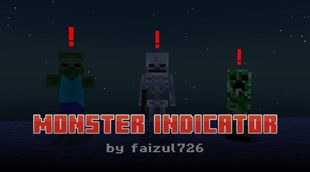
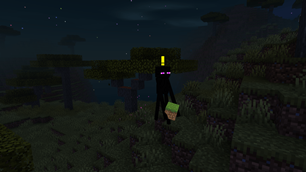
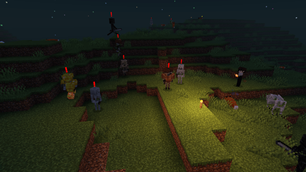
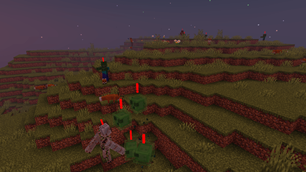
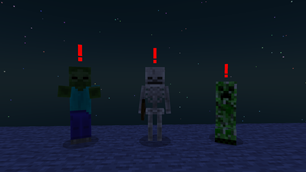
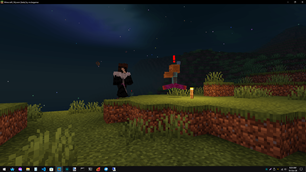
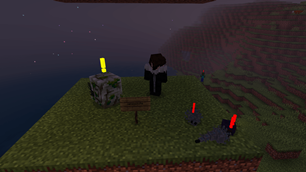
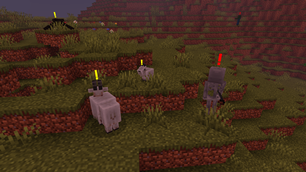
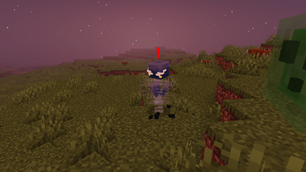
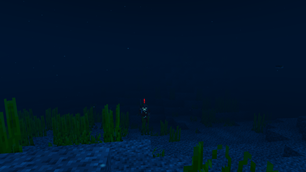
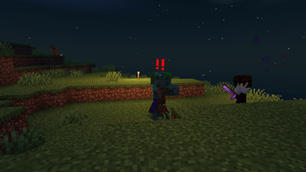
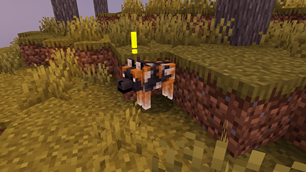
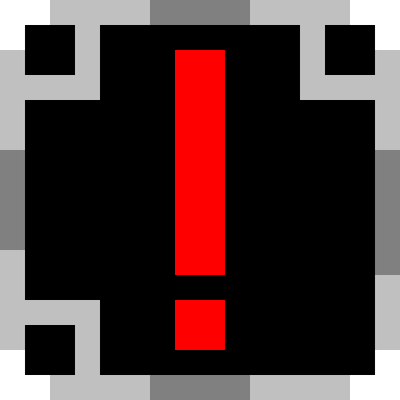
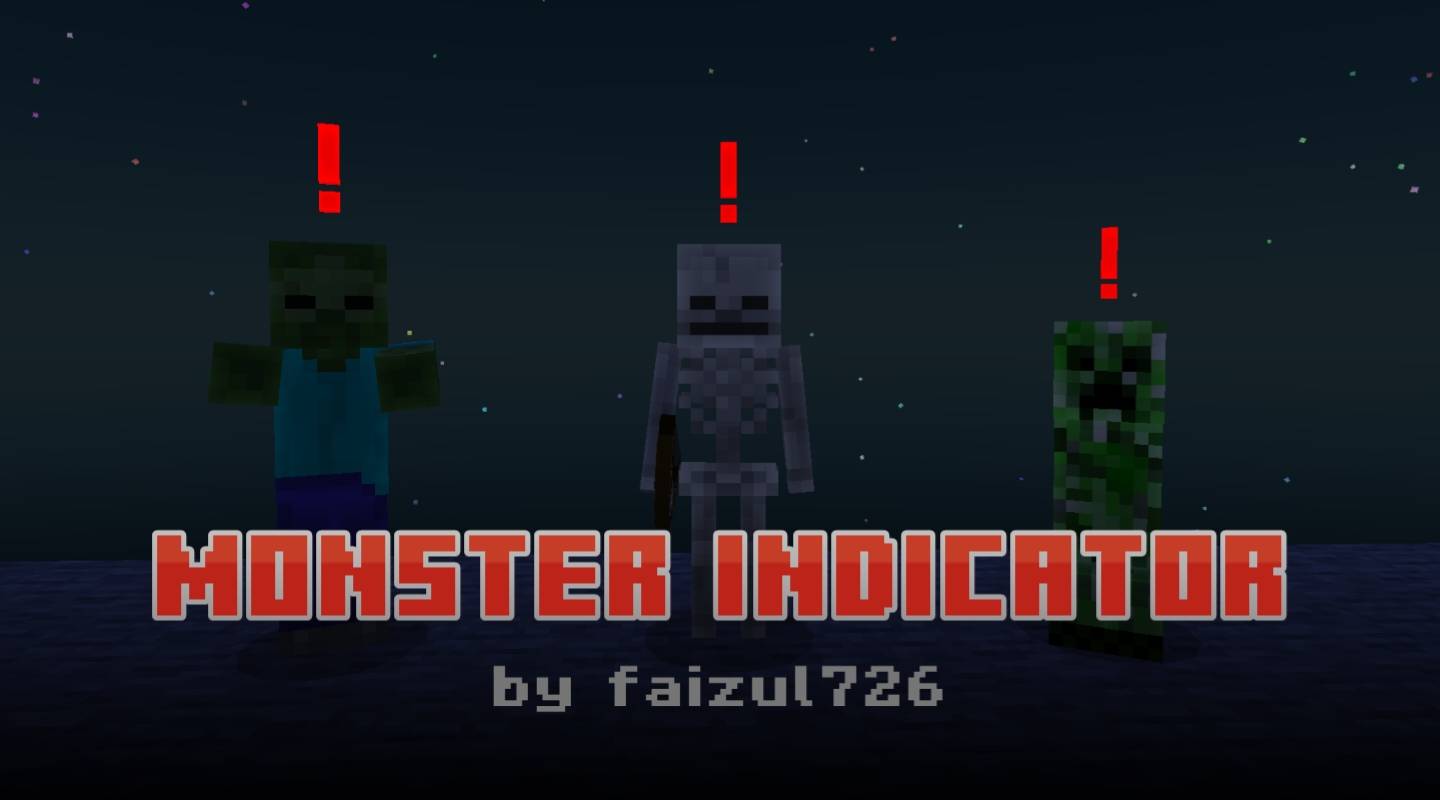
Monster Indicator is a texture pack that helps you spot neutral and hostile mobs in the dark. It adds an exclamation mark on top of all such mobs with dynamic coloring.
Yellow color indicates the mob is neutral or is not angry now. Red color means the mob is hostile or is angry.
This texture pack is made in a way so that it works on old versions starting from Minecraft v1.18.0.
It doesn't disable achievements and can be used as a global resource pack.
Known issues
- Husk is included but the game doesn't load its files (as of MC v26.52)
- Some exclamation marks may not be center aligned
- Dynamic coloring behavior may not be consistent always
- Backward compatibility is not guaranteed
If you like my work you can support me on Patreon.
List of supported mobs: (total 47)
1. Bee
2. Blaze
3. Bogged
4. Breeze
5. Cave Spider
6. Creaking
7. Creeper
8. Dolphin
9. Drowned
10. Elder Guardian
11. Enderman
12. Endermite
13. Evoker
14. Ghast
15. Goat
16. Guardian
17. Hoglin
18. Husk
19. Iron Golem
20. Llama
21. Magma Cube
22. Panda
23. Parched
24. Phantom
25. Piglin
26. Piglin Brute
27. Pillager
28. Polar Bear
29. Pufferfish
30. Ravager
31. Shulker
32. Silverfish
33. Skeleton
34. Slime
35. Spider
36. Stray
37. Vex
38. Vindicator
39. Warden
40. Witch
41. Wither Skeleton
42. Wolf
43. Zoglin
44. Zombie
45. Zombie Nautilus
46. Zombie Villager
47. Zombified Piglin
Credits
- Shader used in the screenshots is Newb Shader
- Font used in the MCPEDL thumbnail is Minercraftory
The Ultimate Guide to Monster Indicator
If you are exploring the vast world of Minecraft modifications, Monster Indicator by faizul726 is a standout texture that deserves your attention. With over 392 downloads, it has become a staple for players looking to enhance their experience. As the creator describes it, this project is "Helps you spot monsters in the dark". Whether you are a veteran builder constructing massive cities, or simply a casual player looking to upgrade your survival world, this guide will provide you with all the essential details on how Monster Indicator alters the game.
What Makes It Special?
Unlike standard textures that simply alter superficial elements, Monster Indicator introduces a wide array of visual and mechanical features designed to seamlessly blend into the vanilla aesthetic. faizul726 has clearly spent significant time refining the project to ensure that every aspect feels polished and responsive for version 1.21.132.
Installation Guide
Getting Monster Indicator up and running is straightforward. Follow these step-by-step instructions:
- Verify Your Version: Ensure your Minecraft launcher is set to version 1.21.132.
- Install Mod Loader (if required): If this is a mod, download the compatible loader (Forge, Fabric, NeoForge).
- Download the File: Click the secure download button above to retrieve the official file from CurseForge.
- Move the File: Place the downloaded file into your `mods`, `shaderpacks`, or `resourcepacks` folder depending on the texture type.
- Launch and Enjoy: Open Minecraft, navigate to the respective settings menu, and activate Monster Indicator.
Compatibility & Performance
Compatibility is robust. Monster Indicator is designed specifically for version 1.21.132, taking full advantage of the latest engine optimizations. During typical gameplay, this addition maintains a stable frame rate, though lower-end laptops might experience slight stuttering. We recommend pairing this with performance boosters like Sodium or Iris to guarantee a silky-smooth experience.