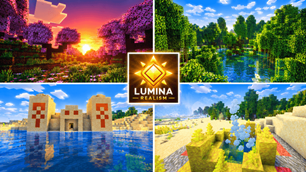
Why Lumina Realism is a top-tier shader mod for Minecraft 1.21.132
Developed by the talented creator TwisterPrince, Lumina Realism stands out as a highly recommended selection for your Minecraft client. It is fully optimized, compatibility-tested, and brings a major upgrade to the gameplay experience in Minecraft version 1.21.132.
⚙️ Quick Resource Specs
| Mod Creator | TwisterPrince |
| Latest Version | 1.21.132 |
| Supported Game Versions | 1.21.132, 1.21.131, 1.21.130, 1.21.124, 1.21.123 |
| File Size | 343.94 KB |
| Last Updated | |
| Total Downloads | 8,809 downloads |
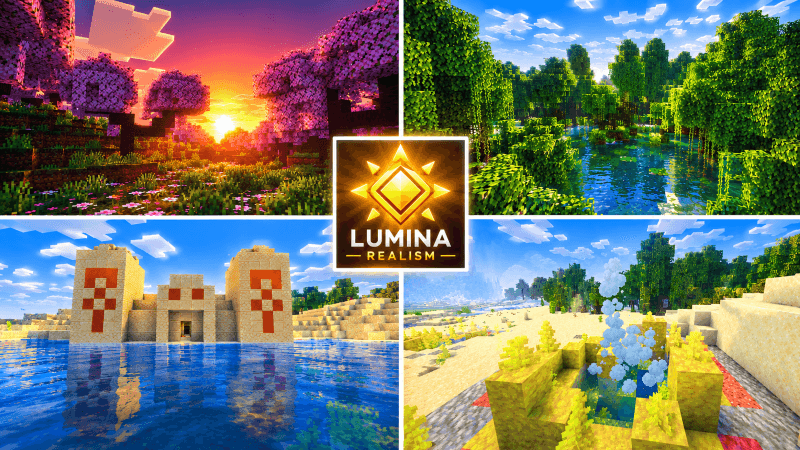
Lumina Realism
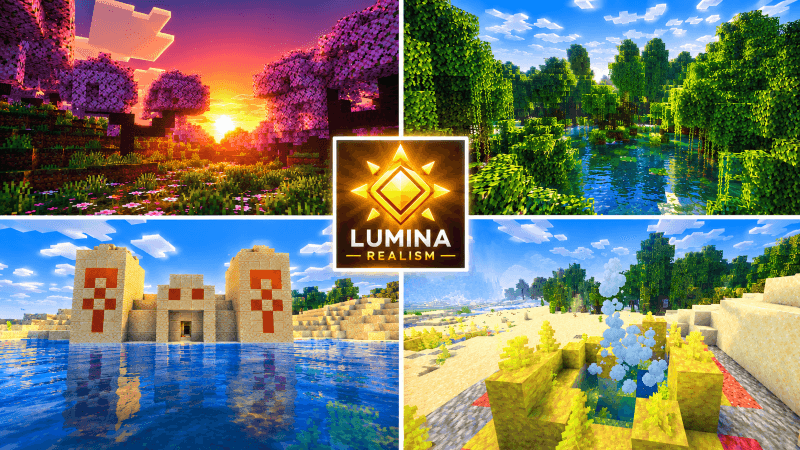
A cinematic, photoreal lighting pack for Minecraft Bedrock Vibrant Visuals.
Lumina Realism reworks how your world is lit, colored and atmospherically shaded. It doesn't change blocks or gameplay. It tunes Vibrant Visuals through the game's own supported settings, so it needs no mods, no external tools and no custom shader files.
Features
Golden-hour lighting. The sun is neutral white at noon, warms to amber in the late afternoon, and sinks into deep orange and rose at dusk. Sunrise mirrors it. The moon casts a cool blue light, and the sun's path is tilted slightly so shadows stretch and rotate more naturally through the day.
Atmospheric sky. Rayleigh and Mie scattering are retuned for a deeper blue zenith, glowing horizons, and a soft sun glare that swells at sunrise and sunset. Night skies are dark navy rather than flat black.
Volumetric fog. Five fog profiles cover different climates:
• Default: soft, clean distance haze.
• Ocean and coast: cool, slightly denser haze over water and beaches.
• Dry (desert, mesa, savanna): warm, dusty tones.
• Forest and jungle: damp, green-tinted mist.
• Cold: pale, blue-white haze.
Each one has its own air color and scattering, plus separate underwater fog.
Water. Animated image-based waves, caustics on the seabed, and tuned water optics. Open ocean is clearer and bluer, while rivers and inland water are slightly more tinted.
Shadows and PBR. Soft shadows by default, plus a fallback roughness for blocks, mobs, particles and items that don't have their own PBR maps. This gives surfaces a subtle sheen without custom textures.
Warmer local lights. Torches, lanterns, candles and end rods become point lights with warmer colors. Soul torches and lanterns stay cyan, and redstone torches stay red.
Cinematic color grading. A split-tone look with slightly cool, saturated shadows, boosted mid-tone contrast and warm highlights, using the game's built-in tone mapping.
Coverage
It applies to the overworld biomes (81 biome definitions). The Nether and the End are left untouched so they keep their vanilla look.
Requirements
• Minecraft Bedrock Edition 1.21.120 or newer
• A device that supports Vibrant Visuals
• Vibrant Visuals turned on under Settings → Video
Installation
- Open
Lumina_Realism.mcpackto import it into Minecraft. - Go to Settings → Global Resources and activate Lumina Realism.
- Turn on Vibrant Visuals under Video settings.
- On older builds, enable the "Render Dragon Features for Creators" experiment first.
If you're updating from an older version, remove the previous copy first so Minecraft doesn't reuse a cached one.
Notes
- This is a Vibrant Visuals configuration, not custom shader code. Bedrock doesn't accept custom shaders from packs, so it can only adjust what the game exposes.
- It doesn't replace block textures or add per-block PBR maps.
- Fog density, sun brightness and surface sheen can all be tuned by editing the pack's JSON files.
- I haven't tested it in the game, so the first version may need tuning. If something looks wrong, such as overexposure or heavy fog, tell me what you see and I'll adjust it.
The Ultimate Guide to Lumina Realism
If you are exploring the vast world of Minecraft modifications, Lumina Realism by TwisterPrince is a standout shader that deserves your attention. With over 8,809 downloads, it has become a staple for players looking to enhance their experience. As the creator describes it, this project is "built Lumina Realism as a Bedrock Vibrant Visuals pack with lighting, sky, volumetric fog, water, shadows, PBR fallbacks and coulor grading, and after your all-white screen I rescaled the sun brightness and thinned the fog.". Whether you are a veteran builder constructing massive cities, or simply a casual player looking to upgrade your survival world, this guide will provide you with all the essential details on how Lumina Realism alters the game.
What Makes It Special?
Unlike standard shaders that simply alter superficial elements, Lumina Realism introduces a wide array of visual and mechanical features designed to seamlessly blend into the vanilla aesthetic. TwisterPrince has clearly spent significant time refining the project to ensure that every aspect feels polished and responsive for version 1.21.132.
Installation Guide
Getting Lumina Realism up and running is straightforward. Follow these step-by-step instructions:
- Verify Your Version: Ensure your Minecraft launcher is set to version 1.21.132.
- Install Mod Loader (if required): If this is a mod, download the compatible loader (Forge, Fabric, NeoForge).
- Download the File: Click the secure download button above to retrieve the official file from CurseForge.
- Move the File: Place the downloaded file into your `mods`, `shaderpacks`, or `resourcepacks` folder depending on the shader type.
- Launch and Enjoy: Open Minecraft, navigate to the respective settings menu, and activate Lumina Realism.
Compatibility & Performance
Compatibility is robust. Lumina Realism is designed specifically for version 1.21.132, taking full advantage of the latest engine optimizations. During typical gameplay, this addition maintains a stable frame rate, though lower-end laptops might experience slight stuttering. We recommend pairing this with performance boosters like Sodium or Iris to guarantee a silky-smooth experience.