Why JUST FPS BOOST is a top-tier texture pack mod for Minecraft 1.21
Developed by the talented creator justgamerzyt, JUST FPS BOOST stands out as a highly recommended selection for your Minecraft client. It is fully optimized, compatibility-tested, and brings a major upgrade to the gameplay experience in Minecraft version 1.21.
⚙️ Quick Resource Specs
| Mod Creator | justgamerzyt |
| Latest Version | 1.21 |
| Supported Game Versions | Minecraft 1.21+ |
| File Size | 124.58 KB |
| Last Updated | |
| Total Downloads | 472 downloads |
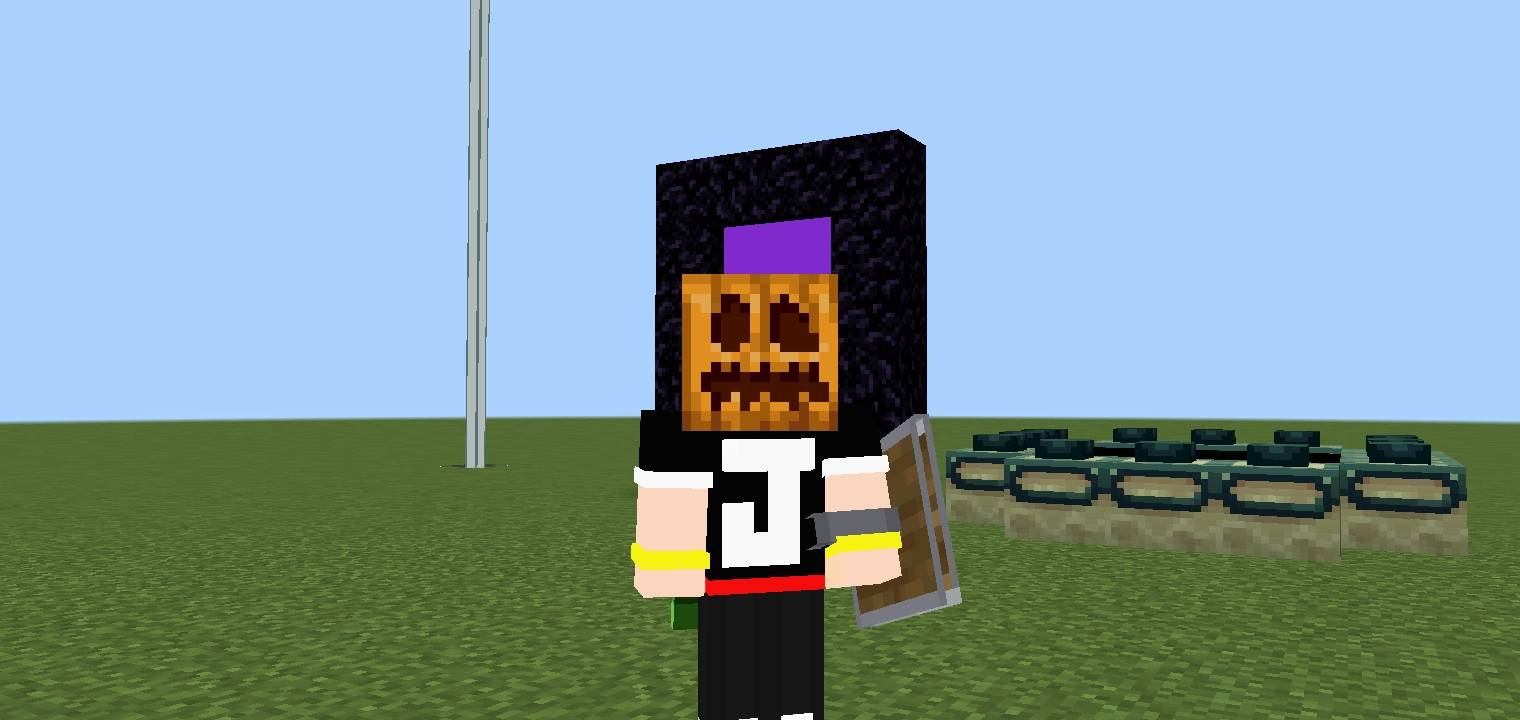
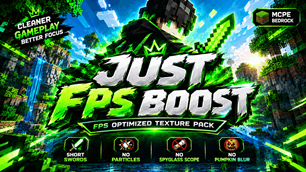
JUST FPS BOOST - Ultimate Performance Resource Pack for MCPE / Bedrock (1.20 - 1.21+)
Are you experiencing annoying lag, sudden frame drops, or heavy stuttering during intensive PvP fights, survival exploration, or multiplayer servers? Say hello to JUST FPS BOOST! This is the ultimate performance-focused client resource pack designed specifically to optimize Minecraft Pocket Edition (MCPE) and Minecraft Bedrock Edition for low-end to mid-range mobile devices and PCs.
Instead of degrading your game's default aesthetic, JUST FPS BOOST targets and removes only the unnecessary, heavy visual clutter and performance-draining animations. By flattening complex textures and disabling intensive rendering processes, this client-side pack significantly reduces CPU and GPU load, squeezing out every single frame possible for a buttery-smooth gameplay experience.
⚡ Key Optimization Features:
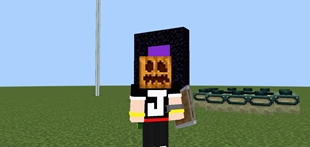
• No Shield Overlay (Low Shield): Removes the bulky, oversized shield graphic from your active screen view when holding or blocking. Gives you 100% full screen visibility during competitive PvP fights.
• All Particles Removed: Heavy particle animations—including TNT explosions, smoke, critical hits, potion swirls, and campfire embers—are completely turned off. No more sudden lag spikes in chaotic situations!
• Plain Liquid Textures: The heavy, complex flowing animations for Lava are replaced with a clean, solid, performance-friendly flat texture to reduce rendering overhead instantly.
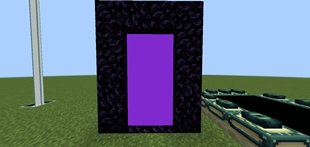
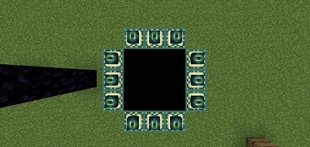
• No Animated Portals (No Flip-Book): Animated textures for both the Nether Portal and End Portal are completely flattened. Removing these looping animations saves massive frames when standing near dimensions.
• Zero Weather & No Clouds: Clouds, rain, and snow rendering are completely disabled. Say goodbye to game-breaking lag and stuttering during severe world thunderstorms.
• Custom Short Swords: Specially designed low-profile short swords that occupy minimal screen space, allowing for vastly superior peripheral vision and cleaner PvP combo tracking.
• No Spyglass Scope: Deletes the restrictive, dark vignette border overlay when zooming with the spyglass, granting you unobstructed visibility across the entire screen.
• No Pumpkin Blur: Completely removes the annoying dark silhouette overlay when wearing a carved pumpkin head. Look directly at Endermen safely with 100% crystal-clear sight.
🚀 Why Choose "JUST FPS BOOST"?
1. Maximized Game Performance: Tailored natively for budget mobile devices, tablets, and low-end platforms to provide a massive FPS increase by cutting out demanding rendering cycles.
2. Competitive PvP Advantage: Cleaner screen space, zero obstruction from shields or swords, and zero particle distractions allow you to track your targets and land perfect hits every time.
3. Vanilla-Friendly Style: It keeps the authentic, core look of vanilla Minecraft intact, altering only the components that hurt your device's frames.
📥 Simple Installation Guide:
1. Download the official .mcaddon file from the active download section below.
2. Open your file manager, locate the downloaded file, and tap/click it. Minecraft Bedrock will automatically launch and import the resource pack.
3. Navigate to Minecraft Main Menu -> Settings -> Global Resources.
4. Click on "My Packs", find JUST FPS BOOST, and click "Activate". Ensure it is dragged to the very top of your Active Pack list.
The Ultimate Guide to JUST FPS BOOST
If you are exploring the vast world of Minecraft modifications, JUST FPS BOOST by justgamerzyt is a standout texture that deserves your attention. With over 472 downloads, it has become a staple for players looking to enhance their experience. As the creator describes it, this project is "This add-on boost you game performance and fps". Whether you are a veteran builder constructing massive cities, or simply a casual player looking to upgrade your survival world, this guide will provide you with all the essential details on how JUST FPS BOOST alters the game.
What Makes It Special?
Unlike standard textures that simply alter superficial elements, JUST FPS BOOST digs deep into the game's engine to provide a cohesive, performance-focused experience. justgamerzyt has clearly spent significant time refining the project to ensure that every aspect feels polished and responsive for version 1.21.
Installation Guide
Getting JUST FPS BOOST up and running is straightforward. Follow these step-by-step instructions:
- Verify Your Version: Ensure your Minecraft launcher is set to version 1.21.
- Install Mod Loader (if required): If this is a mod, download the compatible loader (Forge, Fabric, NeoForge).
- Download the File: Click the secure download button above to retrieve the official file from CurseForge.
- Move the File: Place the downloaded file into your `mods`, `shaderpacks`, or `resourcepacks` folder depending on the texture type.
- Launch and Enjoy: Open Minecraft, navigate to the respective settings menu, and activate JUST FPS BOOST.
Compatibility & Performance
Compatibility is robust. JUST FPS BOOST is designed specifically for version 1.21, taking full advantage of the latest engine optimizations. Since this is heavily focused on optimization, you can expect significant frame rate improvements on both low-end and high-end hardware.