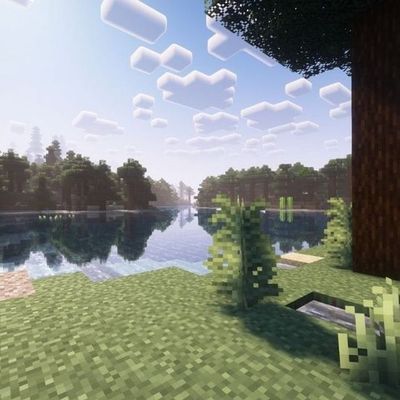
Why Kage's Visual Shaders is a top-tier shader mod for Minecraft 1.21.132
Developed by the talented creator VOIDx7472, Kage's Visual Shaders stands out as a highly recommended selection for your Minecraft client. It is fully optimized, compatibility-tested, and brings a major upgrade to the gameplay experience in Minecraft version 1.21.132.
⚙️ Quick Resource Specs
| Mod Creator | VOIDx7472 |
| Latest Version | 1.21.132 |
| Supported Game Versions | 1.21.132, 1.21.131, 1.21.130, 1.21.124, 1.21.123 |
| File Size | 99.82 KB |
| Last Updated | |
| Total Downloads | 124 downloads |
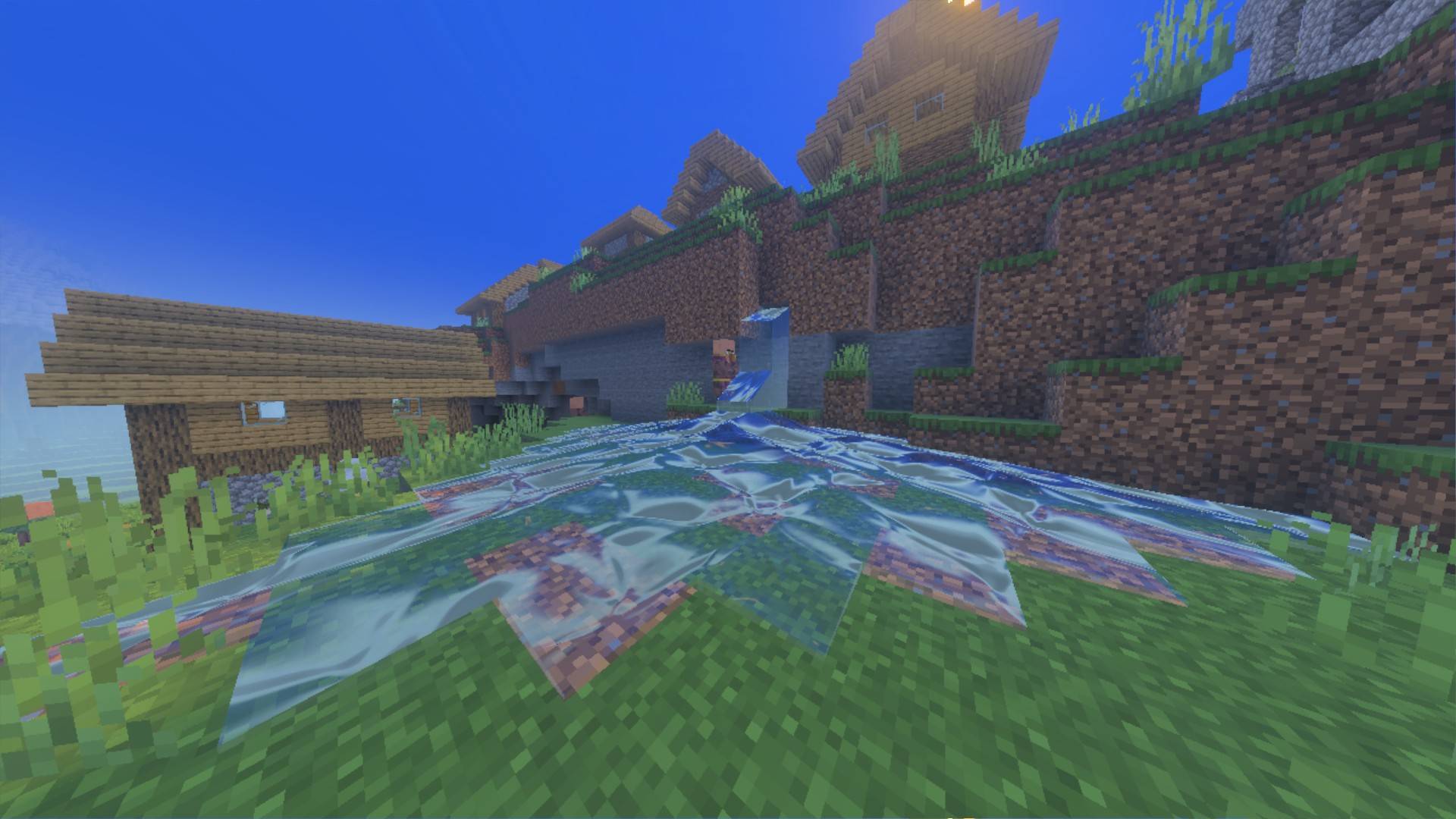
✨ Kage's Visuals Shaders [RenderDragon Deferred Lighting]
Transform your Minecraft Bedrock world with Kage's Visuals Shaders — a next-generation shader pack built specifically for Minecraft Bedrock's native RenderDragon Deferred Technical Preview / Vibrant Visuals engine.
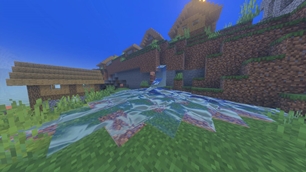
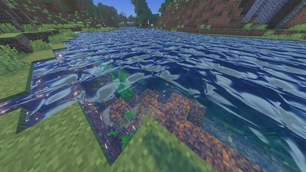
Featuring dynamic soft shadows, volumetric god rays, fluid water with animated caustics, PBR materials, and a customizable color temperature slider ranging from cozy golden hour warmth to frosty sub-zero arctic chill!
🌟 Key Features
- ⛅ In-Game Warmth & Coolness Customization: Choose your aesthetic mood right from the resource pack gear icon — switch between 4 unique color temperature presets (5400K to 9200K).
- 🌑 Dynamic Soft Shadows (PCSS): Enjoy realistic, distance-scaled shadows with grounded contact-hardening at your feet and natural soft penumbrae in the distance.
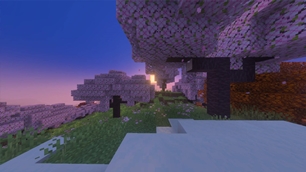
- 🌅 Volumetric God Rays (Crepuscular Rays): Radiant shafts of sunlight and moonlight pierce through tree canopies, mountain gaps, and morning valley fog.
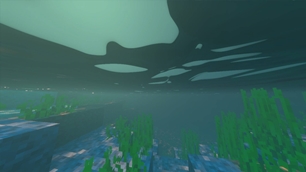
- 🌊 Fluid Water Physics & Caustics: Animated multi-octave water surface waves with crisp sun glints, realistic light absorption, and underwater dancing caustics.
- 💎 Physically Based Rendering (PBR): Blocks react realistically to light — metallic sheen on iron, gold, and copper, plus self-illuminated glowing emissive cores on torches, lanterns, and glowstone.
- 🎬 ACES Filmic Tonemapping: Hollywood-grade color science preserves rich dynamic range and prevents bright highlights from washing out into flat white.
- 🚫 Zero-Pop Horizon Fading: Distance-relative atmospheric fog smoothly blends distant terrain into the horizon, completely eliminating harsh shadow cascade cutoff lines.
🎨 4 Temperature Presets (Selectable via Gear Icon)
| Preset | Mood | Description |
|---|---|---|
| 🌿 Balanced Natural (6500K) | Default | Clean, natural daylight with crisp whites, vibrant foliage, and balanced ambient shadow bounce. |
| 🌇 Cinematic Warm (5400K) | Golden Hour | Rich honey sunlight, fiery tangerine sunsets, terracotta ambient light, and cozy glowing amber hearths. |
| ❄️ Nordic Cool (7800K) | Glacial Frost | Diamond Nordic sunlight, icy sapphire shadow lift bringing out crisp dark details, and ethereal cool light shafts. |
| 🌌 Arctic Ethereal (9200K) | Sub-Zero Chill | Polar cyan horizon, intense crystalline frost mist, diamond specular glints, and deep celestial indigo nights. |
📱 Supported Platforms
- Windows 10 / 11 (DirectX 11/12)
- Android & iOS (Devices supporting Deferred Shading / RenderDragon Preview)
- Xbox Series X / S
📥 How to Install & Use (3 Easy Steps)
- Install the Pack:
- Download and double-click
kages_visuals_shaders.mcpack. Minecraft Bedrock will open and import the pack automatically.
- Download and double-click
- Choose Your Warmth / Coolness Style:
- Go to Settings -> Global Resources -> Kage's Visuals Shaders -> Gear Icon (⚙️) and move the slider to your desired preset (Balanced, Warm, Cool, or Arctic).
- Turn ON Deferred Shading in World Settings:
- In your world's Experiments tab, enable RenderDragon Features for Creators (or Deferred Technical Preview).
- Activate Kage's Visuals Shaders in your world's Resource Packs.
- Load into the world, open Settings -> Video, and set Graphics Mode to Deferred Technical Preview!
🎮 Recommended Test Commands
/time set sunset       # Experience dramatic volumetric god rays and twilight colors
/time set noon         # Bright midday sun with crystal water reflections
/time set midnight     # Ethereal moonlight and warm torchlight contrast
/weather clear         # Crisp atmospheric visibility
/weather rain          # Moody volumetric rain mist
Note: This shader pack is built exclusively for Minecraft Bedrock Edition (v1.20.30 - v1.26+) using the official RenderDragon Deferred Lighting pipeline. No OptiFine, Iris, or Java mods required! mod icon for this page uses a non-real game taken image from this mod it's only for marketing
The Ultimate Guide to Kage's Visual Shaders
If you are exploring the vast world of Minecraft modifications, Kage's Visual Shaders by VOIDx7472 is a standout shader that deserves your attention. With over 124 downloads, it has become a staple for players looking to enhance their experience. As the creator describes it, this project is "the best shader visuals supports with vibrant visuals". Whether you are a veteran builder constructing massive cities, or simply a casual player looking to upgrade your survival world, this guide will provide you with all the essential details on how Kage's Visual Shaders alters the game.
What Makes It Special?
Unlike standard shaders that simply alter superficial elements, Kage's Visual Shaders introduces a wide array of visual and mechanical features designed to seamlessly blend into the vanilla aesthetic. VOIDx7472 has clearly spent significant time refining the project to ensure that every aspect feels polished and responsive for version 1.21.132.
Installation Guide
Getting Kage's Visual Shaders up and running is straightforward. Follow these step-by-step instructions:
- Verify Your Version: Ensure your Minecraft launcher is set to version 1.21.132.
- Install Mod Loader (if required): If this is a mod, download the compatible loader (Forge, Fabric, NeoForge).
- Download the File: Click the secure download button above to retrieve the official file from CurseForge.
- Move the File: Place the downloaded file into your `mods`, `shaderpacks`, or `resourcepacks` folder depending on the shader type.
- Launch and Enjoy: Open Minecraft, navigate to the respective settings menu, and activate Kage's Visual Shaders.
Compatibility & Performance
Compatibility is robust. Kage's Visual Shaders is designed specifically for version 1.21.132, taking full advantage of the latest engine optimizations. During typical gameplay, this addition maintains a stable frame rate, though lower-end laptops might experience slight stuttering. We recommend pairing this with performance boosters like Sodium or Iris to guarantee a silky-smooth experience.