Why REVOLT VISUALS is a top-tier shader mod for Minecraft 1.21.132
Developed by the talented creator UDGAMER, REVOLT VISUALS stands out as a highly recommended selection for your Minecraft client. It is fully optimized, compatibility-tested, and brings a major upgrade to the gameplay experience in Minecraft version 1.21.132.
⚙️ Quick Resource Specs
| Mod Creator | UDGAMER |
| Latest Version | 1.21.132 |
| Supported Game Versions | 1.21.132, 1.21.131, 1.21.124, 1.21.123, 1.21.122 |
| File Size | 59.04 KB |
| Last Updated | |
| Total Downloads | 493 downloads |
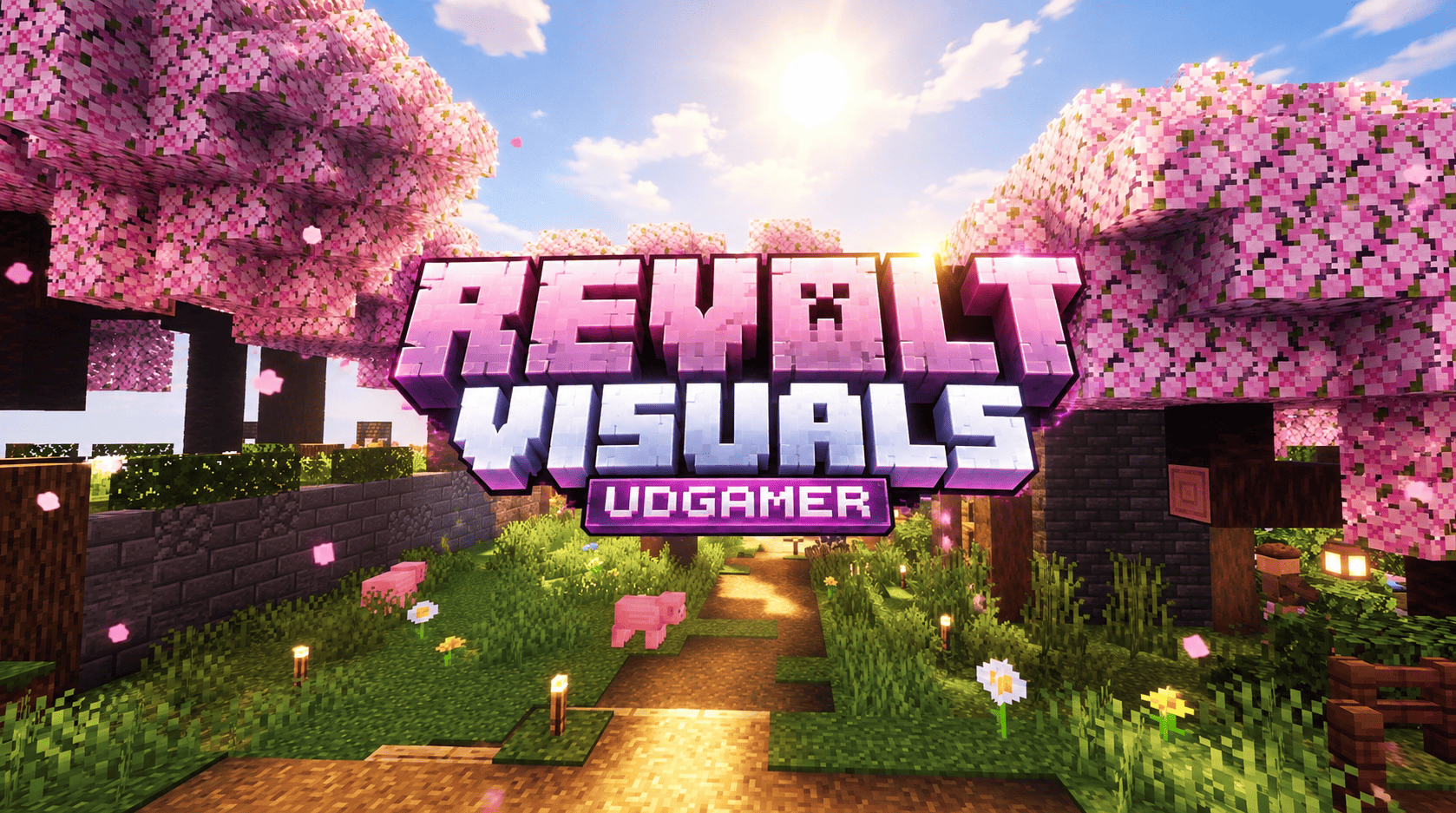
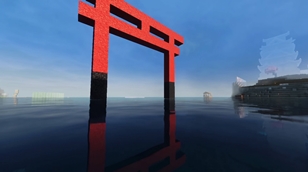
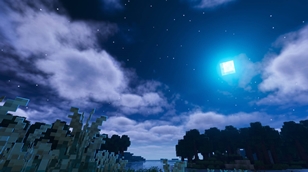
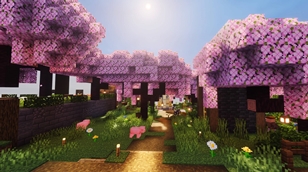
REVOLT VISUALS is a bold, cinematic Vibrant Visuals pack for Minecraft Bedrock Edition. It replaces the soft, flat default lighting with a dramatic world of thick golden haze, glowing light sources, deep shadows and wet, reflective water. Every biome gets its own colour of light, so travelling across your world becomes a journey through different moods: rose pink rays under cherry blossoms, emerald shafts in the jungle, burning amber over the desert and icy blue across the taiga. A custom glowing sun and a full set of moon phases replace the vanilla sky art, adding a soft bloom halo around both that holds even outside Vibrant Visuals.
The pack is built entirely from official, data-driven files and simple texture overrides. It adds no behaviour pack, changes no gameplay and does not touch the game engine, so it works with Minecraft Bedrock 1.21.100 and newer, including the 1.26 line, on any device.
Volumetric fog is dense and strongly forward scattering, producing a wide glowing halo around the sun and long beams of light through trees, clouds and gaps in the terrain. Sun colour shifts toward each biome’s tone at sunrise and sunset, settling to a warm near-white at midday, while moonlight stays cool and blue so nights remain dark but readable.
Ambient light is kept low and contrast, saturation and highlights are raised per biome with a matching colour temperature, so warm biomes like deserts feel warm, cold biomes like taiga feel crisp, and lush biomes like jungles feel vivid. Water carries its own profile per biome group, with animated waves and visible caustics, biome colour tinting turned up for richer, more saturated seas, swamps and rivers.
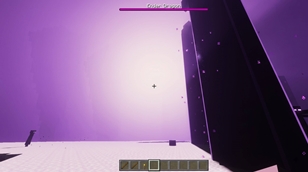
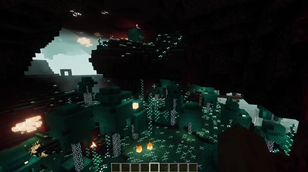
The Nether has five separate moods: ember-red wastes, blood-red crimson forest, teal warped forest, cold-blue soul sand valley and ash-violet basalt deltas. The End carries a dense violet haze with brighter flashes.
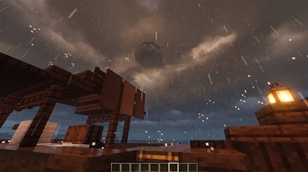
On Minecraft 1.21.120 and newer, torches, lanterns, soul fire, glowstone, lava, campfires and similar blocks gain coloured point lights, and held items, tools and particles get a soft self-lit glow. These two features need that newer version; on 1.21.100 you still get the full lighting, haze, grading, water and sky-texture look without them.
Install by opening the mcpack file so Minecraft imports it, then activate REVOLT VISUALS at the top of Settings, Global Resources, and turn on Vibrant Visuals under Settings, Video, Graphics. The pack works within the settings Mojang exposes to creators and cannot add effects Vibrant Visuals does not support; other packs editing the same lighting, fog or water settings may conflict, so keep this pack above them. All names, colours, and files are original work, created specifically for this pack.
Credits
Creator and author: UDGAMER. Rendering framework: Mojang’s official Vibrant Visuals system. Minecraft is a trademark of Mojang AB and Microsoft. This is an unofficial community pack, not affiliated with or endorsed by either company.
The Ultimate Guide to REVOLT VISUALS
If you are exploring the vast world of Minecraft modifications, REVOLT VISUALS by UDGAMER is a standout shader that deserves your attention. With over 493 downloads, it has become a staple for players looking to enhance their experience. As the creator describes it, this project is "Thick golden god rays, deep shadows, glowing lights, wet reflective water, fiery Nether and violet End. Made for Vibrant Visuals.". Whether you are a veteran builder constructing massive cities, or simply a casual player looking to upgrade your survival world, this guide will provide you with all the essential details on how REVOLT VISUALS alters the game.
What Makes It Special?
Unlike standard shaders that simply alter superficial elements, REVOLT VISUALS introduces a wide array of visual and mechanical features designed to seamlessly blend into the vanilla aesthetic. UDGAMER has clearly spent significant time refining the project to ensure that every aspect feels polished and responsive for version 1.21.132.
Installation Guide
Getting REVOLT VISUALS up and running is straightforward. Follow these step-by-step instructions:
- Verify Your Version: Ensure your Minecraft launcher is set to version 1.21.132.
- Install Mod Loader (if required): If this is a mod, download the compatible loader (Forge, Fabric, NeoForge).
- Download the File: Click the secure download button above to retrieve the official file from CurseForge.
- Move the File: Place the downloaded file into your `mods`, `shaderpacks`, or `resourcepacks` folder depending on the shader type.
- Launch and Enjoy: Open Minecraft, navigate to the respective settings menu, and activate REVOLT VISUALS.
Compatibility & Performance
Compatibility is robust. REVOLT VISUALS is designed specifically for version 1.21.132, taking full advantage of the latest engine optimizations. During typical gameplay, this addition maintains a stable frame rate, though lower-end laptops might experience slight stuttering. We recommend pairing this with performance boosters like Sodium or Iris to guarantee a silky-smooth experience.