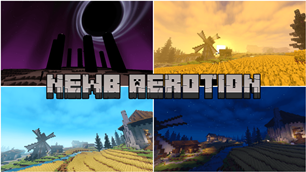
Why Newb Aerotion | compatible with minecraft 26.60+ is a top-tier shader mod for Minecraft 1.21
Developed by the talented creator Goboyy22, Newb Aerotion | compatible with minecraft 26.60+ stands out as a highly recommended selection for your Minecraft client. It is fully optimized, compatibility-tested, and brings a major upgrade to the gameplay experience in Minecraft version 1.21.
⚙️ Quick Resource Specs
| Mod Creator | Goboyy22 |
| Latest Version | 1.21 |
| Supported Game Versions | Minecraft 1.21+ |
| File Size | 13.36 MB |
| Last Updated | |
| Total Downloads | 13,891 downloads |
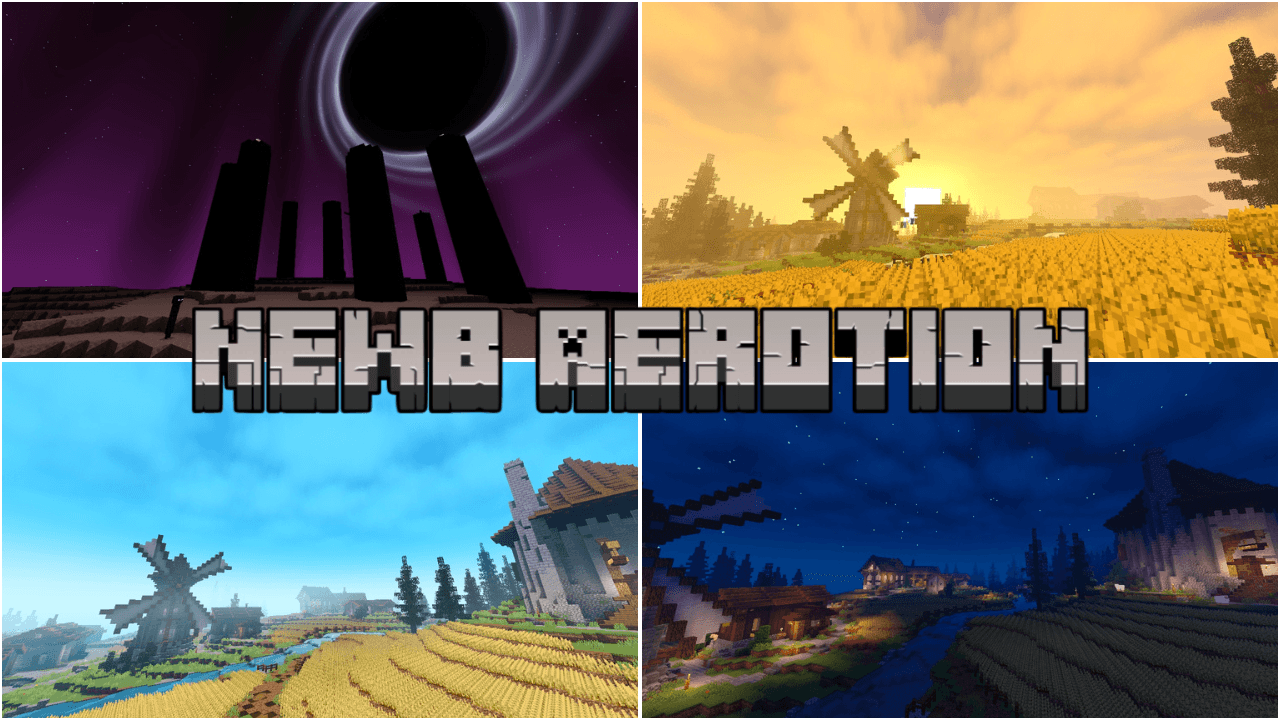
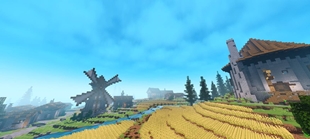
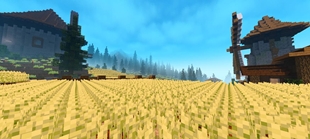
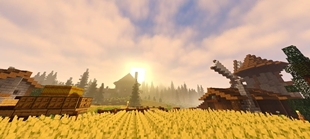
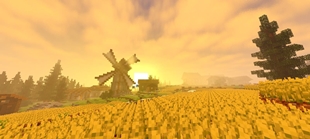
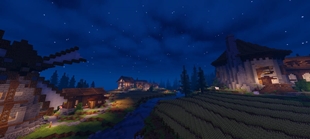
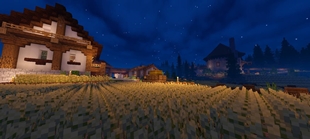
A newb variant with bright lighting, a warm atmosphere, dynamic skies, and balanced colors.
Designed specifically for anyone who enjoys brightly themed shaders suitable for survival.
Numerous effects enhance this shader and enhance the visuals.
This shader requires a balanced (mid-range) device.
While the numerous effects may require a suitable device, you can still use this shader on low-end devices by using the low subpack.
The low subpack is designed with minimal effects, and some are disabled to improve performance on low-end devices.
=====================================================================================
Please read until the end so you understand it!!
FEATURED
• Vibrant lighting
• Dynamic sky
• Vanilla sun/moon
• Blocky vanilla clouds
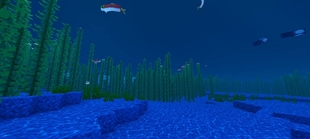
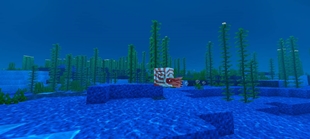
• Blue water
• Water waves & reflection
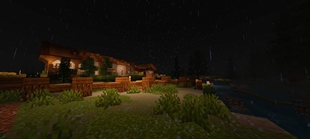
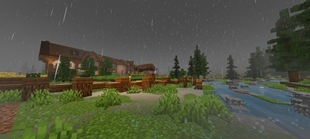
• Atmospheric Rain
• Dynamic fog/mist
• Emmisive lighting
• Ore glow
• Animated vegetation
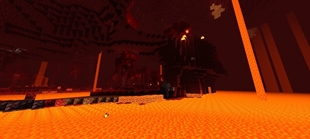
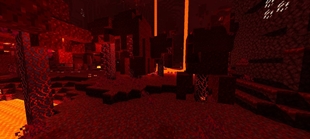
• Custom nether atmospher
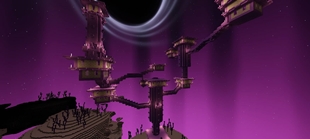
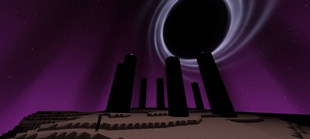
• Custom the end atmospher
• Black hole at the end
• Raindrops
• Rainwater puddles
=====================================================================================
SUBPACKS
• Default:
Main visual experience with all effects eneble. May be demanding on some device.
• Low:
Reduce of quality of certain effects or desables some effects for better performance.
=====================================================================================
NOTES
• Compatible only with minecraft version 26.50+
• Compatible with Linux, Windows, Android, and iOS.
• Performance may vary depending on device specifications and minecraft setting.
• Some visual effect may look different depending on graphic setting, render distance, and device performance.
• Clouds require Beautiful Graphics. If you are using Simple Graphics, clouds may not work correctly.
• Additional tools and tutorials are available through the Newb community in the MCBE Patches section.
=====================================================================================
CREDITS
Newb Aerotion is based on the Newb Shader project.
Special thanks to everyone in the Newb community who contributed ideas, testing, feedback, and technical assistance throughout the development of this shader.
Special thanks to:
• Devendrn
• REXYTMC
• SetBr0ken
• KrispyBRN
• Indeed
• Ale complementary and Ale evermist
• JesusMiguel Gamer
• nickellynx
• kurinkishi
• Ethereal
• TryzzMC, documentation map, Medieval Village - Gendry's Tavern.
And to everyone else who contributed to the development and testing of Newb Aero Reimagined — thank you for helping make this project possible.
=====================================================================================
COPYRIGHT
Original Source: Newb Shader
Original Author: Devendrn
Newb Aerotion is a modified shader project based on the original Newb Shader.
Proper copyright claims are prohibited.
Users may use Newb Aerotion for personal use or redistribute it only when proper credit is provided, including a link to the original CurseForge or MCPEDL page and credit to the modifier/developer.
Do not claim the original Newb Shader or its source code as your own.
=====================================================================================
Do you have any suggestions or criticisms? Please join Newb Aerotion Feedback to report them.
Your suggestions and criticisms will be useful for this shader.
You can also join Newb Aerotion for the latest info and spoilers.
Thank you for using and supporting this shader, enjoy!!
The Ultimate Guide to Newb Aerotion | compatible with minecraft 26.60+
If you are exploring the vast world of Minecraft modifications, Newb Aerotion | compatible with minecraft 26.60+ by Goboyy22 is a standout shader that deserves your attention. With over 13,891 downloads, it has become a staple for players looking to enhance their experience. As the creator describes it, this project is "A shader that is perfect for you to survive, with bright lighting, dynamic skies, and a comfortable atmosphere for your game.". Whether you are a veteran builder constructing massive cities, or simply a casual player looking to upgrade your survival world, this guide will provide you with all the essential details on how Newb Aerotion | compatible with minecraft 26.60+ alters the game.
What Makes It Special?
Unlike standard shaders that simply alter superficial elements, Newb Aerotion | compatible with minecraft 26.60+ introduces a wide array of visual and mechanical features designed to seamlessly blend into the vanilla aesthetic. Goboyy22 has clearly spent significant time refining the project to ensure that every aspect feels polished and responsive for version 1.21.
Installation Guide
Getting Newb Aerotion | compatible with minecraft 26.60+ up and running is straightforward. Follow these step-by-step instructions:
- Verify Your Version: Ensure your Minecraft launcher is set to version 1.21.
- Install Mod Loader (if required): If this is a mod, download the compatible loader (Forge, Fabric, NeoForge).
- Download the File: Click the secure download button above to retrieve the official file from CurseForge.
- Move the File: Place the downloaded file into your `mods`, `shaderpacks`, or `resourcepacks` folder depending on the shader type.
- Launch and Enjoy: Open Minecraft, navigate to the respective settings menu, and activate Newb Aerotion | compatible with minecraft 26.60+.
Compatibility & Performance
Compatibility is robust. Newb Aerotion | compatible with minecraft 26.60+ is designed specifically for version 1.21, taking full advantage of the latest engine optimizations. During typical gameplay, this addition maintains a stable frame rate, though lower-end laptops might experience slight stuttering. We recommend pairing this with performance boosters like Sodium or Iris to guarantee a silky-smooth experience.