Why GLOW VISUALS is a top-tier shader mod for Minecraft 1.21.100
Developed by the talented creator UDGAMER, GLOW VISUALS stands out as a highly recommended selection for your Minecraft client. It is fully optimized, compatibility-tested, and brings a major upgrade to the gameplay experience in Minecraft version 1.21.100.
⚙️ Quick Resource Specs
| Mod Creator | UDGAMER |
| Latest Version | 1.21.100 |
| Supported Game Versions | 1.21.100, 1.21.80 |
| File Size | 40.28 KB |
| Last Updated | |
| Total Downloads | 450 downloads |
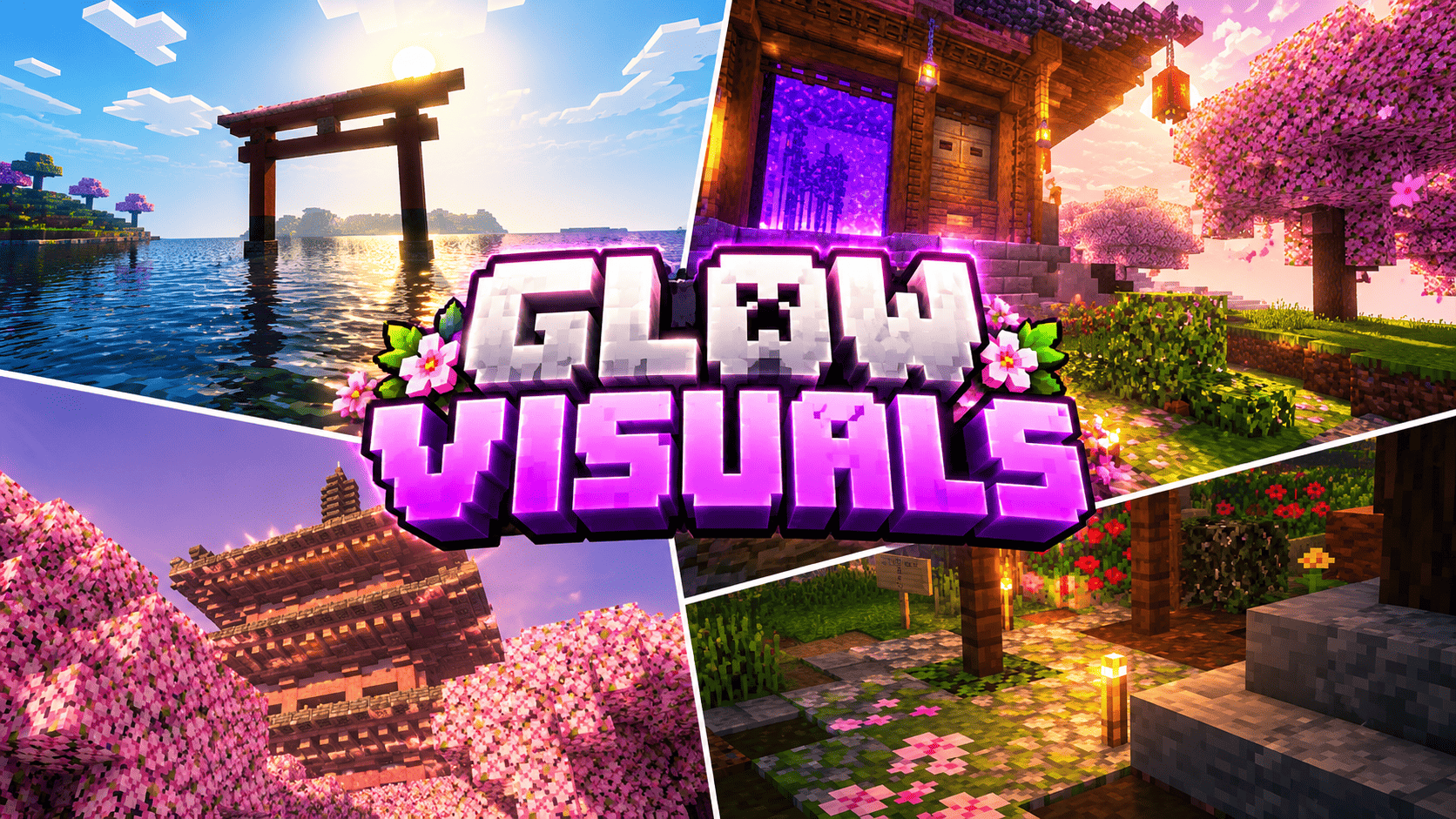
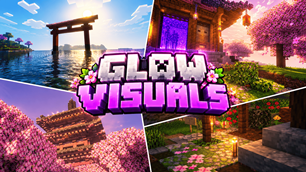
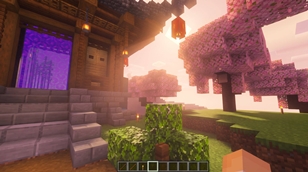
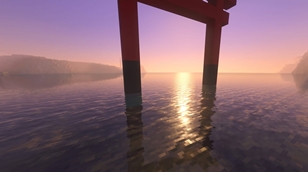
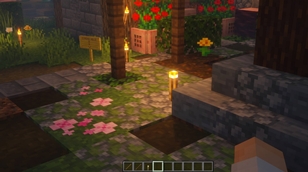
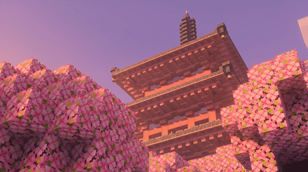
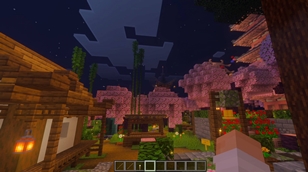
Give your Minecraft Bedrock worlds a cinematic color identity without replacing the blocks you already built. GLOW VISUALS is an original Vibrant Visuals resource pack shaped around the six supplied scene references: blossom-framed Japanese architecture, a portal courtyard beneath a low sun, a torii over reflective water, a lantern-lit garden path, an End dragon arena, and a quiet cherry village after dark. It keeps the familiar voxel style and first-person readability while tuning the sky, sunlight, ambient fill, atmosphere, color grading, and water into a richer, softly glowing presentation.
In Cherry Grove biomes, GLOW VISUALS layers warm rose and peach sunlight into the daylight curve, with lilac twilight and gentle pink haze at the horizon. The idea is not to turn every hour into a pink filter; color and brightness change across the day so blossoms stay distinct at midday, sunset feels warmer, and night shifts toward a restrained violet-blue.
Jungle and bamboo-jungle biomes receive a separate emerald-tinted profile. Carefully balanced green scattering gives sunlit leaves and distant air a lush cast while keeping grass, wood, water, and mobs recognizable. The color grade is intentionally moderate: it aims for an inviting forest atmosphere rather than a neon overlay. Woodlands and meadows use a softer neutral profile, so the pack still feels cohesive when you leave the showcase biomes.
Open-water scenes have their own treatment. Gentle image-based wave parameters, clear-water particle values, and animated caustics are intended to add definition to the surface and let a low sun read as a bright path across the water. Water remains Minecraft water. Reflections, caustics, visible shafts, and the final water color depend on the device, Vibrant Visuals options, weather, camera angle, and the game build. The End uses a separate indigo atmosphere, cool violet ambient light, controlled darkness, and a restrained lavender End flash, keeping the dragon arena dramatic without burying its silhouettes.
Atmosphere and sunlight are keyframed through the full day, so the palette transitions rather than switching abruptly. A modest contrast and saturation pass separates pink blossoms, green canopies, warm lanterns, and cool water while protecting bright sky detail. Soft shadows complement the cinematic falloff in the references. The modern build also defines warm torch and lantern light, plus cooler soul-light accents, where the game version and Render Dragon creator experiment support custom local lighting. GLOW VISUALS is visual-only: it adds no blocks, items, mobs, recipes, world generation, scripts, or gameplay changes. It contains no supplied screenshots, third-party textures, or borrowed shader source code.
Two installable builds are included. The legacy package declares Minecraft Bedrock 1.21.80 as its minimum and is intended for compatible Preview or deferred-rendering configurations. The current Vibrant Visuals package targets 1.21.120 and later, following the minimum recommended by current Creator documentation for PBR-enabled Vibrant Visuals resource packs. Resource-pack schemas and renderer capabilities changed during the 1.21 series, so no single package can honestly guarantee identical effects across every build from 1.21.80 onward. Choose the file matching your game, enable Vibrant Visuals or the applicable deferred mode, keep volumetric fog enabled for shafts, and place GLOW VISUALS above other packs that alter lighting, atmosphere, biomes, or water. Device support is required.
Creator: UDGAMER. The color profiles, values, pack identity, and icon were made specifically for this project; the reference images were used only to guide mood and composition. Minecraft and Bedrock Edition are trademarks of Microsoft. This is an unofficial fan-made resource pack, not affiliated with or endorsed by Mojang or Microsoft. The included installation notes explain the version split and the checks to perform before publishing or sharing the pack.
Creator / credits
GLOW VISUALS
Creator / Author: UDGAMER
Original work in this release: custom lighting, atmosphere, color-grading, water and fog configuration values; pack metadata; and a procedurally drawn pack icon.
Minecraft and Minecraft: Bedrock Edition are trademarks of Microsoft. GLOW VISUALS is an unofficial fan-made resource pack and is not affiliated with, sponsored by, or endorsed by Mojang or Microsoft.
The Ultimate Guide to GLOW VISUALS
If you are exploring the vast world of Minecraft modifications, GLOW VISUALS by UDGAMER is a standout shader that deserves your attention. With over 450 downloads, it has become a staple for players looking to enhance their experience. As the creator describes it, this project is "A handcrafted Bedrock Vibrant Visuals pack with rose-lit cherry groves, emerald forest haze, sunset water, cozy lanterns, and a violet End. Original settings by UDGAMER.". Whether you are a veteran builder constructing massive cities, or simply a casual player looking to upgrade your survival world, this guide will provide you with all the essential details on how GLOW VISUALS alters the game.
What Makes It Special?
Unlike standard shaders that simply alter superficial elements, GLOW VISUALS introduces a wide array of visual and mechanical features designed to seamlessly blend into the vanilla aesthetic. UDGAMER has clearly spent significant time refining the project to ensure that every aspect feels polished and responsive for version 1.21.100.
Installation Guide
Getting GLOW VISUALS up and running is straightforward. Follow these step-by-step instructions:
- Verify Your Version: Ensure your Minecraft launcher is set to version 1.21.100.
- Install Mod Loader (if required): If this is a mod, download the compatible loader (Forge, Fabric, NeoForge).
- Download the File: Click the secure download button above to retrieve the official file from CurseForge.
- Move the File: Place the downloaded file into your `mods`, `shaderpacks`, or `resourcepacks` folder depending on the shader type.
- Launch and Enjoy: Open Minecraft, navigate to the respective settings menu, and activate GLOW VISUALS.
Compatibility & Performance
Compatibility is robust. GLOW VISUALS is designed specifically for version 1.21.100, taking full advantage of the latest engine optimizations. During typical gameplay, this addition maintains a stable frame rate, though lower-end laptops might experience slight stuttering. We recommend pairing this with performance boosters like Sodium or Iris to guarantee a silky-smooth experience.