Why Usual Shader is a top-tier shader mod for Minecraft 1.21.130
Developed by the talented creator Baku_Studio, Usual Shader stands out as a highly recommended selection for your Minecraft client. It is fully optimized, compatibility-tested, and brings a major upgrade to the gameplay experience in Minecraft version 1.21.130.
⚙️ Quick Resource Specs
| Mod Creator | Baku_Studio |
| Latest Version | 1.21.130 |
| Supported Game Versions | 1.21.130, 1.21.100, 1.21.80 |
| File Size | 58.32 KB |
| Last Updated | |
| Total Downloads | 2,481 downloads |
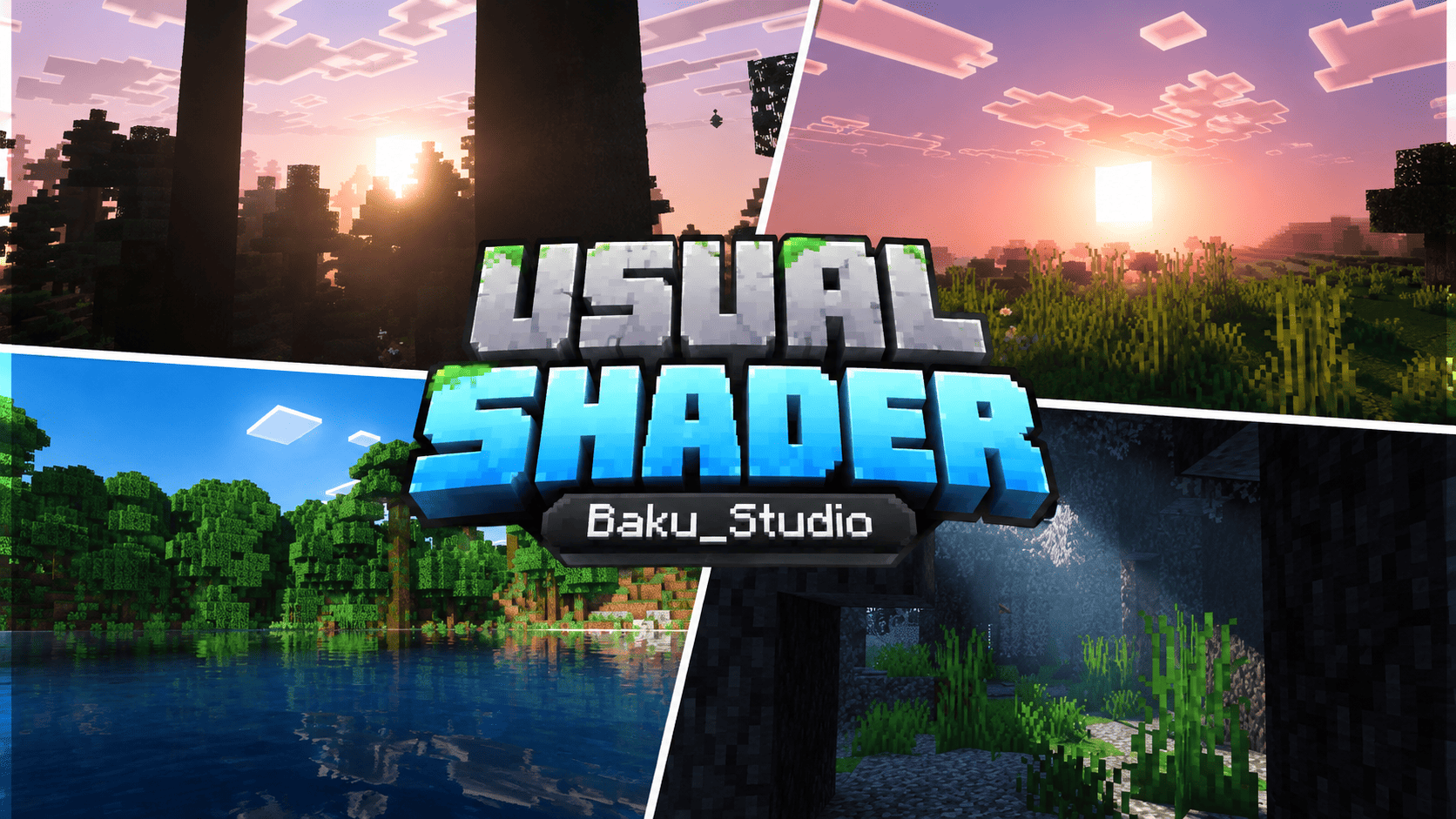
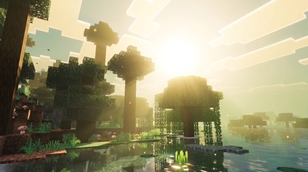
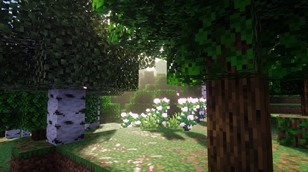
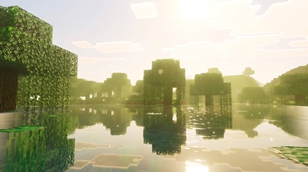
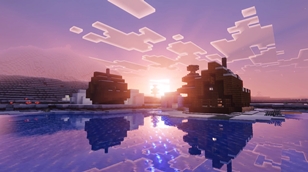
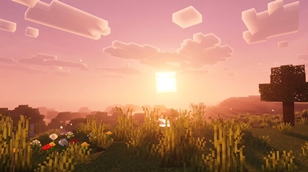
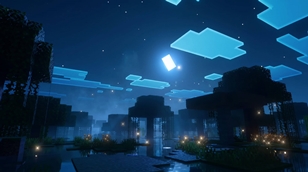
Usual Shader is a biome-atmosphere pack for Minecraft Bedrock Edition (1.21.80 and newer) that gives every corner of your world its own light, air and water. Cherry groves blush pink. Jungles breathe golden-green. Swamps shimmer like glass at noon and glow with drifting motes at night. Snowfields turn icy lavender, badlands burn terracotta, and oceans sink into deep sapphire blue. The Nether and the End are rebuilt as glowing, otherworldly dimensions.
Unlike traditional "shader" mods that need powerful PCs and inject custom graphics code phones cannot run, Usual Shader is built entirely from original, data-driven resource-pack content: per-biome fog atmospheres, volumetric light tinting, water surface colors, richer foliage, and subtle floating particles. There is no copied code and no stolen assets — everything in this pack was authored from scratch for this project.
What changes in your world
28 hand-tuned fog atmospheres. Each biome family gets its own air color and density: pink cherry-blossom haze, jungle gold-green, warm swamp mist, peach meadow light, lavender snowfields, terracotta badlands, deep ocean blue, glowing lush-cave mist, and near-black deep-dark stillness.
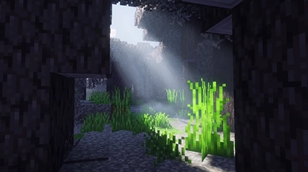
Light that takes the color of the biome. The pack tints how sunlight scatters through the air in each biome. With Vibrant Visuals enabled, light shafts feel pink among cherry trees and emerald under the jungle canopy — the screenshot look, rendered live by the game engine.
Per-biome sky, sun, moon and cinematic color grading (v1.1). Using the game's Vibrant Visuals graphics settings, every biome mood gets its own sky colors across the full day cycle, stronger sun glare and moon glow, and film-style color grading — warm golden highlights, rich shadows, boosted saturation. Cherry groves glow pink at sunset, jungles stay lush gold-green, and nights shine with a brighter moon.
Vivid, mirror-like waters. Every biome family gets its own water surface color: teal swamp lakes, icy blue frozen rivers, turquoise beaches, deep blue oceans.
Richer foliage. Signature biomes get boosted leaf and grass colors — vivid pink cherry canopies, deep jungle greens, lush swamp tones.
Floating light motes. Subtle drifting particles complete the mood: petal-like motes in cherry groves, firefly dust in swamps and jungles, snow sparkle in frozen biomes, and embers, spores and ash across the Nether.
The Nether, reimagined. All five Nether biomes get dense glowing fog and dark tinted skies: blood-red wastes, ember-lit crimson forests, teal warped forests, ghostly blue soul-sand valleys, and violet basalt deltas — each with its own drifting particles.
The End, transformed. A dramatic violet dimension with magenta light scatter, deep purple skies and drifting blue spores across the central island and the outer islands alike.
Requirements
- Minecraft Bedrock / Pocket Edition 1.21.90 or newer (phones, tablets, consoles, PC) — the per-biome sky, sun/moon and color-grading engine features need 1.21.90+.
- For the full cinematic look, turn ON "Vibrant Visuals" in Settings → Video. The pack still improves colors and water with it off.
- No experiments or cheats required. No behavior pack needed — this is a single resource pack.
Installation
- Download
Usual_Shader.mcpackand tap / open it — Minecraft will import it automatically. - To use it in one world: open the world settings → Resource Packs → My Packs → activate Usual Shader.
- To use it everywhere: Settings → Storage → Global Resources → activate Usual Shader.
- Make sure Vibrant Visuals is enabled in Video settings, then step into a cherry grove at noon and look at the light.
FAQ
Is this a real shader? It is a resource pack that restyles atmosphere, light tint, water and foliage per biome. The dramatic sun shafts are rendered by the game's Vibrant Visuals engine, which this pack complements.
Will it lag my phone? The pack uses the game's built-in systems, so the performance cost is tiny compared to code-injection shaders. If your device already runs Vibrant Visuals smoothly, Usual Shader will too.
Does it work in multiplayer / Realms? Yes — resource packs work on Realms and servers; every player who wants the look needs the pack active.
Can I use it in videos? Absolutely — just credit Baku_Studio.
Credits & license
Created by Baku_Studio. Every file in Usual Shader — all 28 fog atmospheres, all 63 biome visual definitions, the pack icon and these texts — is 100% original work made for this project. No third-party code, textures or assets were used. © Baku_Studio. All rights reserved. Do not re-upload or redistribute without permission.
The Ultimate Guide to Usual Shader
If you are exploring the vast world of Minecraft modifications, Usual Shader by Baku_Studio is a standout shader that deserves your attention. With over 2,481 downloads, it has become a staple for players looking to enhance their experience. As the creator describes it, this project is "Usual Shader is a lightweight, 100% original biome-atmosphere pack for Minecraft Bedrock. It repaints the air, water and light of every biome — pink haze in cherry groves, golden-green glow in jungles, shimmering swamp waters, plus a full ...". Whether you are a veteran builder constructing massive cities, or simply a casual player looking to upgrade your survival world, this guide will provide you with all the essential details on how Usual Shader alters the game.
What Makes It Special?
Unlike standard shaders that simply alter superficial elements, Usual Shader introduces a wide array of visual and mechanical features designed to seamlessly blend into the vanilla aesthetic. Baku_Studio has clearly spent significant time refining the project to ensure that every aspect feels polished and responsive for version 1.21.130.
Installation Guide
Getting Usual Shader up and running is straightforward. Follow these step-by-step instructions:
- Verify Your Version: Ensure your Minecraft launcher is set to version 1.21.130.
- Install Mod Loader (if required): If this is a mod, download the compatible loader (Forge, Fabric, NeoForge).
- Download the File: Click the secure download button above to retrieve the official file from CurseForge.
- Move the File: Place the downloaded file into your `mods`, `shaderpacks`, or `resourcepacks` folder depending on the shader type.
- Launch and Enjoy: Open Minecraft, navigate to the respective settings menu, and activate Usual Shader.
Compatibility & Performance
Compatibility is robust. Usual Shader is designed specifically for version 1.21.130, taking full advantage of the latest engine optimizations. During typical gameplay, this addition maintains a stable frame rate, though lower-end laptops might experience slight stuttering. We recommend pairing this with performance boosters like Sodium or Iris to guarantee a silky-smooth experience.