Why VOYAGE VISUALS is a top-tier shader mod for Minecraft 1.21.130
Developed by the talented creator UDGAMER, VOYAGE VISUALS stands out as a highly recommended selection for your Minecraft client. It is fully optimized, compatibility-tested, and brings a major upgrade to the gameplay experience in Minecraft version 1.21.130.
⚙️ Quick Resource Specs
| Mod Creator | UDGAMER |
| Latest Version | 1.21.130 |
| Supported Game Versions | 1.21.130, 1.21.100, 1.21.80 |
| File Size | 59.04 KB |
| Last Updated | |
| Total Downloads | 3,542 downloads |
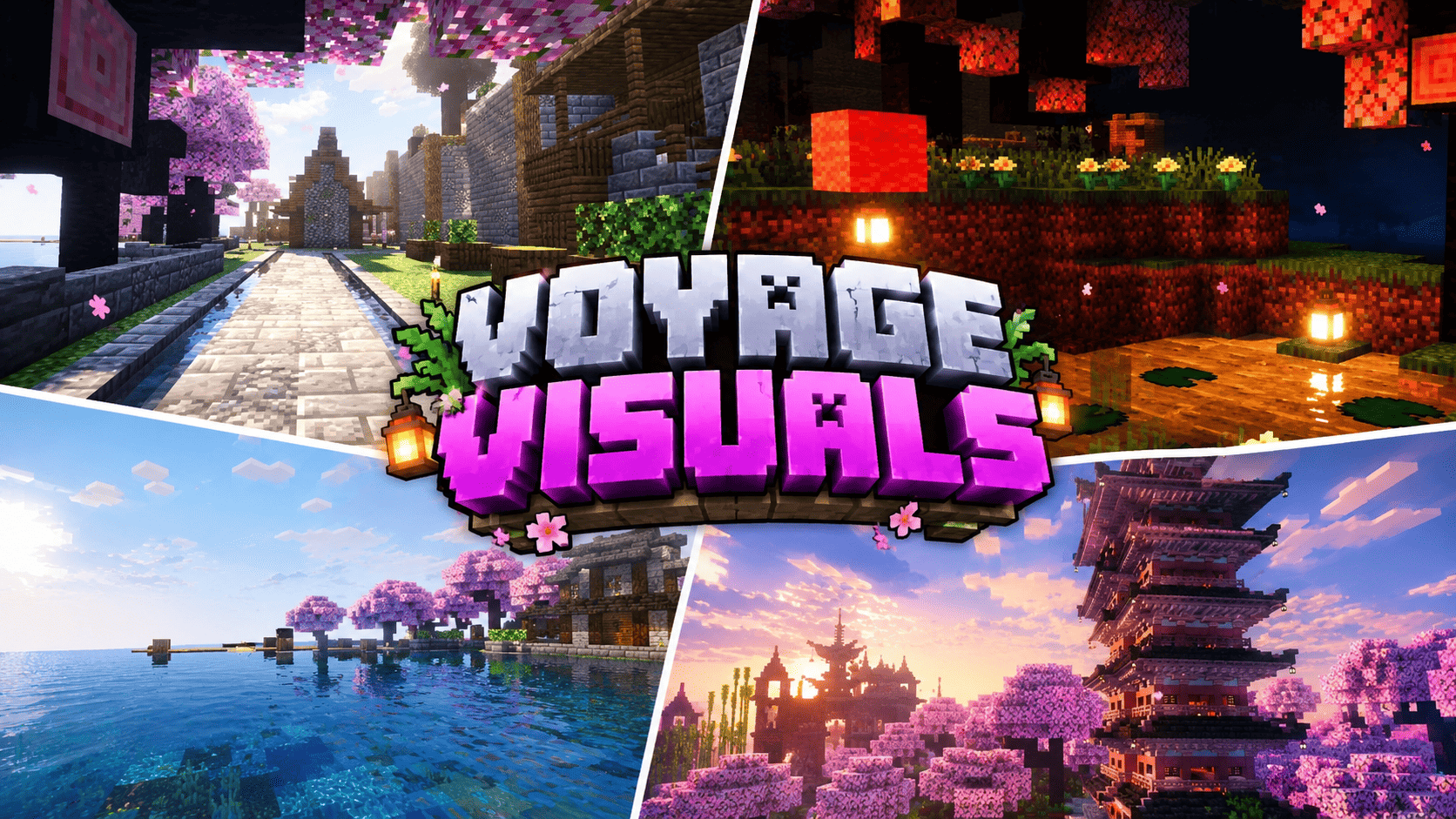
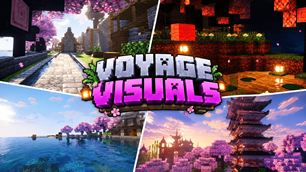
Voyage Visuals is a cinematic atmosphere pack for Minecraft Bedrock and Pocket Edition that rebuilds how every biome feels. It changes no blocks and no textures — instead it repaints the air itself: sky color, sun glare, fog tint, water mood, and the cinematic tone of every frame. The result looks shot through a film camera: glowing horizons, rich saturated colors, light pouring through the trees.
Made for the moments you screenshot
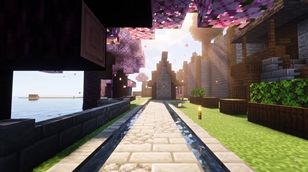
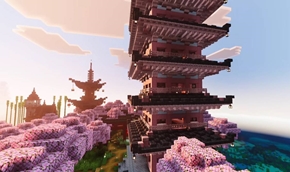
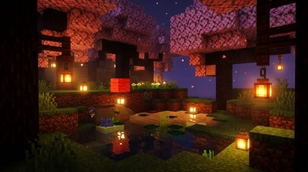
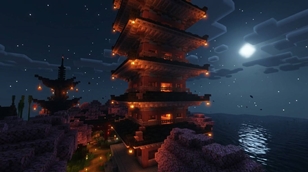
Cherry Grove — the pink voyage. Daylight filters through the blossoms as soft pink god-ray light. The horizon blooms pink, petals drift through warm haze, and sunsets melt into rose and gold. At night the grove turns deep violet-blue, with a warm lantern-like glow resting on the horizon.
Jungle — green-gold light shafts. Dense green-gold fog hangs between the trees, the sun cuts through the canopy in warm shafts, and spores drift like fireflies in the shade. It feels humid, alive, and ancient.
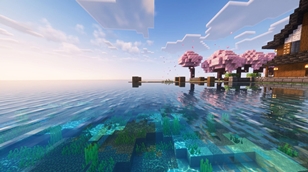
Oceans, rivers and beaches — crystal water. Murk is stripped out of the water so it reads glassy and clear, with bright animated caustics dancing on the seabed and gentle waves rolling across the surface. Shorelines glow turquoise; the deep ocean turns a rich sapphire blue.
Lantern nights. Midnight skies were rebuilt per biome — cherry groves get violet nights with warm undertones, jungles a deep teal dark, deserts a starry indigo. Lanterns and torches pop against these nights the way they do in cinematic screenshots.
The End — violet storm. The End dimension is wrapped in dense violet fog with purple light-scatter, so obsidian pillars fade into a glowing amethyst void and the Ender Dragon cuts a black silhouette against it.
Nether — five burning moods. Each Nether biome keeps its own identity, pushed further: the wastes burn deep red, crimson forests smolder, warped forests pulse teal, soul valleys sink into cold blue, and basalt deltas smolder violet-grey under drifting ash.
Golden hour everywhere. Meadows, deserts, savannas and snowy peaks get golden sunsets, cool blue shadows and clean cinematic contrast — even an ordinary walk home at dusk looks like a wallpaper.
How it works (honest technical notes)
Voyage Visuals is built entirely from original data-driven graphics files: 28 hand-tuned per-biome fogs with volumetric light-scatter color, 14 keyframed day-cycle atmospherics controlling sky color, sun glare and moon glow, 14 cinematic color grades (saturation, contrast, warm highlights, rich shadows, color temperature), and 3 water simulations with real waves, caustics and particle science. 63 biomes are individually styled.
Two honest notes. First, turn Vibrant Visuals ON in Video settings — the strongest sun glare, water and grading layers only activate there. Second, phones cannot inject true post-process god rays or bloom through a pack; that part belongs to the game engine. Voyage Visuals pushes every lever the engine exposes to its maximum — the closest a Bedrock pack can legally get to those cinematic screenshots.
Installation (60 seconds)
Download `Voyage_Visuals.mcpack`.
Open the file — Minecraft will import it automatically. (On some devices, move it into `games/com.mojang/resource_packs/` and restart the game.)
Go to Settings → Storage → Resource Packs (global) or the world's Edit → Resource Packs screen, and activate Voyage Visuals.
Turn Vibrant Visuals ON in Video settings and set render distance to 12+ chunks for the deepest fog.
Walk into a cherry grove at noon, then again at sunset. That is the moment this pack was built for.
Compatibility
Minecraft Bedrock / Pocket Edition 1.21.80 and newer (phones, tablets, consoles, PC).
Lightweight: no textures replaced, no behavior changes, safe to stack above your favorite texture pack.
Best experienced on 1.21.90+, where every per-biome sky and grading layer is fully supported.
Single-player and multiplayer friendly — each player sees it once they activate it.
Credits
Created by UDGAMER. Every fog color, sky keyframe, grading curve and water setting was authored from scratch for this release. No third-party shaders, code, textures or assets were used or copied. Voyage Visuals is 100% original work. If you enjoy it, a favorite and a share keep the voyage going.
The Ultimate Guide to VOYAGE VISUALS
If you are exploring the vast world of Minecraft modifications, VOYAGE VISUALS by UDGAMER is a standout shader that deserves your attention. With over 3,542 downloads, it has become a staple for players looking to enhance their experience. As the creator describes it, this project is "Voyage Visuals turns your Minecraft world into a cinematic voyage. Cherry groves glow with pink god-ray light, jungles shine green-gold, oceans turn crystal clear, lantern nights feel warm and alive, and the End burns violet. Per-biome skie..". Whether you are a veteran builder constructing massive cities, or simply a casual player looking to upgrade your survival world, this guide will provide you with all the essential details on how VOYAGE VISUALS alters the game.
What Makes It Special?
Unlike standard shaders that simply alter superficial elements, VOYAGE VISUALS introduces a wide array of visual and mechanical features designed to seamlessly blend into the vanilla aesthetic. UDGAMER has clearly spent significant time refining the project to ensure that every aspect feels polished and responsive for version 1.21.130.
Installation Guide
Getting VOYAGE VISUALS up and running is straightforward. Follow these step-by-step instructions:
- Verify Your Version: Ensure your Minecraft launcher is set to version 1.21.130.
- Install Mod Loader (if required): If this is a mod, download the compatible loader (Forge, Fabric, NeoForge).
- Download the File: Click the secure download button above to retrieve the official file from CurseForge.
- Move the File: Place the downloaded file into your `mods`, `shaderpacks`, or `resourcepacks` folder depending on the shader type.
- Launch and Enjoy: Open Minecraft, navigate to the respective settings menu, and activate VOYAGE VISUALS.
Compatibility & Performance
Compatibility is robust. VOYAGE VISUALS is designed specifically for version 1.21.130, taking full advantage of the latest engine optimizations. During typical gameplay, this addition maintains a stable frame rate, though lower-end laptops might experience slight stuttering. We recommend pairing this with performance boosters like Sodium or Iris to guarantee a silky-smooth experience.