Creevoxx LogoCreevoxxMCMods
HomeShadersTexturesModsLow-End ShadersRTX ShadersSavedGuidesAbout
GET IT ONGoogle Play

Popular Collections

📱 Performance HubBest Low-End ShadersMCPE Performance Mods
✨ Realism & RTXRealistic RTX ShadersRTX Texture Packs for MCPE
🤖 Platform CompatibilityMinecraft PE Shaders 1.21Shaders for Android & iOS
⚔️ Gameplay VibeTop PvP Texture PacksMedieval Texture Packs
🤝 Community & SocialsYouTubeInstagram
Get the Android App — Free on Play Store
HomeGuidesAbout UsSponsor & PartnerContactPrivacy PolicyTerms & ConditionsDisclaimer
Minecraft>Textures>Enchantment Outlines
Enchantment Outlines logo

Enchantment Outlines

By👤VoxenMC2

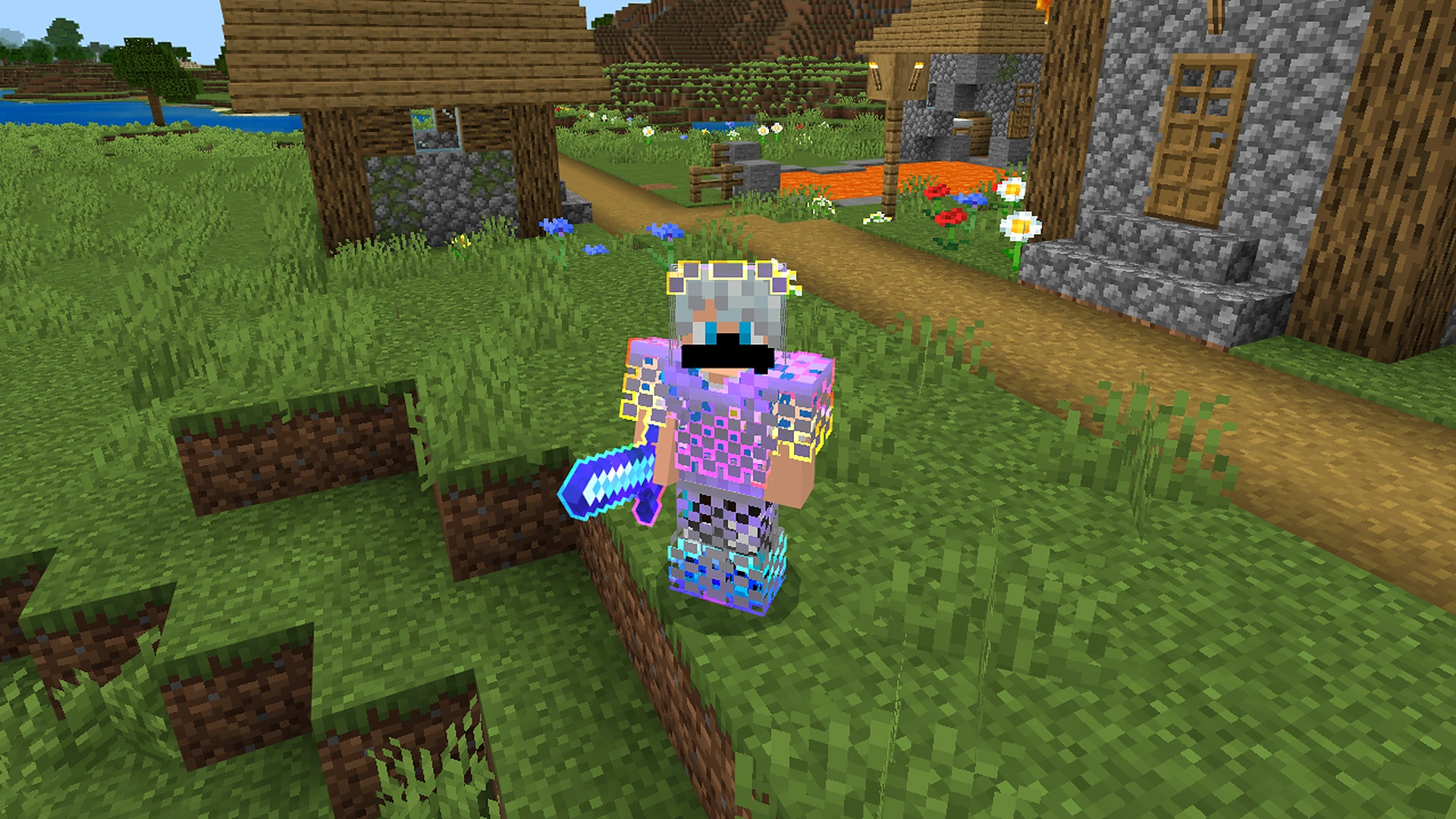
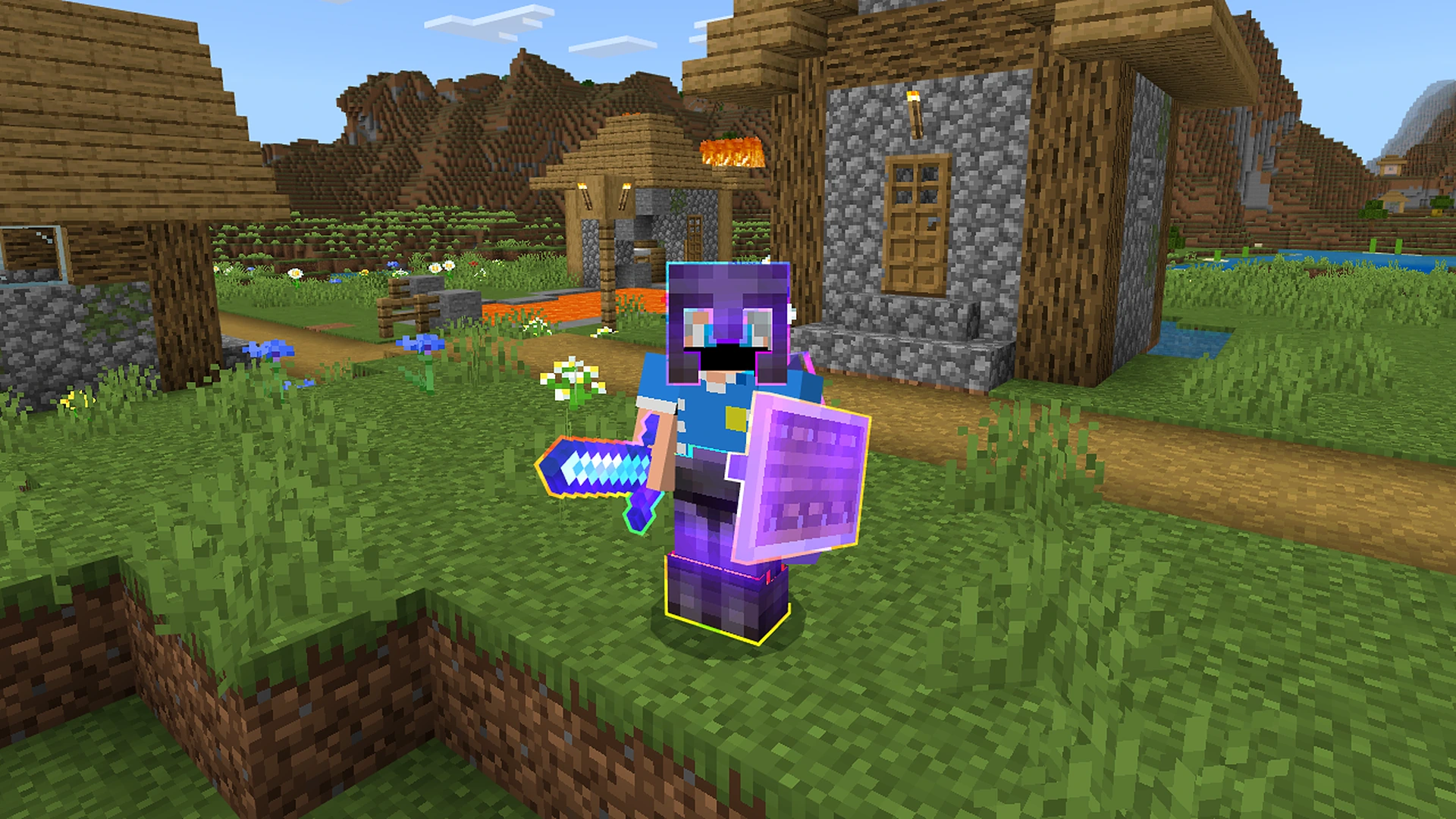
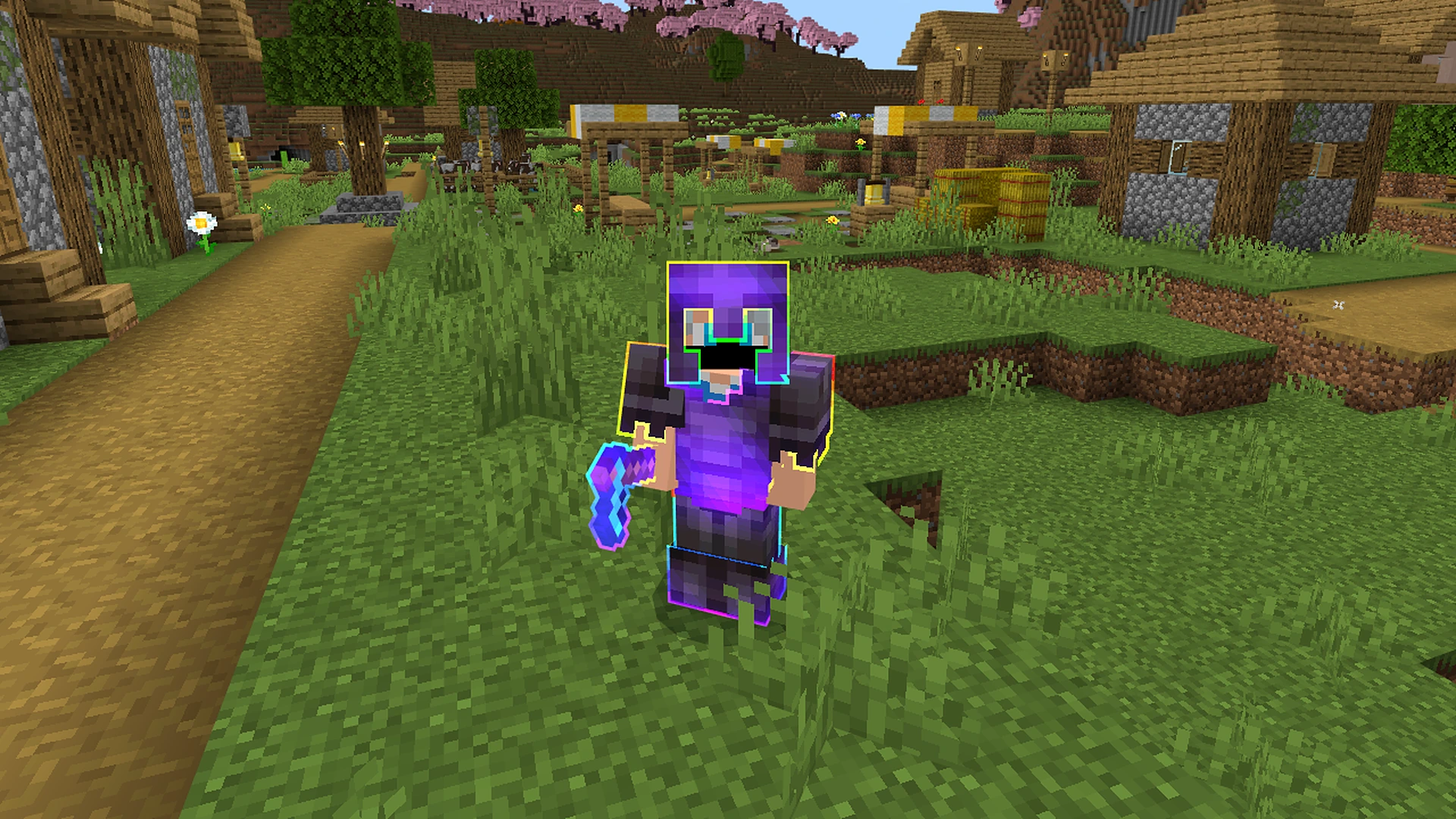
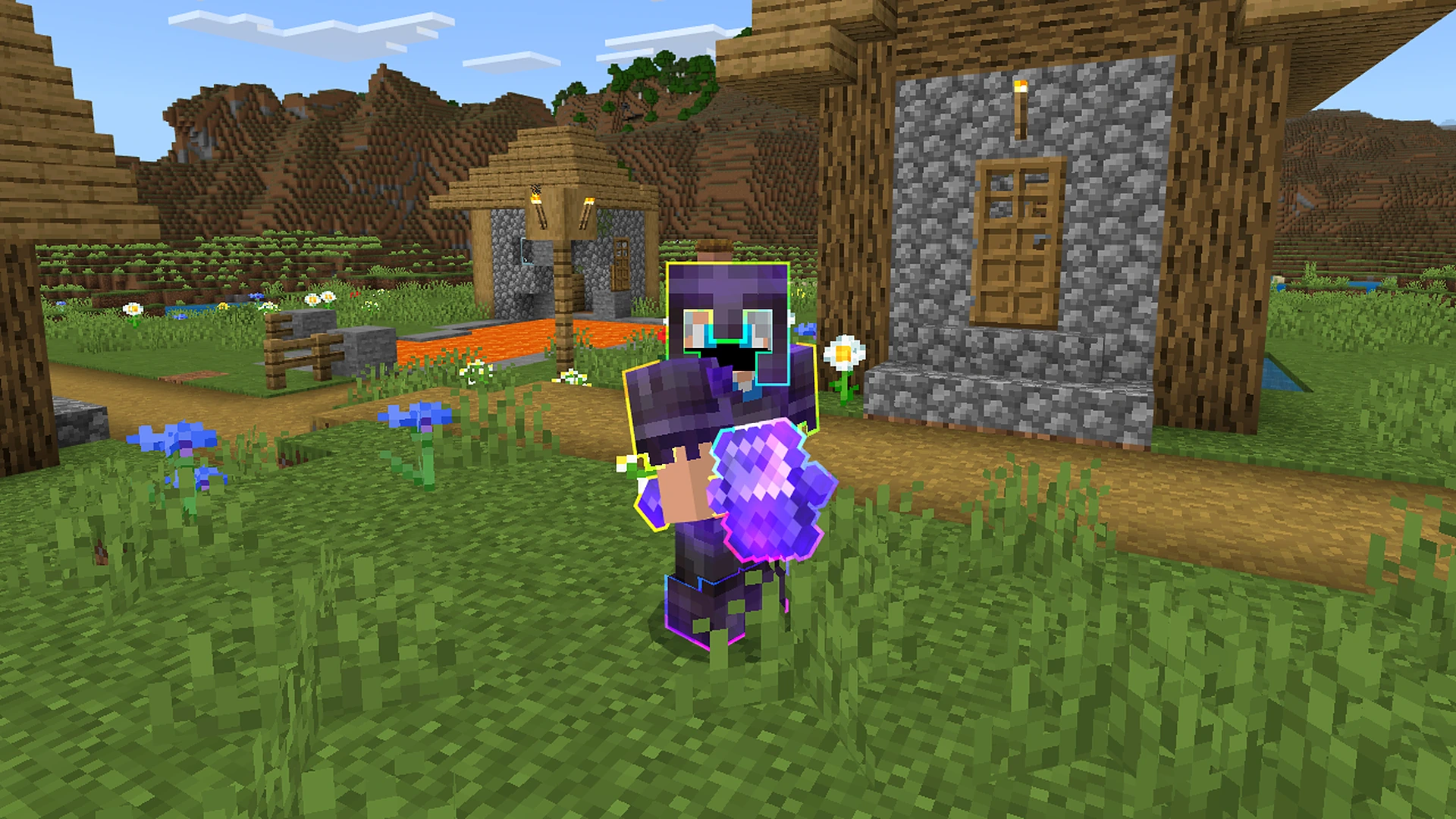
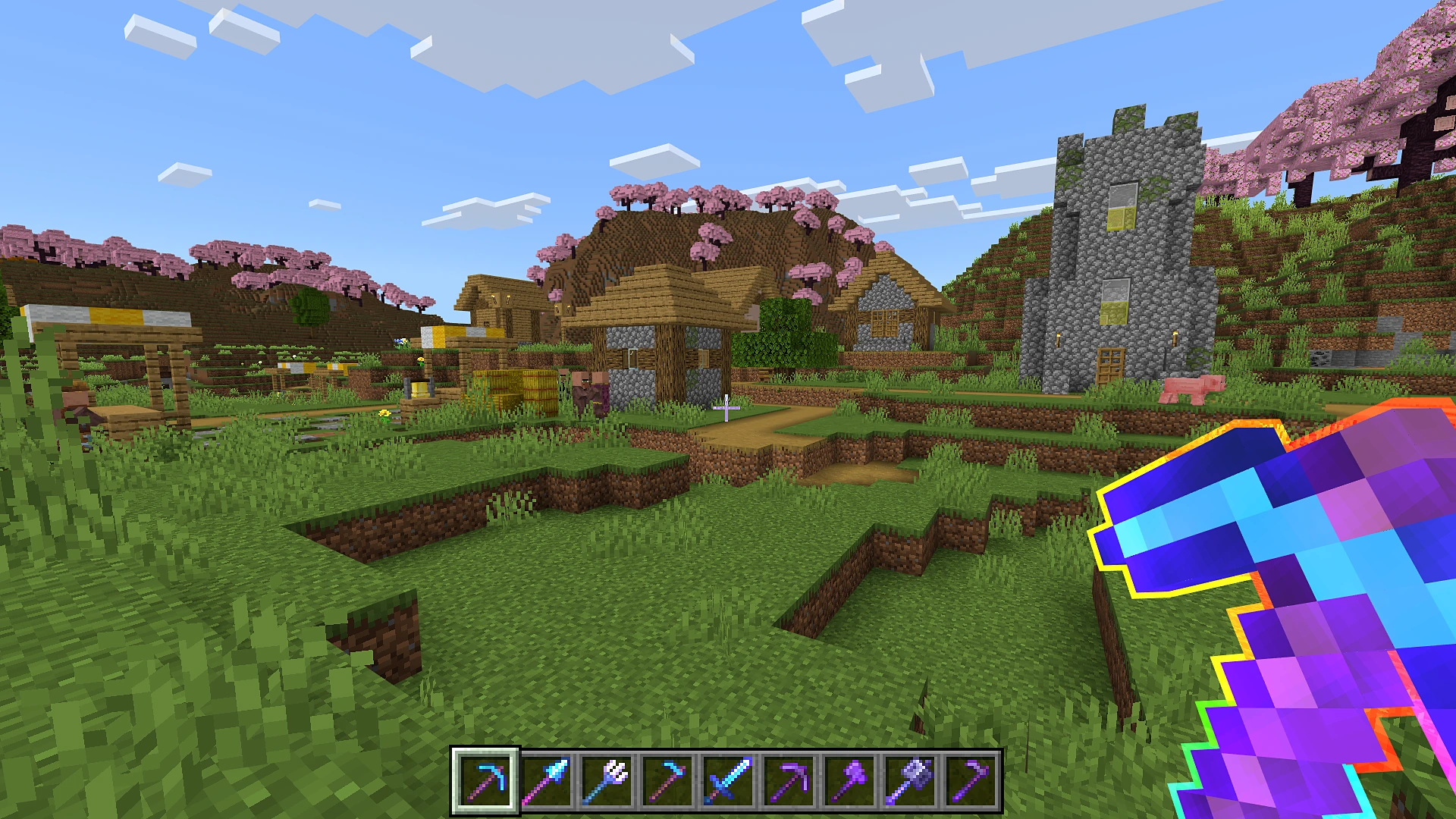
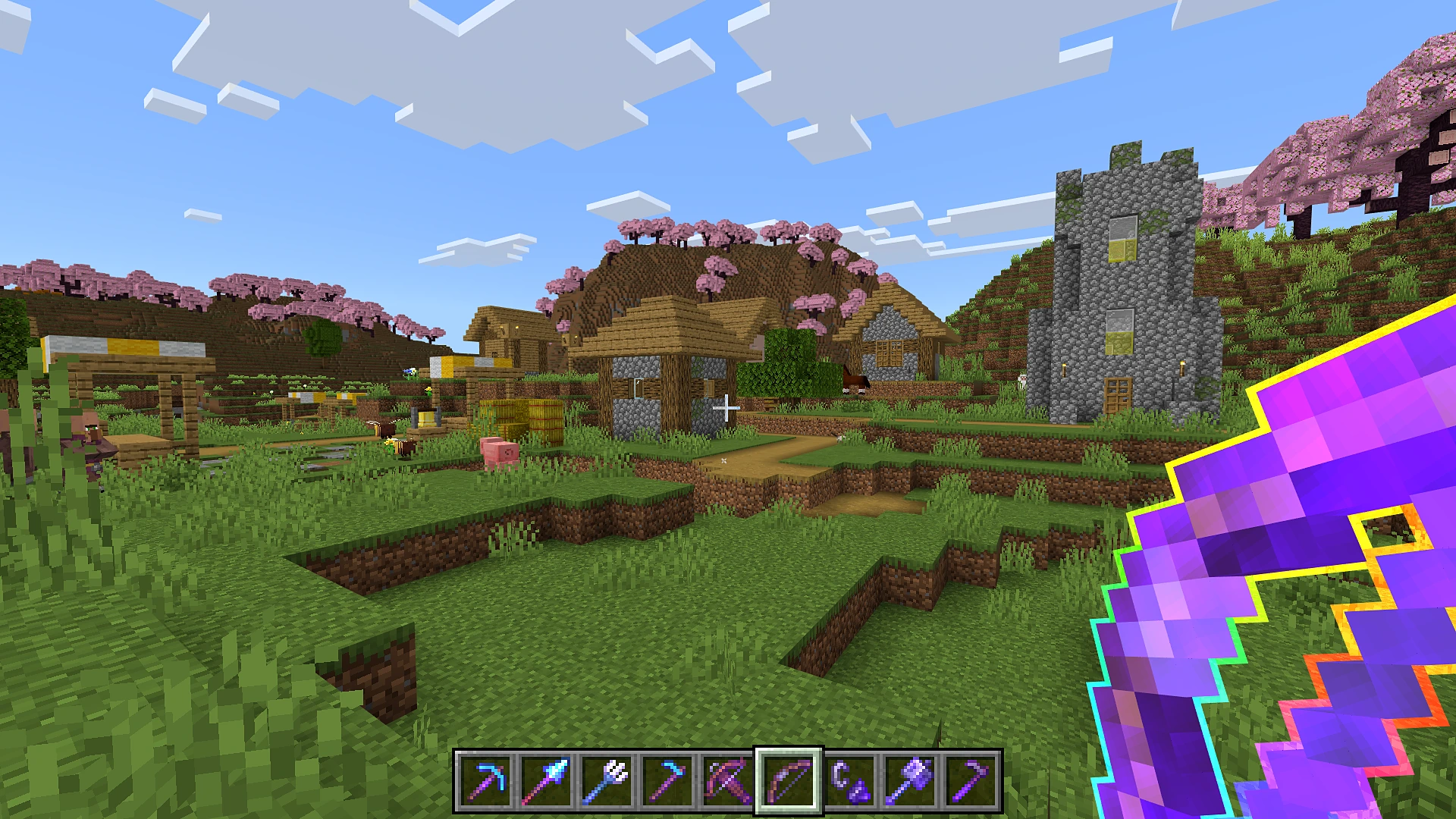
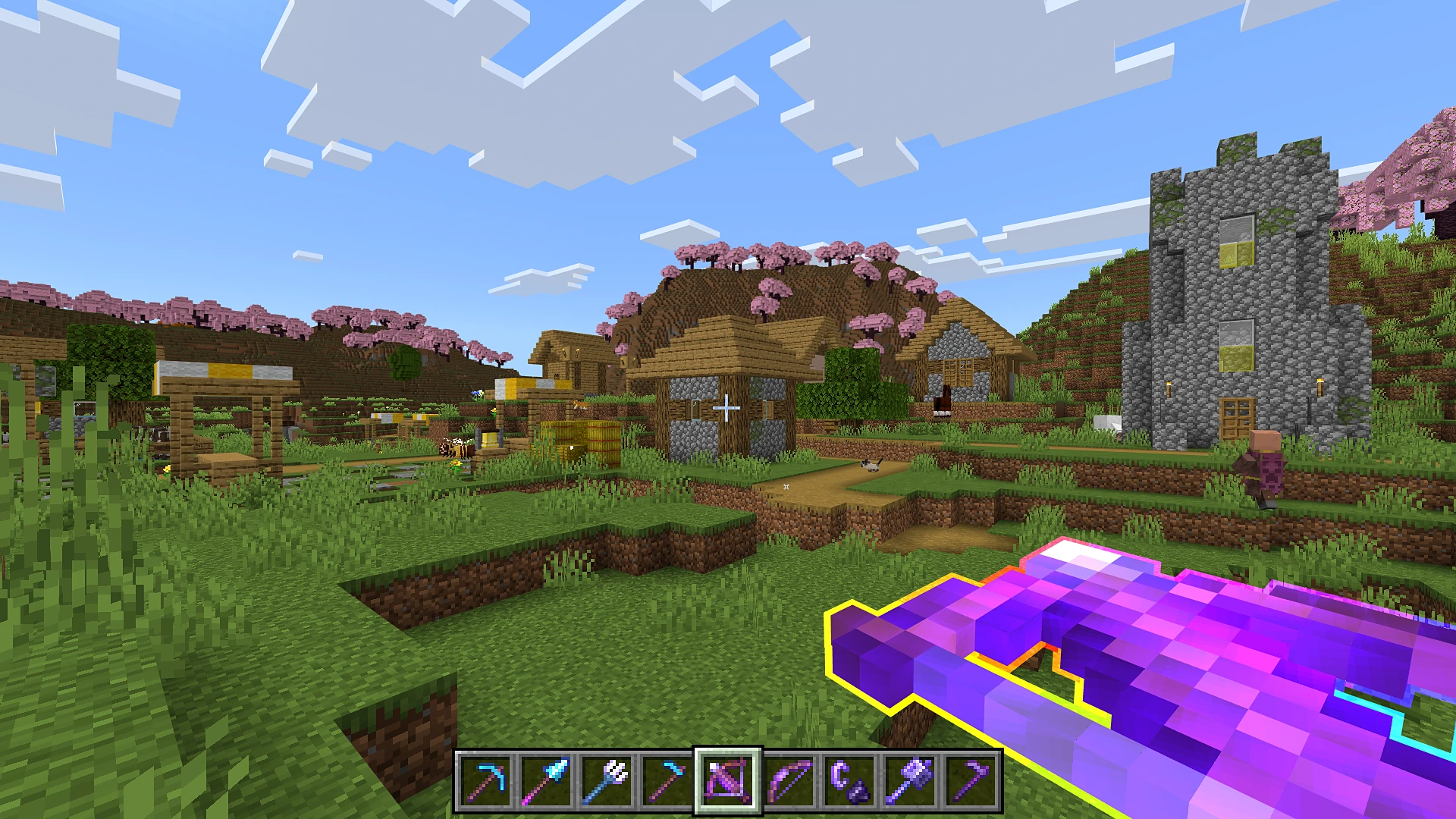
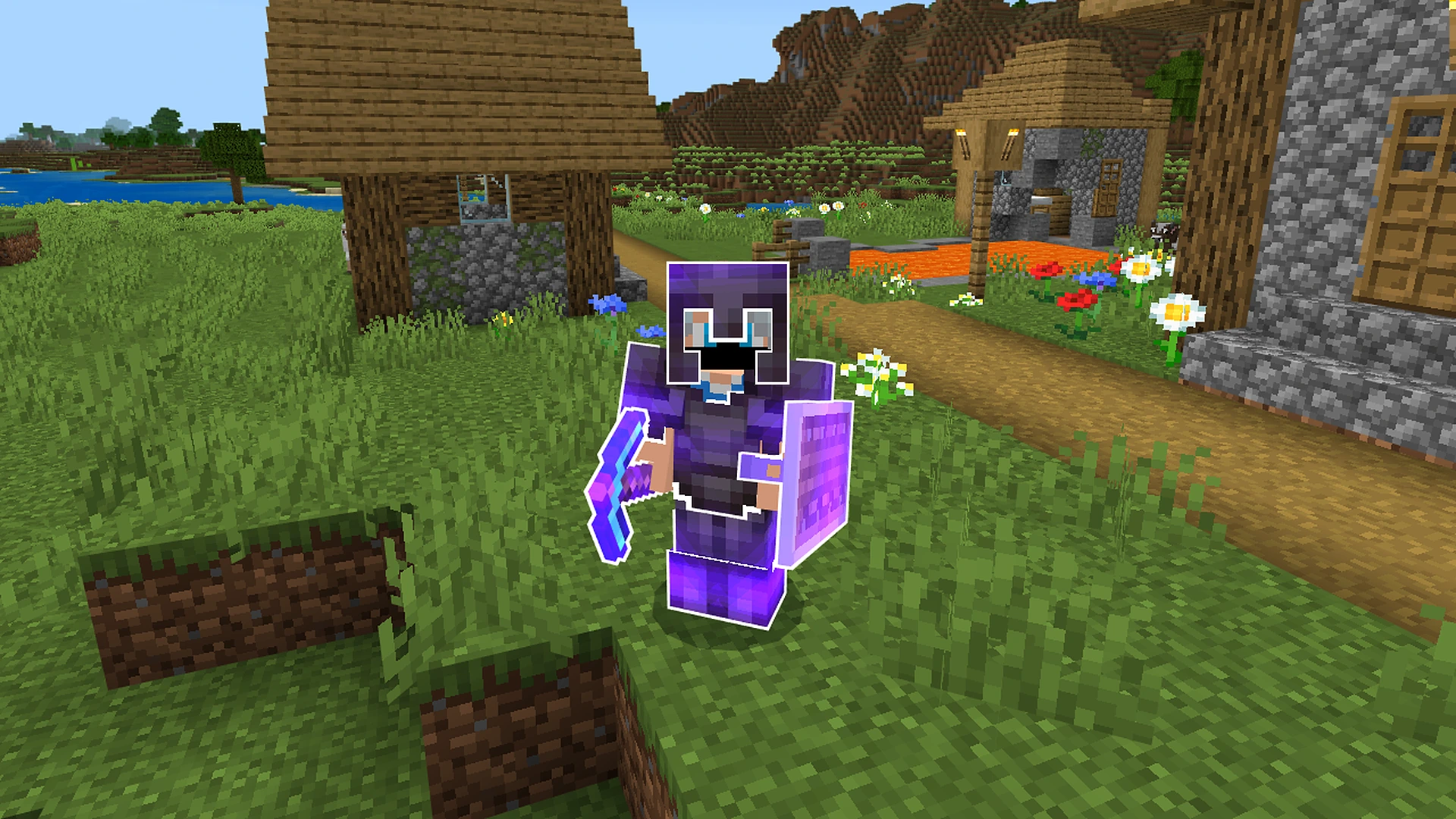
This adds glowing outlines to Enchanted Items, Tools and Armors

Why Enchantment Outlines is a top-tier texture pack mod for Minecraft 1.21

Developed by the talented creator VoxenMC2, Enchantment Outlines stands out as a highly recommended selection for your Minecraft client. It is fully optimized, compatibility-tested, and brings a major upgrade to the gameplay experience in Minecraft version 1.21.

⚙️ Quick Resource Specs

Mod CreatorVoxenMC2
Latest Version1.21
Supported Game VersionsMinecraft 1.21+
File Size7.49 MB
Last UpdatedUpdated: October 25, 2026
Total Downloads27,891 downloads
Enchantment Outlines screenshot active
Looking for the best textures updates? Enchantment Outlines by VoxenMC2 provides excellent features tailored for Minecraft 1.21 players. It stands out in the textures category for its stability and beautiful execution.

Enchantment Outlines

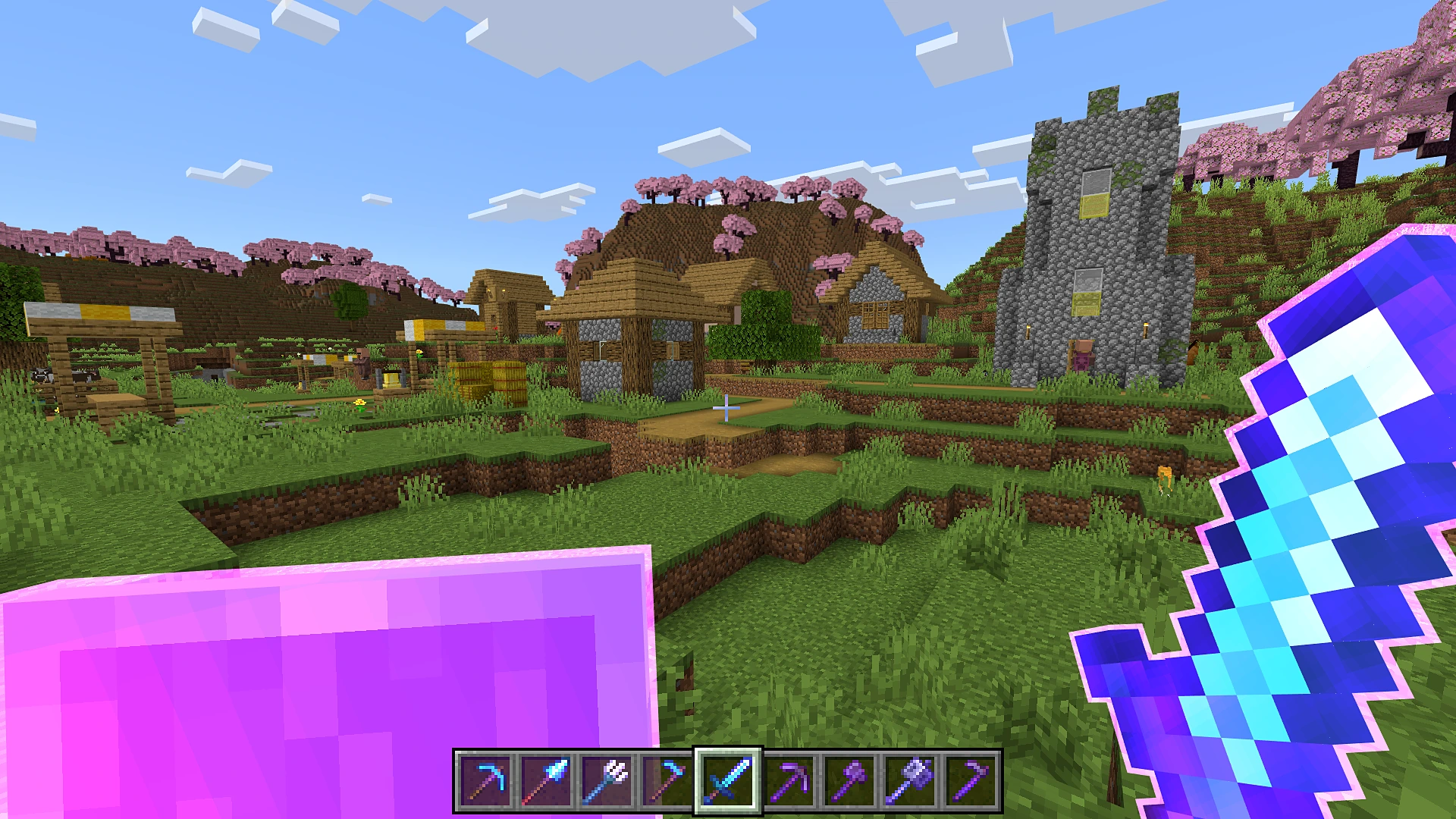
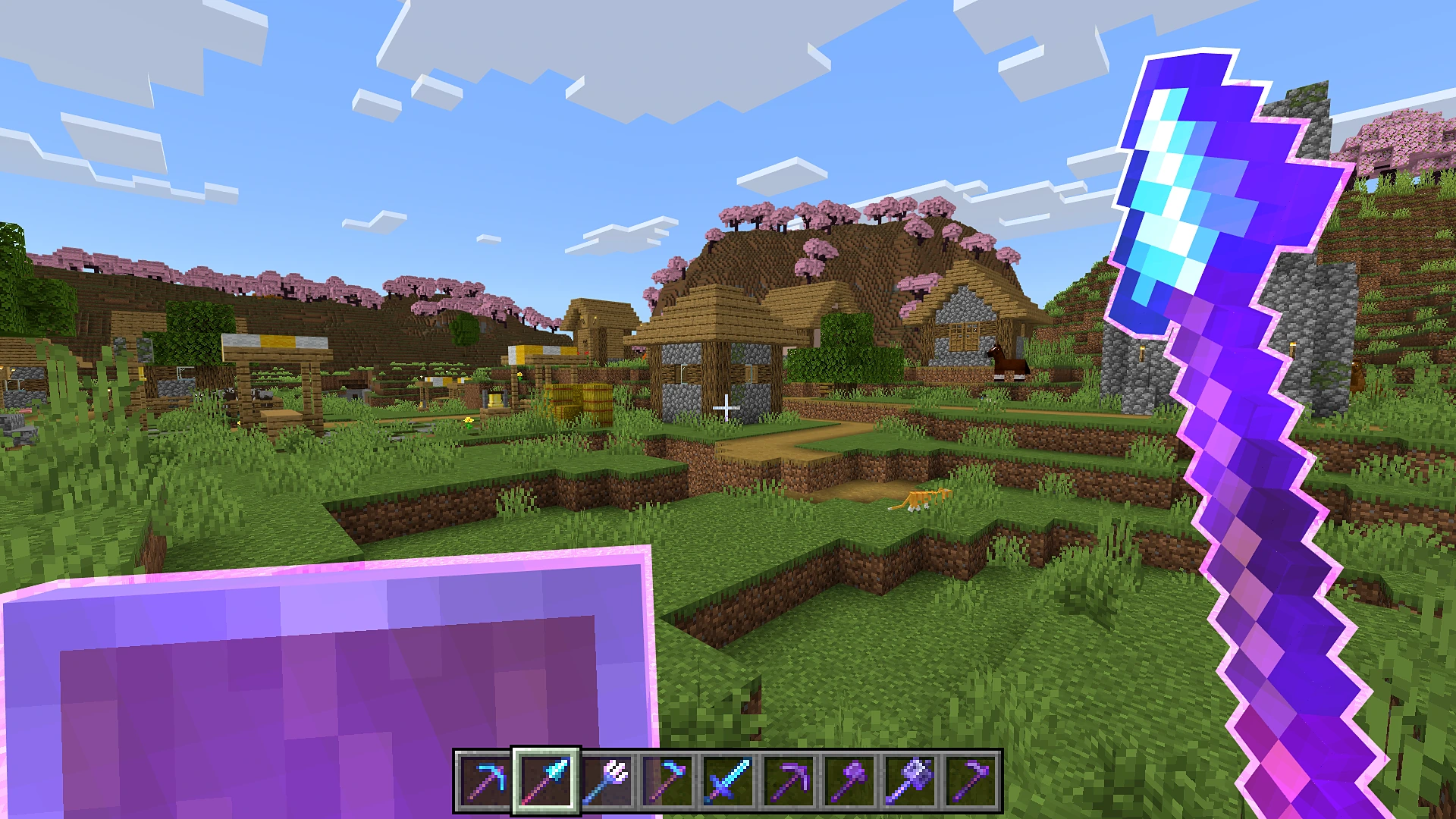
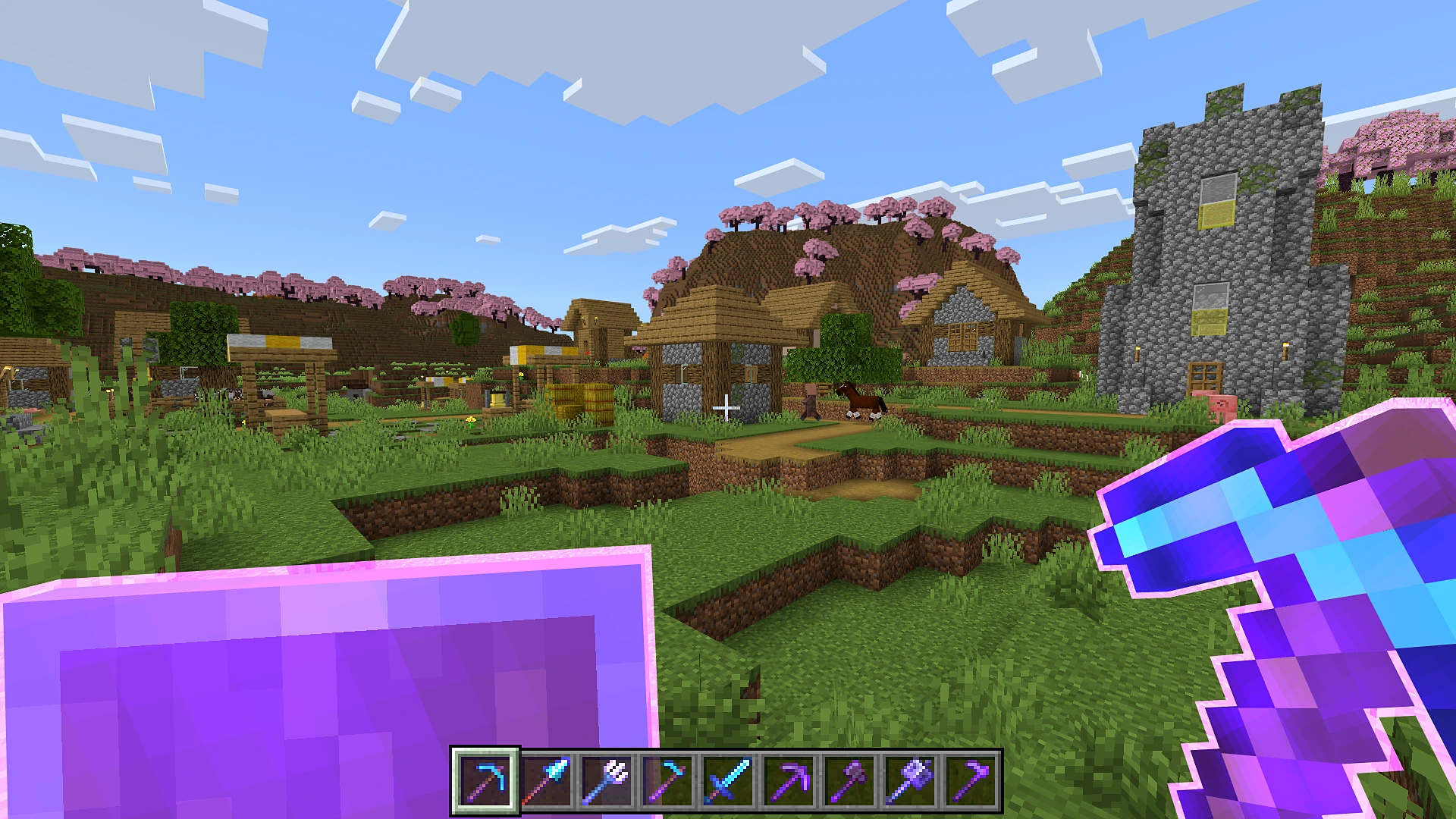
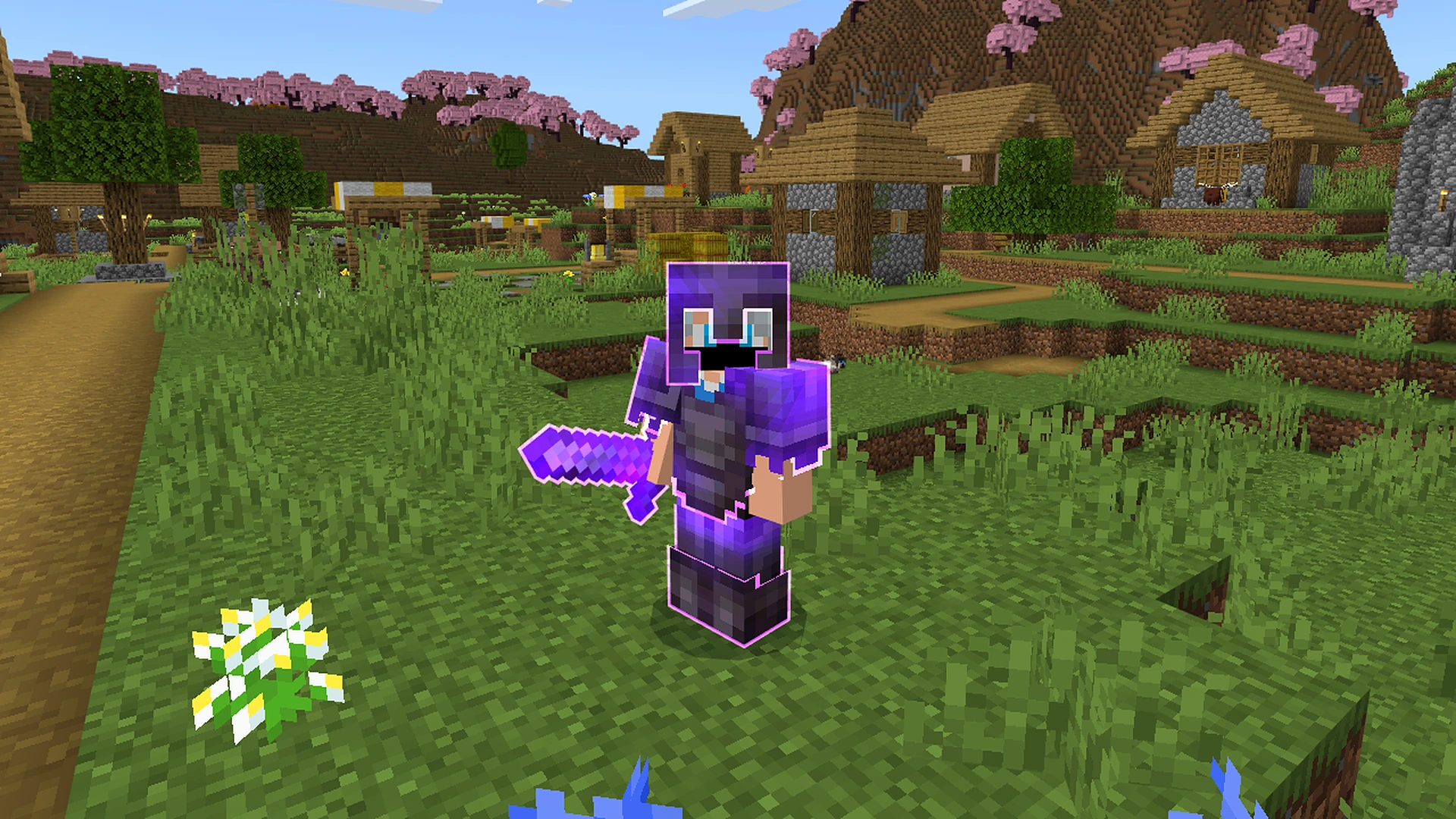
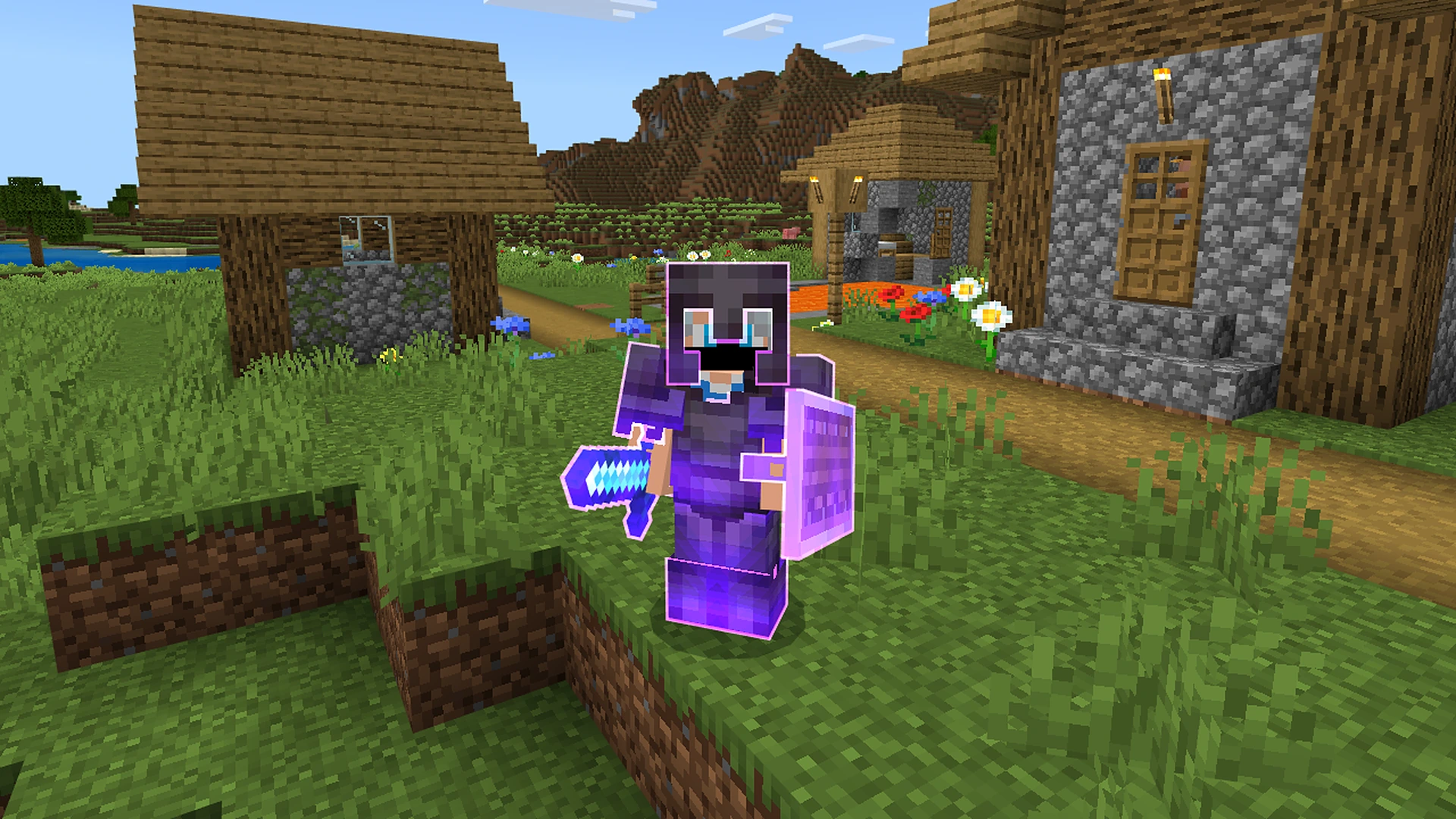
Enchanted items now have a bright glowing outline.
See right away which tools, weapons and armor are enchanted,
in your hand, on other players and in your inventory.
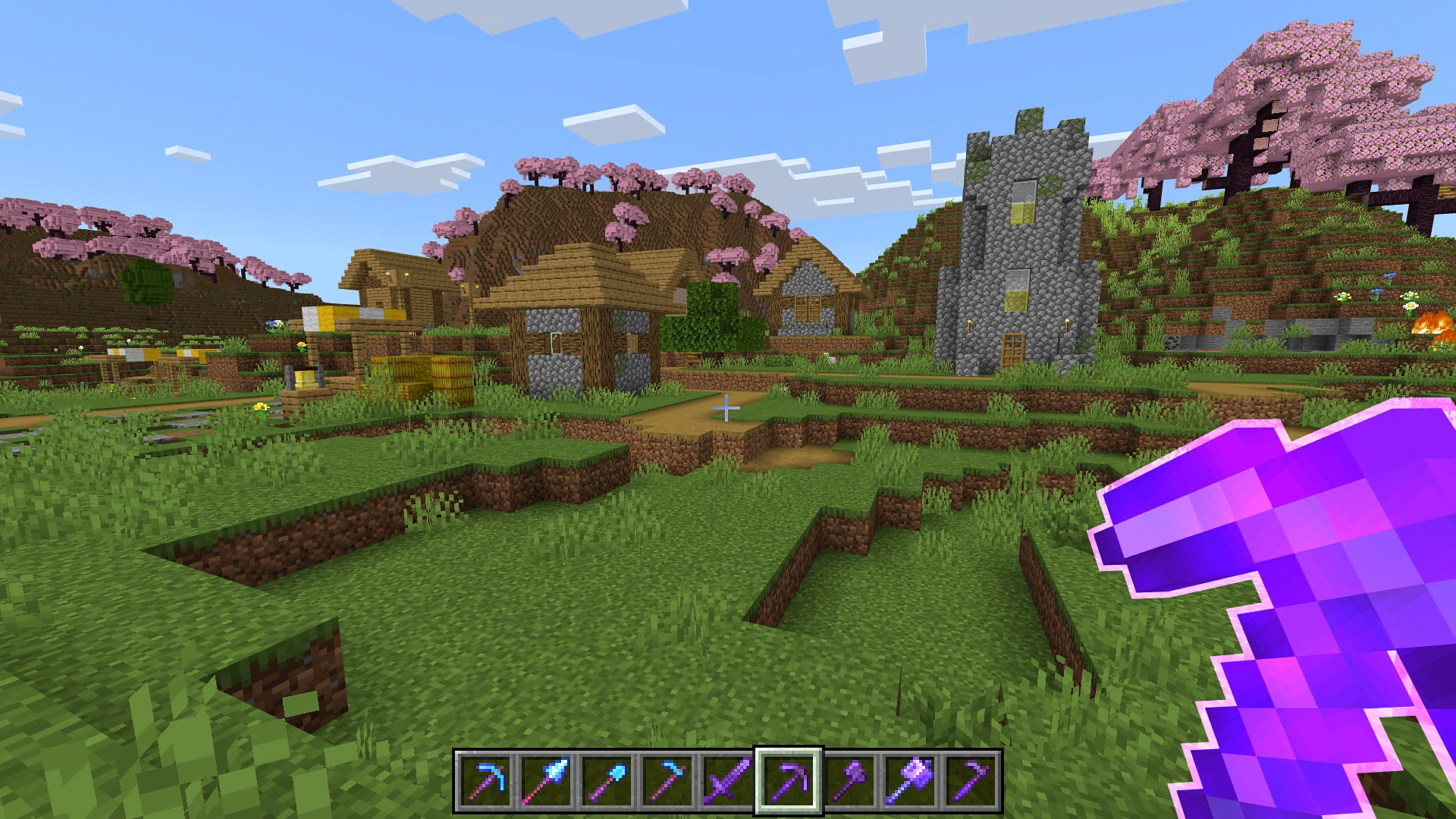
Enchantment Outlines Purple

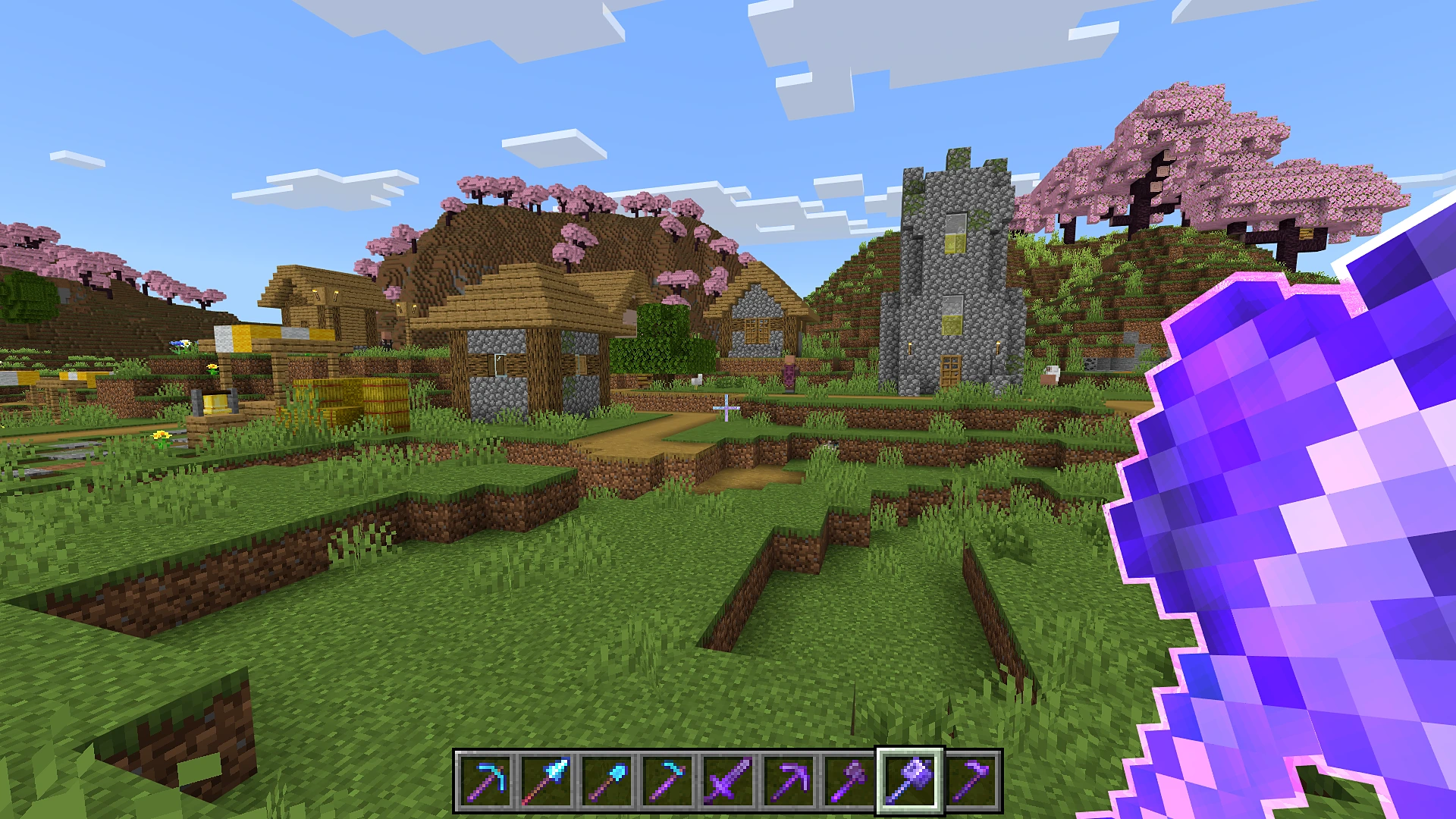
Purple First Person 01

Purple First Person 02

Purple First Person 03

Purple First Person 04

Purple First Person 05

Purple First Person 06

Preview 01 Third Person

Preview 02 Third Person

What Gets An Outline

  • Swords, axes, pickaxes, shovels and hoes (wood to netherite)
  • Spears, mace, trident, bow and crossbow
  • Shield, shears, brush, fishing rod, flint and steel
  • Worn armor: helmet, chestplate, leggings, boots and elytra
  • Enchanted books

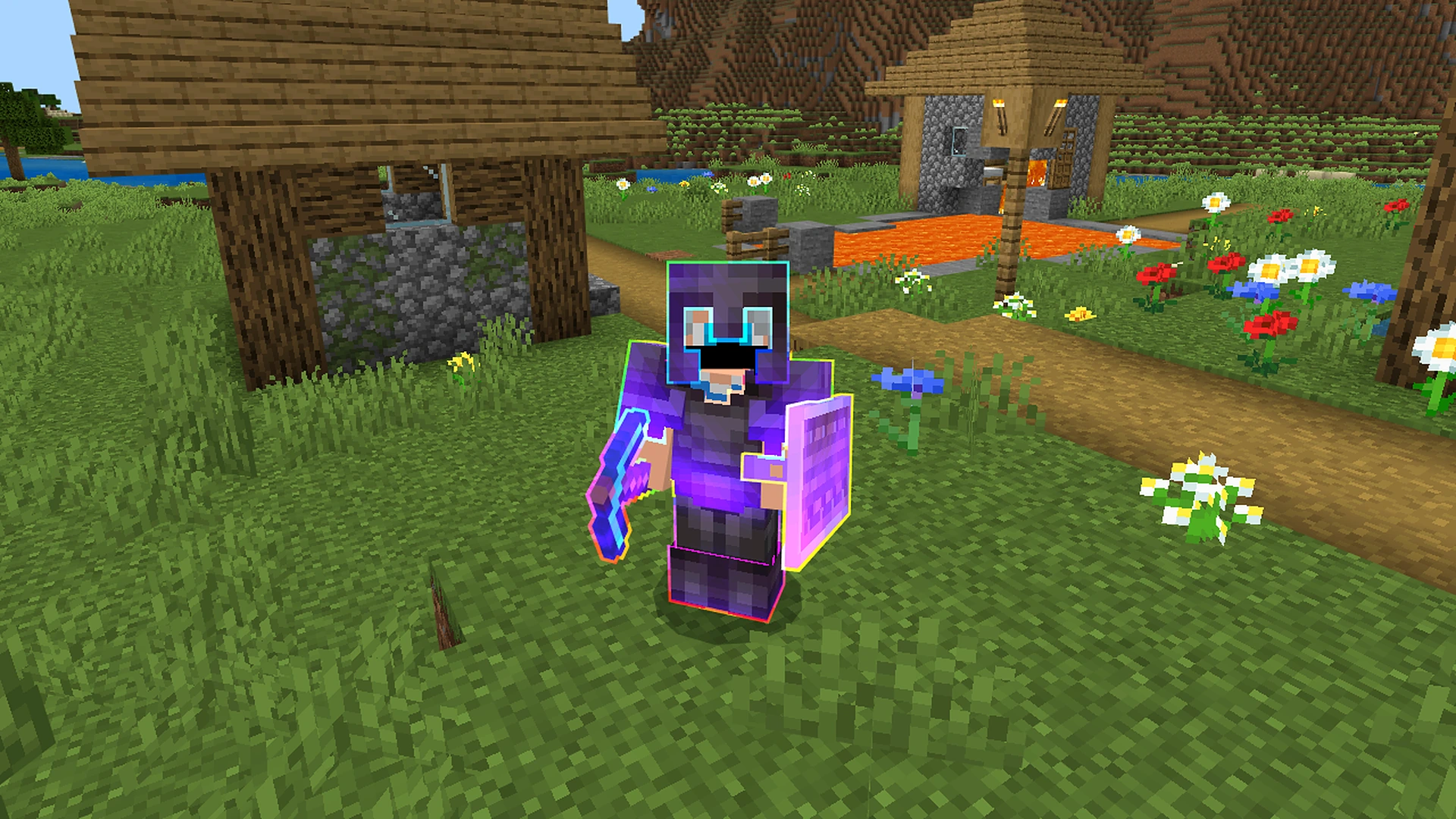
Animated RGB Style

Pick RGB (Animated) in the settings and the outline keeps changing colour like a rainbow.

Enchantment Outlines RGB

Preview 03 Third Person

Preview 04 Third Person

Preview 05 Third Person

Preview 06 Third Person

Preview 07 Third Person

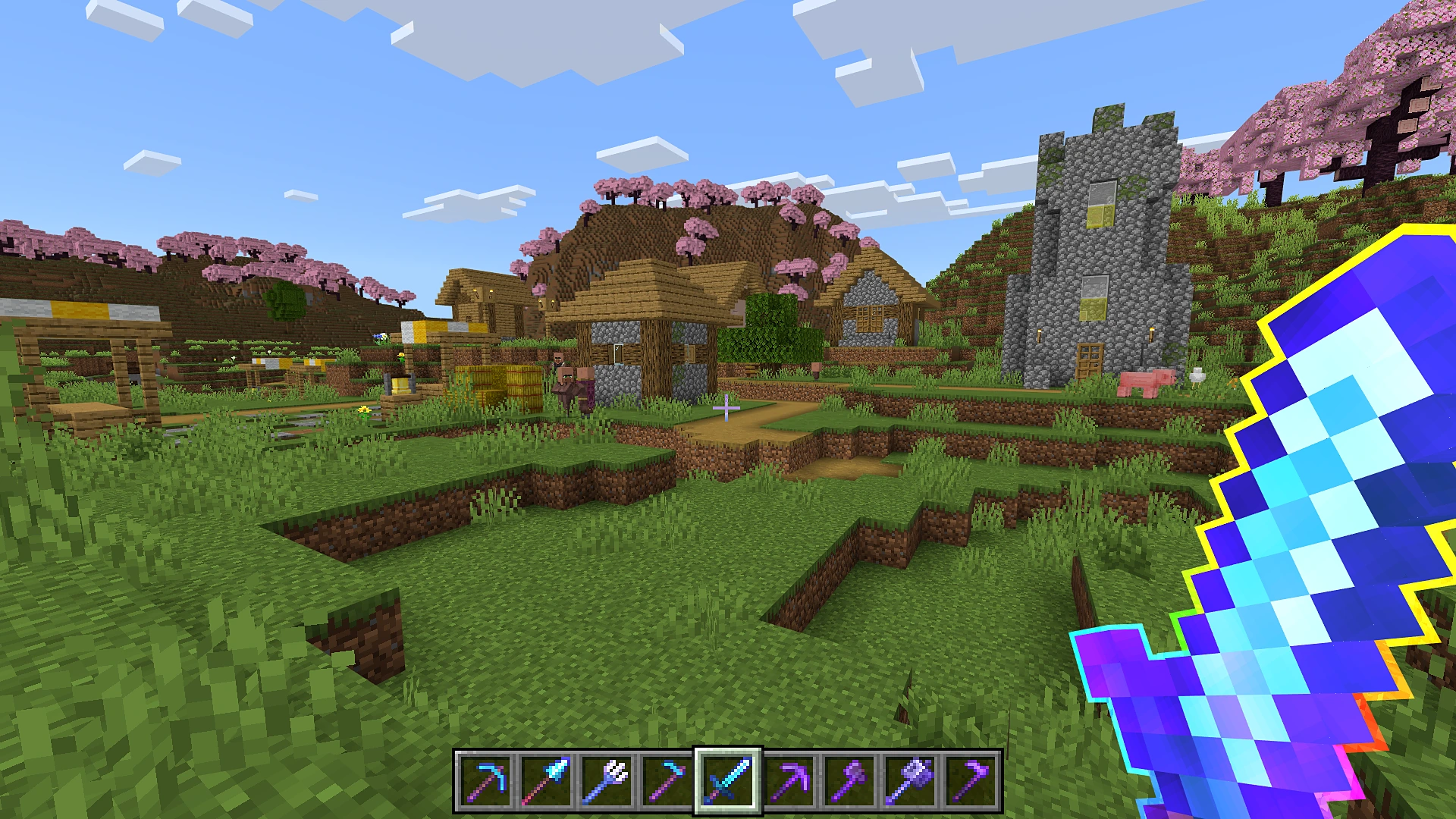
Here is how it looks on different tools in your hand:

RGB Netherite Sword

RGB Diamond Pickaxe

RGB Mace

RGB Bow

RGB Trident

RGB Diamond Hoe

RGB Netherite Hoe

RGB Flint and Steel

Preview 09 First Person

Preview 10 First Person

Preview 11 First Person

Preview 12 First Person

Outline Colours

Choose the colour you like in the settings:

  • Purple (default)
  • RGB (Animated)
  • Blue
  • Violet
  • Aqua
  • Green
  • Orange
  • Red
  • White
  • Yellow
  • Pink

White outline:

Preview 08 Third Person

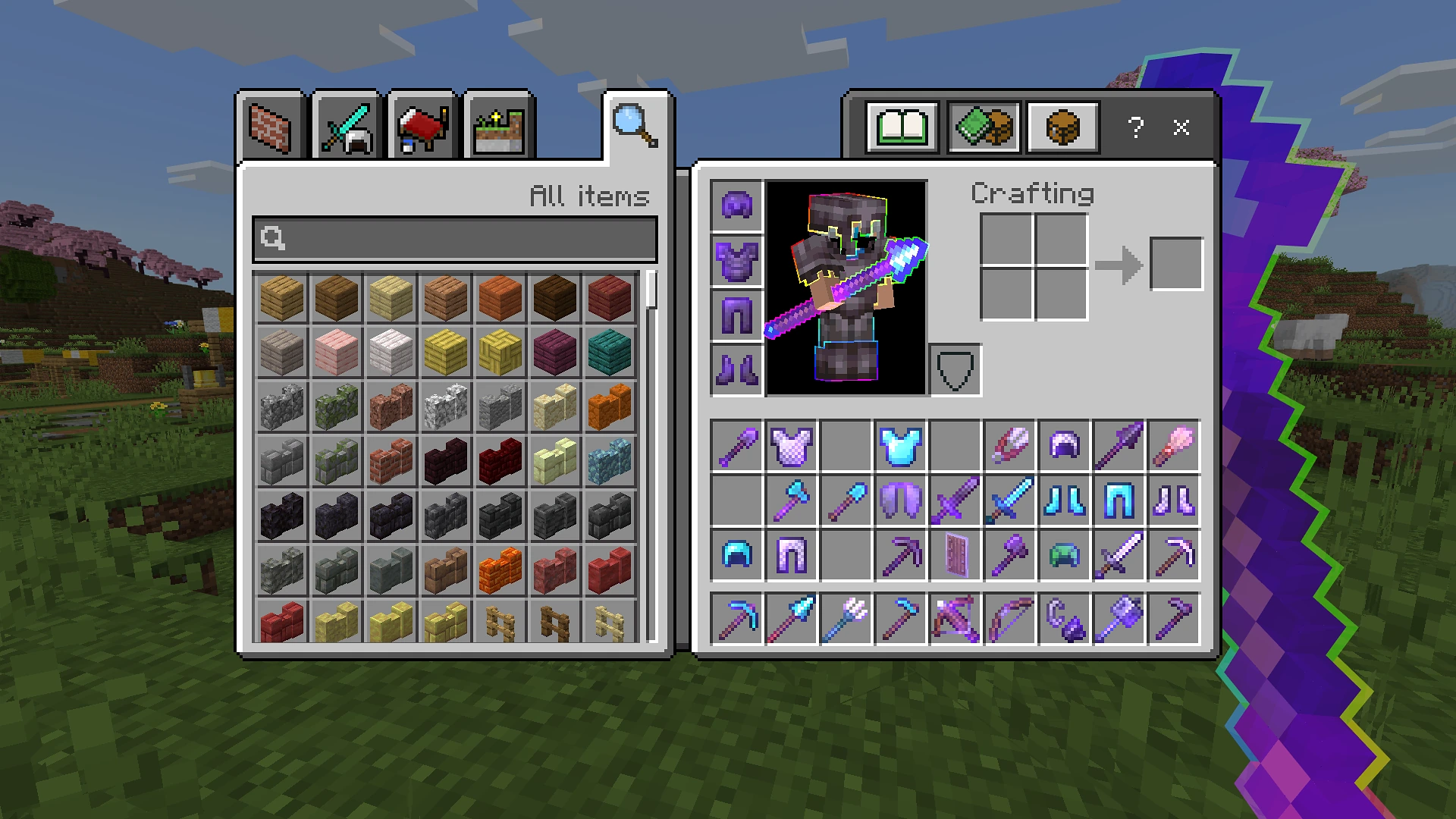
Inventory

Your player in the inventory shows the outline too.

Enchantment Outlines Inventory Purple

Enchantment Outlines Inventory RGB

Preview 13 Inventory

Pack Settings

Click the gear icon next to the pack in Global Resources to open the settings.

Preview 14 Settings

Settings Preview

  • Outline Thickness - make the outline thinner or thicker, from 50% to 400%. Default: 100%
  • Outline Colour - pick any colour from the list above. Default: Purple
  • Glint Colour - the colour of the enchantment shine: Vanilla, RGB (Animated), Purple (default), Blue, Violet, Aqua, Green, Orange, Red, White, Yellow, Pink
  • Glint Strength - how strong the enchantment shine is, from 0% (off) to 200%. Default: 150%
  • 3D Mace - turn on a 3D model for the mace. Default: Off

Compatibility

Compatible with:

Actions & Stuff

Actions and Stuff Preview

Using Actions & Stuff? Put Enchantment Outlines above Actions & Stuff in Global Resources.

Then click the gear icon on Enchantment Outlines and pick the subpack that matches your Actions & Stuff subpack. If the two do not match, you may see bugs.

Subpack Slider

Note: Pick the same subpack as the Actions & Stuff version you use:

  • Using Vanilla Experience? Pick Actions & Stuff: Vanilla Experience
  • Using Custom Experience? Pick Actions & Stuff: Custom Experience
  • Using Full Experience? Pick Actions & Stuff: Full Experience

Xnova Remastered

Xnova Remastered Preview

Using Xnova Remastered? Put Enchantment Outlines above Xnova Remastered in Global Resources, then open the Enchantment Outlines settings (gear icon) and keep the subpack on Xnova Remastered. This makes the outline fit the Xnova item models.

Not using Actions & Stuff or Xnova? Keep the subpack on Default.


Credits

Actions & Stuff

The idea for this pack came from the enchantment outlines in Actions & Stuff


Having any issues with my mods or found a bug? Or maybe you have an idea for a mod that you would like me to make? Join my Discord server and let me know! I'm active there regularly and would love to hear your feedback, suggestions, and ideas.

The Ultimate Guide to Enchantment Outlines

If you are exploring the vast world of Minecraft modifications, Enchantment Outlines by VoxenMC2 is a standout texture that deserves your attention. With over 27,891 downloads, it has become a staple for players looking to enhance their experience. As the creator describes it, this project is "This adds glowing outlines to Enchanted Items, Tools and Armors". Whether you are a veteran builder constructing massive cities, or simply a casual player looking to upgrade your survival world, this guide will provide you with all the essential details on how Enchantment Outlines alters the game.

What Makes It Special?

Unlike standard textures that simply alter superficial elements, Enchantment Outlines introduces a wide array of visual and mechanical features designed to seamlessly blend into the vanilla aesthetic. VoxenMC2 has clearly spent significant time refining the project to ensure that every aspect feels polished and responsive for version 1.21.

Installation Guide

Getting Enchantment Outlines up and running is straightforward. Follow these step-by-step instructions:

  1. Verify Your Version: Ensure your Minecraft launcher is set to version 1.21.
  2. Install Mod Loader (if required): If this is a mod, download the compatible loader (Forge, Fabric, NeoForge).
  3. Download the File: Click the secure download button above to retrieve the official file from CurseForge.
  4. Move the File: Place the downloaded file into your `mods`, `shaderpacks`, or `resourcepacks` folder depending on the texture type.
  5. Launch and Enjoy: Open Minecraft, navigate to the respective settings menu, and activate Enchantment Outlines.

Compatibility & Performance

Compatibility is robust. Enchantment Outlines is designed specifically for version 1.21, taking full advantage of the latest engine optimizations. During typical gameplay, this addition maintains a stable frame rate, though lower-end laptops might experience slight stuttering. We recommend pairing this with performance boosters like Sodium or Iris to guarantee a silky-smooth experience.

Details

Downloads:27,891
Created:13 days ago
Updated:9 days ago
Project ID:1757493
License:All Rights Reserved
Environment:Client

🤝 Join Community for Support

Need help installing this resource or want to see more showcases? Join our community!

Subscribe on YouTubeFollow on Instagram

Enchantment Outlines

Screenshot 0
Screenshot 1
V
VoxenMC2
TEXTURES CREATOR
Downloads28K
Version1.21
TypeTEXTURES
File Size7.49 MB

About This textures

This adds glowing outlines to Enchanted Items, Tools and Armors

Enchantment Outlines

Enchanted items now have a bright glowing outline.
See right away which tools, weapons and armor are enchanted,
in your hand, on other players and in your inventory.
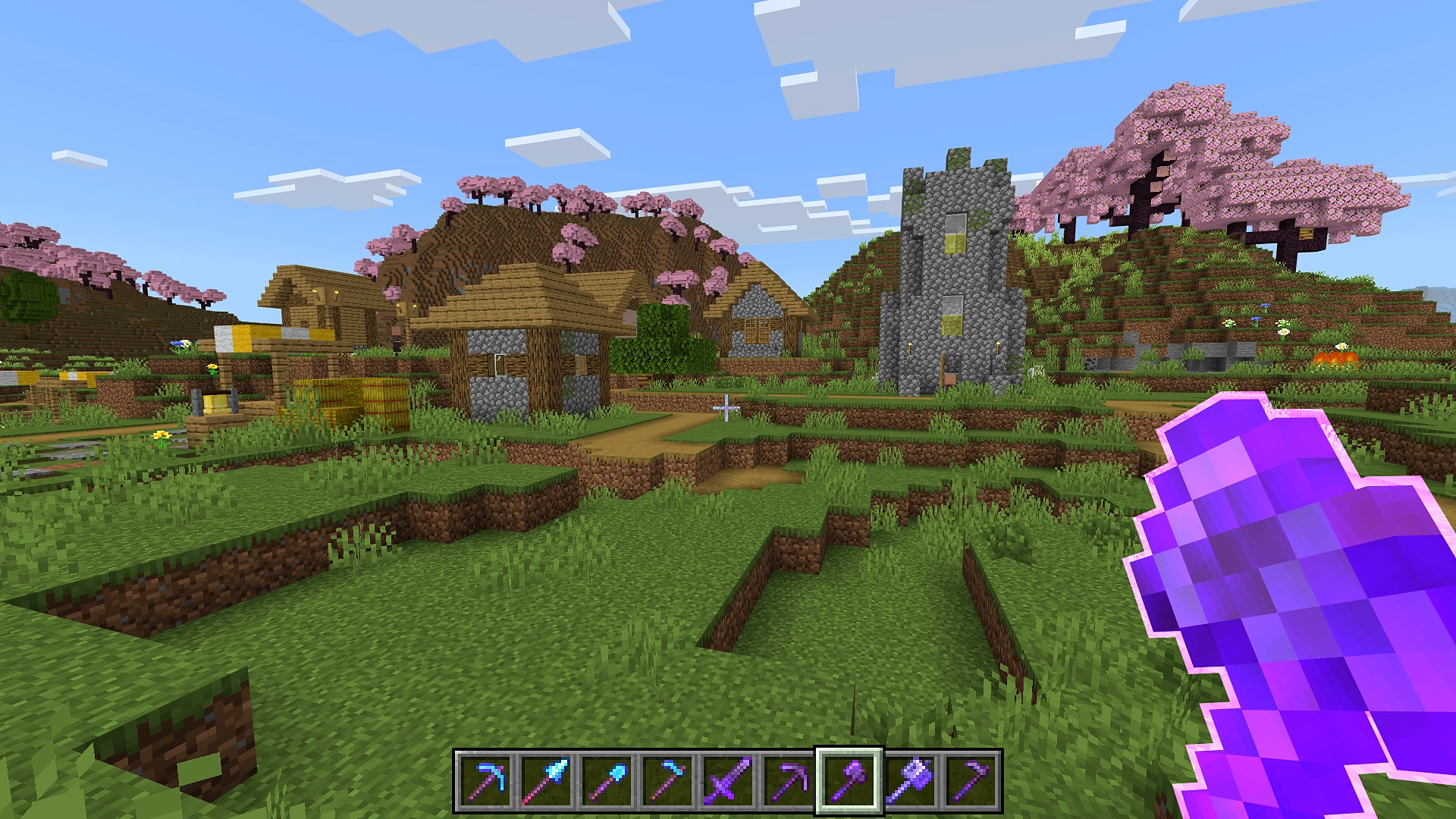
Enchantment Outlines Purple

Purple First Person 01

Purple First Person 02

Purple First Person 03

Purple First Person 04

Purple First Person 05

Purple First Person 06

Preview 01 Third Person

Preview 02 Third Person

What Gets An Outline

  • Swords, axes, pickaxes, shovels and hoes (wood to netherite)
  • Spears, mace, trident, bow and crossbow
  • Shield, shears, brush, fishing rod, flint and steel
  • Worn armor: helmet, chestplate, leggings, boots and elytra
  • Enchanted books

Animated RGB Style

Pick RGB (Animated) in the settings and the outline keeps changing colour like a rainbow.
Enchantment Outlines RGB

Preview 03 Third Person

Preview 04 Third Person

Preview 05 Third Person

Preview 06 Third Person

Preview 07 Third Person

Here is how it looks on different tools in your hand:
RGB Netherite Sword

RGB Diamond Pickaxe

RGB Mace

RGB Bow

RGB Trident

RGB Diamond Hoe

RGB Netherite Hoe

RGB Flint and Steel

Preview 09 First Person

Preview 10 First Person

Preview 11 First Person

Preview 12 First Person

Outline Colours

Choose the colour you like in the settings:

  • Purple (default)
  • RGB (Animated)
  • Blue
  • Violet
  • Aqua
  • Green
  • Orange
  • Red
  • White
  • Yellow
  • Pink

White outline:

Preview 08 Third Person

Inventory

Your player in the inventory shows the outline too.
Enchantment Outlines Inventory Purple

Enchantment Outlines Inventory RGB

Preview 13 Inventory

Pack Settings

Click the gear icon next to the pack in Global Resources to open the settings.
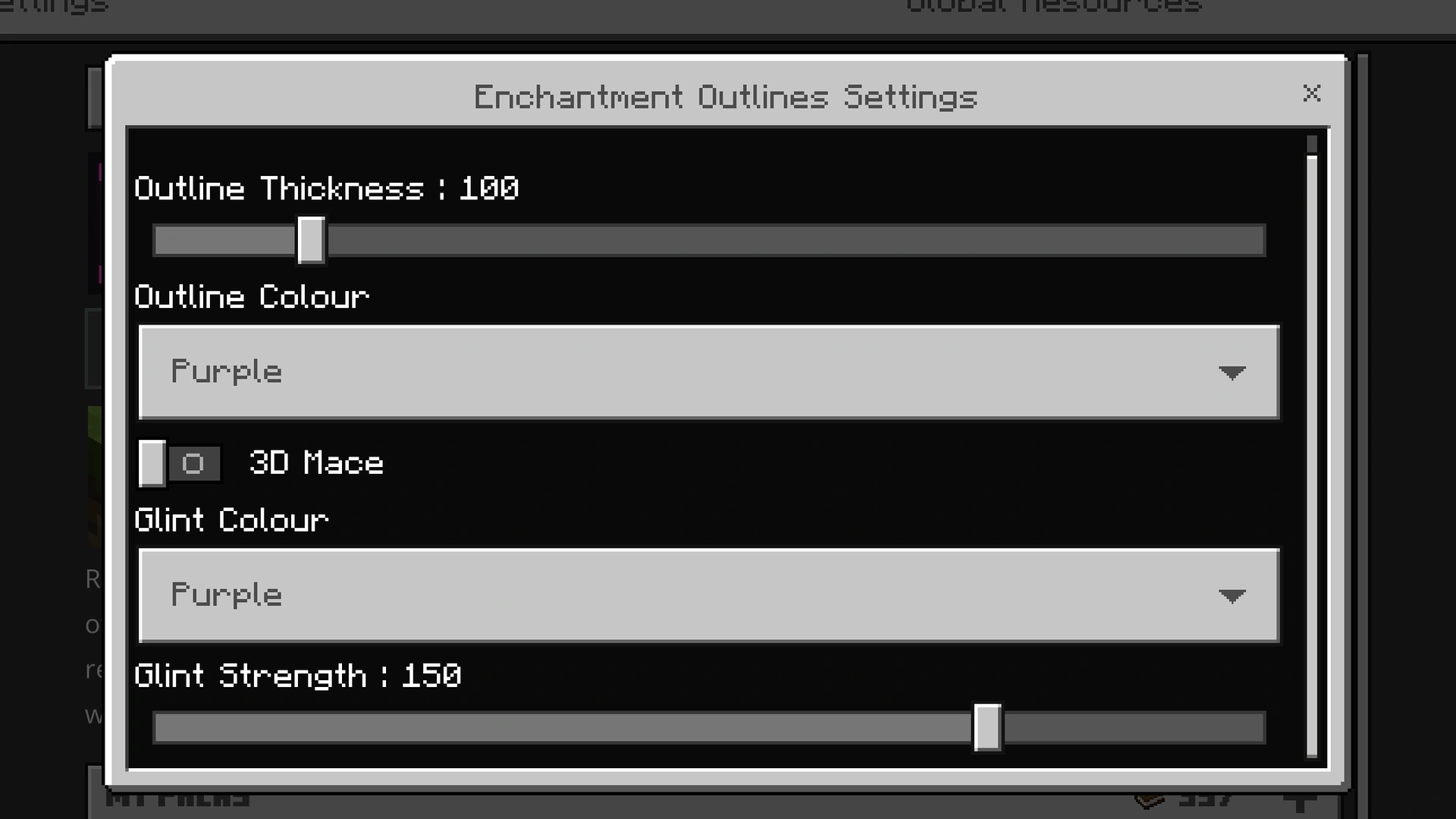
Preview 14 Settings

Settings Preview

  • Outline Thickness - make the outline thinner or thicker, from 50% to 400%. Default: 100%
  • Outline Colour - pick any colour from the list above. Default: Purple
  • Glint Colour - the colour of the enchantment shine: Vanilla, RGB (Animated), Purple (default), Blue, Violet, Aqua, Green, Orange, Red, White, Yellow, Pink
  • Glint Strength - how strong the enchantment shine is, from 0% (off) to 200%. Default: 150%
  • 3D Mace - turn on a 3D model for the mace. Default: Off

Compatibility

Compatible with:

Actions & Stuff
Actions and Stuff Preview

Using Actions & Stuff? Put Enchantment Outlines above Actions & Stuff in Global Resources.

Then click the gear icon on Enchantment Outlines and pick the subpack that matches your Actions & Stuff subpack. If the two do not match, you may see bugs.

Subpack Slider

Note: Pick the same subpack as the Actions & Stuff version you use:

  • Using Vanilla Experience? Pick Actions & Stuff: Vanilla Experience
  • Using Custom Experience? Pick Actions & Stuff: Custom Experience
  • Using Full Experience? Pick Actions & Stuff: Full Experience

Xnova Remastered
Xnova Remastered Preview

Using Xnova Remastered? Put Enchantment Outlines above Xnova Remastered in Global Resources, then open the Enchantment Outlines settings (gear icon) and keep the subpack on Xnova Remastered. This makes the outline fit the Xnova item models.

Not using Actions & Stuff or Xnova? Keep the subpack on Default.


Credits

Actions & Stuff

The idea for this pack came from the enchantment outlines in Actions & Stuff


Having any issues with my mods or found a bug? Or maybe you have an idea for a mod that you would like me to make? Join my Discord server and let me know! I'm active there regularly and would love to hear your feedback, suggestions, and ideas.

📌Supported Minecraft Versions: Minecraft 1.21+

How to Install

1. Download the resource pack .zip file. 2. Open Minecraft and go to Options > Resource Packs. 3. Drag and drop the downloaded file into the list and activate it.