Why Pro PvP by JunieClient is a top-tier texture pack mod for Minecraft 1.21
Developed by the talented creator JunieClientDev, Pro PvP by JunieClient stands out as a highly recommended selection for your Minecraft client. It is fully optimized, compatibility-tested, and brings a major upgrade to the gameplay experience in Minecraft version 1.21.
⚙️ Quick Resource Specs
| Mod Creator | JunieClientDev |
| Latest Version | 1.21 |
| Supported Game Versions | Minecraft 1.21+ |
| File Size | 413.17 KB |
| Last Updated | |
| Total Downloads | 1,294 downloads |
⚔️ Pro PvP by JunieClient
The all-in-one PvP resource pack for Minecraft Bedrock. One pack gives you client-style tools (Java hitboxes, enemy armour and health readouts, clean short weapons, transparent menus and custom crosshairs) plus 40+ clarity tweaks.
✅ Resource pack only: works on servers, Realms and single-player ✅ No experimental toggles needed ✅ Pick the hitbox colour and crosshair from the in-game settings slider
🎯 Combat information
- Java-style hitboxes on players, 75+ mobs, projectiles (arrows, tridents, pearls, snowballs, potions, wind charges, fireworks), end crystals and TNT minecarts. Players also show an eye-height line and a look-direction line, like Java's F3 + B.
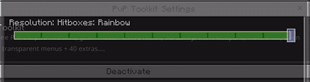
- 11 hitbox colours: White, Red, Orange, Yellow, Green, Aqua, Blue, Purple, Pink, animated Rainbow, or Off.
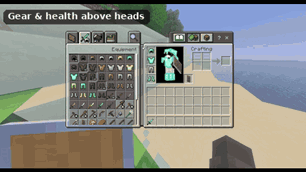
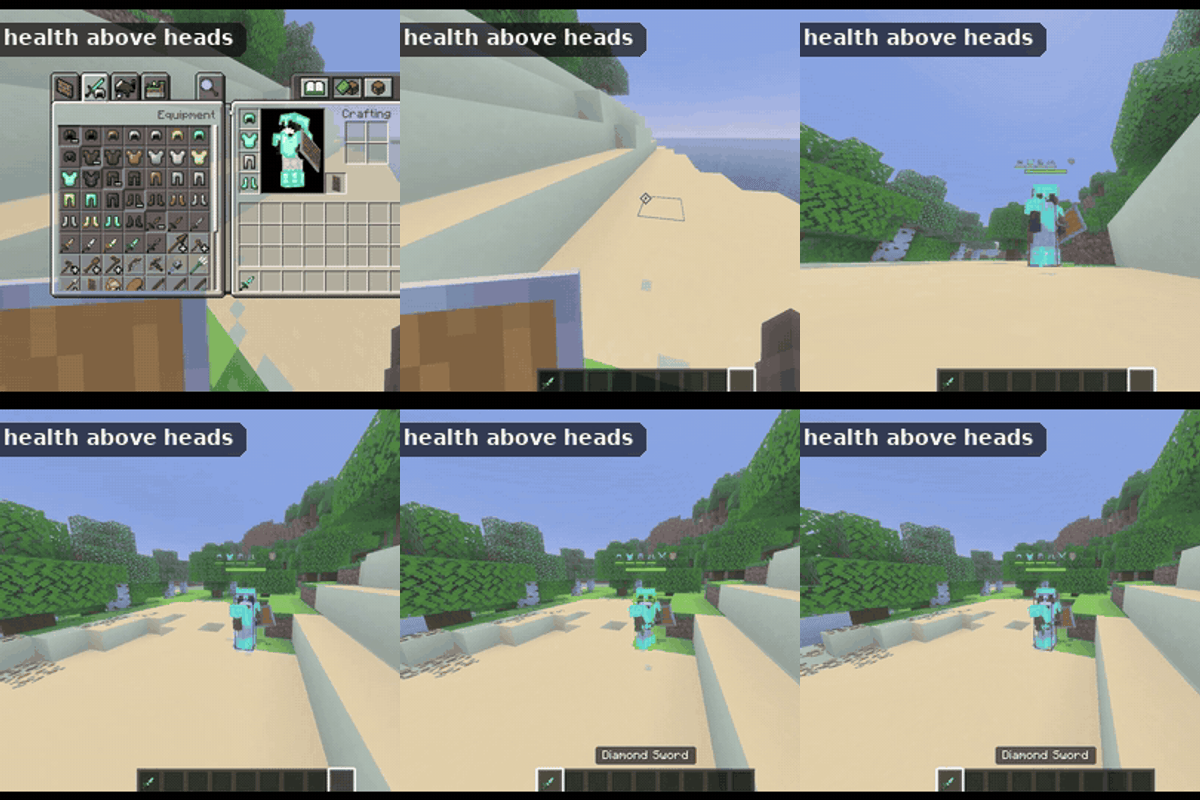
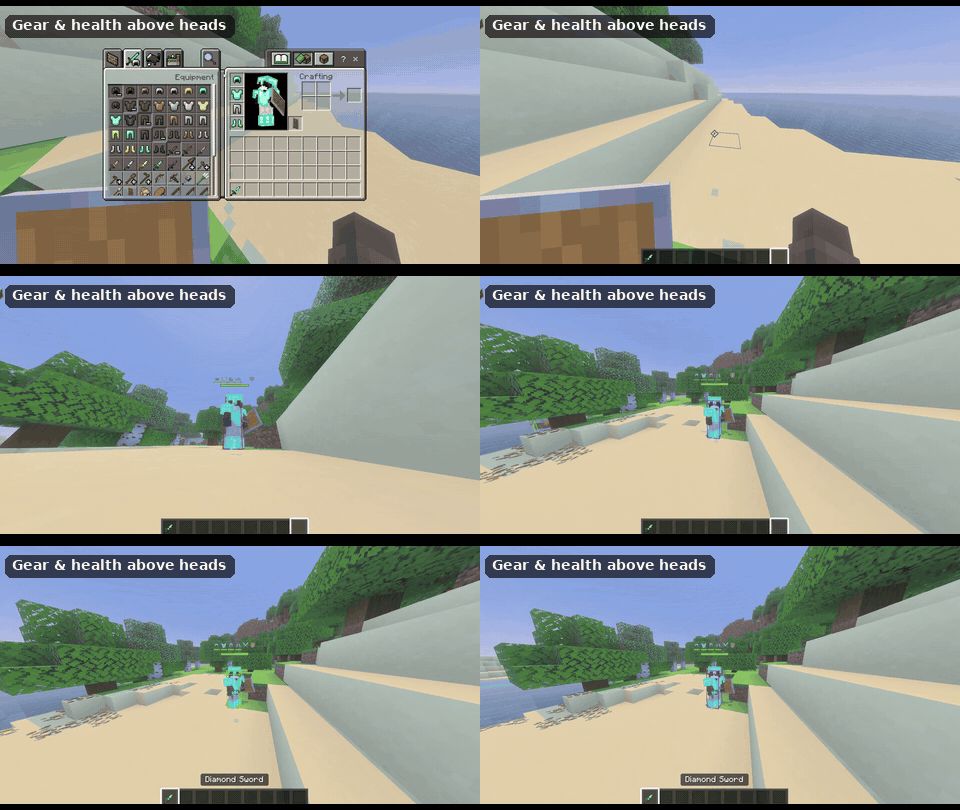
- Gear above heads: flat 2D icons of your opponent's helmet, chestplate, leggings, boots, main hand and offhand. They always turn to face you.
- Armour durability bars under each armour icon (green → yellow → red).
- Health bars above players, and above mobs once they're hurt.
- Durability numbers on hotbar items.
🗡️ Weapons
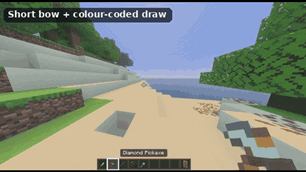
- Short swords, axes, pickaxes and mace, Java short-sword style. They're held in the normal vanilla spot; only the picture is smaller.
- Short bow and crossbow with colour-coded draw stages: the outline glows red → yellow → green as you draw, and cyan when the crossbow is loaded.
- Glowing totems (smaller), golden apples, wind charges, end crystals and ender pearls, easy to find in your hotbar.
- Labelled splash potions: + healing, X harming, S strength, ^ speed, F fire resistance and more.
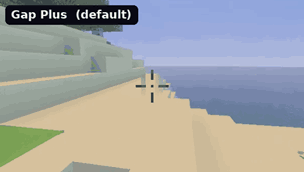
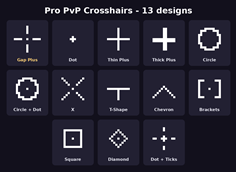
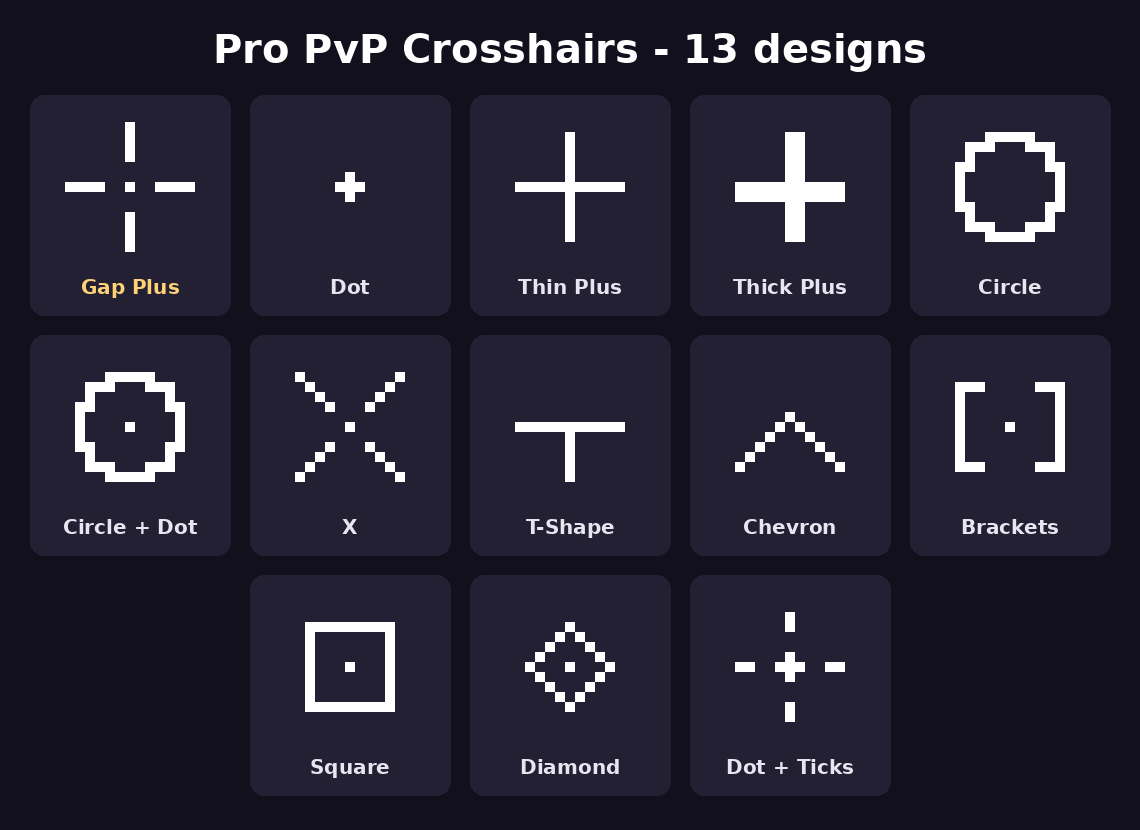
🎯 13 custom crosshairs
Gap Plus, Dot, Thin Plus, Thick Plus, Circle, Circle + Dot, X, T-Shape, Chevron, Brackets, Square, Diamond, Dot + Ticks.
👁️ Clear view
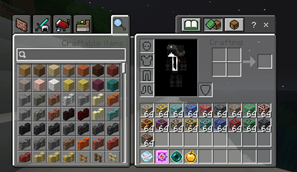
- Transparent menus: inventory, chests, crafting and creative are see-through, so you can watch for enemies while you loot.
- Dark high-contrast hotbar.
- Low fire, no pumpkin blur, clear water, clear lava, less fog.
- Clear borderless glass, no clouds, no rain/snow, short grass.
- Clean smooth blocks and clean bridge wool for a low-noise, FPS-pack look.
- Ore outlines, bright tripwire, outlined cobwebs, high-contrast respawn anchors and glowstone for crystal PvP.
- Bright arrows, subtle item glint, brighter enchanted armour (see who's geared).
✨ Particles & sounds
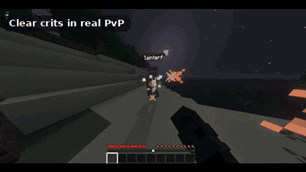
- Bigger, brighter crit particles, so every crit is easy to see.
- Smaller explosions, totem pops, potion swirls and portal particles, and less campfire smoke.
- Crisp hit sound on every landed hit.
- Hear bows, crossbows, totem pops and pearl teleports from further away. Weather sounds are quieter.
📥 Installation
- Download Pro_PvP_by_JunieClient.mcaddon and open it. Minecraft imports two packs:
- Pro PvP by JunieClient: the full PvP kit
- Pro PvP Crosshairs by JunieClient: the crosshairs
- Go to Settings → Global Resources and activate both packs.
⚙️ Change the hitbox colour or crosshair
In the Active list, click the pack, then the gear icon, then drag the slider. Rejoin your world or server afterwards.
❓ FAQ
Does it work on servers? Yes. It's a resource pack only, so it works anywhere global resource packs are allowed.
Can it remove knockback? No. Knockback is decided by the server, so no resource pack can change it.
Will it break when Minecraft updates? The hitboxes and gear display add to Mojang's player and mob files. A big Minecraft update can need a quick pack update; leave a comment if u find bugs.
Another pack is overriding it. Put Pro PvP at the top of your Active list. Server packs that change players or mobs can still take priority.
Made by JunieClientDev.
The Ultimate Guide to Pro PvP by JunieClient
If you are exploring the vast world of Minecraft modifications, Pro PvP by JunieClient by JunieClientDev is a standout texture that deserves your attention. With over 1,294 downloads, it has become a staple for players looking to enhance their experience. As the creator describes it, this project is "All-in-one Bedrock PvP pack: Java hitboxes, armour & health above heads, short weapons, bow charge colours, transparent menus, crosshairs + 40 extras.". Whether you are a veteran builder constructing massive cities, or simply a casual player looking to upgrade your survival world, this guide will provide you with all the essential details on how Pro PvP by JunieClient alters the game.
What Makes It Special?
Unlike standard textures that simply alter superficial elements, Pro PvP by JunieClient introduces a wide array of visual and mechanical features designed to seamlessly blend into the vanilla aesthetic. JunieClientDev has clearly spent significant time refining the project to ensure that every aspect feels polished and responsive for version 1.21.
Installation Guide
Getting Pro PvP by JunieClient up and running is straightforward. Follow these step-by-step instructions:
- Verify Your Version: Ensure your Minecraft launcher is set to version 1.21.
- Install Mod Loader (if required): If this is a mod, download the compatible loader (Forge, Fabric, NeoForge).
- Download the File: Click the secure download button above to retrieve the official file from CurseForge.
- Move the File: Place the downloaded file into your `mods`, `shaderpacks`, or `resourcepacks` folder depending on the texture type.
- Launch and Enjoy: Open Minecraft, navigate to the respective settings menu, and activate Pro PvP by JunieClient.
Compatibility & Performance
Compatibility is robust. Pro PvP by JunieClient is designed specifically for version 1.21, taking full advantage of the latest engine optimizations. During typical gameplay, this addition maintains a stable frame rate, though lower-end laptops might experience slight stuttering. We recommend pairing this with performance boosters like Sodium or Iris to guarantee a silky-smooth experience.