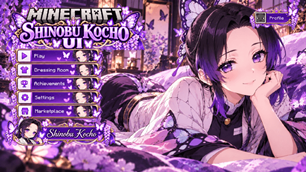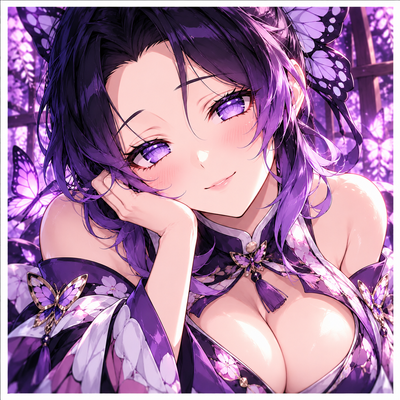
Why Shinobu UI | Anime | Animated Menu | Anime Girl | Anime UI | Girl | Menu | Demon Slayer is a top-tier texture pack mod for Minecraft 1.21
Developed by the talented creator Blub_Studios, Shinobu UI | Anime | Animated Menu | Anime Girl | Anime UI | Girl | Menu | Demon Slayer stands out as a highly recommended selection for your Minecraft client. It is fully optimized, compatibility-tested, and brings a major upgrade to the gameplay experience in Minecraft version 1.21.
⚙️ Quick Resource Specs
| Mod Creator | Blub_Studios |
| Latest Version | 1.21 |
| Supported Game Versions | Minecraft 1.21+ |
| File Size | 12.42 MB |
| Last Updated | |
| Total Downloads | 7,678 downloads |
Shinobu UI | Anime | Animated Menu | Anime Girl | Anime UI | Girl | Menu | Demon Slayer
Demon Slayer Inspired Anime UI for Minecraft Bedrock & MCPE
Transform Minecraft Bedrock with Shinobu UI, a Demon Slayer inspired custom interface featuring an Anime UI, Animated Menu, butterfly-themed purple visuals, detailed Shinobu Kocho artwork, elegant GUI styling, and a coordinated anime loading screen.
Designed for players searching for a Shinobu UI, Demon Slayer UI, Anime UI, Animated Menu, Anime Girl UI, Minecraft Bedrock Anime UI, MCPE Anime UI, Butterfly UI, or Custom Minecraft GUI, this pack gives Minecraft a graceful character-focused identity while preserving familiar navigation.
In-Game Screenshots
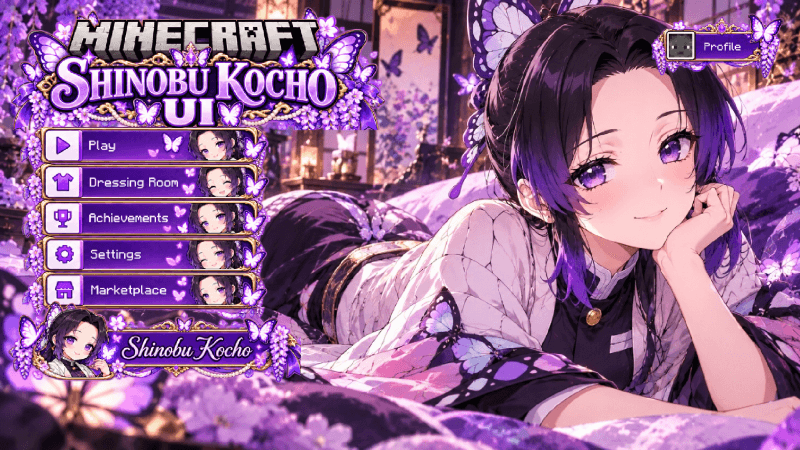
Shinobu Kocho Main Menu Screenshot
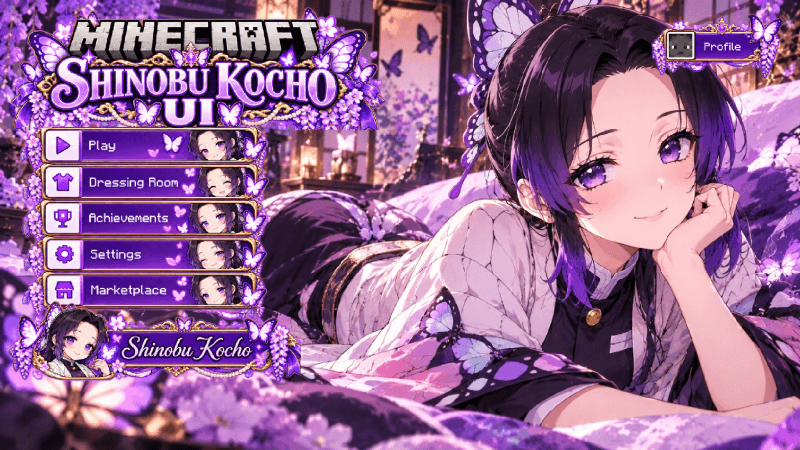
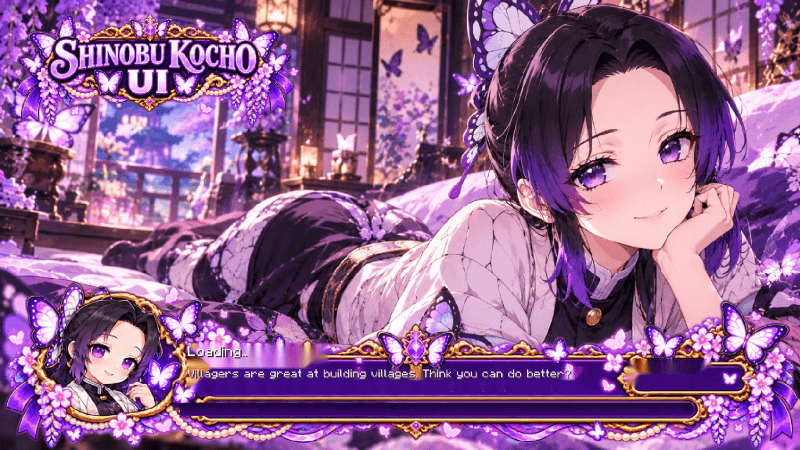
Shinobu Kocho Loading Screen Screenshot
A Demon Slayer Inspired Anime UI for Minecraft
Bring the calm, elegant, and instantly recognizable presence of Shinobu Kocho from Demon Slayer: Kimetsu no Yaiba into Minecraft Bedrock with a custom anime interface built around her signature butterfly-inspired aesthetic.
Shinobu is known for her violet eyes, dark hair with purple highlights, butterfly hair ornament, distinctive haori, and graceful visual identity. These recognizable details make her an ideal character for a soft but striking Minecraft Anime UI.
Rather than using a generic anime background, Shinobu UI builds its presentation around her specific color palette and butterfly motif to create a more cohesive Demon Slayer themed interface.
The result is a Shinobu Minecraft UI designed to feel elegant, recognizable, and character-focused from the moment Minecraft opens.
Anime UI and Animated Menu Experience
The Animated Menu is one of the main highlights of Shinobu UI.
Instead of opening Minecraft to the standard interface, the menu introduces a more atmospheric anime presentation with detailed Shinobu artwork, violet interface panels, butterfly-inspired decorations, soft luminous accents, and coordinated menu styling.
Shinobu remains the central visual focus while Minecraft navigation stays clearly positioned and easy to understand.
Detailed Shinobu artwork, purple GUI styling, butterfly motifs, soft lighting, and a character-focused Animated Menu combine to create a distinctive Demon Slayer Anime UI for Minecraft Bedrock.
Purple Butterfly Visual Theme
The visual direction of Shinobu UI is built around a refined combination of violet, lavender, purple, white, black, soft cyan, and subtle pink tones.
These colors complement Shinobu's recognizable design and create an interface that feels lighter and more graceful than Minecraft's standard menus.
Butterfly-inspired frames, floral details, translucent-looking accents, soft glows, dark contrast, and elegant character artwork help establish a visual identity directly connected to Shinobu Kocho.
This gives the pack strong relevance for players looking for a purple Anime UI, butterfly Minecraft GUI, Demon Slayer UI, Shinobu theme, aesthetic Minecraft interface, or character-themed Bedrock UI.
Custom Shinobu Interface Experience
- Shinobu UI for Minecraft Bedrock & MCPE
- Demon Slayer Inspired Anime UI
- Animated Menu
- Anime Girl interface presentation
- Custom Minecraft Bedrock GUI styling
- Detailed Shinobu Kocho character artwork
- Purple, lavender, black, and white visual theme
- Butterfly-inspired decorative elements
- Character-themed main menu presentation
- Themed loading screen design
- Styled menu buttons and interface frames
- Clean and recognizable Minecraft navigation
Custom Shinobu Loading Screen
The Shinobu theme continues beyond the main menu with a dedicated anime-themed loading screen.
The loading interface can carry forward the same violet and butterfly-inspired visual language as the main menu, helping the overall pack feel consistent across multiple Minecraft screens.
Coordinated character artwork, decorative frames, progress elements, and themed interface details make the loading presentation feel like part of the same complete Shinobu UI rather than an unrelated screen.
Designed Around Shinobu, Not a Generic Anime Theme
A strong character UI should communicate its inspiration immediately.
Shinobu UI uses her recognizable butterfly motif, violet eyes, dark-purple hair tones, elegant clothing palette, and graceful visual identity to create a clear Demon Slayer theme.
This makes the pack especially relevant for players searching for Shinobu UI, Shinobu Kocho Minecraft UI, Demon Slayer Minecraft UI, Kimetsu no Yaiba UI, Anime Girl UI, Butterfly Anime UI, or Demon Slayer themed Minecraft customization.
The interface elements are designed to support the character artwork rather than overpower it, giving the pack a cleaner and more polished visual balance.
Elegant Anime GUI for Everyday Minecraft
A custom Minecraft interface should look different without making navigation unnecessarily difficult.
Shinobu UI keeps the familiar Minecraft structure recognizable while replacing the ordinary presentation with a more refined anime design.
Important options remain easy to identify, making the interface suitable for regular gameplay rather than only screenshots or showcases.
Whether you are playing Survival, building in Creative, joining multiplayer, adjusting settings, recording videos, or taking screenshots, the Shinobu theme remains part of the overall Minecraft experience.
Minecraft Bedrock & MCPE Anime UI
Shinobu UI is designed for players interested in a Minecraft Bedrock Anime UI or MCPE Anime UI with a strong character-specific identity.
It combines Shinobu Kocho's recognizable Demon Slayer design with popular Minecraft interface customization features such as an Animated Menu, Anime Girl visuals, custom GUI styling, detailed character artwork, and a themed loading screen.
The pack naturally fits searches related to Anime UI for Minecraft Bedrock, MCPE Anime UI, Minecraft Anime GUI, Minecraft Animated Menu, Custom Minecraft UI, Anime Girl UI, Shinobu UI, Demon Slayer UI, Kimetsu no Yaiba UI, Butterfly UI, and Shinobu Minecraft.
Made for Demon Slayer & Shinobu Fans
This UI is designed for players who enjoy Demon Slayer, Kimetsu no Yaiba, Shinobu Kocho, anime resource packs, animated Minecraft menus, custom GUI packs, character-themed interfaces, and aesthetic Minecraft customization.
Its violet butterfly aesthetic makes it particularly suitable for players who prefer graceful, elegant, and visually clean anime interface themes.
Shinobu UI can also fit naturally into a larger Demon Slayer themed Minecraft setup alongside compatible anime skies, inventory textures, bed textures, totem packs, PvP resources, visual packs, and other character-themed add-ons.
A Butterfly-Inspired Demon Slayer Identity
Shinobu's butterfly symbolism gives this UI a distinctive direction that separates it from generic purple anime themes.
Violet interface elements, delicate decorative patterns, floral details, soft highlights, and dark contrast can work together to reflect her recognizable Demon Slayer appearance while keeping the interface visually readable.
This creates a stronger overall presentation for players looking for a Butterfly Anime UI, Shinobu themed Minecraft GUI, Demon Slayer Minecraft interface, or aesthetic purple Minecraft resource pack.
For Screenshots, Videos & Anime Minecraft Setups
The character-focused presentation and distinctive purple theme also make Shinobu UI suitable for Minecraft videos, resource pack showcases, screenshots, Demon Slayer themed setups, and anime Minecraft collections.
Opening Minecraft immediately presents a recognizable Shinobu and Demon Slayer inspired identity, helping character-themed setups feel more complete from the main menu onward.
Give Minecraft a Shinobu Makeover
Replace the standard Minecraft menu presentation with a more elegant, graceful, and character-focused interface inspired by Shinobu Kocho from Demon Slayer.
If you are looking for a Shinobu UI, Demon Slayer UI, Anime UI, Animated Menu, Anime Girl UI, Minecraft Bedrock Anime UI, MCPE Anime UI, Butterfly GUI, purple Anime UI, or character-themed Minecraft interface, this pack is designed around exactly that experience.
With detailed Shinobu artwork, an Animated Menu, custom GUI styling, a coordinated loading screen, purple butterfly visuals, and a clean character-focused aesthetic, Shinobu UI gives Minecraft Bedrock a fresh Demon Slayer inspired identity.
SHINOBU UI | ANIME | ANIMATED MENU | DEMON SLAYER
Minecraft Bedrock & MCPE
Blub Studio
The Ultimate Guide to Shinobu UI | Anime | Animated Menu | Anime Girl | Anime UI | Girl | Menu | Demon Slayer
If you are exploring the vast world of Minecraft modifications, Shinobu UI | Anime | Animated Menu | Anime Girl | Anime UI | Girl | Menu | Demon Slayer by Blub_Studios is a standout texture that deserves your attention. With over 7,678 downloads, it has become a staple for players looking to enhance their experience. As the creator describes it, this project is "Shinobu UI for Minecraft Bedrock and MCPE, inspired by Demon Slayer. Features an Anime UI, Animated Menu, butterfly-themed purple GUI, detailed Shinobu artwork, custom interface visuals, and a themed loading screen.". Whether you are a veteran builder constructing massive cities, or simply a casual player looking to upgrade your survival world, this guide will provide you with all the essential details on how Shinobu UI | Anime | Animated Menu | Anime Girl | Anime UI | Girl | Menu | Demon Slayer alters the game.
What Makes It Special?
Unlike standard textures that simply alter superficial elements, Shinobu UI | Anime | Animated Menu | Anime Girl | Anime UI | Girl | Menu | Demon Slayer introduces a wide array of visual and mechanical features designed to seamlessly blend into the vanilla aesthetic. Blub_Studios has clearly spent significant time refining the project to ensure that every aspect feels polished and responsive for version 1.21.
Installation Guide
Getting Shinobu UI | Anime | Animated Menu | Anime Girl | Anime UI | Girl | Menu | Demon Slayer up and running is straightforward. Follow these step-by-step instructions:
- Verify Your Version: Ensure your Minecraft launcher is set to version 1.21.
- Install Mod Loader (if required): If this is a mod, download the compatible loader (Forge, Fabric, NeoForge).
- Download the File: Click the secure download button above to retrieve the official file from CurseForge.
- Move the File: Place the downloaded file into your `mods`, `shaderpacks`, or `resourcepacks` folder depending on the texture type.
- Launch and Enjoy: Open Minecraft, navigate to the respective settings menu, and activate Shinobu UI | Anime | Animated Menu | Anime Girl | Anime UI | Girl | Menu | Demon Slayer.
Compatibility & Performance
Compatibility is robust. Shinobu UI | Anime | Animated Menu | Anime Girl | Anime UI | Girl | Menu | Demon Slayer is designed specifically for version 1.21, taking full advantage of the latest engine optimizations. During typical gameplay, this addition maintains a stable frame rate, though lower-end laptops might experience slight stuttering. We recommend pairing this with performance boosters like Sodium or Iris to guarantee a silky-smooth experience.