Why Clean Screen is a top-tier texture pack mod for Minecraft 1.21
Developed by the talented creator KENPITU, Clean Screen stands out as a highly recommended selection for your Minecraft client. It is fully optimized, compatibility-tested, and brings a major upgrade to the gameplay experience in Minecraft version 1.21.
⚙️ Quick Resource Specs
| Mod Creator | KENPITU |
| Latest Version | 1.21 |
| Supported Game Versions | Minecraft 1.21+ |
| File Size | 36.36 KB |
| Last Updated | |
| Total Downloads | 148 downloads |
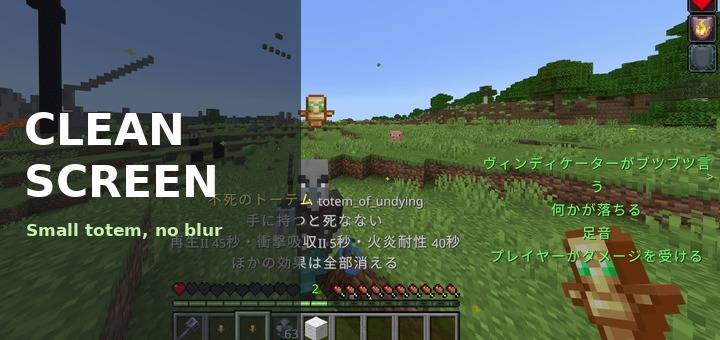
Clears the screen effects that get in your way during a fight.
What it changes
Nausea. Since 26.50, lowering Screen Distortion in the accessibility settings replaces the wobble with a green border around the screen. This pack removes that border. Set Screen Distortion to 0 for the wobble, and this pack takes care of the green.
Carved pumpkin. The pumpkin blur is removed, so you can see normally while wearing one.
Nether portals. The portal is drawn at about 45 percent, so you can see through it. The purple screen while you stand inside it gets fainter too.
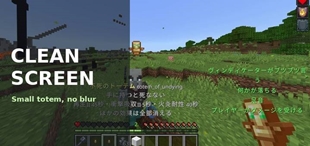
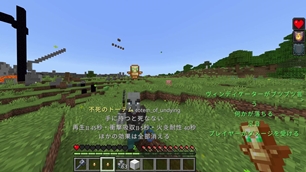
Totem of Undying. The big totem that pops up on your screen is smaller. Pick a size from the dropdown in the pack settings: normal, 3/4, 1/2 or 1/3. 1/3 is the default.
Good to know
The totem icon in your inventory and hotbar gets smaller by the same amount. The game uses one picture for both, so they cannot be changed separately.
Darkness has its own setting: Darkness Effect Strength in the accessibility settings. Turn it down.
Blindness cannot be removed with a resource pack.
Notes
Resource pack only. No behaviour pack, no scripts, no commands. Achievements are unaffected.
Removing these effects can be an advantage in PvP. Check your server or tournament rules.
Other packs that change the same textures (pumpkin blur, portal, totem) may conflict. Put this pack above them.
The pack name and description are translated into all 29 languages Minecraft offers. The size names are shown in both English and Japanese.
All sizes work the same on every device, including phones and tablets.
Installation
Download the .mcpack and open it. Enable it under Global Resources in settings and pick a totem size from the dropdown.
Author: kentotukun
日本語
戦っているときに邪魔になる画面の効果を、すっきりさせます。
変わるもの
吐き気:26.50 から、アクセシビリティ設定の「画面の歪み」を下げると、揺れの代わりに画面のふちが緑になります。このパックはその緑の枠を消します。揺れは「画面の歪み」を0に、緑はこのパックで消せます。
くり抜かれたカボチャ:かぶったときのぼかしを消して、普通に見えるようにします。
ネザーポータル:約45%の薄さにして、向こうが見えるようにします。中に立っているときの紫の画面も薄くなります。
不死のトーテム:発動したときに画面に出る大きなトーテムを小さくします。大きさはパックの設定(歯車)で、普通・3/4・1/2・1/3 から選べます。最初は 1/3 です。
知っておくこと
持ち物やホットバーのトーテムの絵も、同じだけ小さくなります。ゲームが1枚の絵を両方に使っているので、別々にはできません。
暗闇は設定で弱められます。アクセシビリティ設定の「暗闇効果の強さ」を下げてください。
盲目はリソースパックでは消せません。
注意
リソースパックだけです。ビヘイビアーパック・スクリプト・コマンドは入っていません。実績は無効になりません。
これらの効果を消すのは、PvP で有利になることがあります。サーバーや大会のルールを確認してください。
同じ絵(カボチャ・ポータル・トーテム)を変える他のパックとは、競合することがあります。その場合は、このパックを上に置いてください。
パック名と説明は、Minecraft で選べる全29言語に翻訳しています。大きさの名前は英語と日本語の併記です。
すべての大きさが、スマホやタブレットを含むどの端末でも同じように使えます。
入れ方
.mcpack をダウンロードして開きます。設定の「グローバルリソース」で有効にして、ドロップダウンでトーテムの大きさを選びます。
作者:kentotukun
The Ultimate Guide to Clean Screen
If you are exploring the vast world of Minecraft modifications, Clean Screen by KENPITU is a standout texture that deserves your attention. With over 148 downloads, it has become a staple for players looking to enhance their experience. As the creator describes it, this project is "Removes the green nausea border and the pumpkin blur, makes Nether portals faint and shrinks the totem pop animation (four sizes). Resource pack only.". Whether you are a veteran builder constructing massive cities, or simply a casual player looking to upgrade your survival world, this guide will provide you with all the essential details on how Clean Screen alters the game.
What Makes It Special?
Unlike standard textures that simply alter superficial elements, Clean Screen introduces a wide array of visual and mechanical features designed to seamlessly blend into the vanilla aesthetic. KENPITU has clearly spent significant time refining the project to ensure that every aspect feels polished and responsive for version 1.21.
Installation Guide
Getting Clean Screen up and running is straightforward. Follow these step-by-step instructions:
- Verify Your Version: Ensure your Minecraft launcher is set to version 1.21.
- Install Mod Loader (if required): If this is a mod, download the compatible loader (Forge, Fabric, NeoForge).
- Download the File: Click the secure download button above to retrieve the official file from CurseForge.
- Move the File: Place the downloaded file into your `mods`, `shaderpacks`, or `resourcepacks` folder depending on the texture type.
- Launch and Enjoy: Open Minecraft, navigate to the respective settings menu, and activate Clean Screen.
Compatibility & Performance
Compatibility is robust. Clean Screen is designed specifically for version 1.21, taking full advantage of the latest engine optimizations. During typical gameplay, this addition maintains a stable frame rate, though lower-end laptops might experience slight stuttering. We recommend pairing this with performance boosters like Sodium or Iris to guarantee a silky-smooth experience.