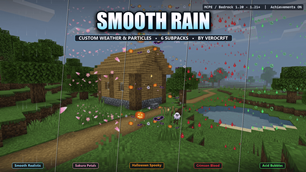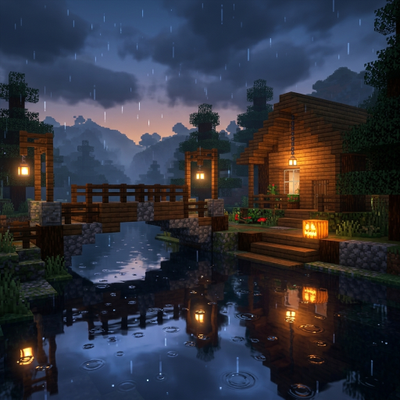
Why Smooth Rain : Helloween Update is a top-tier texture pack mod for Minecraft 1.21
Developed by the talented creator Verocrft, Smooth Rain : Helloween Update stands out as a highly recommended selection for your Minecraft client. It is fully optimized, compatibility-tested, and brings a major upgrade to the gameplay experience in Minecraft version 1.21.
⚙️ Quick Resource Specs
| Mod Creator | Verocrft |
| Latest Version | 1.21 |
| Supported Game Versions | Minecraft 1.21+ |
| File Size | 648.77 KB |
| Last Updated | |
| Total Downloads | 182 downloads |
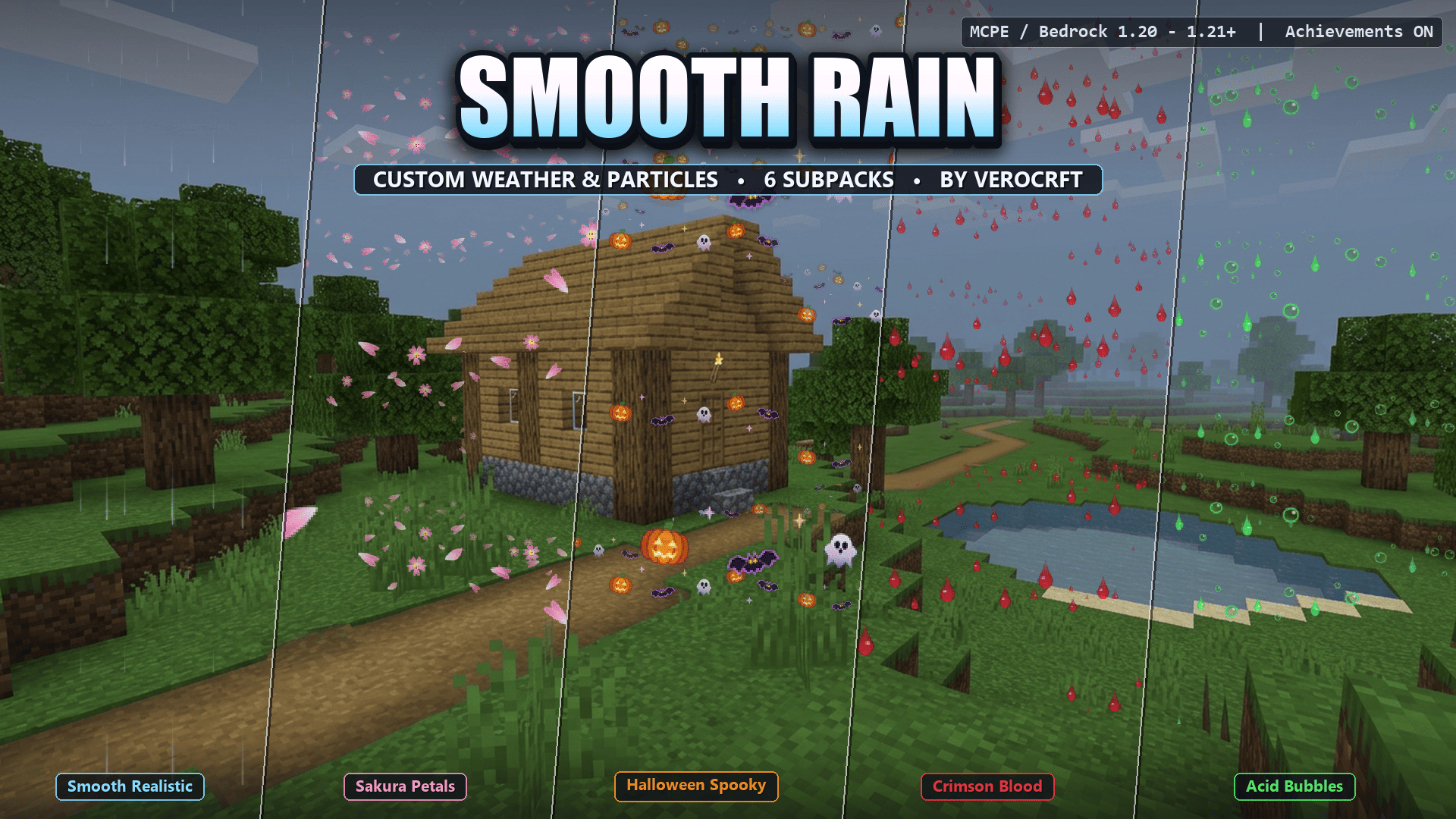
Smooth Rain
Custom Weather & Particle Effects for Minecraft Bedrock
Replace noisy, vision-blocking rain with 6 handcrafted weather modes, switchable anytime from a simple slider.




Achievement Friendly • 6 Weather Modes • Key Features • Installation • Compatibility • Changelog
Smooth Rain revamps Minecraft Bedrock's default noisy, vision-blocking rain into clean, atmospheric, and customizable weather. Choose anything from silky-smooth natural raindrops and FPS-friendly minimal droplets to custom-shaped falling Sakura petals, Halloween icons, glossy blood drops, and toxic acid bubbles.
Built on Bedrock's native Subpack Slider, you can switch between 6 handcrafted weather modes anytime from your Resource Pack settings, without installing multiple packs.
Achievement Friendly
Keep earning achievements and trophies. Smooth Rain is a pure Resource Pack, with no Behavior Pack and no experimental toggles required, so your survival worlds stay fully achievement-enabled.
The 6 Weather Modes
| # | Mode | Visual Style |
|---|---|---|
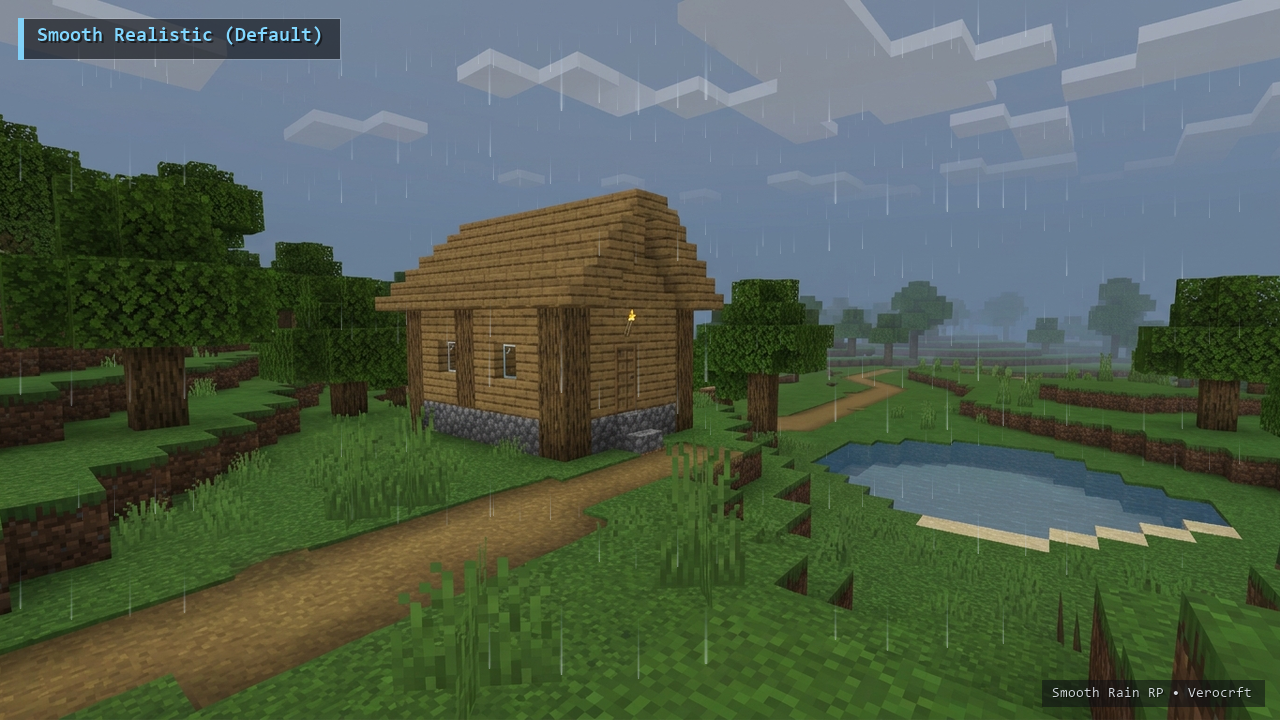
| 1 | Smooth Realistic (Default) | Soft, anti-aliased sky-blue to white rain streaks with gentle gradient tails and natural visibility. |
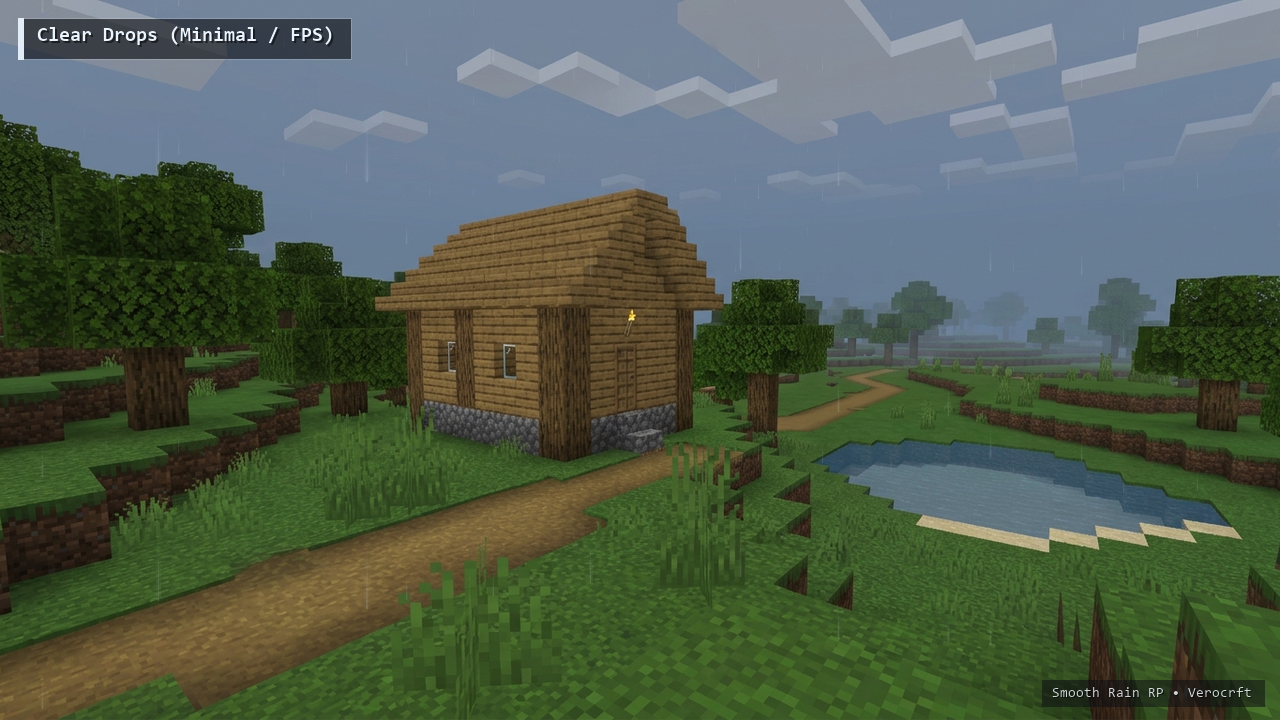
| 2 | Clear Drops (Minimal / FPS) | Ultra-clean, low-opacity micro-droplets designed for PvP, building, and low-end devices. |
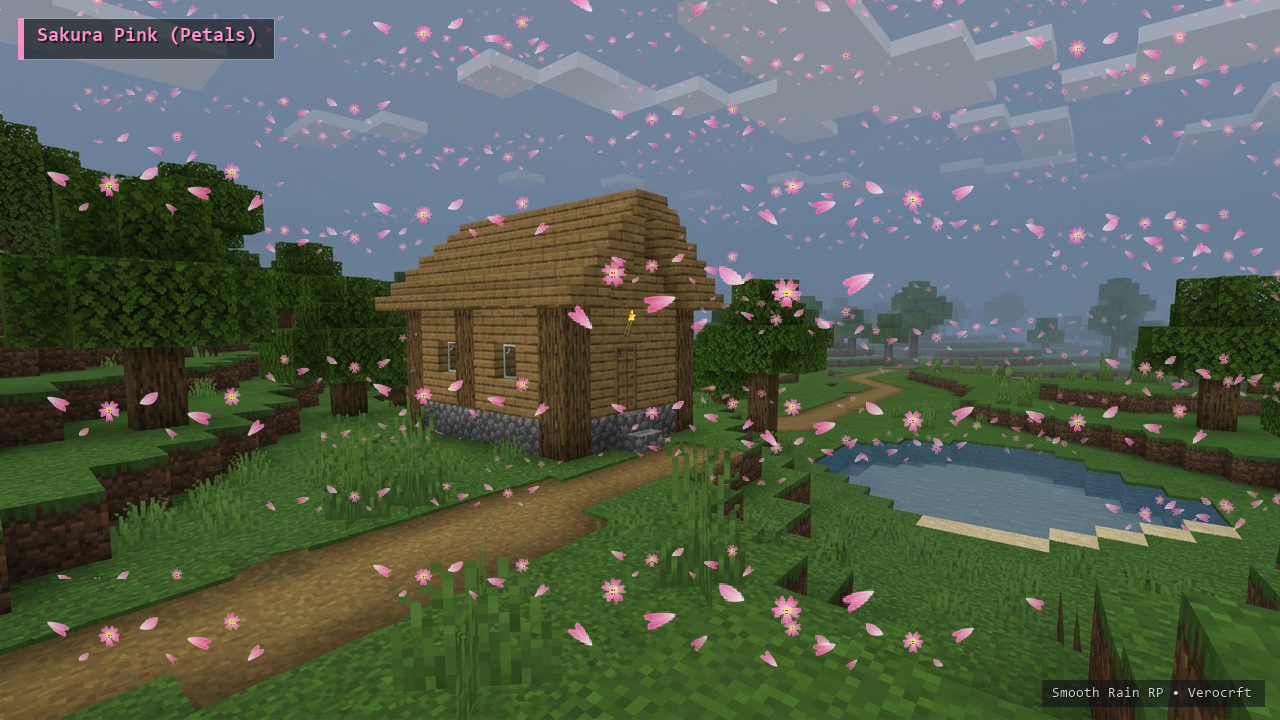
| 3 | Sakura Pink (Petals) | Fluttering notched cherry blossom petals and 5-petal mini sakura flowers drifting from the sky. Also replaces snow in cold biomes. |
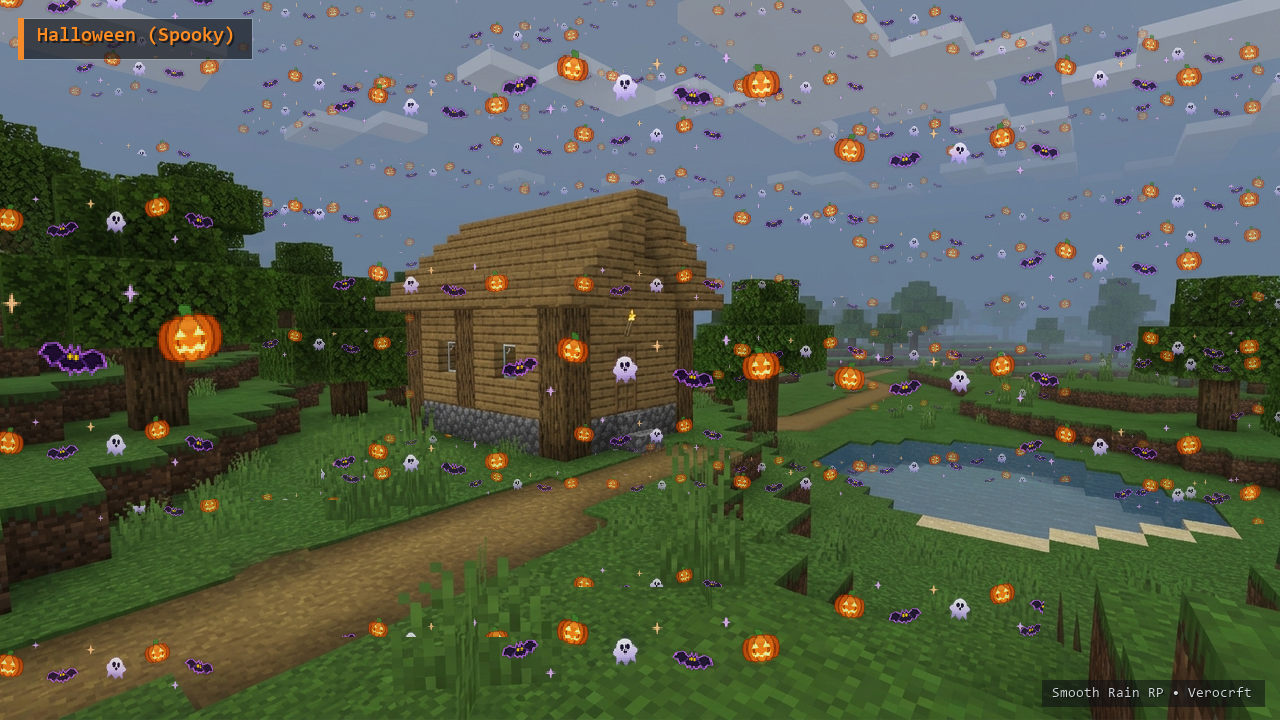
| 4 | Halloween (Spooky) | A seasonal mix of glowing Jack-o'-Lantern pumpkins, neon-rimmed flying bats, spooky mini ghosts, and embers. |
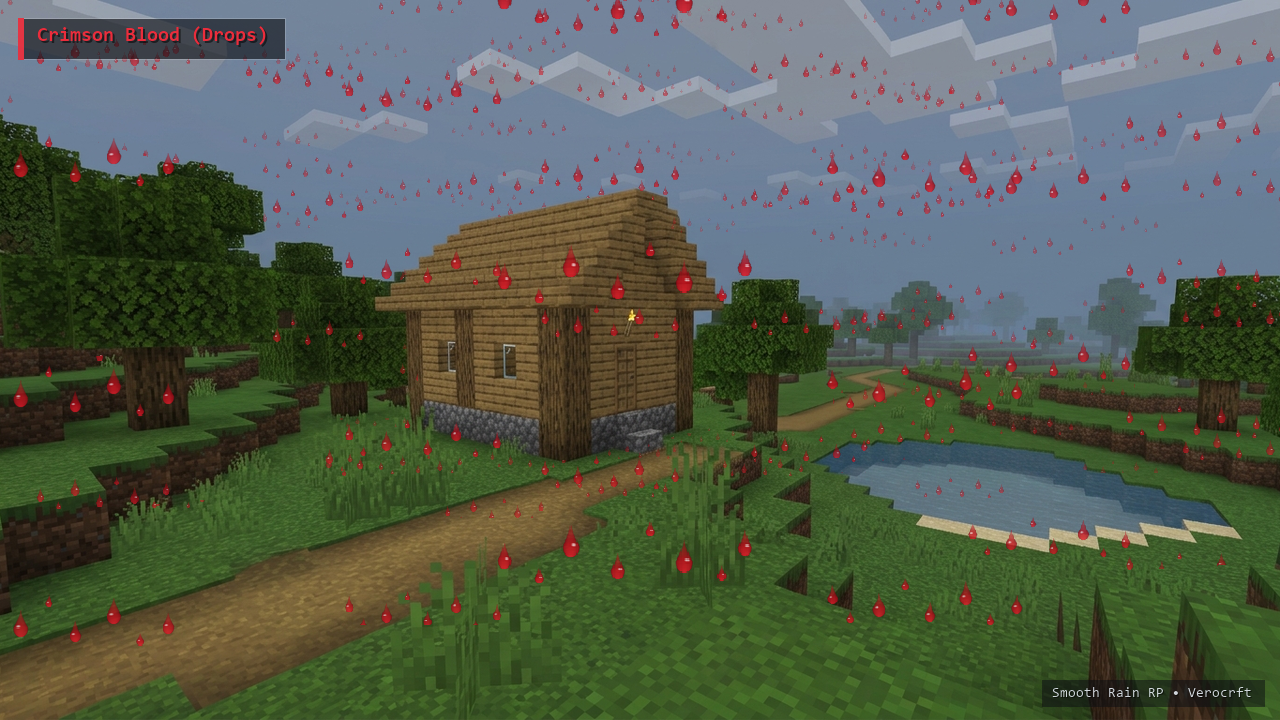
| 5 | Crimson Blood (Drops) | Viscous 3D liquid blood teardrops with wet specular highlights and micro-droplet splatters. |
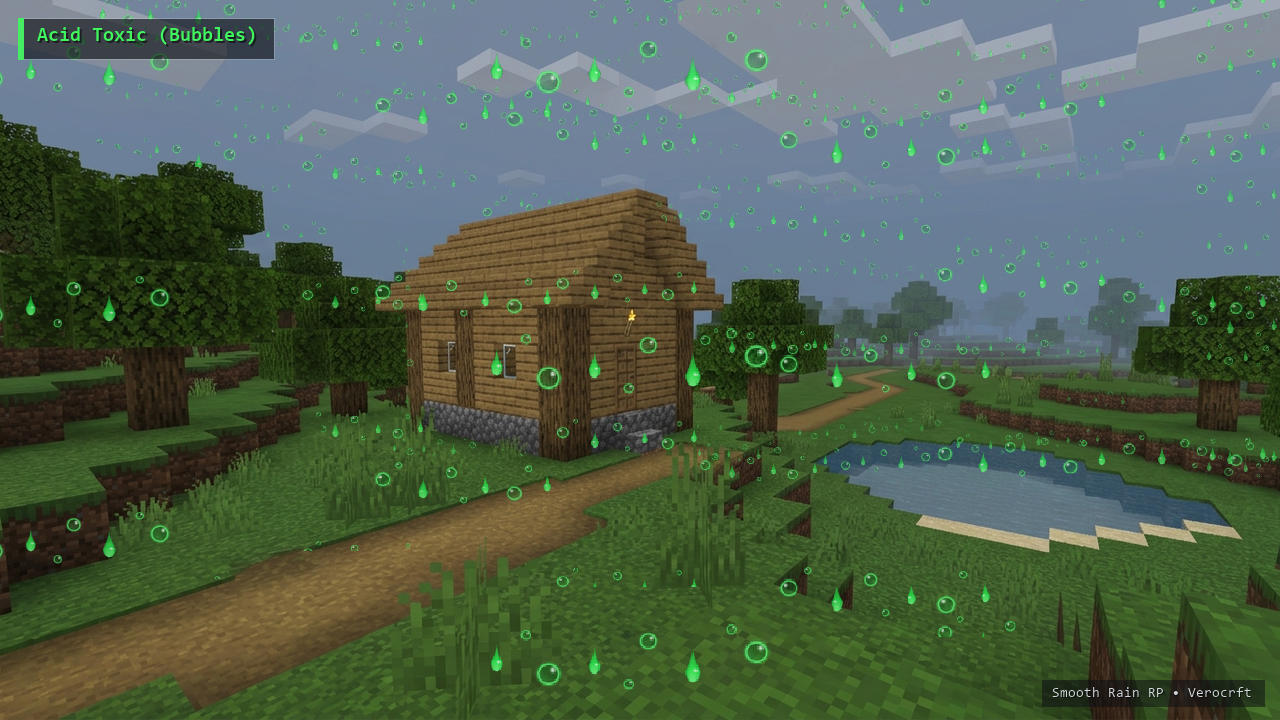
| 6 | Acid Toxic (Bubbles) | Translucent neon-green radioactive bubbles mixed with dripping toxic slime globules. |
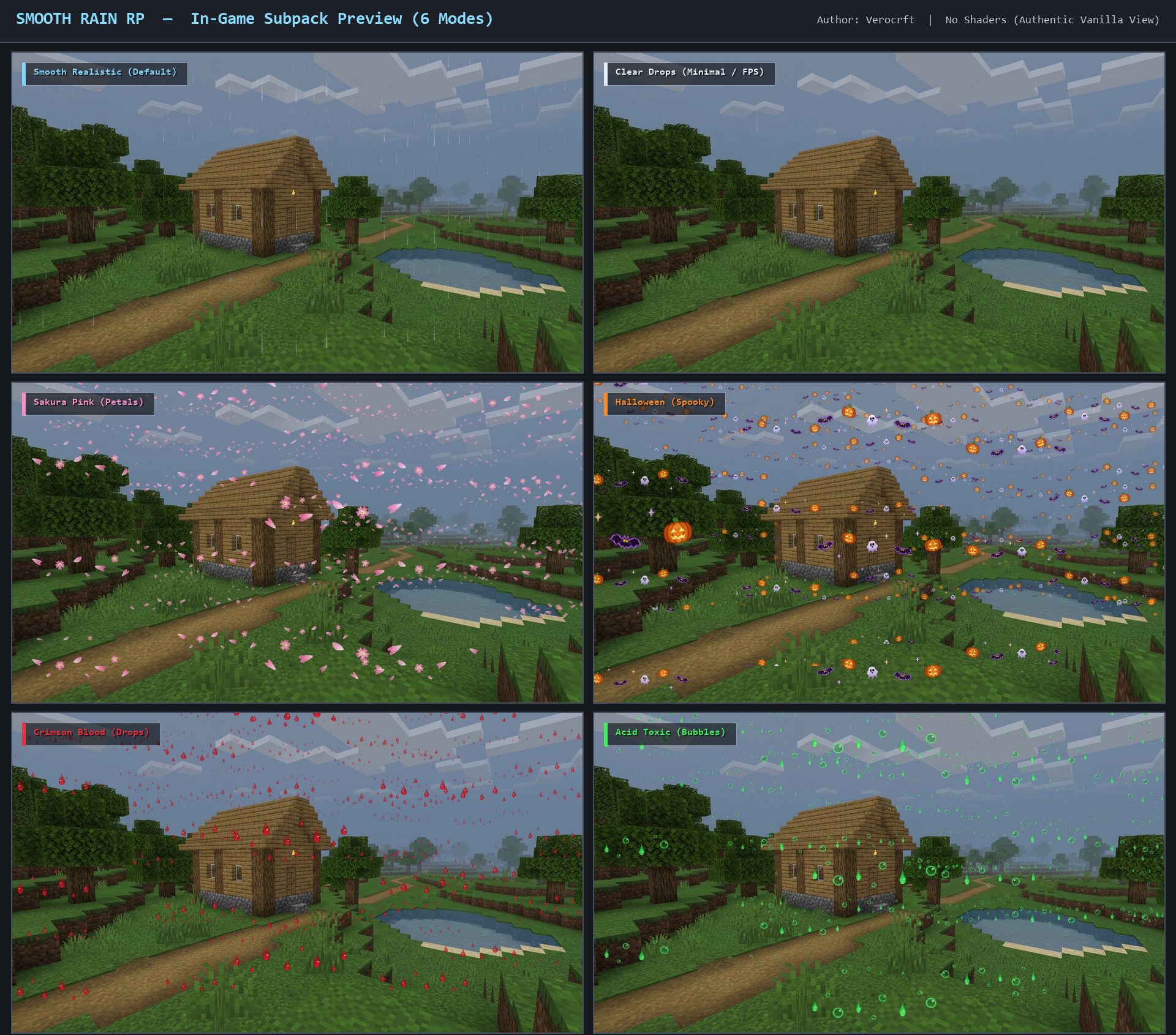
All previews below show the actual in-game look in vanilla Minecraft Bedrock, with no shaders.
1. Smooth Realistic (Default)
Soft, anti-aliased sky-blue to white rain streaks with gentle gradient tails and natural visibility.
2. Clear Drops (Minimal / FPS)
Ultra-clean, low-opacity micro-droplets designed for PvP, building, and low-end devices.
3. Sakura Pink (Petals)
Fluttering notched cherry blossom petals and 5-petal mini sakura flowers drifting from the sky. Also replaces snow in cold biomes.
4. Halloween (Spooky)
A seasonal mix of glowing Jack-o'-Lantern pumpkins, neon-rimmed flying bats, spooky mini ghosts, and embers.
5. Crimson Blood (Drops)
Viscous 3D liquid blood teardrops with wet specular highlights and micro-droplet splatters.
6. Acid Toxic (Bubbles)
Translucent neon-green radioactive bubbles mixed with dripping toxic slime globules.
Key Features
- 100% original handcrafted HD weather sheets (
256x256): crisp pixel art and smooth alpha gradients made specifically for Bedrock's weather renderer. - Survival and Realm friendly: a pure Resource Pack that keeps Xbox, PlayStation, and Mobile achievements on.
- Zero FPS drop: lightweight optimized PNG sprites (under 25 KB per mode) with
memory_tier: 0compatibility for all devices. - Themed cold biomes: snowfall automatically matches your selected theme, such as sakura petal snowfall, spooky Halloween snow, or HD ice crystals.
Installation & How to Switch Modes
- Download
Smooth Rain.mcpack. - Open the file to import it into Minecraft Bedrock automatically.
- Go to Settings > Global Resources (or World Settings > Resource Packs) and activate Smooth Rain RP.
- Click the gear (Settings) icon on Smooth Rain RP.
- Drag the Subpack Slider to choose one of the 6 weather modes, then close the settings to apply.
Compatibility
- Minecraft Bedrock 1.20.0 to 1.21+.
- Resource Pack only. No Behavior Pack and no experimental toggles, so achievements stay enabled.
- Works on Windows, mobile, and console, in singleplayer, multiplayer servers, and Realms.
- Lightweight enough for low-end devices.
The Ultimate Guide to Smooth Rain : Helloween Update
If you are exploring the vast world of Minecraft modifications, Smooth Rain : Helloween Update by Verocrft is a standout texture that deserves your attention. With over 182 downloads, it has become a staple for players looking to enhance their experience. As the creator describes it, this project is "Replace noisy Minecraft rain with 6 handcrafted weather modes: realistic, minimal, Sakura petals, Halloween, blood, and acid. Switch with a slider. Resource pack only, achievement friendly.". Whether you are a veteran builder constructing massive cities, or simply a casual player looking to upgrade your survival world, this guide will provide you with all the essential details on how Smooth Rain : Helloween Update alters the game.
What Makes It Special?
Unlike standard textures that simply alter superficial elements, Smooth Rain : Helloween Update introduces a wide array of visual and mechanical features designed to seamlessly blend into the vanilla aesthetic. Verocrft has clearly spent significant time refining the project to ensure that every aspect feels polished and responsive for version 1.21.
Installation Guide
Getting Smooth Rain : Helloween Update up and running is straightforward. Follow these step-by-step instructions:
- Verify Your Version: Ensure your Minecraft launcher is set to version 1.21.
- Install Mod Loader (if required): If this is a mod, download the compatible loader (Forge, Fabric, NeoForge).
- Download the File: Click the secure download button above to retrieve the official file from CurseForge.
- Move the File: Place the downloaded file into your `mods`, `shaderpacks`, or `resourcepacks` folder depending on the texture type.
- Launch and Enjoy: Open Minecraft, navigate to the respective settings menu, and activate Smooth Rain : Helloween Update.
Compatibility & Performance
Compatibility is robust. Smooth Rain : Helloween Update is designed specifically for version 1.21, taking full advantage of the latest engine optimizations. During typical gameplay, this addition maintains a stable frame rate, though lower-end laptops might experience slight stuttering. We recommend pairing this with performance boosters like Sodium or Iris to guarantee a silky-smooth experience.