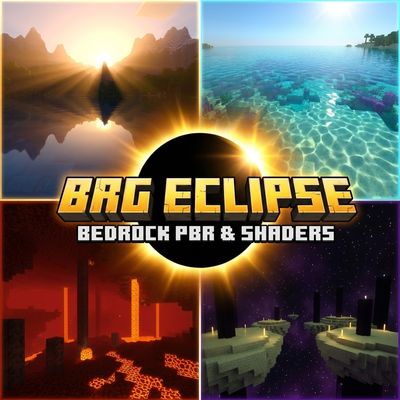
Why BRG Eclipse is a top-tier shader mod for Minecraft 1.21.132
Developed by the talented creator brgamers, BRG Eclipse stands out as a highly recommended selection for your Minecraft client. It is fully optimized, compatibility-tested, and brings a major upgrade to the gameplay experience in Minecraft version 1.21.132.
⚙️ Quick Resource Specs
| Mod Creator | brgamers |
| Latest Version | 1.21.132 |
| Supported Game Versions | 1.21.132, 1.21.131, 1.21.130, 1.21.124, 1.21.123 |
| File Size | 123.05 KB |
| Last Updated | |
| Total Downloads | 407 downloads |
BRG ECLIPSE
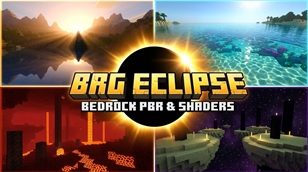
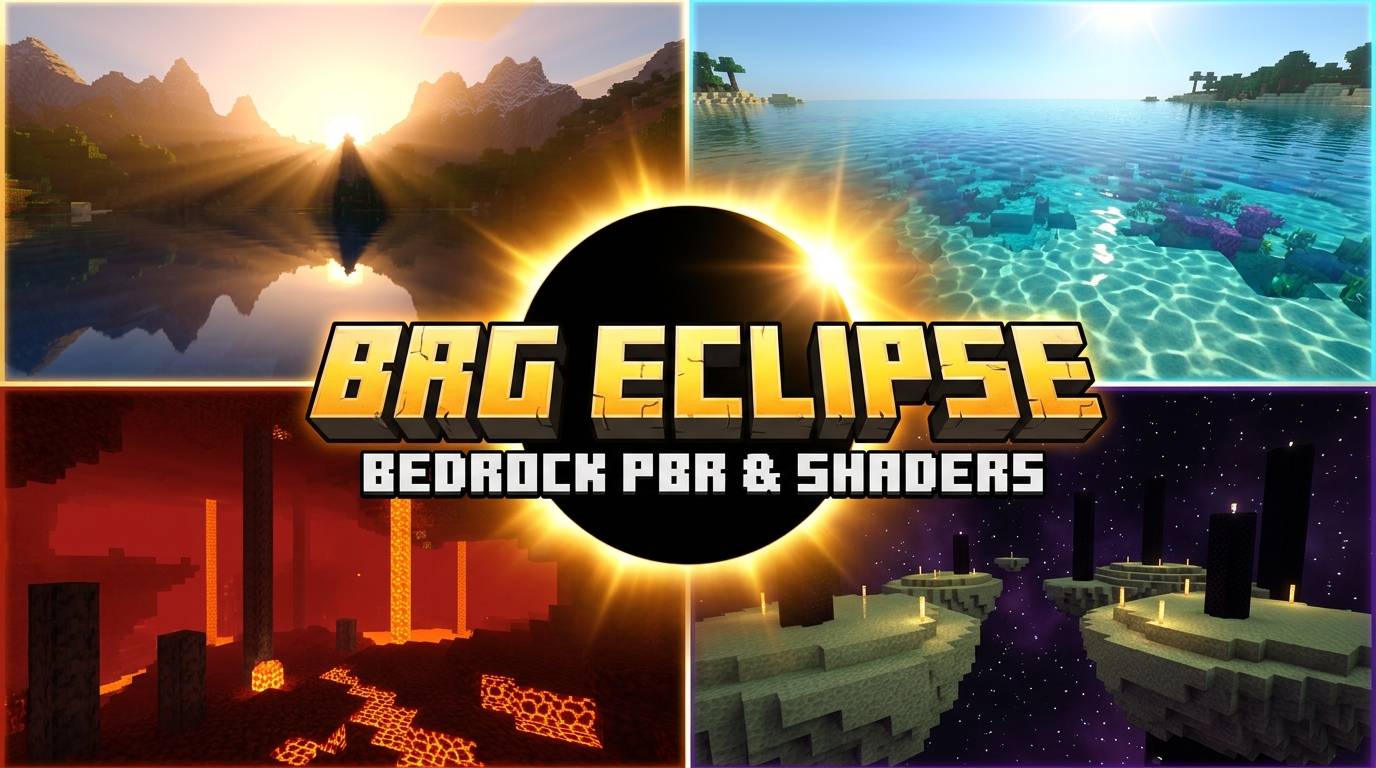
The Ultimate Minecraft Bedrock Visual Experience — featuring photometric golden-hour sunlight, raytraced water caustics, and genuine 3D PBR materials while preserving vanilla block style.
- Import your chosen
.mcpackprofile into Minecraft Bedrock. - Go to Settings → Global Resources and activate BRG ECLIPSE.
- In your World Settings under Experiments, toggle "Render Dragon Features for Creators" to ON.
- In Settings → Video, switch Graphics Mode to "Deferred Technical Preview" (or "Vibrant Visuals").
✨ Key Visual Features
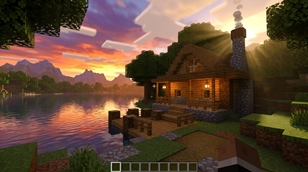
Warm golden-hour sunrises, volumetric godrays through trees, 115,000 lux midday sunlight, and soft 0.75 lux moonlight.
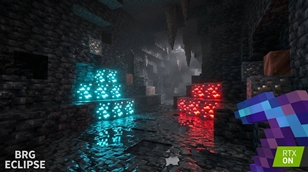
Tangent normal maps and MER (Metalness, Emissive, Roughness) maps give real metallic sheen to iron/gold and tactile relief to stone/wood.
Diamond, Emerald, Redstone, Magma cracks, Glowstone, and Sea Lanterns genuinely illuminate surrounding dark blocks.
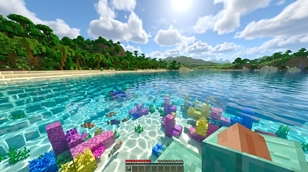
Crystal-clear turquoise coastal waters with CDOM particulate absorption and dynamic animated sunlight caustics dancing on the seabed.
Volumetric crimson gloom with readable basalt deltas in the Nether; mysterious extraterrestrial violet void and lunar End stone in The End.
Universal fallback system ensures no missing texture pink-black checkers or crashes on unsupported standard rendering modes.
⚡ 3 Performance Profiles
| Profile | Target Hardware | Normal Depth | Caustics | Best For |
|---|---|---|---|---|
| ⚖️ Balanced (Recommended) | RTX 2060, GTX 1660, Flagship Mobile | 1.2× | 1.00 | Daily survival gameplay with smooth 60–90 FPS |
| 🎬 Cinematic Profile | RTX 3070+, RX 6700 XT+ | 1.8× | 1.35 | Max fidelity, screenshots & YouTube video creation |
| 🚀 Performance Profile | Budget PC, Iris Xe, Tablets & Mobile | 0.6× | 0.60 | High framerates on entry-level devices |
🎮 Platform & System Compatibility
- Supported Minecraft Versions: Bedrock 1.20.80+ / 1.21.0+ / 1.21.40+ (Stable & Preview).
- Windows 10/11 PC: Fully supported on DirectX 12 GPUs (NVIDIA GTX/RTX, AMD Radeon RX, Intel Arc/Iris Xe).
- Android / iOS: Supported on devices with Vulkan/Metal Deferred Preview enabled in preview builds.
BRG ECLIPSE is created by BR GAMERS. 100% Original Assets & Configurations.
Content Creators are 100% free to feature BRG ECLIPSE in YouTube videos and streams with credit to BR GAMERS.
The Ultimate Guide to BRG Eclipse
If you are exploring the vast world of Minecraft modifications, BRG Eclipse by brgamers is a standout shader that deserves your attention. With over 407 downloads, it has become a staple for players looking to enhance their experience. As the creator describes it, this project is "BRG ECLIPSE transforms Minecraft Bedrock with cinematic golden-hour sunlight, raytraced water caustics, volumetric atmospheric scattering, and genuine 3D PBR materials for RenderDragon Vibrant Visuals.". Whether you are a veteran builder constructing massive cities, or simply a casual player looking to upgrade your survival world, this guide will provide you with all the essential details on how BRG Eclipse alters the game.
What Makes It Special?
Unlike standard shaders that simply alter superficial elements, BRG Eclipse introduces a wide array of visual and mechanical features designed to seamlessly blend into the vanilla aesthetic. brgamers has clearly spent significant time refining the project to ensure that every aspect feels polished and responsive for version 1.21.132.
Installation Guide
Getting BRG Eclipse up and running is straightforward. Follow these step-by-step instructions:
- Verify Your Version: Ensure your Minecraft launcher is set to version 1.21.132.
- Install Mod Loader (if required): If this is a mod, download the compatible loader (Forge, Fabric, NeoForge).
- Download the File: Click the secure download button above to retrieve the official file from CurseForge.
- Move the File: Place the downloaded file into your `mods`, `shaderpacks`, or `resourcepacks` folder depending on the shader type.
- Launch and Enjoy: Open Minecraft, navigate to the respective settings menu, and activate BRG Eclipse.
Compatibility & Performance
Compatibility is robust. BRG Eclipse is designed specifically for version 1.21.132, taking full advantage of the latest engine optimizations. During typical gameplay, this addition maintains a stable frame rate, though lower-end laptops might experience slight stuttering. We recommend pairing this with performance boosters like Sodium or Iris to guarantee a silky-smooth experience.